1. Pengenalan
Terima kasih kerana membeliasing the QFX Bluetooth 1961 Retro Mini Bus Speaker. This device combines a vintage design with modern audio technology, offering multiple playback options and portable convenience. This manual provides essential information for setting up, operating, and maintaining your speaker.

Rajah 1: Depan view of the QFX Bluetooth 1961 Retro Mini Bus Speaker.
2. Ciri-ciri Produk
- Vintage Reka bentuk: Inspired by the classic 1960s mini bus.
- Audio Berkuasa: Equipped with a 2-inch speaker and bass radiator for enhanced sound.
- Pelbagai Pilihan Main Semula: Supports Bluetooth, FM Radio, USB drives, TF cards, and AUX input.
- Lampu Parti LED: Built-in colorful LED headlights that flash during operation.
- Panggilan Bebas Tangan: Integrated microphone for seamless phone calls when connected via Bluetooth.
- Mudah Alih & Boleh dicas semula: Features a built-in rechargeable battery for on-the-go use.
- Stereo Tanpa Wayar Sejati (TWS): Ability to pair two BT-1961 speakers for stereo sound.
3. Kandungan Pakej
- QFX Bluetooth 1961 Retro Mini Bus Speaker
- Power Cable (USB to Micro USB)
- Manual Pengguna
Note: A 5V DC charger is required for charging and is not included.
4. Produk Lebihview dan Kawalan
Familiarize yourself with the speaker's components and control panel.

Rajah 2: Kawalan dan port panel belakang.
- 1. POWER / M Button: Press and hold to power on/off. Short press to switch between modes (Bluetooth, FM, USB, TF, AUX).
- 2. Butang Main/Jeda: Play or pause audio. During a call, press to answer/end.
- 3. Previous Track / Volume Down Button: Tekan sebentar untuk trek sebelumnya. Tekan dan tahan untuk mengurangkan kelantangan.
- 4. Next Track / Volume Up Button: Tekan sebentar untuk trek seterusnya. Tekan dan tahan untuk meningkatkan kelantangan.
- 5. Port 5V DC: Micro USB input for charging the speaker.
- 6. Port USB: Masukkan pemacu USB untuk main balik MP3.
- 7. Slot Kad TF: Masukkan kad TF (MicroSD) untuk main balik MP3.
- 8. Input AUX: Sambungkan peranti audio luaran menggunakan kabel audio 3.5mm.
- 9. Tail Lights: Indicate charging status (refer to Charging section).
- 10. Retractable Antenna: Extend for improved FM radio reception.
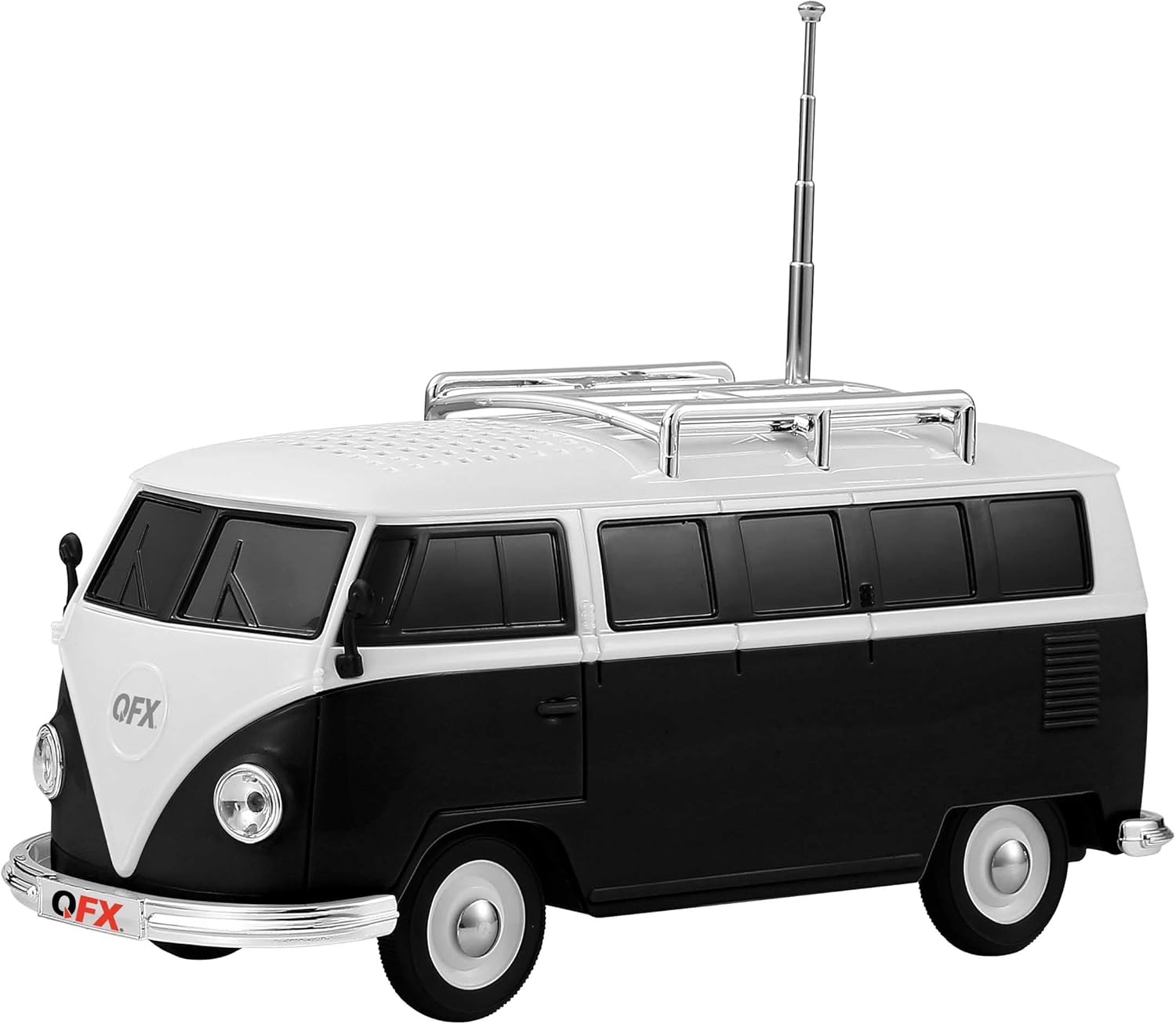
Rajah 3: Sisi view with retractable antenna extended.
5. Persediaan
5.1 Pengecasan Awal
- Sebelum penggunaan pertama, cas sepenuhnya pembesar suara.
- Sambungkan kabel pengecas USB yang disediakan ke port DC 5V di bahagian belakang pembesar suara.
- Connect the other end of the USB cable to a 5V DC USB power adapter (not included).
- The front headlights will flash during charging. Once fully charged, the tail lights should illuminate (behavior may vary; refer to Troubleshooting if unsure).
5.2 Hidupkan/Mati Kuasa
- Untuk menghidupkan, tekan dan tahan POWER / M button until you hear an engine start sound.
- Untuk mematikan, tekan dan tahan POWER / M button until you hear an engine off sound.
6. Arahan Operasi
6.1 Berpasangan Bluetooth
- Hidupkan pembesar suara. Ia akan memasuki mod gandingan Bluetooth secara automatik, yang ditunjukkan oleh gesaan suara.
- Dayakan Bluetooth pada peranti mudah alih anda (telefon pintar, tablet, dll.).
- Cari untuk available Bluetooth devices and select "BT-1961" from the list.
- Once paired, you will hear a confirmation sound. You can now play audio from your device through the speaker.

Figure 4: Bluetooth connectivity for music and hands-free calling.
6.2 Operasi Radio FM
- Hidupkan pembesar suara. Tekan butang POWER / M button repeatedly to switch to FM Radio mode.
- Extend the retractable antenna for optimal reception.
- To auto-scan and save available stations, press and hold the Main/Jeda button. The speaker will scan and store stations.
- Gunakan Trek / Kelantangan Sebelumnya dan Trek / Kelantangan Seterusnya butang untuk menavigasi antara stesen yang disimpan.
6.3 Main Semula Kad USB / TF
- Masukkan pemacu USB atau kad TF (MicroSD) yang mengandungi audio MP3 files ke pelabuhan masing-masing.
- Pembesar suara akan mengesan peranti storan secara automatik dan mula memainkan muzik. Jika tidak, tekan butang POWER / M button to cycle through modes until USB/TF mode is active.
- Gunakan Trek / Kelantangan Sebelumnya dan Trek / Kelantangan Seterusnya buttons for track control.
6.4 Input AUX
- Sambungkan satu hujung kabel audio 3.5mm (tidak disertakan) ke port input AUX pada pembesar suara.
- Sambungkan hujung satu lagi ke bicu fon kepala atau output audio peranti luaran anda.
- Tekan ke POWER / M butang untuk bertukar kepada mod AUX.
- Kawal main balik dan kelantangan terus daripada peranti luaran anda.
6.5 Panggilan Bebas Tangan
- When the speaker is paired with your phone via Bluetooth, incoming calls will be routed to the speaker.
- Tekan ke Main/Jeda butang untuk menjawab panggilan masuk.
- Tekan ke Main/Jeda butang sekali lagi untuk menamatkan panggilan.
6.6 Penggandingan Stereo Tanpa Wayar Sebenar (TWS)
To achieve stereo sound, you can pair two QFX BT-1961 speakers together.
- Ensure both BT-1961 speakers are powered on and in Bluetooth mode, but not yet paired to any device.
- Pada salah satu pembesar suara (ini akan menjadi pembesar suara utama), tekan dan tahan POWER / M butang selama beberapa saat sehingga anda mendengar nada berpasangan.
- Kedua-dua pembesar suara akan bersambung secara automatik antara satu sama lain. Anda akan mendengar bunyi pengesahan sebaik sahaja pasangan TWS berjaya.
- Now, connect your mobile device to the primary speaker via Bluetooth as described in section 6.1. Audio will play in stereo across both speakers.

Figure 5: TWS pairing for enhanced stereo audio.
6.7 Lampu Parti LED
The speaker features built-in LED headlights that flash during operation, adding a visual element to your music experience. There is no specific control to turn these lights off independently.

Figure 6: Flashing LED headlights.
7. Mengecas
To charge the QFX Bluetooth 1961 Retro Mini Bus Speaker:
- Sambungkan kabel pengecas USB yang disediakan ke port DC 5V pada pembesar suara.
- Plug the USB end into a compatible 5V DC USB power adapter (not included).
- The front headlights will flash to indicate that the unit is charging.
- Once charging is complete, the tail lights are expected to illuminate, and the headlights may stop flashing.
8. Spesifikasi
| Ciri | Perincian |
|---|---|
| Nama Model | BT-1961-BLK |
| Jenama | Qfx |
| bahan | plastik |
| Jenis Pembesar Suara | Single Speaker (with Bass Radiator) |
| Kuasa Output Maksimum Pembesar Suara | 3 Watt |
| Teknologi Ketersambungan | Bluetooth |
| Mod Keluaran Audio | Stereo (dengan gandingan TWS) |
| Ciri Khas | USB Port, TF Card Slot, AUX Input, FM Radio, Built-in Microphone, LED Party Lights |
| Kaedah Kawalan | Sentuh Butang |
| Dimensi Produk | 8"D x 3.3"W x 4"H |
| Berat Barang | 1 paun |
| Penggunaan yang Disyorkan | Dalaman |

Rajah 7: Dimensi produk.
9. Penyelesaian masalah
| Masalah | Penyelesaian |
|---|---|
| Speaker tidak dihidupkan. | Ensure the battery is charged. Connect to a 5V DC power source and allow it to charge for at least 30 minutes before attempting to power on again. |
| Tidak boleh berpasangan melalui Bluetooth. | Ensure the speaker is in Bluetooth mode. Turn off and on your device's Bluetooth. Move the speaker closer to your device. Disconnect from any other paired devices. |
| Penerimaan radio FM yang lemah. | Fully extend the retractable antenna. Try repositioning the speaker to find a stronger signal. Perform an auto-scan again. |
| No sound from USB/TF card. | Ensure the card/drive contains compatible MP3 files. Check if the speaker is in the correct mode (press POWER/M button). Ensure volume is not at minimum. |
| Loud engine sound on power on/off. | This is a design feature and cannot be disabled. Adjust the volume before powering off if this is a concern. |
| Charging indicator (headlights/tail lights) not working as expected. | Ensure the charging cable is securely connected and the 5V DC power source is functional. While headlights typically flash during charging and tail lights indicate full charge, slight variations in indicator behavior may occur. If the speaker functions normally after charging, it is likely charging correctly. |
10. Penyelenggaraan
- Bersihkan pembesar suara dengan kain lembut dan kering. Jangan gunakan pembersih atau pelarut yang melelas.
- Avoid exposing the speaker to extreme temperatures, direct sunlight, or moisture.
- Do not disassemble the unit, as this will void the warranty.
- Simpan di tempat yang sejuk dan kering apabila tidak digunakan.
11. Official Product Video (Similar Model)
Video berikut memberikan penutupview of a similar QFX Bluetooth speaker model (BT-1953 Hot Rod Replica) and demonstrates features that are also present in your BT-1961 Mini Bus Speaker, such as Bluetooth connectivity, LED lights, and multiple playback options.
Video: Selesaiview of QFX BT-1953 Hot Rod Replica Bluetooth Speaker, demonstrating features like Bluetooth, LED lights, and various input options. Note: This video features a different model (BT-1953) but showcases similar functionalities to the BT-1961 Mini Bus Speaker.
12. Waranti dan Sokongan
For warranty information and customer support, please refer to the documentation included with your product or visit the official QFX webtapak. Simpan resit pembelian anda sebagai bukti pembelian.


