1. Produk Lebihview
The Itel Buds Ace 2 are True Wireless Stereo (TWS) earbuds designed to deliver a premium audio experience with advanced features for daily use. These earbuds offer extended battery life, clear call quality, and a durable, comfortable design.

Image: Itel Buds Ace 2 TWS Earbuds in their open white charging case.
2. Apa yang ada di dalam Kotak
Sila semak kandungan pakej untuk memastikan semua item ada:
- Itel Buds Ace 2 TWS Earbuds (Left and Right)
- Kes Pengecasan
- Kabel Pengecasan USB Jenis-C
- Petua Telinga Tambahan (pelbagai saiz)
- Manual Pengguna (dokumen ini)
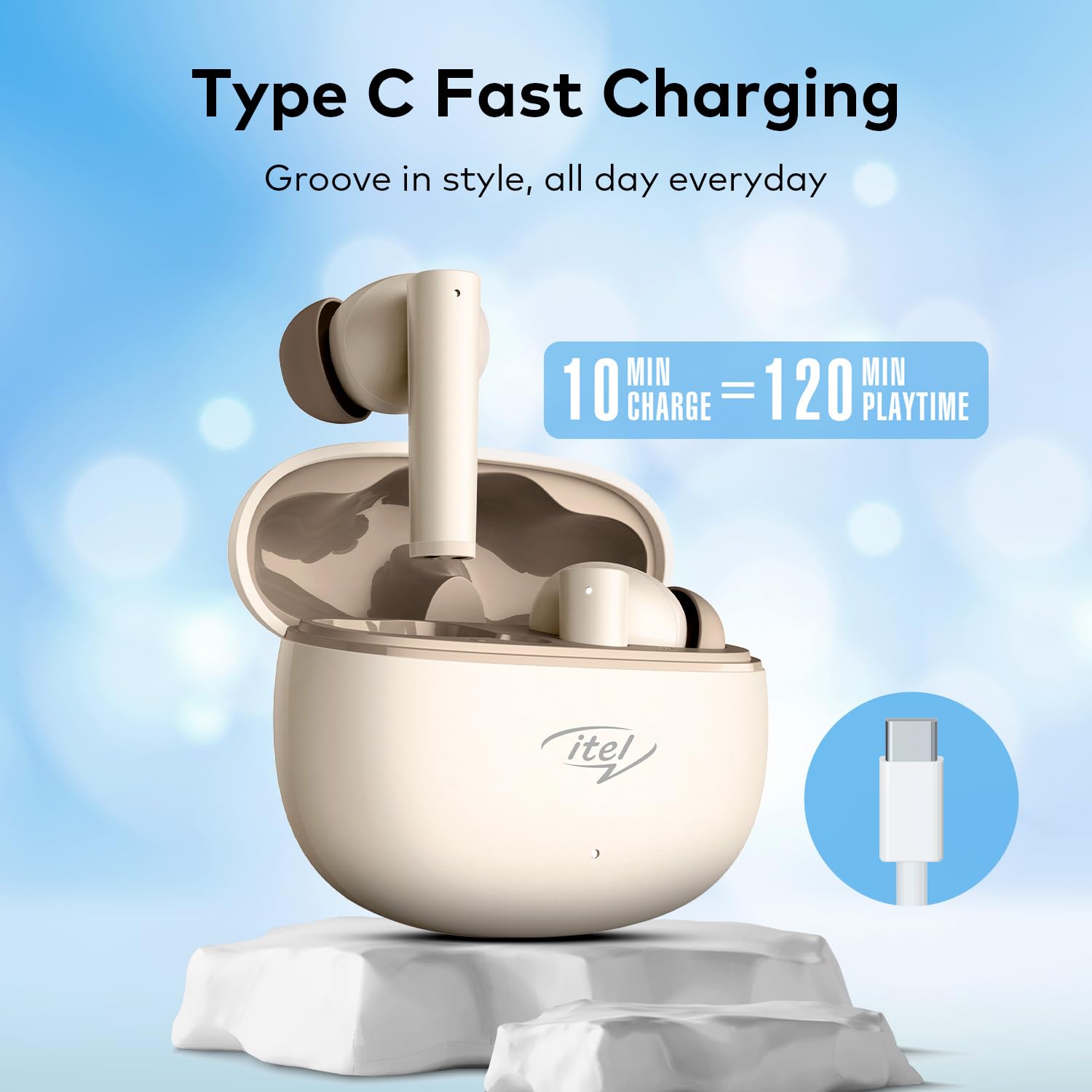
Image: The Itel Buds Ace 2 earbuds, charging case, and USB Type-C cable laid out.
3. Ciri-ciri Produk
- 13mm Bass Boost Drivers: Experience rich and powerful audio with enhanced bass for an immersive listening experience.
- 360° Deep Bass with DSP: Digital Signal Processing (DSP) technology optimizes sound for a comprehensive deep bass effect.
- Quad Mic ENC: Environmental Noise Cancellation (ENC) with four microphones ensures crystal-clear call quality by reducing background noise.
- 50 Jam Masa Main: Enjoy extended listening sessions with up to 50 hours of total playtime (including charges from the case).
- Pengecasan Cepat: A quick 10-minute charge provides up to 120 minutes of playback.
- Pengecasan Jenis-C: Convenient and universal Type-C port for charging the case.
- Rintangan Air IPX5: Direka bentuk untuk menahan percikan dan peluh, menjadikannya sesuai untuk senaman dan aktiviti luar.
- Kesambungan Bluetooth 5.3: Provides a stable, reliable, and efficient wireless connection with compatible devices.
- Kawalan Sentuh: Intuitive touch sensors on the earbuds allow for easy management of music playback, calls, and voice assistant activation.
- Reka bentuk ergonomik: Secure and comfortable fit for prolonged wear during various activities.

Imej: Dari dekat view of an earbud, emphasizing the 13mm Bass Boost Drivers for premium audio.

Image: The Itel Buds Ace 2 charging case with a Type-C cable, illustrating the fast charging capability: 10 minutes charge for 120 minutes playtime.

Image: The Itel Buds Ace 2 charging case being splashed with water, indicating its IPX5 water resistance.
4. Persediaan dan Berpasangan
4.1 Pengecasan Awal
- Open the charging case and place both earbuds inside.
- Connect the provided USB Type-C cable to the charging port on the case and a power source.
- The indicator light on the case will show charging status. Ensure the earbuds and case are fully charged before first use.
4.2 Hidupkan/Mati Kuasa
- Hidupkan kuasa: Buka bekas pengecas dan fon telinga akan dihidupkan secara automatik. Secara alternatif, tekan lama kawasan sentuh pada kedua-dua fon telinga selama 3 saat.
- Matikan: Letakkan semula fon telinga ke dalam bekas pengecasan dan tutup penutupnya. Ia akan dimatikan secara automatik dan mula dicas. Secara alternatif, tekan lama kawasan sentuh pada kedua-dua fon telinga selama 5 saat.
4.3 Berpasangan Bluetooth
- Pastikan fon telinga dicas dan dihidupkan.
- Open the charging case. The earbuds will enter pairing mode, indicated by a flashing LED light on one of the earbuds.
- Pada peranti anda (telefon pintar, tablet, dll.), dayakan Bluetooth.
- Cari untuk available Bluetooth devices and select "Itel Buds Ace 2" from the list.
- Setelah disambungkan, penunjuk LED pada fon telinga akan berhenti berkelip dan peranti anda akan mengesahkan sambungan.
- Jika penggandingan gagal, matikan fon telinga, lumpuhkan Bluetooth pada peranti anda dan ulangi langkah-langkah tersebut.
Video: Produk ringkas berakhirview demonstrating unboxing, pairing, and key features of the Itel Buds Ace 2.
5. Arahan Operasi
5.1 Memakai Fon Telinga
Gently insert the earbuds into your ears and rotate them slightly to find a comfortable and secure fit. Ensure the ear tips create a good seal for optimal sound quality and bass response.
5.2 Kawalan Sentuhan
The Itel Buds Ace 2 feature intuitive touch controls on each earbud. The specific functions may vary slightly, but common controls include:
- Main/Jeda: Ketik sekali pada salah satu fon telinga.
- Lagu Seterusnya: Ketik dua kali pada fon telinga kanan.
- Trek Sebelumnya: Ketik dua kali pada fon telinga kiri.
- Jawab/Tamatkan Panggilan: Ketik sekali pada salah satu fon telinga semasa panggilan masuk.
- Tolak Panggilan: Tekan lama pada mana-mana fon telinga semasa panggilan masuk.
- Aktifkan Pembantu Suara: Ketik tiga kali pada salah satu fon telinga.
6. Penyelenggaraan dan Penjagaan
To ensure the longevity and optimal performance of your Itel Buds Ace 2 earbuds, follow these maintenance guidelines:
- Pembersihan: Bersihkan fon telinga dan bekas pengecas dengan kerap menggunakan kain yang lembut, kering dan tidak berbulu. Jangan gunakan bahan kimia yang keras atau bahan yang melelas.
- Petua Telinga: Tanggalkan hujung telinga dan bersihkannya dengan sabun lembut dan air. Pastikan ia benar-benar kering sebelum dipasang semula.
- Port Pengecasan: Keep the Type-C charging port free from dust and debris.
- Storan: When not in use, store the earbuds in their charging case to protect them from damage and keep them charged.
- Tahan Air: Walaupun mempunyai penarafan IPX5, elakkan merendam fon telinga di dalam air atau mendedahkannya kepada hujan lebat. Keringkan dengan teliti jika basah.
- Suhu: Elakkan mendedahkan fon telinga kepada suhu yang melampau (panas atau sejuk) atau cahaya matahari langsung untuk tempoh yang lama.
7. Penyelesaian masalah
If you encounter any issues with your Itel Buds Ace 2, try the following solutions:
| Masalah | Penyelesaian |
|---|---|
| Fon telinga tidak berpasangan dengan peranti |
|
| Tiada bunyi daripada satu atau kedua-dua fon telinga |
|
| Isu pengecasan |
|
| Fon telinga terus terputus sambungan |
|
7.1 Resetting the Earbuds
Jika anda mengalami masalah yang berterusan, tetapan semula kilang mungkin dapat menyelesaikannya:
- Letakkan kedua earbud ke dalam cas pengecasan.
- Terus buka tudung.
- Press and hold the reset button (usually a small button inside the case or a touch area on the earbuds) for approximately 10-15 seconds until the indicator lights flash, indicating a successful reset.
- Remove the earbuds and try pairing them again with your device.
8. Spesifikasi
| Ciri | Perincian |
|---|---|
| Nama Model | Buds Ace 2 |
| Teknologi Ketersambungan | Bluetooth |
| Versi Bluetooth | 5.3 |
| Saiz Pemacu Audio | 13mm |
| Hayat Bateri (Jumlah) | Sehingga 50 Jam |
| Pengecasan Cepat | 10 min caj = 120 min masa main |
| Port Pengecasan | USB Jenis-C |
| Tahan Air | IPX5 |
| Mikrofon | Quad Mic dengan ENC |
| Jenis Kawalan | Kawalan Sentuh |
| bahan | plastik |
| Berat Barang | 22 g |
9. Waranti dan Sokongan
For warranty information, technical support, or service inquiries, please refer to the warranty card included in your product packaging or visit the official Itel webtapak. Simpan bukti pembelian anda untuk tuntutan waranti.


