1. Pengenalan
Thank you for choosing the itel IEB54 Pro Bluetooth in-ear earphones. These earphones are designed to provide a superior audio experience with features like AI Environmental Noise Cancellation (ENC), extended playback time, powerful bass, and fast charging. This manual will guide you through the proper use and care of your new earphones.

Image: itel IEB54 Pro Bluetooth Earphones in blue, showcasing the neckband design and magnetic earbuds.
2. Apa yang ada di dalam Kotak
Sila semak kandungan pakej untuk memastikan semua item ada:
- itel IEB54 Pro Bluetooth Earphones
- Kabel Pengecasan (USB)
- Telinga (pelbagai saiz)
- Manual Pengguna
3. Persediaan
3.1. Mengecas Fon Telinga Anda
Before first use, fully charge your earphones. The itel IEB54 Pro supports fast charging, providing 4 hours of playback with just a 10-minute charge.
- Sambungkan kabel pengecasan ke port pengecasan pada fon telinga.
- Sambungkan hujung kabel yang satu lagi ke sumber kuasa USB (cth, port USB komputer, penyesuai dinding).
- The LED indicator will show charging status (refer to the LED indicator section for details).
- Setelah dicas sepenuhnya, cabut kabel.

Image: Illustration of the fast charging capability, highlighting 10 minutes of charge for 4 hours of playback.
3.2. Berpasangan Bluetooth
The earphones use Bluetooth v5.3 for stable and efficient wireless connectivity. They also support dual pairing.
- Hidupkan kuasa: Tekan dan tahan butang berbilang fungsi sehingga penunjuk LED berkelip biru dan merah, menunjukkan mod berpasangan.
- Aktifkan Bluetooth: Pada peranti anda (telefon pintar, tablet, komputer riba), dayakan Bluetooth.
- Pilih Peranti: In your device's Bluetooth settings, search for "itel IEB54 Pro" and select it to connect.
- Pengesahan: The LED indicator on the earphones will turn solid blue (or flash slowly) once successfully paired, and you may hear an audio prompt.
Berpasangan Dwi: To connect to a second device, disconnect from the first device (or put the earphones back into pairing mode if they support it automatically after disconnection). Pair with the second device. The earphones will remember both devices and can switch between them effortlessly when both are in range and Bluetooth is active.

Image: itel IEB54 Pro earphones shown with a laptop and smartphone, illustrating dual pairing capability.
4. Arahan Operasi
4.1. Kawalan
The itel IEB54 Pro features intuitive touch controls for easy management of your audio and calls.
| Fungsi | Tindakan |
|---|---|
| Hidupkan/Mati Kuasa | Press and hold multi-function button |
| Main/Jeda Muzik | Single tap multi-function button |
| Trek Seterusnya | Tekan dan tahan butang Kelantangan + |
| Trek Sebelumnya | Tekan dan tahan butang Kelantangan |
| Kelantangan Naik | Single tap Volume + button |
| Kelantangan Kurang | Single tap Volume - button |
| Jawab/Tamatkan Panggilan | Single tap multi-function button |
| Tolak Panggilan | Press and hold multi-function button |
| Aktifkan Pembantu Suara | Double tap multi-function button |
4.2. AI Environmental Noise Cancellation (ENC)
The AI ENC technology reduces background noise during calls, ensuring clear communication. This feature is automatically active during phone calls.

Image: Visual representation of Environmental Noise Cancellation (ENC) with sound waves.
4.3. Extended Playback Time
Enjoy up to 35 hours of continuous audio playback on a single full charge. Actual battery life may vary based on volume level and audio content.
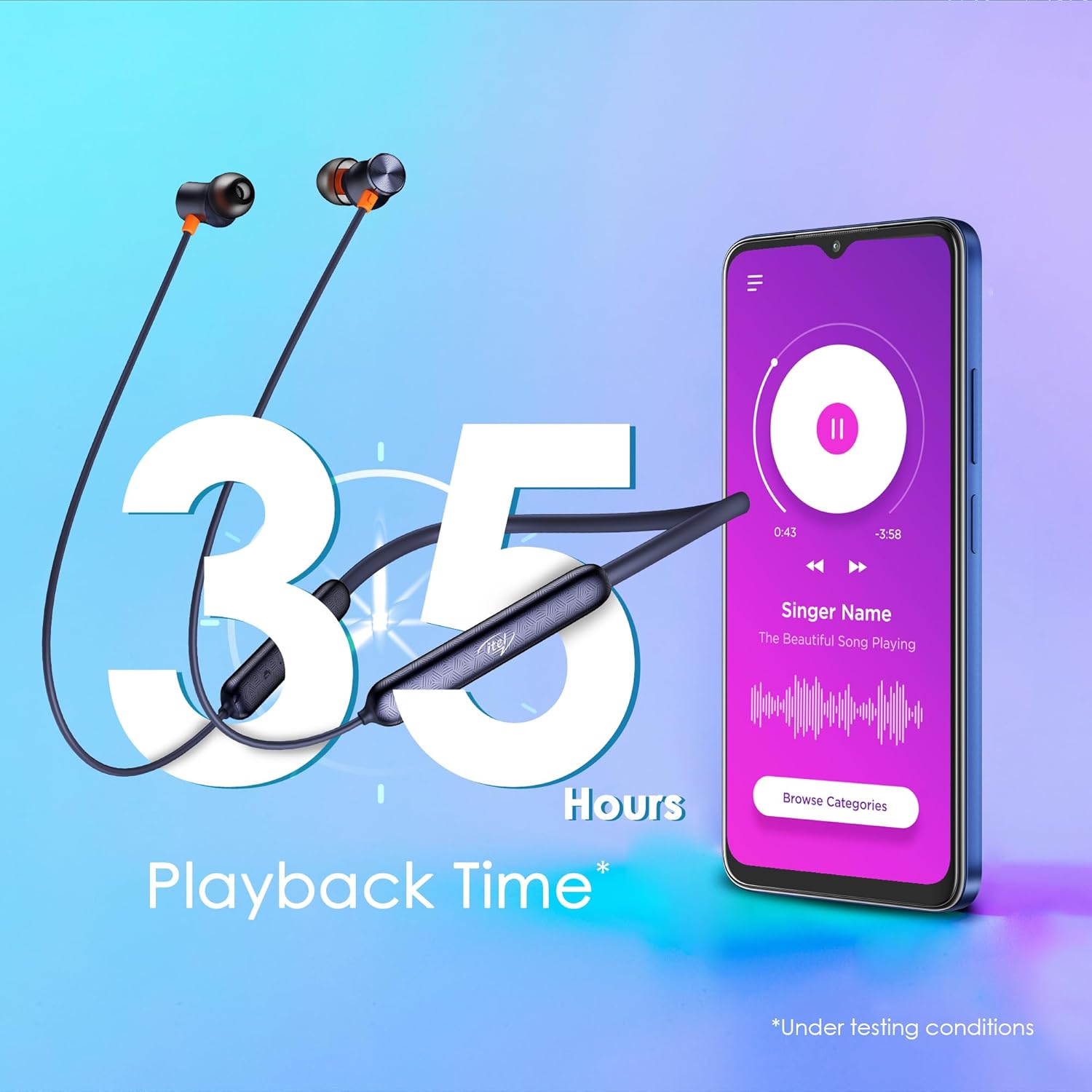
Image: Graphic illustrating 35 hours of playback time with the earphones and a smartphone playing music.
4.4. Fon Telinga Magnetik
The earbuds feature a magnetic design, allowing them to securely snap together when not in use. This prevents tangles and makes them convenient to carry around your neck.

Image: Close-up of the magnetic earbuds snapping together, preventing tangles.
5. Penyelenggaraan
5.1. Pembersihan
To maintain optimal performance and hygiene, regularly clean your earphones:
- Use a soft, dry, lint-free cloth to wipe the surface of the earphones.
- Perlahan-lahan keluarkan sebarang tahi telinga atau serpihan dari hujung telinga dan jaring pembesar suara menggunakan berus kecil yang lembut atau sapu kapas.
- Jangan gunakan bahan kimia yang keras, pelarut pembersih atau detergen yang kuat.
5.2. Rintangan Air (IPX5)
The itel IEB54 Pro earphones are rated IPX5 water resistant, meaning they can withstand sweat and light splashes of water. They are suitable for workouts and outdoor activities. However, they are not designed for submersion in water or exposure to pressurized water jets.
- Jangan sengaja merendam fon telinga di dalam air.
- If they get wet, wipe them dry thoroughly before charging or storing.

Image: Illustration showing the earphones with water splashing, indicating IPX5 water resistance.
6. Penyelesaian masalah
If you encounter any issues with your itel IEB54 Pro earphones, please refer to the following common solutions:
- Fon telinga tidak dihidupkan: Ensure the earphones are fully charged. Connect them to a power source and try again.
- Tidak boleh berpasangan dengan peranti:
- Make sure Bluetooth is enabled on your device and the earphones are in pairing mode (flashing blue and red LED).
- Ensure the earphones are within the 10-meter Bluetooth range of your device.
- Forget "itel IEB54 Pro" from your device's Bluetooth list and try pairing again.
- Restart both your device and the earphones.
- Tiada bunyi atau kelantangan rendah:
- Periksa tahap kelantangan pada kedua-dua fon telinga dan peranti anda yang disambungkan.
- Pastikan fon telinga disambungkan dengan betul ke peranti anda.
- Cuba mainkan audio yang berbeza files or from different applications.
- Clean any debris from the eartips and speaker mesh.
- Isu pengecasan:
- Ensure the charging cable is securely connected to both the earphones and the power source.
- Cuba port USB atau penyesuai kuasa yang berbeza.
- Ensure the charging port on the earphones is clean and free of debris.
Jika masalah berterusan, sila hubungi khidmat pelanggan.
7. Spesifikasi
| Ciri | Perincian |
|---|---|
| Nama Model | IEB 54 Pro |
| Teknologi Ketersambungan | Tanpa Wayar (Bluetooth v5.3) |
| Saiz Pemacu Audio | Pemacu Dinamik 10mm |
| Kawalan Bunyi | Pembatalan Bunyi Persekitaran AI (ENC) |
| Masa Main Semula | Sehingga 35 Jam |
| Pengecasan Cepat | Caj 10 minit = main balik 4 jam |
| Tahan Air | IPX5 |
| Jenis Kawalan | Kawalan Sentuh |
| Peranti Serasi | Komputer Riba, Telefon Pintar, Tablet |
| Berat Barang | 30 Gram |
| Dimensi Produk | 18.5 x 13 x 1.3 cm |
| Pengeluar | IMMORTECH PRIVATE LIMITED |
| Negara Asal | India |

Image: A comprehensive collage highlighting key features of the itel IEB54 Pro earphones.
8. Waranti dan Sokongan
Your itel IEB54 Pro earphones come with a standard manufacturer's warranty. For specific warranty terms and conditions, please refer to the warranty card included in your product packaging or visit the official Itel webtapak.
For technical support, troubleshooting assistance, or warranty claims, please contact Itel customer service. Contact details can typically be found on the product packaging or the official Itel support webtapak.
Manufacturer: IMMORTECH PRIVATE LIMITED


