📘 Manual Diginet • PDF dalam talian percuma
Diginet logo

Manual & Panduan Pengguna Diginet

Diginet, a brand of Gerard Lighting, specializes in intelligent lighting control solutions including LEDsmart+ dimmers, timers, and switches designed for Australian standards.

Petua: sertakan nombor model penuh yang dicetak pada label Diginet anda untuk padanan terbaik.

Perihal manual Diginet pada Manuals.plus

Diginet is a leading Australian brand under Gerard Lighting Pty Ltd, dedicated to designing and manufacturing advanced lighting control systems. The brand is best known for its LEDsmart+ range of products, which includes high-performance rotary and push-button dimmers, electronic switches, and timers.

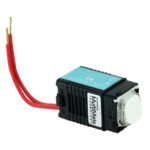
Diginet's innovative MultiMate technology allows for versatile multi-way control configurations without the need for complex extra wiring, making it a favorite among installers for both retrofit and new projects. Engineered to address common compatibility issues with LED and CFL loads, Diginet products ensure smooth dimming and reliable operation.

Manual Diginet

Manual terkini daripada manuals+ dipilih susun untuk jenama ini.

Diginet support FAQ

Soalan lazim tentang manual, pendaftaran dan sokongan untuk jenama ini.

  • How do I enter setup mode on my Diginet LEDsmart+ dimmer?

    For most LEDsmart+ models, press and hold the button or rotary shaft for 10 seconds (if powered for less than 15-30 minutes) or 30 seconds (if powered longer) until the indicators blink.

  • What is MultiMate technology?

    MultiMate is a patented technology in Diginet devices that allows multiple 2-wire dimmers, switches, or timers to be wired in parallel for multi-way control without additional strapper wires.

  • Why do my lights flicker at low levels?

    Some LED or CFL lamps become unstable at low voltages. You can resolve this by entering the dimmer setup mode and adjusting the 'Minimum Brightness' setting to a level above the flickering point.

  • What is the Kick Start feature?

    Kick Start provides a 50% power boost for 0.2 seconds upon turning on. It is designed for CFLs that have trouble striking but should typically be disabled for LED loads to avoid a flash at startup.