
Red5 VAV Controller from Delta Controls Owner’s Manual
Red5 VAV Controller from Delta Controls QUESTION AND ANSWERS Q: For the Red 5 VAVs with T1L being Ethernet, will we still achieve the same speeds we do typically with…


Delta Controls is a market leader in Building Automation Systems (BAS), offering native BACnet controllers, smart sensors, and HVAC control solutions.
Delta Controls Inc. is a global leader in the design and manufacture of Building Automation Systems (BAS). Headquartered in Surrey, British Columbia, the company has been a pioneer in native BACnet open-protocol solutions since 1987. Delta Controls provides a complete range of HVAC, lighting, and access control products designed to create smart, energy-efficient environments.
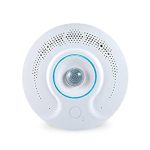
Barisan produk utama termasuk Merah5 family of native BACnet VAV controllers and the O3 Deria dan Tepi O3 standalone multi-sensors, which utilize sensor fusion technology to enhance occupant comfort and operational efficiency. The company serves a global network of partners and customers, delivering scalable solutions for buildings of all sizes.
Manual terkini daripada manuals+ dipilih susun untuk jenama ini.




Soalan lazim tentang manual, pendaftaran dan sokongan untuk jenama ini.
To reboot the O3 Sense, open the O3 Setup app, select the icon in the upper right corner, choose 'Reboot hub', and confirm by selecting 'Yes, reboot hub'.
The O3 Edge requires a 24 VDC power supply and typically draws 2W, with a maximum draw of 10W. It should be connected to a Class 2 power source.
The device should be mounted 2.4 to 4.6 m (8 to 15 ft) off the floor, ideally in the center of the room, at least 2.1 m (7 ft) away from windows, and 1.3 m (4 ft) away from airflow sources.
While O3 devices can be daisy-chained up to 100 meters, using the bypass switch to relay data during a power failure reduces the maximum allowable cable length by 15 meters (50 ft) for each bypassed device.
Using the O3 Setup app, connect to the device, go to the settings menu in the upper right, select 'Upgrade firmware', choose the version from the list, and apply. Ensure the device remains powered during the process.