pengenalan
This manual provides essential information for the proper setup, operation, and maintenance of your GOBOULT Mustang Racer Smart Watch. Please read these instructions carefully before using your device to ensure optimal performance and longevity.
Apa yang ada dalam Kotak
Upon unboxing your GOBOULT Mustang Racer Smart Watch, verify that all the following components are present:
- GOBOULT Mustang Racer Smart Watch (Black Blaze)
- Kabel Pengecasan
- Manual Pengguna (dokumen ini)
- Kad Waranti

Image: The GOBOULT Mustang Racer Smart Watch packaging, showing the watch, charging cable, user manual, and warranty card.
Produk Selesaiview
The GOBOULT Mustang Racer Smart Watch features a robust design with intuitive controls and a vibrant display.
Komponen Utama:
- Paparan AMOLED 1.43 inci: Skrin beresolusi tinggi untuk visual yang jelas.
- Bezel berputar: A functional bezel for navigating menus and features.
- Paddle Shifter: A unique side button for quick access to functions.
- Penderia: Terletak di bahagian belakang untuk pemantauan kesihatan.
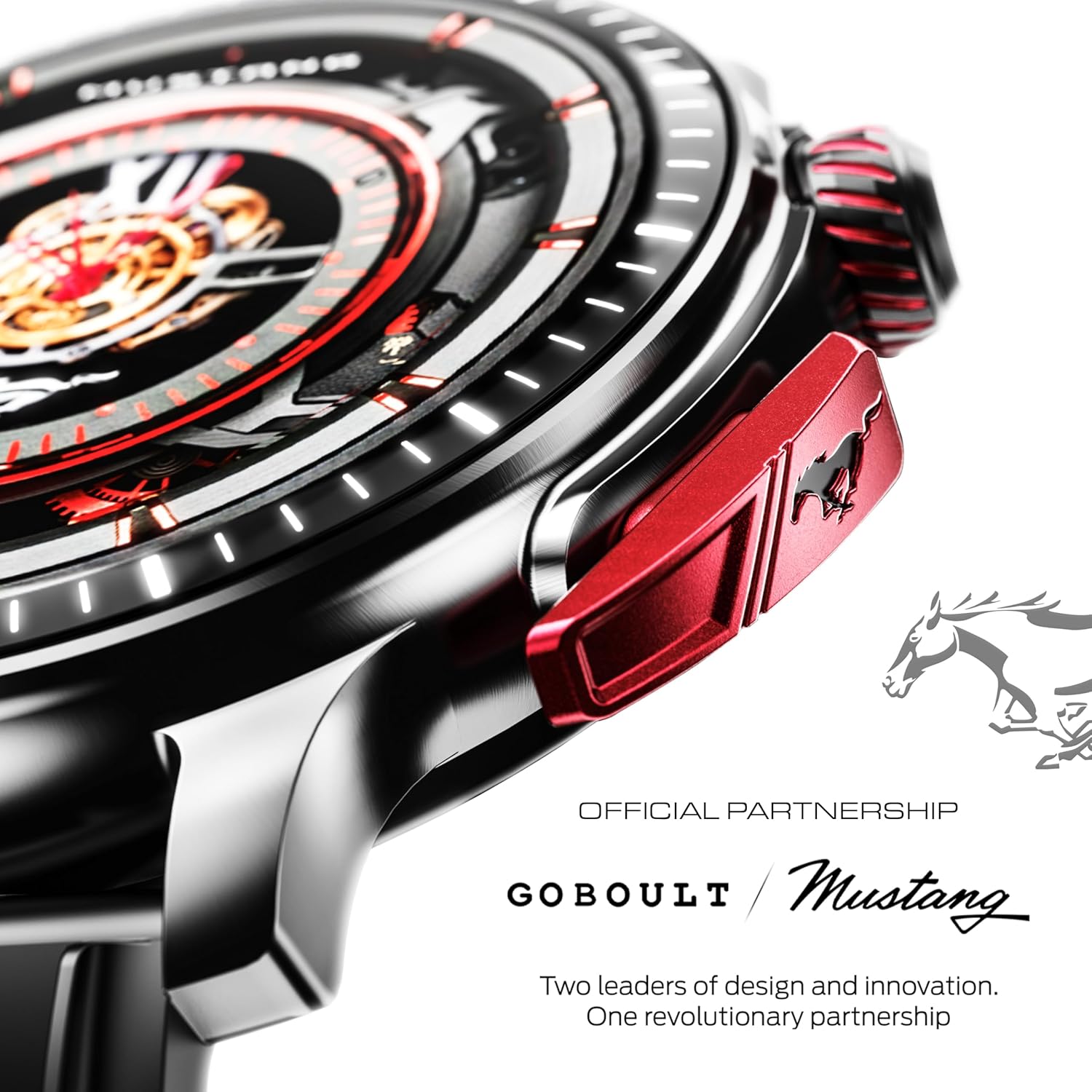
Imej: A terperinci view of the watch's side, highlighting the red paddle shifter and the textured rotating crown.

Image: The watch face, showcasing the 1.43-inch AMOLED display and the functional paddle shifter.
Persediaan
1. Mengecas Peranti
Before initial use, fully charge your smart watch. Connect the provided charging cable to the charging port on the back of the watch and to a standard USB power adapter (not included). A full charge typically takes approximately 120 minutes.
2. Berpasangan dengan Telefon Pintar Anda
- Download the official GOBOULT companion app from your smartphone's app store.
- Pastikan Bluetooth didayakan pada telefon pintar anda.
- Open the GOBOULT app and follow the on-screen instructions to search for and connect to your Mustang Racer Smart Watch. The watch uses Bluetooth V5.3 for stable connectivity.
- Sahkan permintaan berpasangan pada kedua-dua jam tangan dan telefon pintar anda.

Image: The watch on a wet surface, indicating its Bluetooth V5.3 and IP67 water resistance features.
Arahan Operasi
Panggilan Bluetooth
The integrated speaker and microphone allow you to make and receive calls directly from your wrist. Once paired with your smartphone, access the call function through the watch interface.
Menyesuaikan Muka Jam
Your Mustang Racer Smart Watch offers over 150 watch faces, including exclusive Mustang-themed designs. You can change watch faces through the watch settings or the companion app to match your style.

Image: Various watch faces displayed on the GOBOULT Mustang Racer Smart Watch, demonstrating customization options.
Mod Sukan
Track your physical activities with over 120 performance sports modes. Select your desired sport from the watch menu to monitor metrics such as steps, distance, calories burned, and heart rate during your workout.

Image: The watch on a wrist, displaying the sports mode interface.
Pembantu Suara AI
Utilize the integrated AI Voice Assistant for hands-free control. Activate the assistant through the watch interface and issue commands for various functions.
Always On Display (AOD)
The Always On Display feature allows the watch face to remain visible at a low power state, providing continuous time and information without needing to raise your wrist or press a button.

Image: The watch face with Always On Display enabled, showing continuous time display.
Health Tracking Features
The GOBOULT Mustang Racer Smart Watch is equipped with advanced sensors to monitor various health metrics:
- 24x7 Heart Rate Monitor: Continuously tracks your heart rate throughout the day and during workouts.
- SpO2 Blood Oxygen Saturation Monitor: Mengukur tahap oksigen dalam darah anda.
- Pemantauan Tidur: Menganalisis corak tidur anda, termasuk tidur nyenyak, tidur ringan dan waktu terjaga.
- Pemantauan Tekanan Darah: Memberikan anggaran tahap tekanan darah anda.
- Pemantau Tekanan: Membantu anda memahami dan menguruskan tahap tekanan anda.
Akses data dan trend kesihatan terperinci melalui aplikasi pendamping.

Image: The back of the watch, displaying the health monitoring sensors.
Spesifikasi
| Ciri | Spesifikasi |
|---|---|
| Jenama | GOBOULT |
| Nombor Model | GOBOULT Mustang Racer |
| Saiz Paparan | 1.43 Inci AMOLED |
| Jenis Wayarles | Bluetooth V5.3 |
| Masa Pengecasan Bateri | 120 Minit |
| Kandungan Tenaga Bateri | Jam 1.11 Watt |
| Tahan Air | IP67 |
| Berat Barang | 55 g |
| Komponen yang Disertakan | Charging Cable, Smart Watch, User Manual, Warranty Card |
Penyelenggaraan
Pembersihan
Regularly clean your watch and strap with a soft, dry cloth. For stubborn dirt, lightly dampen kain dengan air. Elakkan menggunakan bahan kimia yang keras atau bahan yang melelas.
Tahan Air
The GOBOULT Mustang Racer Smart Watch is IP67 water resistant, meaning it can withstand immersion in up to 1 meter of water for 30 minutes. It is suitable for daily use and can resist splashes and sweat. However, it is not recommended for swimming, diving, or exposure to high-pressure water.
Penjagaan Bateri
To prolong battery life, avoid fully discharging the watch frequently. Charge it when the battery level is low, and avoid leaving it uncharged for extended periods.
Menyelesaikan masalah
Jam Tangan Tidak Dihidupkan
- Ensure the watch is fully charged. Connect it to the charging cable and allow it to charge for at least 30 minutes.
- Tekan dan tahan butang kuasa selama beberapa saat.
Tidak Boleh Dipasangkan dengan Telefon Pintar
- Verify that Bluetooth is enabled on your smartphone and the watch.
- Ensure the watch is within the Bluetooth range of your smartphone.
- Mulakan semula telefon pintar dan jam tangan pintar anda.
- Clear the Bluetooth cache on your smartphone and try pairing again.
Data Kesihatan Tidak Tepat
- Pastikan jam tangan dipakai dengan kemas pada pergelangan tangan anda, tetapi tidak terlalu ketat.
- Bersihkan penderia di belakang jam tangan.
- Elakkan pergerakan berlebihan semasa pengukuran.
Isu Paparan
- Mulakan semula jam tangan.
- Adjust the brightness settings.
Waranti dan Sokongan
Your GOBOULT Mustang Racer Smart Watch comes with a warranty. Please refer to the included Warranty Card for details regarding coverage, terms, and conditions.
For further assistance, technical support, or warranty claims, please contact GOBOULT customer service through their official webtapak atau maklumat hubungan yang diberikan pada Kad Waranti anda.


