Arahan Keselamatan Penting
Before operating the OLIXIS Walking Pad Treadmill, please read and understand all safety instructions. Failure to follow these instructions may result in injury or damage to the product.
- Always ensure the safety key is properly attached to the treadmill and your clothing during operation. The treadmill will stop immediately if the safety key is disengaged.
- Place the treadmill on a flat, stable surface. Ensure adequate clear space around the treadmill for safe use.
- Jangan biarkan kanak-kanak atau haiwan peliharaan berhampiran treadmill semasa ia sedang digunakan.
- Wear appropriate athletic footwear. Do not use the treadmill barefoot or in socks.
- Jika anda mengalami kesakitan, pening, atau sesak nafas, berhenti bersenam serta-merta.
- Cabut palam treadmill daripada soket kuasa apabila tidak digunakan atau sebelum pembersihan dan penyelenggaraan.
Produk Selesaiview
The OLIXIS Walking Pad Treadmill is designed for home and office use, offering a compact and portable solution for low-impact exercise. Its slim profile allows for easy storage and use under standing desks.

This image shows the overall design of the OLIXIS Walking Pad Treadmill, highlighting its compact and handle-free structure. The black walking belt and integrated display are visible.

This image illustrates the compact dimensions of the walking pad, showing a user walking on it with measurements indicating its small footprint (approximately 44.3 inches long and 22 inches wide).
Persediaan
The OLIXIS Walking Pad Treadmill requires minimal setup. Follow these steps to prepare your treadmill for first use:
- Membongkar: Keluarkan treadmill dari bungkusannya dengan berhati-hati.
- penempatan: Place the treadmill on a firm, level surface. Ensure there is sufficient space around the unit for safe movement.
- Sambungan Kuasa: Palamkan kord kuasa ke salur keluar elektrik yang dibumikan.
- Kunci Keselamatan: Attach the safety key to the designated slot on the treadmill's console. The treadmill will not operate without the safety key in place.
For a visual guide on setting up the walking pad, please refer to the video below:
This video demonstrates the setup and basic use of the OLIXIS walking pad, including how to unfold it and place a tablet on the stand (if applicable to a model with handle).
Operasi
Operating your OLIXIS Walking Pad Treadmill is straightforward using the remote control and integrated LED display.
Bermula dan Berhenti
- Ensure the safety key is attached.
- Melangkah ke tali pinggang treadmill.
- Use the remote control to press the 'Start' button. The treadmill will begin at a low speed.
- To stop, press the 'Stop' button on the remote control or pull the safety key.
Melaraskan Kelajuan
The treadmill offers a speed range from 0.6 MPH to 3.1 MPH. Use the '+' and '-' buttons on the remote control to increase or decrease the speed to your desired pace.

This image illustrates different speed ranges for various activities: 'Working' (0-1.5 MPH), 'Walking' (0-2.5 MPH), and 'Running' (2.5-3.8 MPH). Note that the product specifications state a maximum of 3.1 MPH.
LED Display and Remote Control
The integrated LED display provides real-time feedback on your workout. The remote control allows for convenient adjustments.

This image highlights the LED display, showing metrics such as Time, Speed, Distance, and Calories. It also depicts the remote control used to manage these functions.

This image emphasizes the importance of the safety key, showing a red key attached to the treadmill's console, indicating that the treadmill operates only when the safety key is in place.
Ciri-ciri
Operasi Senyap
The OLIXIS Walking Pad is equipped with an ultra-quiet motor, allowing you to exercise without disturbing others, making it ideal for shared living spaces or office environments.

Imej ini menyediakan dalaman view of the treadmill's motor, emphasizing its powerful yet quiet operation, capable of supporting up to 200 lbs.
Non-Slip Belt and Shock Absorption
The treadmill features a wide, textured, anti-slip walking belt for stable and secure footing. An advanced shock absorption system is integrated to reduce impact on your joints.
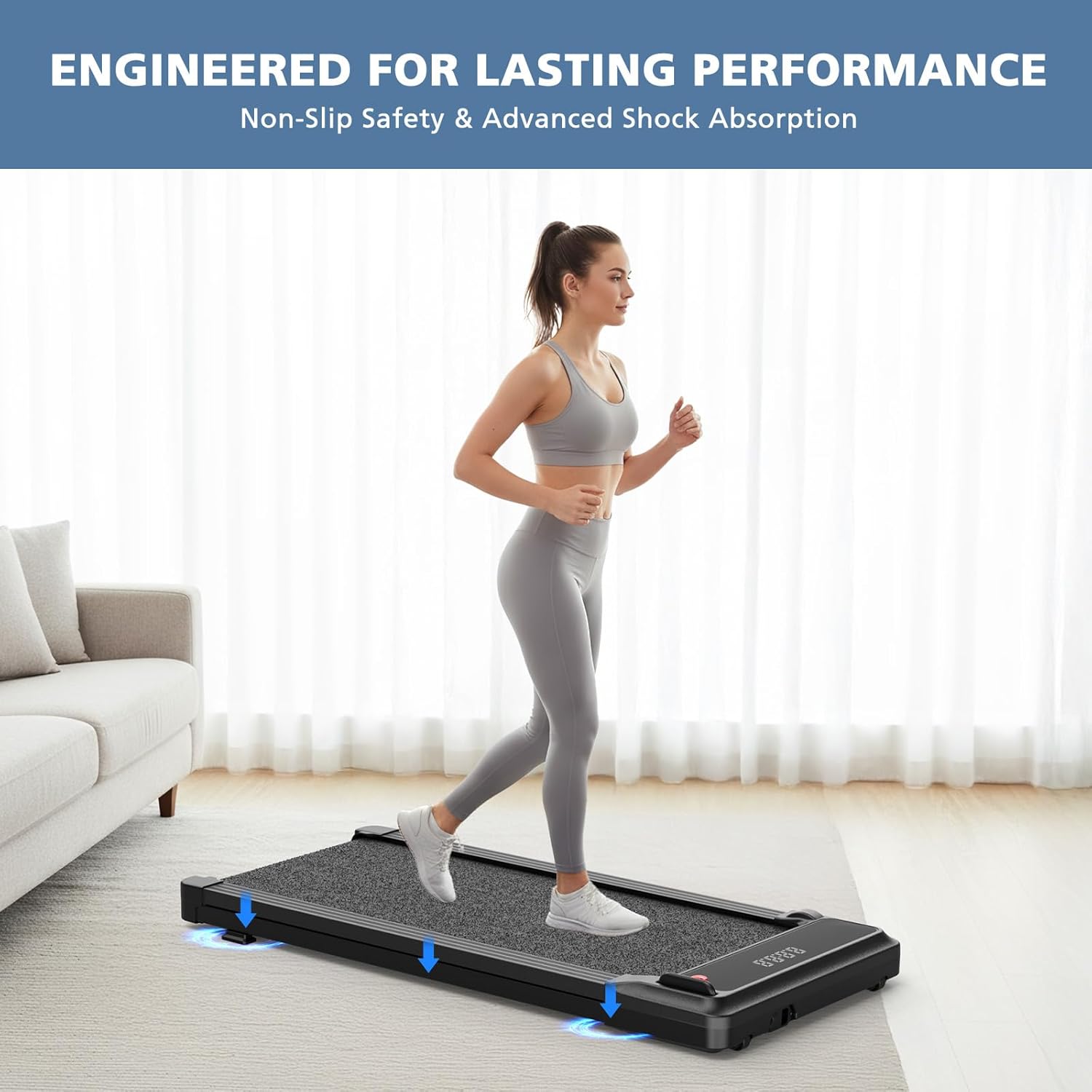
This image highlights the treadmill's non-slip safety and advanced shock absorption features, showing arrows indicating the cushioning effect during use.
Penyelenggaraan
Regular maintenance ensures the longevity and optimal performance of your OLIXIS Walking Pad Treadmill.
- Pelinciran: Use the provided silicone oil to lubricate the walking belt periodically. Refer to the specific instructions in the included manual for frequency and application method.
- Pembersihan: Lap treadmill dengan iklanamp kain selepas setiap penggunaan untuk mengeluarkan peluh dan habuk. Jangan gunakan pembersih yang kasar.
- Storan: When not in use, store the treadmill in a dry, cool place. Its portable design allows for easy storage under furniture or in a closet.
Menyelesaikan masalah
If you encounter any issues with your OLIXIS Walking Pad Treadmill, refer to the following common problems and solutions:
| Masalah | Kemungkinan Punca | Penyelesaian |
|---|---|---|
| Treadmill tidak bermula. | Safety key not attached. Power cord not plugged in. | Ensure the safety key is correctly placed. Check power connection. |
| E14 error displayed. | Safety key is not attached or has come loose. | Re-attach the safety key firmly to its slot. |
| Belt slipping or uneven movement. | Tali pinggang memerlukan pelinciran atau pelarasan. | Apply silicone oil as per maintenance instructions. Refer to the full manual for belt adjustment procedures. |
For issues not listed here, please contact OLIXIS customer support.
Spesifikasi
| Ciri | Perincian |
|---|---|
| Jenama | OLIXIS |
| Nama Model | OLIXIS Walking Pad Treadmill for Home |
| ASIN | B0GHYYWM43 |
| warna | Hitam |
| bahan | logam |
| Dimensi Item (LxWxH) | 42.2 x 19.2 x 3.6 inci |
| Dimensi Pakej Item (PxLxT) | 44.69 x 22.44 x 4.13 inci |
| Berat Pakej | 34.6 paun |
| Julat Kelajuan | 0.6 MPH to 3.1 MPH |
| Komponen yang Disertakan | Kunci Keselamatan |
| Pengguna yang Dicadangkan | Uniseks-dewasa |
Waranti dan Sokongan
OLIXIS products are designed for quality and durability. For information regarding warranty coverage, technical support, or replacement parts, please refer to the warranty card included with your product or visit the official OLIXIS webtapak. Sila simpan bukti pembelian anda untuk tuntutan waranti.


