pengenalan
The Xech X-609/A is a versatile mini alarm clock designed for students and professionals. It features a digital display, dual alarm functionality, and an integrated Bluetooth speaker. This device is USB-C powered and includes a battery backup for uninterrupted performance. This manual provides detailed instructions for setting up, operating, and maintaining your Xech X-609/A alarm clock.

Figure 1: Xech X-609/A Mini Alarm Clock (Front View)
Kandungan Pakej
Sila semak pakej untuk item berikut:
- Xech X-609/A Mini Alarm Clock Unit
- Kabel Pengecas USB-C
- Manual Pengguna
Susun Atur dan Kawalan Produk
Familiarize yourself with the buttons and ports on your Xech X-609/A alarm clock.

Figure 2: Top Control Buttons
The top panel features several control buttons for various functions:
- Butang Kuasa: Menghidupkan/mematikan peranti.
- Butang Mod: Switches between time display, alarm settings, and Bluetooth mode.
- Butang Naik Kelantangan/Trek Seterusnya: Increases volume or skips to the next track in Bluetooth mode.
- Kelantangan Turun/Butang Trek Sebelumnya: Decreases volume or goes to the previous track in Bluetooth mode.
- Butang Main/Jeda: Plays or pauses music in Bluetooth mode.
- Butang penggera 1: Activates/deactivates and sets Alarm 1.
- Butang penggera 2: Activates/deactivates and sets Alarm 2.
The rear panel typically includes the USB-C charging port.
Persediaan
1. Menghidupkan
- Connect the provided USB-C cable to the charging port on the back of the alarm clock and plug the other end into a compatible USB power adapter (not included).
- Tekan dan tahan butang Butang Kuasa on the top panel to turn on the device. The digital display will illuminate.
- The device has an internal battery backup, providing up to 8 hours of operation without external power once fully charged.
2. Initial Time Setting (Auto-Set via Smartphone)
The Xech X-609/A features an auto-set time function when paired with a smartphone via Bluetooth.
- Ensure your alarm clock is powered on.
- Aktifkan Bluetooth pada telefon pintar anda.
- Cari untuk available Bluetooth devices and select "Xech X-609/A" (or similar name) to pair.
- Once successfully paired, the alarm clock will automatically synchronize its time with your smartphone's time.
Arahan Operasi
1. Melaraskan Kecerahan Paparan
The display brightness can be adjusted to suit your preference:
- While the time is displayed, short press the Butang Mod to cycle through different brightness levels.
2. Menetapkan Penggera (Penggera Dwi)
The device supports two independent alarms.
- Untuk Menetapkan Penggera 1: Tekan dan tahan butang Butang Penggera 1 until the hour digits start flashing.
- Gunakan Butang Kelantangan / Turun untuk melaraskan jam. Tekan butang Butang Penggera 1 again to confirm the hour and move to minute setting.
- Gunakan Butang Kelantangan / Turun untuk melaraskan minit. Tekan butang Butang Penggera 1 sekali lagi untuk mengesahkan minit.
- The alarm icon for Alarm 1 will appear on the display, indicating it is active.
- Untuk Menetapkan Penggera 2: Follow the same steps using the Butang Penggera 2.
- To Deactivate an Alarm: Short press the corresponding Butang Penggera (Alarm 1 or Alarm 2) when the alarm is not sounding. The alarm icon will disappear from the display.
- Fungsi Tunda: When an alarm sounds, short press any button (except the Power button) to activate snooze. The alarm will sound again after a few minutes.
- Berhenti Penggera: To stop an alarm completely, press and hold the corresponding Butang Penggera apabila ia berbunyi.
3. Using the Bluetooth Speaker
The Xech X-609/A can play music wirelessly from your smartphone or other Bluetooth-enabled devices.
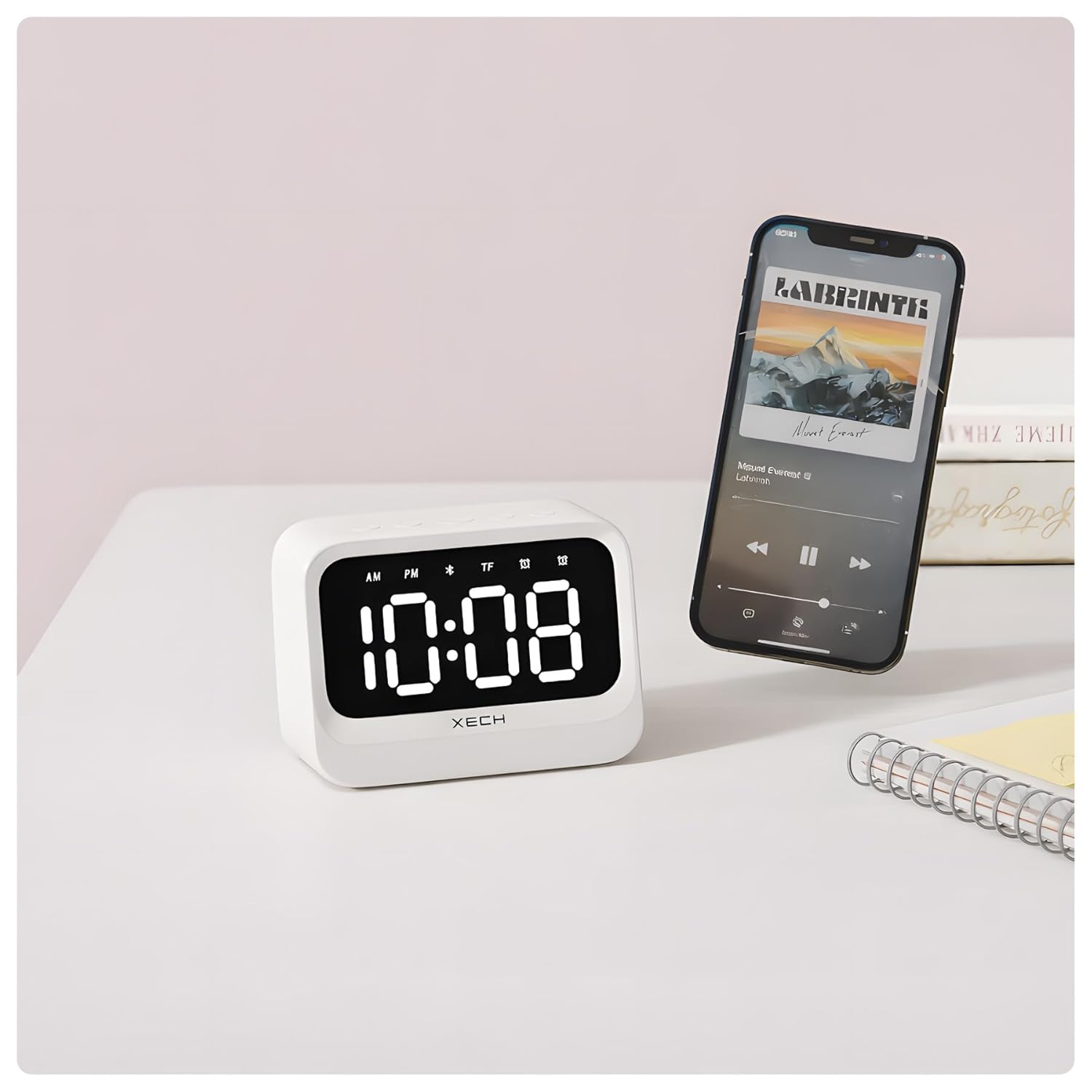
Figure 3: Bluetooth Speaker Functionality
- Tekan ke Butang Mod repeatedly until the Bluetooth icon appears on the display. The device is now in pairing mode.
- On your smartphone, go to Bluetooth settings and select "Xech X-609/A" to connect.
- Once connected, you can play audio from your smartphone through the alarm clock's speaker.
- Gunakan Butang Main/Jeda untuk mengawal main balik.
- Gunakan Butang Kelantangan / Turun to adjust the volume or skip tracks (long press for volume, short press for track change).
Penyelenggaraan
To ensure the longevity and optimal performance of your Xech X-609/A alarm clock, follow these maintenance guidelines:
- Pembersihan: Use a soft, dry cloth to wipe the surface of the device. Do not use abrasive cleaners, solvents, or chemical sprays, as these can damage the finish.
- Elakkan Air: This device is not waterproof. Keep it away from water, high humidity, and liquids.
- Suhu: Store and operate the device in a moderate temperature environment. Avoid extreme heat or cold.
- mengecas: Use only the provided USB-C cable for charging. Avoid overcharging the device for extended periods.
Menyelesaikan masalah
If you encounter issues with your Xech X-609/A, refer to the following common problems and solutions:
| Masalah | Kemungkinan Punca | Penyelesaian |
|---|---|---|
| Peranti tidak dihidupkan. | Bateri lemah atau tiada sambungan kuasa. | Connect the USB-C cable to a power source and ensure it is properly plugged in. Allow some time for charging if the battery is completely drained. |
| Penggera tidak berbunyi. | Penggera tidak diaktifkan atau kelantangan terlalu rendah. | Ensure the alarm icon is visible on the display. Check the volume level. |
| Bluetooth tidak dapat disambungkan. | Device is not in pairing mode, or smartphone Bluetooth is off. | Tekan ke Butang Mod until the Bluetooth icon flashes. Ensure Bluetooth is enabled on your smartphone and try re-pairing. Move devices closer. |
| Masa tidak betul. | Not paired with a smartphone or manual adjustment needed. | Pair the device with your smartphone via Bluetooth for automatic time synchronization. If manual adjustment is preferred, refer to the operating instructions. |
Spesifikasi
| Ciri | Perincian |
|---|---|
| Jenama | Xech |
| Nombor Model | X-609/A |
| warna | putih |
| Jenis Paparan | digital |
| Ciri Khas | Adjustable Brightness, Dual Alarm, Bluetooth Speaker |
| Dimensi Produk | 10.8W x 7.8H Centimeters |
| Sumber Kuasa | Dikuasakan oleh Bateri (USB-C) |
| Jenis Bateri | 1 Bateri Bukan Standard (termasuk) |
| Berat Barang | 250 Gram |
Waranti dan Sokongan
Xech products are manufactured with quality and reliability in mind. For warranty information and customer support, please refer to the warranty card included with your product or visit the official Xech webtapak.
Anda juga boleh melawat Xech Store on Amazon untuk mendapatkan maklumat lanjut dan sumber sokongan.


