1. Pengenalan
This manual provides essential information for setting up, operating, maintaining, and troubleshooting your FUNYET NY-14 Laptop. Please read this manual thoroughly before using your device to ensure proper function and longevity.
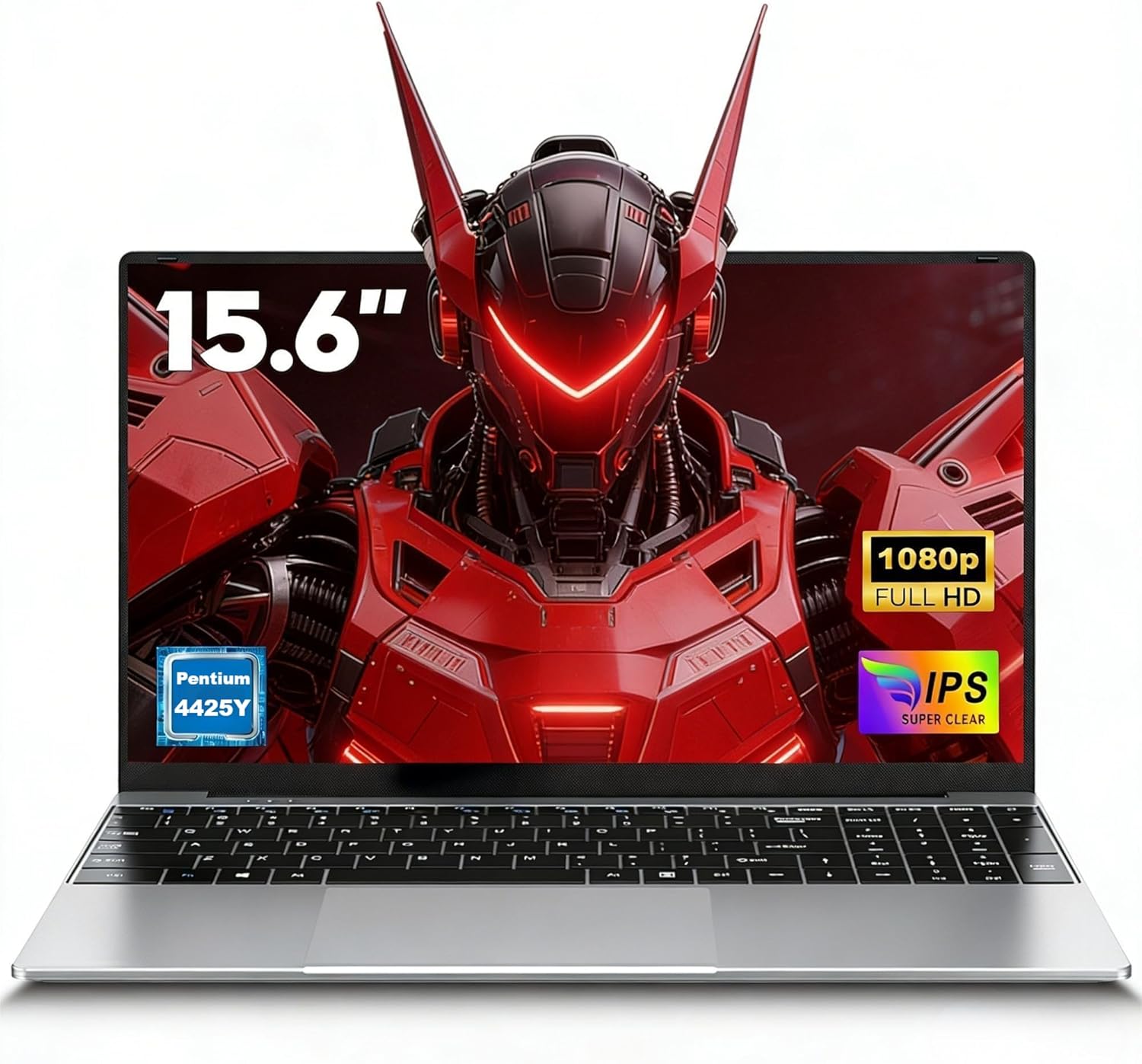
Image 1.1: The FUNYET NY-14 Laptop in a closed position, showcasing reka bentuknya yang anggun.
2. Kandungan Pakej
Sahkan bahawa semua item terdapat dalam pakej:
- 1 × FUNYET NY-14 Laptop (Intel 4425Y)
- 1 × 12V2A DC Adapter
- 1 × Manual Arahan (dokumen ini)
- 1 × Kad Waranti
3. Persediaan
3.1 Pengecasan Awal dan Penghidupan Kuasa
- Connect the provided 12V2A DC adapter to the laptop's DC power port and a power outlet.
- Allow the laptop to charge for at least 30 minutes before initial use.
- Press and hold the power button for a few seconds until the screen illuminates to power on the device.
3.2 Operating System Setup (Windows 11 Pro)
Upon first boot, you will be guided through the Windows 11 Pro setup process. Follow the on-screen instructions to configure:
- Bahasa dan Wilayah
- Sambungan rangkaian (Wi-Fi)
- Microsoft account login or local account creation
- Tetapan privasi
3.3 Keyboard Configuration
The laptop may come with a non-Italian keyboard layout. To adjust this:
- Go to Windows Settings > Time & Language > Language & Region.
- Add your preferred keyboard layout (e.g., Italian).
- Physical keyboard stickers may be provided to visually match the desired layout. Apply these carefully if needed.
4. Arahan Operasi
4.1 Pengurusan Kuasa
- Hidupkan kuasa: Tekan dan tahan butang kuasa.
- Mod tidur: Tekan sebentar butang kuasa atau tutup penutup.
- Tutup: Click Start > Power > Shut down in Windows.
- Mulakan semula: Click Start > Power > Restart in Windows.
4.2 Paparan dan Visual
The FUNYET NY-14 features a 15.6-inch Full HD (1920x1080) IPS display, offering clear visuals and wide viewing angles. The 180° hinge allows for flexible screen positioning, useful for sharing content.

Image 4.1: Visual representation of the 15.6-inch Full HD IPS display with features like 1920P resolution, True HD View, IPS technology, and Eyes Protection.
4.3 Ketersambungan
- Wi-Fi: Supports Wi-Fi 5 (802.11ac) for stable and fast internet connection. Connect via Windows network settings.
- Bluetooth: Features Bluetooth 4.2 for connecting wireless peripherals like mice, keyboards, headphones, or speakers. Enable Bluetooth in Windows settings to pair devices.
4.4 Ports and External Devices
The laptop offers a variety of ports for connecting external devices:
- Port USB 3.0 (x2): For high-speed data transfer with USB drives, external hard drives, and other USB peripherals.
- Port HDMI Mini (x1): Connect to external monitors or projectors for extended display. An adapter may be required.
- TF Card Slot (MicroSD): Insert a TF (MicroSD) card for additional storage or data transfer.
- Bicu Fon Kepala 3.5mm: Untuk menyambungkan fon kepala atau pembesar suara luaran.
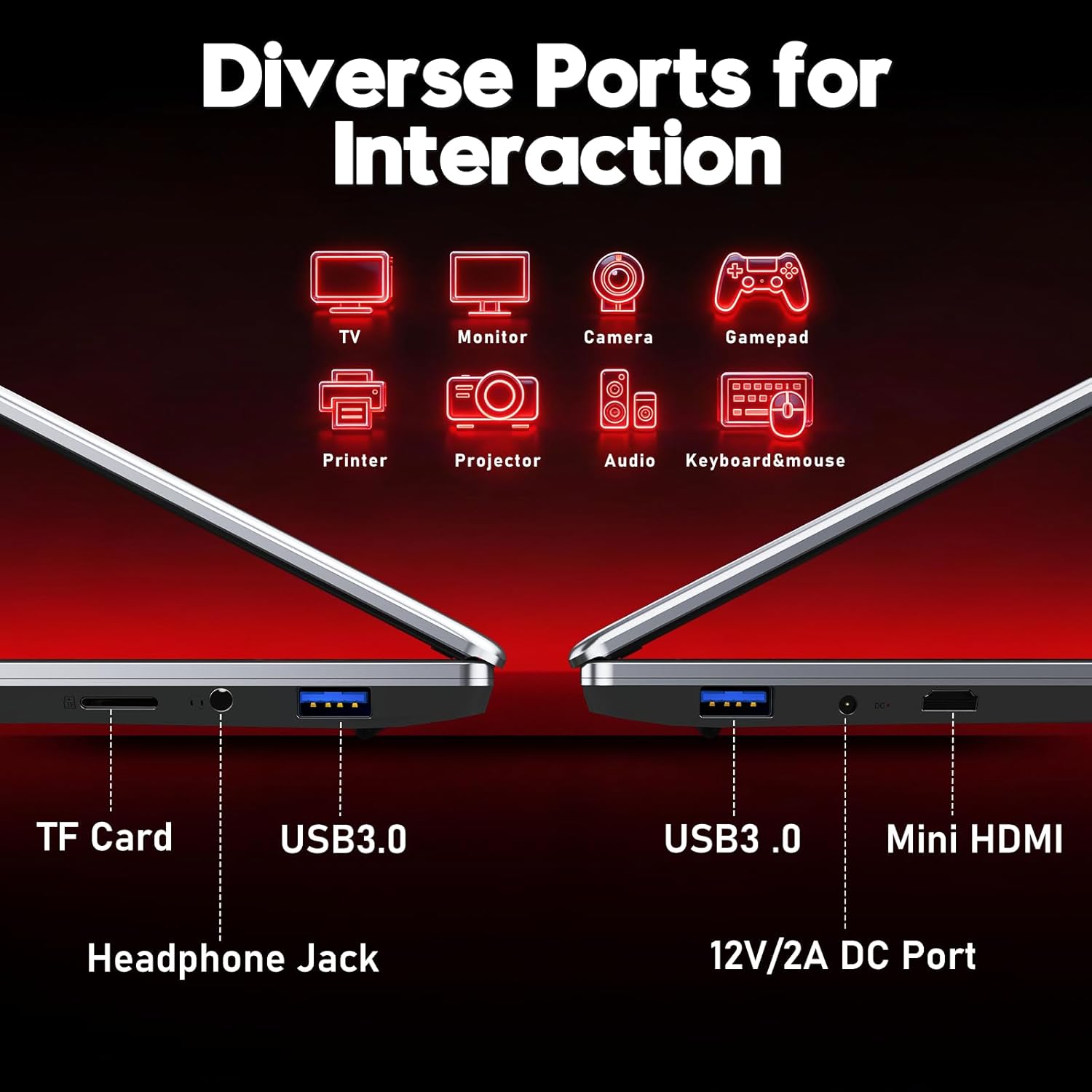
Imej 4.2: Selesaiview of the laptop's diverse ports, including TF Card slot, Headphone Jack, USB 3.0, Mini HDMI, and DC Power port.
4.5 Webcam dan Mikrofon
The integrated 1MP front camera and microphone are suitable for video calls and online meetings.
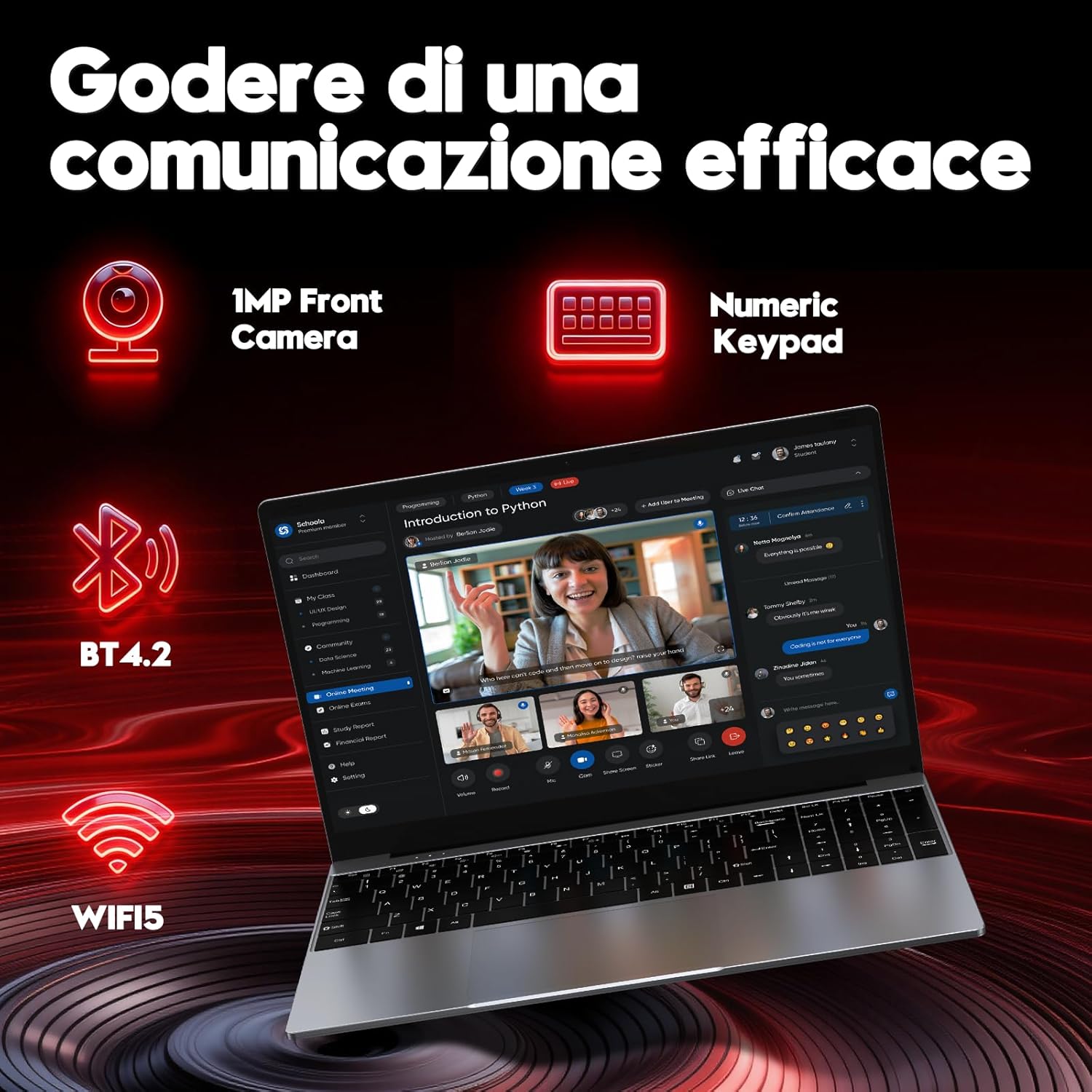
Image 4.3: Features for effective communication, highlighting the 1MP front camera, numeric keypad, Bluetooth 4.2, and Wi-Fi 5 connectivity.
4.6 Penggunaan Bateri
The laptop is equipped with a 5000mAh battery. For optimal battery life:
- Elakkan menyahcas sepenuhnya bateri dengan kerap.
- Simpan komputer riba di tempat yang sejuk dan kering apabila tidak digunakan.
- Adjust power settings in Windows to optimize battery consumption.

Image 4.4: Illustration emphasizing the 5000mAh battery capacity designed for extended use.
4.7 Papan Kekunci dan Pad Sentuh
The laptop features a full-size keyboard with a numeric keypad for efficient data entry. The touchpad supports multi-touch gestures for navigation.
5. Penyelenggaraan
5.1 Pembersihan
- Gunakan kain lembut dan tidak berbulu untuk membersihkan skrin dan permukaan luar.
- Untuk tanda degil, dampen kain sedikit dengan air atau pembersih selamat skrin.
- Elakkan bahan kimia yang keras, bahan yang melelas atau kelembapan berlebihan.
5.2 Kemas Kini Perisian
Regularly check for and install Windows updates to ensure system stability, security, and performance. Go to Settings > Windows Update.
5.3 Pengurusan Storan
The 256GB SSD provides fast performance. To maintain optimal speed:
- Avoid filling the SSD to full capacity. Leave some free space for system operations.
- Padam secara kerap yang tidak perlu files and uninstall unused applications.
6. Penyelesaian masalah
Bahagian ini menangani isu biasa yang mungkin anda hadapi.
6.1 Isu Kuasa
- Komputer riba tidak dihidupkan: Ensure the power adapter is securely connected and the battery has sufficient charge. Try holding the power button for 10-15 seconds for a hard reset.
- Bateri cepat habis: Check power settings in Windows. Reduce screen brightness, close unnecessary applications, and disconnect unused peripherals.
6.2 Masalah Paparan
- Tiada paparan: Connect an external monitor via Mini HDMI to check if the issue is with the laptop's screen or the system.
- Skrin berkelip: Update graphics drivers or adjust display refresh rate in Windows settings.
6.3 Isu Ketersambungan
- Wi-Fi tidak bersambung: Pastikan Wi-Fi didayakan dalam tetapan Windows. Mulakan semula penghala dan komputer riba anda.
- Peranti Bluetooth tidak berpasangan: Ensure Bluetooth is enabled on both devices and they are in pairing mode. Remove and re-add the device in Windows settings.
6.4 Ralat Sistem
- Frequent crashes or blue screens: This can indicate software conflicts or hardware issues. Try reinstalling Windows if the problem persists after driver updates. If the issue continues, contact support.
7. Spesifikasi
Detailed technical specifications for the FUNYET NY-14 Laptop (Intel 4425Y).

Imej 7.1: Selesaiview of key specifications including processor, ports, display, battery, and graphics.
| Ciri | Spesifikasi |
|---|---|
| Jenama | FUNYET |
| Nama Model | NY-14 |
| Pemproses | Intel Core 4425Y (1.7 GHz) |
| Processor Cores/Threads | 2 Teras / 4 Benang |
| RAM | 8 GB DDR3 SDRAM |
| Penyimpanan | 256 GB SSD (eSATA Interface) |
| Saiz Paparan | 15.6 Inci |
| Resolusi Paparan | 1920 x 1080 Pixels (Full HD IPS) |
| Grafik | Grafik Intel UHD 615 Bersepadu |
| Sistem Operasi | Windows 11 Pro |
| Kesambungan Wayarles | Wi-Fi 5 (802.11ac), Bluetooth 4.2 |
| Pelabuhan | 2x USB 3.0, 1x Mini HDMI, 1x DC Power, 1x 3.5mm Headphone Jack, 1x TF Card Slot |
| Kapasiti Bateri | 5000 mAh |
| Berat badan | 1.6 Kilogram |
| warna | Perak |
| Ciri Khas | HD Audio, Lightweight, Memory card slot, Numeric keypad, 180° hinge |
8. Waranti dan Sokongan
8.1 Maklumat Waranti
Your FUNYET NY-14 Laptop comes with a warranty. Please refer to the included Warranty Card for details on coverage, terms, and conditions. Keep your proof of purchase for warranty claims.
8.2 Sokongan Teknikal
For technical assistance or if you encounter issues not covered in this manual, please contact the seller, Caiyue Electronics, through the Amazon platform. They can provide support and guidance for your device.


