pengenalan
Thank you for choosing the ZIPRO MODO Exercise Bike. This manual provides essential information for the safe assembly, operation, and maintenance of your new fitness equipment. Please read it thoroughly before first use and keep it for future reference. The ZIPRO MODO is designed for effective indoor cardio training, featuring adjustable resistance, a quiet mechanical system, and app connectivity for tracking your progress.
Maklumat Keselamatan
- Rujuk doktor sebelum memulakan sebarang program senaman baharu.
- Pastikan semua bolt dan nat diketatkan dengan selamat sebelum setiap penggunaan.
- Place the exercise bike on a flat, stable surface. Use a mat to protect your floor.
- Jauhkan kanak-kanak dan haiwan peliharaan daripada peralatan semasa operasi.
- Pakai pakaian dan kasut senaman yang sesuai. Elakkan pakaian longgar yang boleh tersekat pada bahagian yang bergerak.
- If you experience dizziness, pain, or shortness of breath, stop exercising immediately and consult a physician.
- The maximum user weight for this device is 120 kg.
Persediaan dan Perhimpunan
The ZIPRO MODO Exercise Bike is designed for straightforward assembly. All necessary tools and instructions are included in the package. Follow the step-by-step guide provided in the box for detailed assembly instructions.
- Membongkar: Carefully remove all components from the packaging. Verify that all parts are present according to the parts list in the included manual.
- Perhimpunan asas: Attach the front and rear stabilizers to the main frame. Ensure they are securely fastened.
- Pemasangan Pedal: Attach the pedals to the crank arms. Note that pedals are typically marked 'L' for left and 'R' for right and thread in opposite directions.
- Pemasangan Tiang Tempat Duduk dan Tiang Hendal: Insert the seat post and handlebar post into their respective slots on the main frame.
- Seat and Handlebar Attachment: Secure the seat to the seat post and the handlebar to the handlebar post.
- Pemasangan Monitor: Attach the LCD monitor to the handlebar post. The screws for securing the monitor are often pre-attached to the display itself; unscrew them, position the monitor, and then re-fasten. Connect any necessary sensor cables.
- Semakan Akhir: Before first use, double-check all connections and ensure all bolts and nuts are tightened to prevent wobbling during exercise.
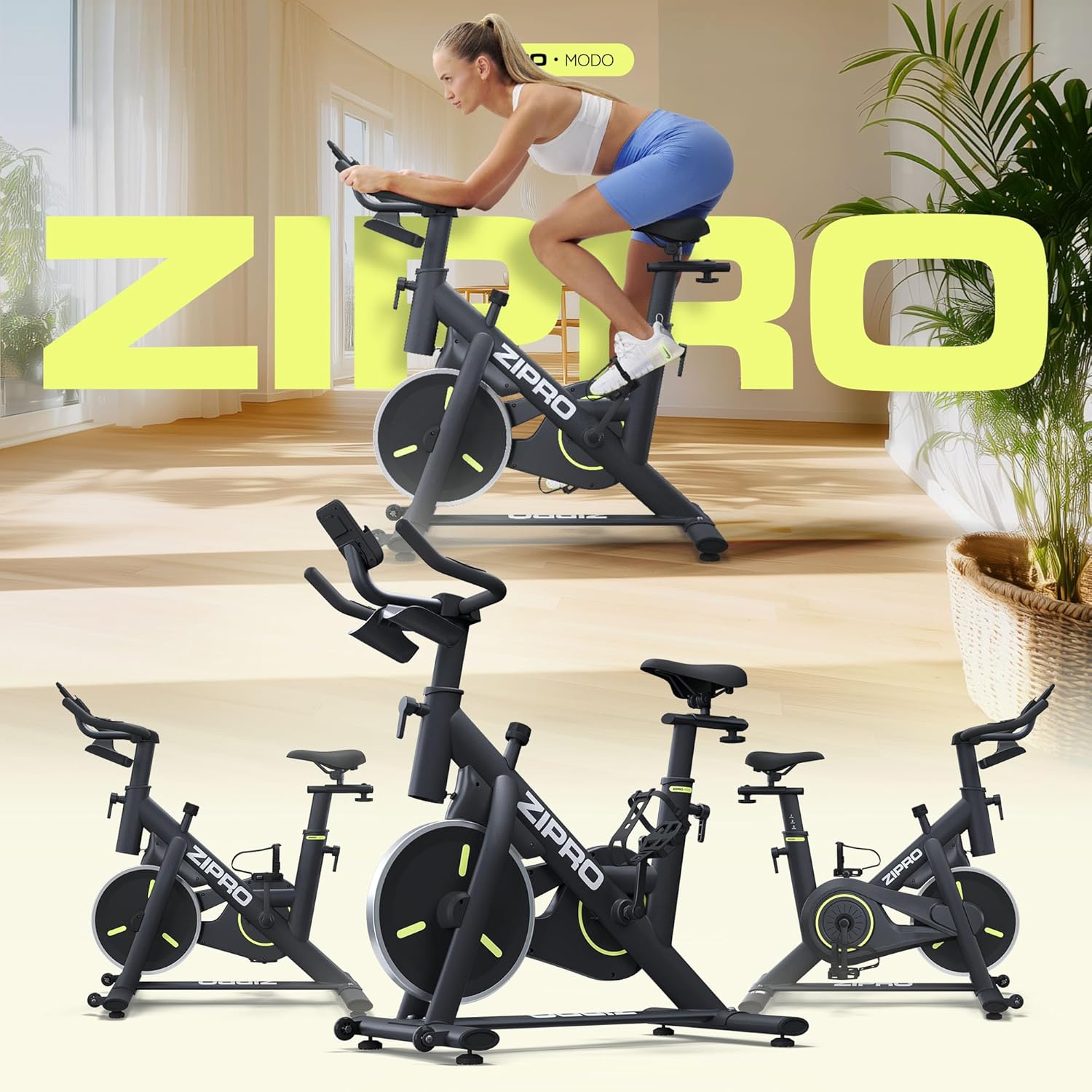
Image: The ZIPRO MODO Exercise Bike fully assembled, showcasing its compact design and robust structure.
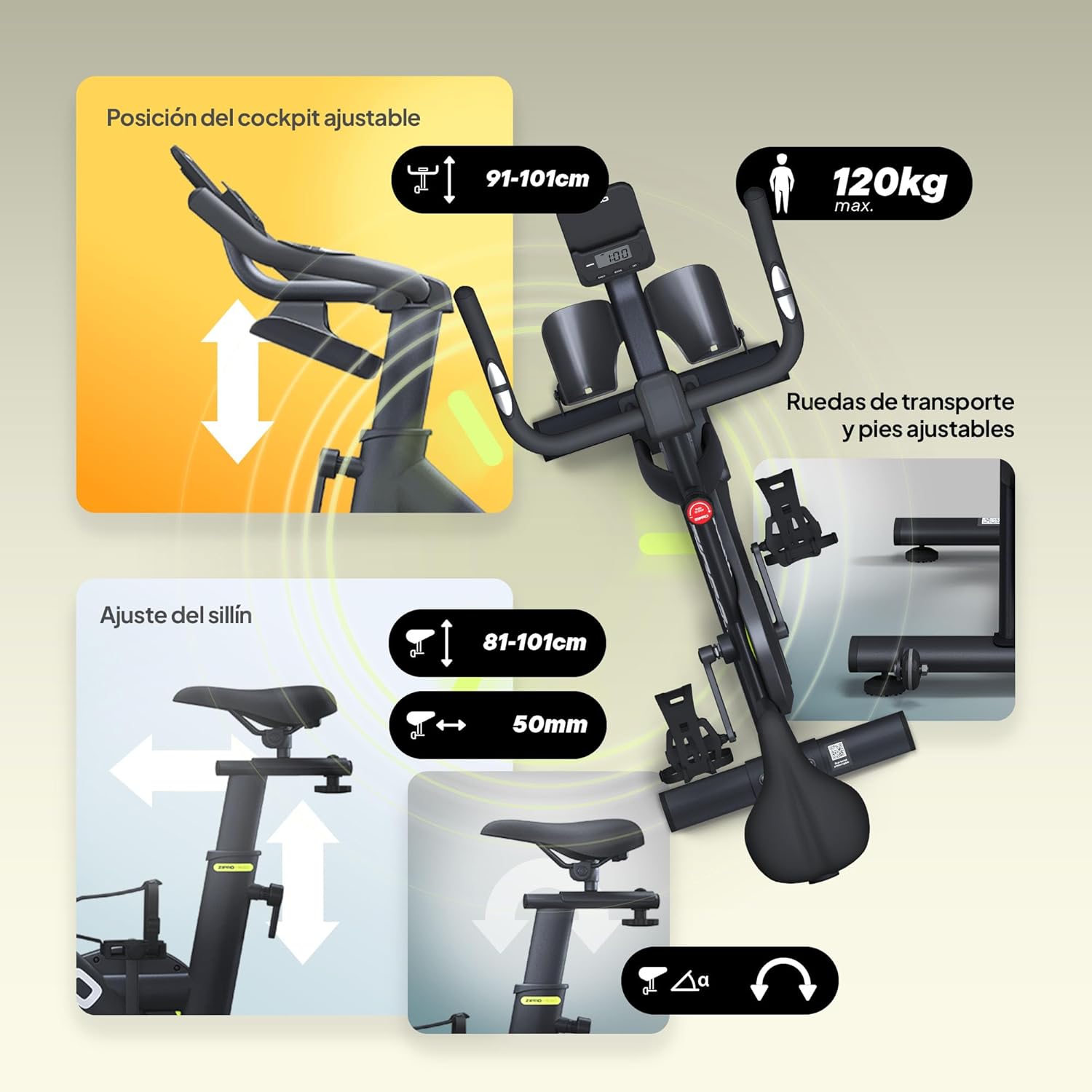
Imej: Terperinci view of the adjustable seat and handlebar mechanisms, allowing users to customize their riding position for optimal comfort and ergonomics.

Image: Close-up of the LCD monitor and integrated tablet/phone holder, providing a convenient space for your device during workouts.
Arahan Operasi
1. Adjusting Your Riding Position
- Ketinggian tempat duduk: Loosen the adjustment knob on the seat post, raise or lower the seat until your leg has a slight bend at the knee when the pedal is at its lowest point. Tighten the knob securely.
- Seat Position (Forward/Backward): Loosen the adjustment knob under the seat, slide the seat forward or backward to find a comfortable distance from the handlebars. Tighten the knob securely.
- Ketinggian Hendal: Loosen the adjustment knob on the handlebar post, raise or lower the handlebars to a comfortable height that allows for a relaxed upper body posture. Tighten the knob securely.

Image: Visual guide demonstrating the intuitive adjustments for seat height, forward/backward position, and handlebar height to achieve an ergonomic riding posture.
2. Melaraskan Rintangan
The ZIPRO MODO features continuous adjustable resistance. To increase resistance, turn the resistance knob clockwise. To decrease resistance, turn it counter-clockwise. For an emergency stop, press the resistance knob down firmly.

Image: Close-up of the resistance adjustment knob, indicating how to increase or decrease resistance and the push-to-stop emergency function.
3. Using the LCD Monitor and App Connectivity
The integrated LCD monitor displays key workout metrics such as time, distance, speed, and calories burned. Use the buttons on the monitor (MODE, SET, RESET) to navigate through display modes and reset values.
For enhanced tracking and interactive workouts, connect your ZIPRO MODO to a compatible fitness app via Bluetooth. Download the recommended app (e.g., FitShow) from your device's app store. Follow the app's instructions to pair your exercise bike and access features like virtual routes, personalized training programs, and detailed statistics.

Image: The LCD monitor displaying workout data, alongside a smartphone showing the FitShow app interface, illustrating the bike's connectivity features.
Penyelenggaraan
- Pembersihan: Lap basikal dengan iklanamp kain selepas setiap penggunaan untuk mengeluarkan peluh dan habuk. Elakkan pembersih yang kasar.
- Pemeriksaan: Periksa semua bolt, nat dan bahagian yang bergerak secara berkala untuk memastikan ia ketat dan haus. Ketatkan sebarang pengikat yang longgar.
- Pelinciran: The mechanical resistance system is designed for low maintenance. Refer to the detailed manual for any specific lubrication requirements, though typically none are needed for the main resistance mechanism.
- Storan: When not in use, store the bike in a dry, clean environment. The integrated transport wheels allow for easy relocation.
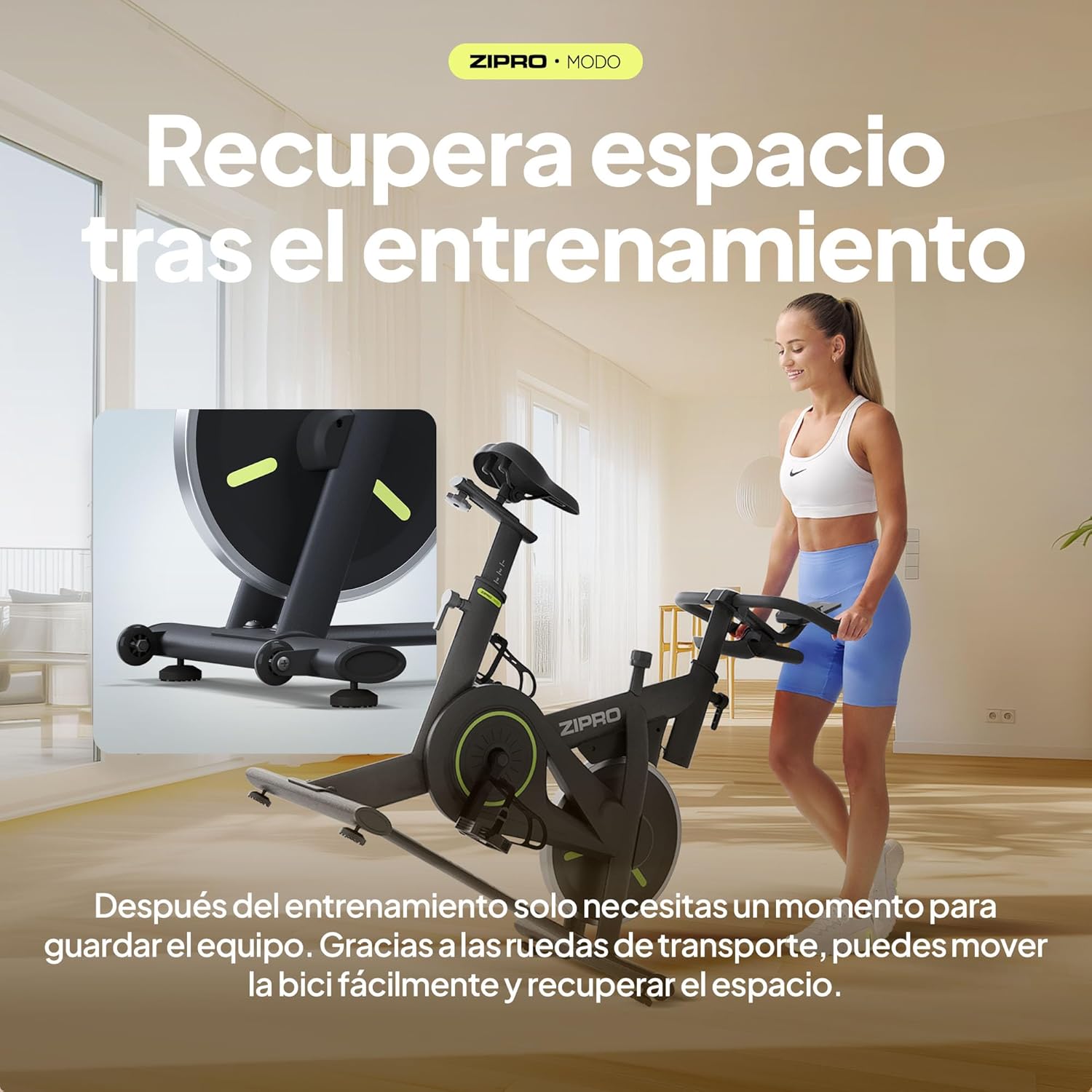
Image: The ZIPRO MODO Exercise Bike being moved using its integrated transport wheels, highlighting its portability for storage.
Menyelesaikan masalah
| Masalah | Kemungkinan Punca | Penyelesaian |
|---|---|---|
| Bike wobbles during use. | Pengikat longgar; permukaan tidak rata. | Ensure all assembly bolts and nuts are securely tightened. Adjust the leveling feet on the stabilizers if the floor is uneven. |
| Resistance is not adjusting correctly. | Resistance knob not fully engaged or mechanism issue. | Turn the resistance knob fully clockwise and counter-clockwise to ensure it engages properly. If the issue persists, contact customer support. |
| LCD monitor not displaying data. | Loose cable connection; dead batteries. | Check that all sensor cables are securely connected to the monitor. Replace the batteries in the monitor if necessary. |
| Cannot connect to fitness app via Bluetooth. | Bluetooth not enabled; app pairing issue; interference. | Ensure Bluetooth is enabled on your device. Restart the app and the bike's monitor. Try pairing again. Ensure no other devices are actively connected to the bike's Bluetooth. Refer to the app's specific troubleshooting guide. |
| Saddle or handlebar feels loose after adjustment. | Adjustment knobs not tightened sufficiently. | Ensure the adjustment knobs for the saddle and handlebar are tightened to their maximum secure point after positioning. |
Spesifikasi
| Ciri | Perincian |
|---|---|
| Nombor Model | MODO |
| Dimensi (L x W x H) | 104 x 50.5 x 117 cm |
| Berat Produk | 29.72 kg |
| Berat Pengguna Maksimum | 120 kg |
| Mekanisme Rintangan | Fluid mechanical resistance with continuous adjustment |
| bahan | PU Foam (seat), Steel Structure |
| Ciri Khas | Fitness app compatibility, Robust construction, Compact design, Silent operation, Adjustable seat and handlebar position, Transport wheels |
| Power Source (Monitor) | Bateri dikendalikan |
Waranti dan Sokongan
For warranty information and customer support, please refer to the documentation included with your product or visit the official ZIPRO webtapak. Simpan bukti pembelian anda untuk sebarang tuntutan waranti.
If you require assistance with assembly, operation, or troubleshooting beyond what is covered in this manual, please contact ZIPRO customer service directly. You can often find contact details on the manufacturer's webtapak atau melalui peruncit tempat anda membeli produk tersebut.
Untuk maklumat lanjut, lawati ZIPRO Store on Amazon.