1. Pengenalan
Thank you for choosing the DUMOS Office Desk Chair. This manual provides detailed instructions for assembly, operation, maintenance, and troubleshooting to ensure optimal use and longevity of your chair. Please read this manual thoroughly before assembly and use.
2. Ciri-ciri Produk
The DUMOS Office Desk Chair is designed for comfort and functionality, featuring:
- Ergonomic Mid-Back Design: Contoured to fit the natural curve of your spine, providing lumbar support to alleviate back and waist discomfort.
- Belakang Mesh Bernafas: Promotes air circulation to keep you cool and comfortable during extended use.
- High-Resilience Foam Seat Cushion: Offers cloud-like comfort and maintains its shape over time.
- Mod Goyang: Features a 90°-120° tilt mechanism with an adjustable tension knob for personalized recline resistance.
- Ketinggian boleh laras: Seat height can be adjusted from 14.7 inches to 17.7 inches to suit various body types.
- Fixed Armrests: Provide stable support and enhance the chair's durability.
- Sturdy and Quiet Operation: Reinforced metal base and smooth-rolling silent casters ensure stable and quiet movement without scratching floors.
- Pusing 360°: Allows for easy rotation and movement.
- Storan Bersepadu: Convenient storage space at the back of the chair for small items like books or tablets.

Image: Ergonomic design highlighting back and lumbar support.

Image: Cross-section of the elastic and thick seat cushion.
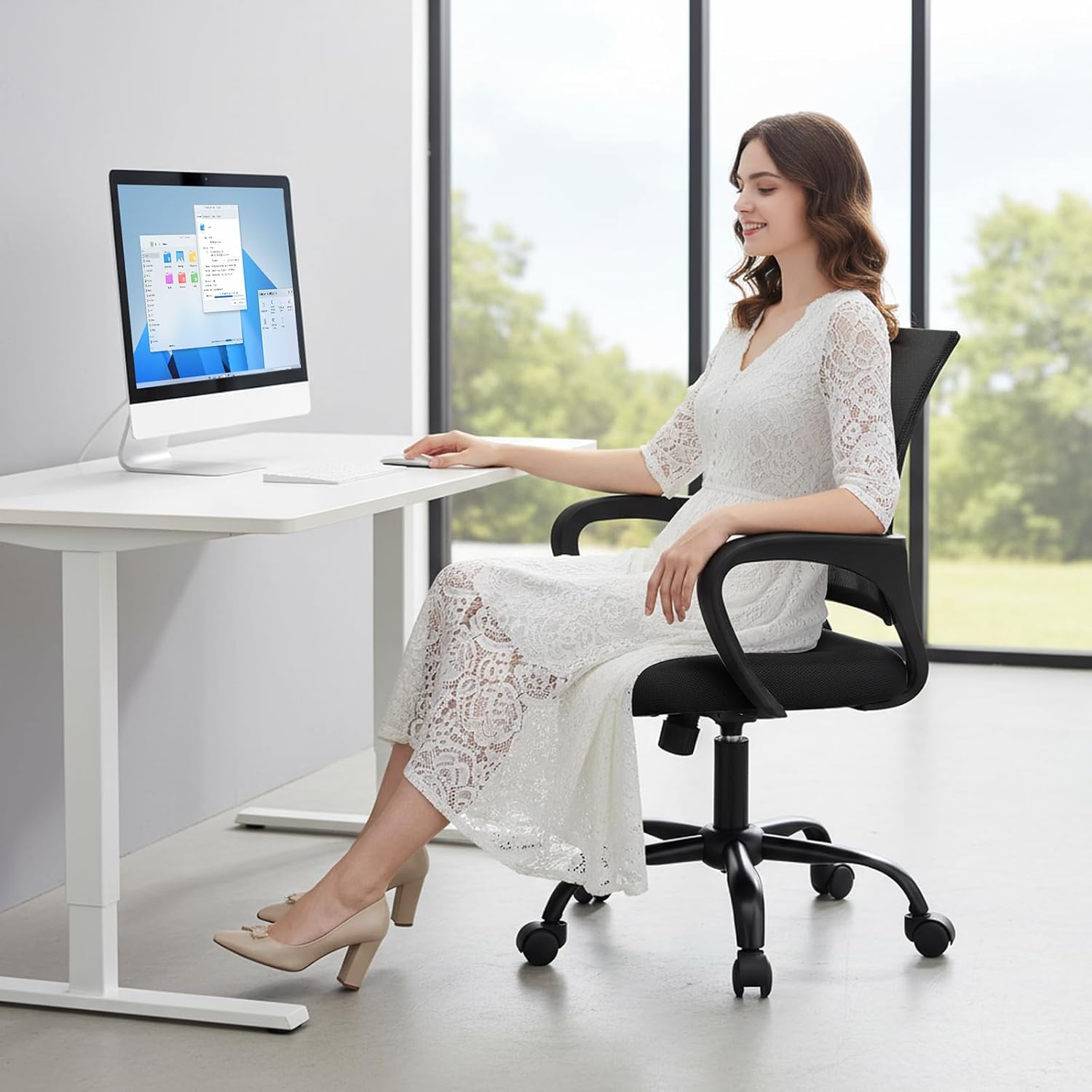
Image: Detail of the breathable mesh backrest.
3. Senarai Bahagian
Sebelum pemasangan, pastikan semua bahagian ada dan tidak rosak. Rujuk gambar rajah di bawah untuk pengenalpastian.

Image: All components of the DUMOS Office Desk Chair laid out for assembly.
Pakej itu hendaklah mengandungi:
- Sandaran dengan jaring
- Kusyen tempat duduk
- Tempat letak tangan (2)
- Base with 5 legs
- Kastor (5)
- Silinder pengangkat gas
- Plat mekanisme
- Screws and Allen wrench
4. Arahan Perhimpunan
Follow these steps to assemble your DUMOS Office Desk Chair. An assembly video is also provided for visual guidance.
- Pasang Kastor ke Pangkalan: Masukkan lima roda ke dalam lubang di hujung setiap kaki tapak kerusi. Tolak dengan kuat sehingga ia klik pada tempatnya.
- Masukkan Pengangkat Gas: Place the gas lift cylinder into the central hole of the chair base.
- Pasangkan Tempat Letak Tangan pada Tempat Letak Belakang: Align the armrests with the pre-drilled holes on the backrest. Secure them using the provided screws and Allen wrench.
- Pasangkan Tempat Letak Tangan pada Kusyen Tempat Duduk: Align the other end of the armrests with the pre-drilled holes on the underside of the seat cushion. Secure them using the provided screws and Allen wrench.
- Install Mechanism Plate: Attach the mechanism plate to the underside of the seat cushion, ensuring the front of the plate faces the front of the seat. Secure with screws.
- Sambungkan Tempat Duduk ke Lif Gas: Letakkan tempat duduk dan penyandar yang telah dipasang dengan berhati-hati pada silinder pengangkat gas, pastikan ia berada di tengah dan stabil.
Video: Step-by-step guide on how to install the DUMOS Office Desk Chair.
5. Arahan Operasi
Your DUMOS Office Desk Chair offers several adjustable features for personalized comfort:
- Pelarasan Ketinggian: To adjust the seat height, pull the lever located under the right side of the seat upwards. While holding the lever, stand up to raise the chair or sit down to lower it. Release the lever to lock the height.
- Mod Goyang: To activate the rocking function, pull the same lever outwards. To lock the chair in an upright position, push the lever inwards.
- Pelarasan Ketegangan Condongkan: The round knob under the center of the seat controls the tension of the rocking mechanism. Turn clockwise to increase tension (making it harder to recline) or counter-clockwise to decrease tension (making it easier to recline).
- Pusing 360°: The chair's base allows for full 360-degree rotation for easy movement and access.

Image: Controls for rocking mode and height adjustment.
6. Penyelenggaraan
Proper care will extend the life of your DUMOS Office Desk Chair:
- Pembersihan: Lap bersih dengan iklanamp cloth. Avoid harsh chemicals or abrasive cleaners that may damage the mesh or fabric.
- Pemeriksaan biasa: Periksa semua skru dan bolt secara berkala untuk memastikan ia ketat. Ketatkan semula jika perlu.
- Penjagaan Kastor: Pastikan roda bebas daripada rambut dan serpihan untuk memastikan penggulungan yang lancar.
7. Penyelesaian masalah
If you encounter any issues with your chair, refer to these common solutions:
- Kerusi berdecit: Periksa dan ketatkan semua skru pemasangan. Sedikit pelincir silikon boleh disapu pada bahagian yang bergerak jika bunyi berderit berterusan.
- Kesukaran Melaraskan Ketinggian: Ensure the gas lift lever is fully engaged or disengaged. If the issue persists, the gas lift cylinder may need replacement.
- Chair Does Not Roll Smoothly: Check casters for trapped debris (hair, lint) and clean them. Ensure casters are securely inserted into the base.
- Kerusi Terasa Tidak Stabil: Verify that all screws are tightened and the base is properly assembled. Ensure the chair is on a flat, even surface.
8. Spesifikasi
| Ciri | Perincian |
|---|---|
| Jenama | DUMOS |
| Nama Model | DUMOS Office Desk Chair |
| Nombor Model Item | 1411BK2-H3-2P |
| warna | Black Fixed Arm |
| bahan | mesh |
| Dimensi Produk | 23.62"D x 22.6"W x 37.4"H |
| Berat Barang | 19.4 paun |
| Kapasiti Berat | Sehingga 250 paun |
| Ciri Khas | Adjustable Height, Arm Rest, Back Support, Ergonomic, Rolling |
| Arahan Penjagaan Produk | Lap bersih |

Imej: Gambarajah dimensi produk.
9. Waranti dan Sokongan
DUMOS stands behind the quality of its products. For specific warranty information, please refer to the warranty card included in your product packaging or visit the official DUMOS website. If you require assistance with assembly, operation, or troubleshooting, please contact DUMOS customer support through the contact information provided with your purchase or on the DUMOS brand store page on Amazon.
DUMOS Store: Visit the DUMOS Store on Amazon


