pengenalan
Thank you for choosing the Lefant M210 Robot Vacuum Cleaner. This manual provides essential information for the safe operation, maintenance, and troubleshooting of your device. Please read it thoroughly before use and keep it for future reference.

Image: The Lefant M210 Robot Vacuum Cleaner, showcasing reka bentuknya yang padat.
Arahan Keselamatan Penting
Sentiasa ikuti langkah berjaga-jaga keselamatan asas apabila menggunakan peralatan elektrik untuk mengurangkan risiko kebakaran, renjatan elektrik atau kecederaan. Ini termasuk:
- Baca semua arahan sebelum menggunakan perkakas.
- Do not operate the vacuum cleaner in areas with flammable or combustible materials.
- Jauhkan rambut, pakaian longgar, jari dan semua bahagian badan daripada bukaan dan bahagian yang bergerak.
- Jangan ambil apa-apa yang terbakar atau berasap, seperti rokok, mancis, atau abu panas.
- Ensure the charging dock is placed against a wall on a level surface.
- Hanya gunakan penyesuai kuasa dan dok pengecas asal yang disediakan oleh pengilang.
Kandungan Pakej
Sahkan bahawa semua komponen terdapat dalam pakej:
- Pembersih Vakum Robot Lefant M210
- Dok Pengecasan
- Penyesuai Kuasa
- Berus Sisi (2 pasang)
- Penapis Berprestasi Tinggi
- Alat Pembersihan
- Manual Pengguna
Persediaan
1. Sediakan Robot
- Keluarkan semua filem pelindung dan pelekat dari robot dan dok pengecasan.
- Pasang berus sisi dengan menekannya pada siaran sehingga ia mengklik pada tempatnya.
2. Letakkan Dok Pengecasan
- Place the charging dock against a wall in an open, uncluttered area.
- Ensure there is at least 0.5 meters (1.6 feet) of clear space on either side of the dock and 1.5 meters (4.9 feet) in front.
- Sambungkan penyesuai kuasa ke dok pengecasan dan pasangkannya ke salur keluar dinding.
3. Cas Robot
Place the robot onto the charging dock, ensuring the charging contacts align. The indicator light on the robot will show charging status. Fully charge the robot before first use (approximately 4-5 hours).
4. Connect to the Lefant App
- Download the "Lefant" app from the App Store or Google Play.
- Register an account and follow the in-app instructions to connect your M210 robot vacuum cleaner to your home Wi-Fi network.
Arahan Operasi
Memulakan dan Menghentikan Pembersihan
- Mulakan: Press the power button on the robot or use the Lefant app to start a cleaning cycle.
- Jeda: Press the power button again to pause cleaning.
- Return to Dock: Press the home button on the robot or use the app to send the robot back to its charging dock.
Mod Pembersihan
The Lefant M210 offers various cleaning modes to suit different needs:

Image: Illustration of the Lefant M210's various cleaning modes, including Random, Zigzag, Edge, and Spot cleaning.
- Pembersihan Auto: The robot automatically cleans in a zigzag pattern, adjusting to the environment.
- Pembersihan Tempat: Fokus pada kawasan kotor tertentu, pembersihan dalam corak lingkaran.
- Pembersihan Tepi: Membersihkan sepanjang dinding dan tepi perabot.
- Pembersihan Berjadual: Set cleaning times via the Lefant app.
Efficient Cleaning Path

Image: The Lefant M210 utilizes an effective zigzag route for thorough and intelligent cleaning, avoiding random patterns.
Pembersihan Rambut Haiwan Kesayangan
The Lefant M210 is designed to effectively pick up pet hair, making it suitable for homes with pets. Its powerful suction and brush design help manage pet dander and fur.

Image: The Lefant M210 Robot Vacuum Cleaner effectively collects pet hair, as demonstrated in a home setting with a dog and child.
FreeMove Technology 3.0
The M210 is equipped with updated FreeMove Technology 3.0, which helps the robot navigate around obstacles and avoid getting stuck, ensuring a smooth cleaning process.
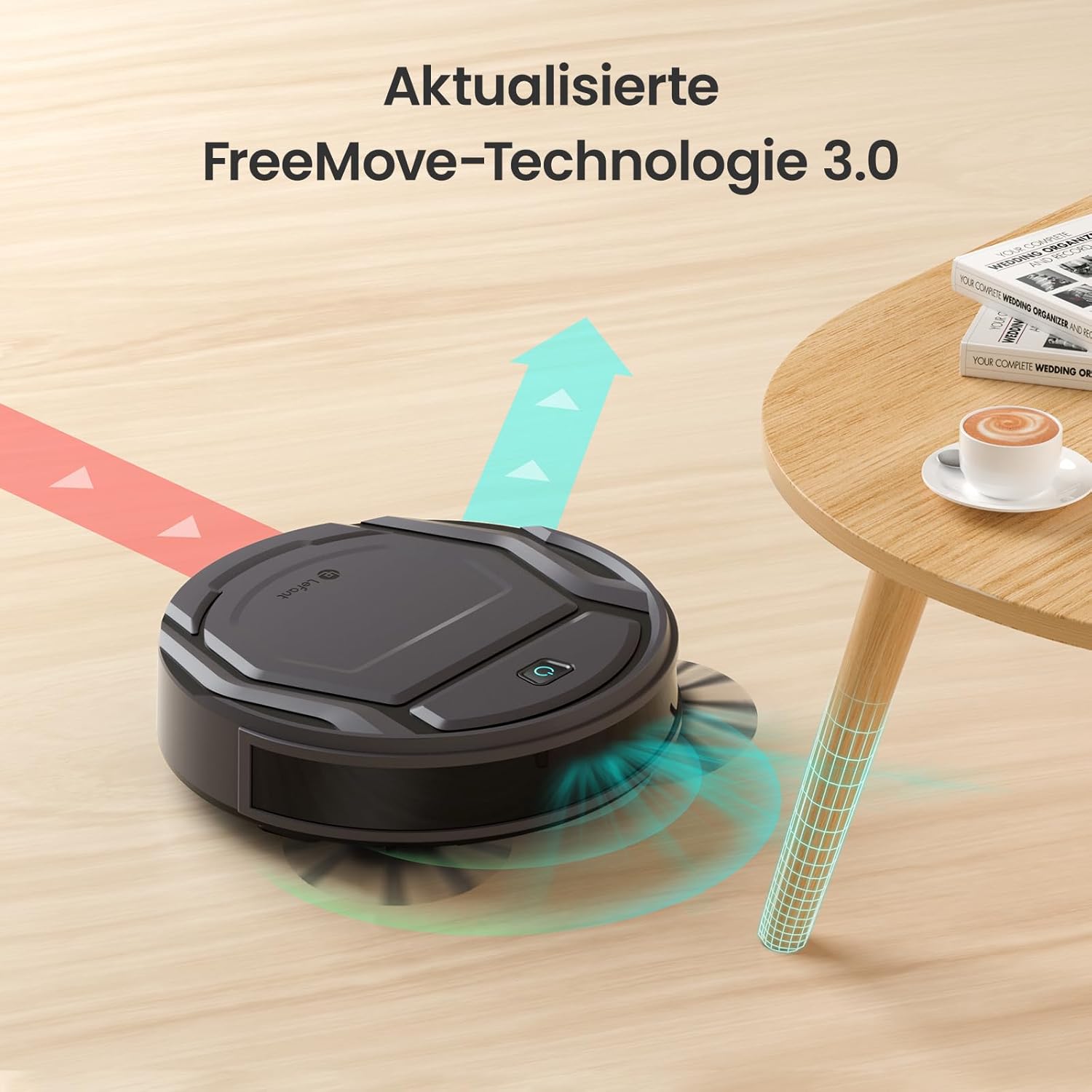
Image: The Lefant M210 demonstrating its updated FreeMove Technology 3.0 for enhanced navigation and obstacle avoidance.
Kawalan Suara
The Lefant M210 supports voice control through Amazon Alexa and Google Home. Connect your robot to these services via the Lefant app for convenient hands-free operation.

Image: The Lefant M210 integrates with Amazon Alexa and Google Home for intelligent voice control, allowing users to start cleaning with simple commands.
Penyelenggaraan
Regular maintenance ensures optimal performance of your Lefant M210. Always turn off the robot and disconnect it from the charging dock before performing any maintenance.
1. Emptying the Dustbin (After each use)
- Tekan butang pelepas tong sampah dan tarik keluar tong sampah.
- Buka penutup tong sampah dan buang isinya ke dalam tong sampah.
- Clean the filter with the provided cleaning tool or tap it gently to remove debris. Do not wash the filter with water.
- Reinsert the filter and close the dustbin cover. Place the dustbin back into the robot.
2. Cleaning the Side Brushes (Weekly or as needed)
- Tarik perlahan-lahan berus sisi ke atas untuk mengeluarkannya.
- Tanggalkan sebarang rambut atau serpihan yang membalut berus atau tiang berus.
- Reattach the brushes, ensuring they click into place.
3. Cleaning the Sensors and Charging Contacts (Monthly or as needed)
- Use a clean, dry cloth to wipe the anti-drop sensors on the bottom of the robot.
- Clean the charging contacts on both the robot and the charging dock.

Image: The Lefant M210 features a design optimized for easy maintenance, reducing hair tangles compared to traditional robot vacuum designs.
Menyelesaikan masalah
If your robot vacuum cleaner encounters issues, refer to the following common problems and solutions:
| Masalah | Kemungkinan Punca | Penyelesaian |
|---|---|---|
| Robot tidak dihidupkan. | Bateri lemah atau tidak dicas. | Letakkan robot di dok pengecas dan pastikan ia dicas sepenuhnya. |
| Robot tidak boleh kembali ke dok pengecasan. | Charging dock is obstructed or too far. | Ensure the charging dock is in an open area and free from obstacles. Manually place the robot on the dock if needed. |
| Prestasi pembersihan adalah lemah. | Dustbin full, filter clogged, or brushes tangled. | Empty the dustbin, clean or replace the filter, and clean the side brushes. |
| Robot kerap tersangkut. | Too many obstacles or uneven surfaces. | Clear the cleaning area of loose cables, small objects, and thick rugs. |
| Isu sambungan apl. | Incorrect Wi-Fi password, router issues, or robot not in pairing mode. | Ensure correct Wi-Fi credentials. Restart your router and the robot. Follow app instructions for pairing mode. |
Spesifikasi
| Ciri | Perincian |
|---|---|
| Jenama | Lefant |
| Nama Model | M210 |
| Nombor Model | M210P |
| warna | Hitam |
| Dimensi Produk (L x W x H) | 28 x 8 x 28 cm (11 x 3.1 x 11 inci) |
| Berat Barang | 3.14 kg (6.92 lbs) |
| Kapasiti tong sampah | 500 Liter (Note: This capacity is unusually large for a robot vacuum dustbin and may refer to a different metric or be a typo in the source data.) |
| Voltage | 220 Volt |
| bahan | plastik |
| Ciri Khas | Anti perlanggaran |
| Syor Permukaan | Permaidani, Lantai Keras |
| Jenis Pengawal | Kawalan Apl |
| Komposisi Bateri | Litium-ion |
| Masa Larian | Sehingga 120 minit |
| Tahap Kebisingan | 55dB |

Image: The Lefant M210 offers a long runtime of up to 120 minutes on a single charge, capable of cleaning up to 120 square meters.
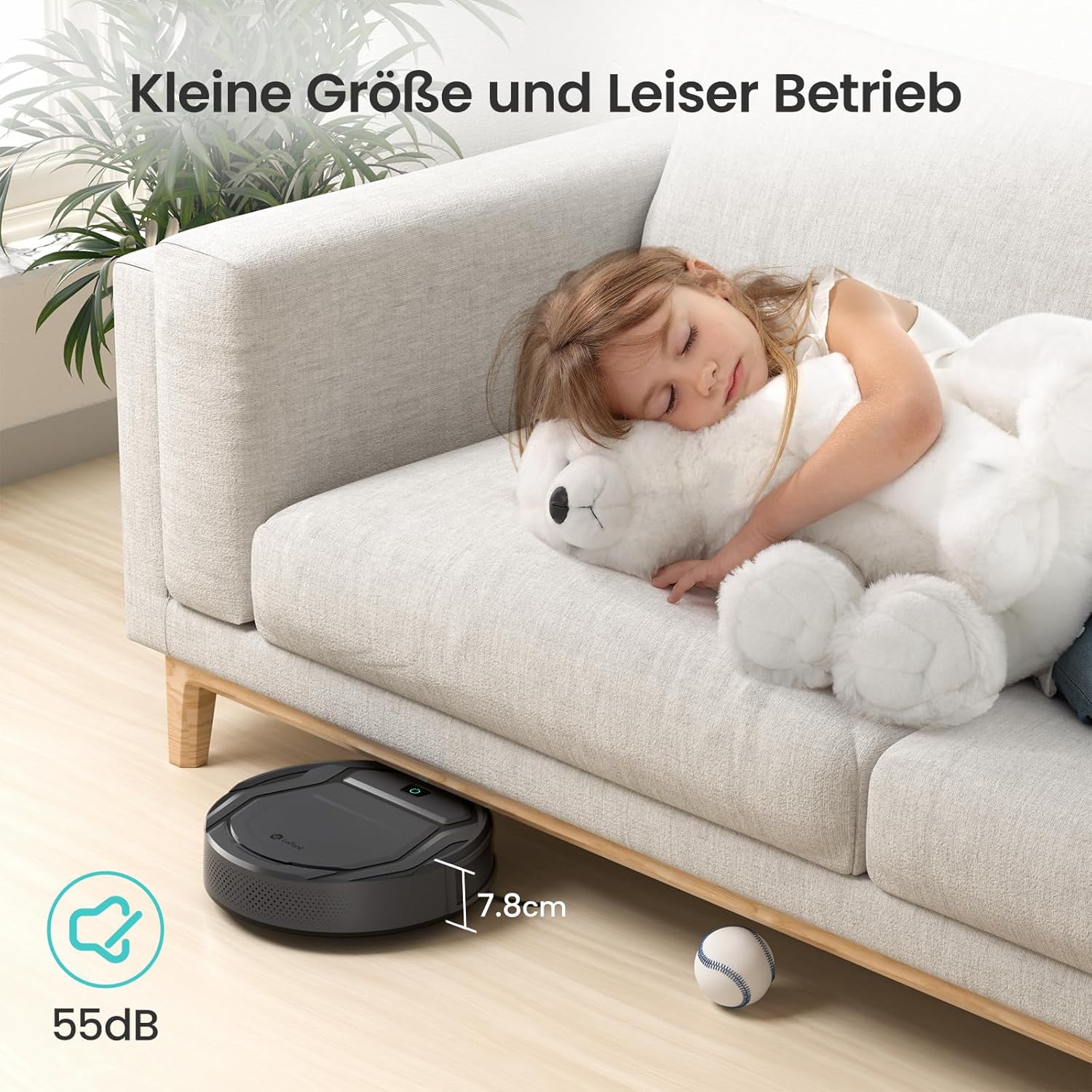
Image: The Lefant M210's compact size (7.8cm height) allows it to clean under furniture, and its quiet operation at 55dB ensures minimal disturbance.
Waranti dan Sokongan
For warranty information, technical support, or service inquiries, please refer to the official Lefant webtapak atau hubungi perkhidmatan pelanggan mereka secara langsung. Simpan resit pembelian anda sebagai bukti pembelian.
Lefant Official Webtapak: www.lefant.com