pengenalan
This manual provides essential instructions for setting up, operating, maintaining, and troubleshooting your CrossBeats Armour Pro AI Smart Watch. Please read this manual thoroughly before using your device to ensure proper function and longevity.
1. Kandungan Pakej
Selepas membuka pakej, sahkan bahawa semua item ada:
- CrossBeats Armour Pro AI Smart Watch
- Kabel Pengecasan
- Manual Arahan (dokumen ini)
- Kad Waranti
Imej: Depan view of the CrossBeats Armour Pro AI Smart Watch, showcasing its rugged design and display.
2. Persediaan
2.1 Pengecasan Awal
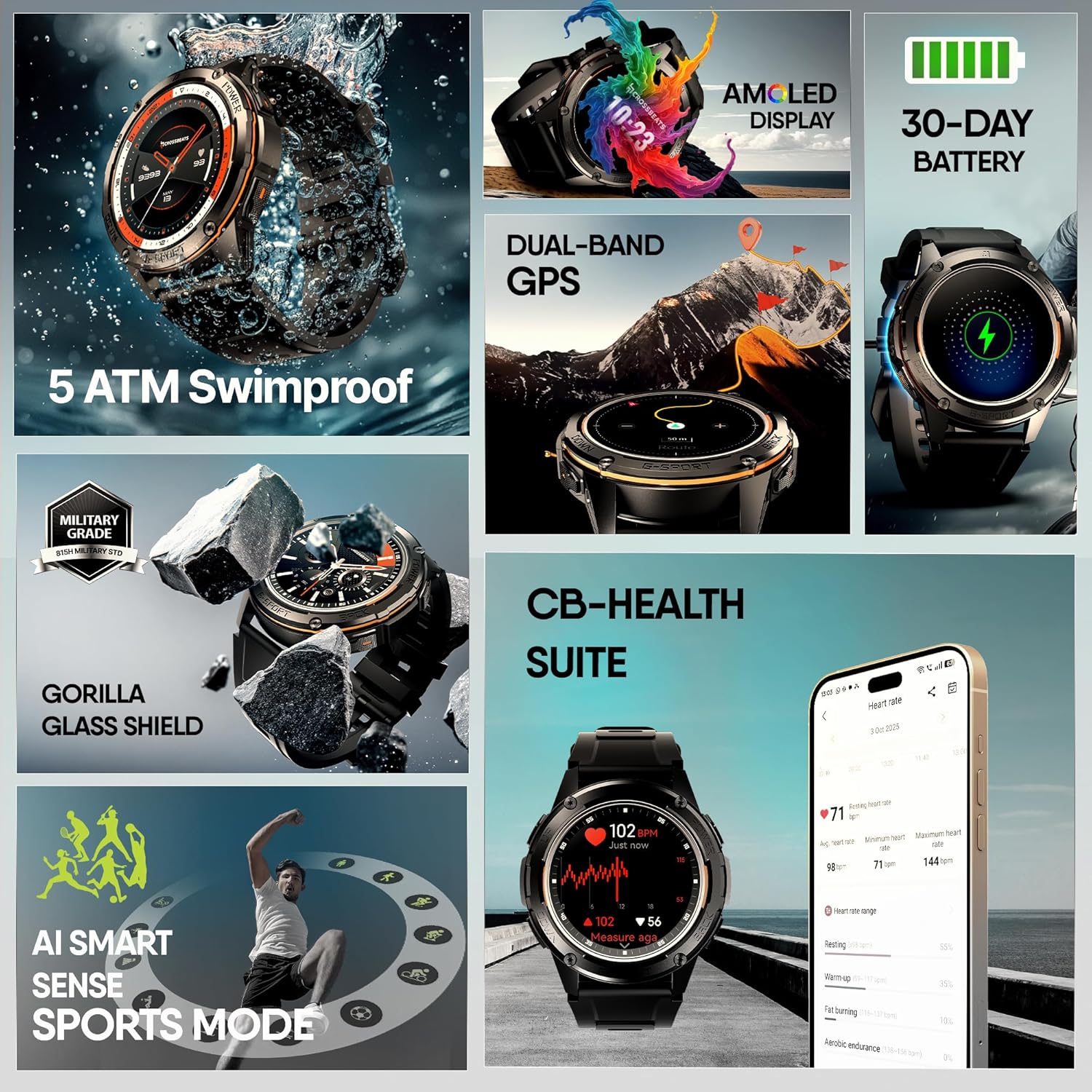
Before first use, fully charge your smartwatch. Connect the charging cable to the watch's charging port and a USB power adapter (not included). A full charge typically takes a few hours. The watch features a 30-day battery life under normal usage and over 60 days in standby mode.

Image: The CrossBeats Armour Pro AI Smart Watch connected to its charging cable, illustrating the charging process.
2.2 Pemasangan Apl dan Berpasangan
- Download the CB SmartFit Pro App: Cari untuk "CB SmartFit Pro" on your smartphone's app store (available for Android and iOS devices) and install it.
- Buat Akaun: Buka aplikasi dan ikut arahan pada skrin untuk membuat akaun pengguna baharu atau log masuk jika anda sudah mempunyainya.
- Dayakan Bluetooth: Pastikan Bluetooth didayakan pada telefon pintar anda.
- Pasangkan Peranti: In the CB SmartFit Pro app, navigate to the device section and select "Add Device". Choose "CrossBeats Armour Pro" from the list of available devices. Confirm the pairing request on both your phone and the smartwatch.

Image: Screenshots of the CB SmartFit Pro app interface on a smartphone, demonstrating its fitness tracking and health monitoring features.
3. Arahan Operasi
3.1 Paparan dan Navigasi
The CrossBeats Armour Pro features a 1.43-inch AMOLED display with 1200 nits brightness, ensuring clear visibility even in direct sunlight. The display is protected by Corning Gorilla Glass for enhanced durability. Navigate the watch using touch gestures (swipe, tap) and the physical buttons located on the side.

Image: Close-up of the smartwatch display, highlighting its 1.43-inch AMOLED screen with vibrant colors and high brightness.
3.2 Panggilan Bluetooth
Once paired with your smartphone, you can make and receive calls directly from your smartwatch. Ensure the Bluetooth connection is stable for optimal call quality.
3.3 GPS and Outdoor Tracking
The watch is equipped with dual-band GPS, connecting to 6 satellites for accurate location tracking during outdoor activities. It also includes an ABC sensor (Altimeter, Barometer, Compass) to assist with navigation and environmental data.

Image: The smartwatch displaying GPS tracking, compass, barometer, and altimeter readings, set against an outdoor adventure backdrop.
3.4 Sports Modes and AI Recognition
The Armour Pro supports over 150 sports modes. Its AI Smart Sports recognition and motion algorithms can automatically detect various activities like swimming, running, and yoga, making activity tracking effortless.

Image: A person running with the smartwatch, surrounded by icons representing various sports modes, illustrating the 150+ sports tracking capability.

Image: The smartwatch displaying a prompt "You seem to be working out. Start to exercise?", demonstrating the AI Smart Sports recognition feature.
3.5 Health Monitoring (CB-Health Suite)
The CB-Health Suite provides comprehensive health tracking, including:
- Blood Pressure (BP) monitoring
- Heart Rate (HR) tracking
- Pengukuran Oksigen Darah (SpO2)
- Analisis kualiti tidur
- Stress level monitoring
These metrics are tracked 24/7 and can be viewed in detail through the CB SmartFit Pro app.

Image: The smartwatch displaying heart rate and other health data, with icons for BP, HR, SpO2, and Sleep, representing the CB-Health Suite features.
3.6 Smart Voice Assistant
Access your smartphone's voice assistant (Google Assistant or Siri) directly from your watch. Use it to set reminders, check weather, or control music with a simple tap.

Image: A person interacting with the smartwatch, showing icons for Google Assistant and Siri, indicating the smart voice assistant functionality.
3.7 Muka Jam
Customize your watch's appearance with over 100 available watch faces through the CB SmartFit Pro app.

Image: A collage of various watch faces available for the CrossBeats Armour Pro, demonstrating customization options.
4. Penyelenggaraan
4.1 Ketahanan dan Rintangan Air
The CrossBeats Armour Pro is built with military-grade durability (815H Military Grade) and features Corning Gorilla Glass for shatterproof clarity. It is 100% swimproof with an IP69 and 5ATM rating, making it suitable for deep dives and rugged conditions.

Image: The smartwatch in a rugged outdoor setting, emphasizing its 815H Military Grade durability and Gorilla Glass shield.

Image: A person's wrist with the smartwatch submerged in water, demonstrating its 5 ATM swimproof capability.
4.2 Pembersihan dan Penjagaan
To maintain your smartwatch, regularly wipe the screen and strap with a soft, damp kain. Elakkan menggunakan bahan kimia yang keras atau bahan yang kasar. Pastikan sentuhan pengecasan bersih dan kering sebelum mengecas.
4.3 Penjagaan Bateri
To maximize battery lifespan, avoid extreme temperatures and do not allow the battery to fully discharge frequently. Charge the device using the provided cable and a compatible USB power source.
5. Penyelesaian masalah
- Tonton tidak dihidupkan: Pastikan jam tangan dicas sepenuhnya. Sambungkannya ke pengecas selama sekurang-kurangnya 30 minit.
- Tidak boleh berpasangan dengan telefon:
- Pastikan Bluetooth didayakan pada telefon dan jam tangan anda.
- Pastikan jam tangan berada dalam julat telefon anda.
- Mulakan semula telefon dan jam tangan anda.
- Try unpairing and re-pairing the device through the CB SmartFit Pro app.
- Data kesihatan tidak tepat: Pastikan jam tangan dipakai dengan kemas pada pergelangan tangan anda, tidak terlalu ketat atau terlalu longgar. Bersihkan penderia di belakang jam tangan.
- Hayat bateri pendek: Reduce screen brightness, disable unnecessary notifications, and limit continuous GPS usage.
- Isu paparan: If the screen is unresponsive or frozen, try restarting the watch by pressing and holding the power button.
Untuk bantuan lanjut, rujuk bahagian sokongan atau hubungi perkhidmatan pelanggan.
6. Spesifikasi
| Ciri | Spesifikasi |
|---|---|
| Jenama | CrossBeats |
| Nombor Model | CB-Armour Pro |
| Saiz Paparan | 1.43 Inci AMOLED |
| Kecerahan Paparan | 1200 nits |
| Perlindungan Paparan | Corning Gorilla Glass |
| Tahan Air | IP69, 5 ATM (Swimproof) |
| Piawaian Ketahanan | 815H Military Grade |
| Hayat Bateri (Penggunaan Biasa) | Sehingga 30 Hari |
| Hayat Bateri (Bersedia) | 60+ Hari |
| GPS | Dual-band GPS with 6 Satellite positioning |
| Penderia | Altimeter, Barometer, Compass, Heart Rate, SpO2, BP |
| Mod Sukan | 150+ (with AI Smart Sports recognition) |
| Ketersambungan | Bluetooth |
| Sistem Operasi | Android Wear 2.9 (compatible with Android/iOS) |
| Berat Barang | 54.6 g |
| Dimensi Pakej | 27.8 x 8.5 x 2.4 cm |
7. Waranti dan Sokongan
7.1 Maklumat Waranti
Your CrossBeats Armour Pro AI Smart Watch comes with a warranty. Please refer to the included Warranty Card for specific terms and conditions, including coverage duration and claim procedures.
7.2 Sokongan Pelanggan
For technical assistance, product inquiries, or warranty claims, please contact CrossBeats customer support:
- telefon: +91 8050056565
- e-mel: sokongan@crossbeats.com
- Alamat Pengilang: SELLBRITE DIGITAL LLP, Ground Floor Brigade Towers 135 Brigade Road Bangalore India - 560025


