1. Arahan Keselamatan Penting
Please read all instructions carefully before using the OLIXIS Heat Press Machine. Failure to follow these safety guidelines may result in injury or damage to the product.
- Sentiasa kendalikan mesin tekan haba pada permukaan yang stabil dan tahan haba.
- Keep hands and fingers clear of the heating plate during operation to prevent burns.
- Do not leave the machine unattended while it is powered on or heating.
- Pastikan pengudaraan yang betul di kawasan kerja.
- Cabut plag mesin dari salur keluar kuasa apabila tidak digunakan atau sebelum dibersihkan.
- Jangan rendam mesin dalam air atau cecair lain.
- Jauhkan daripada kanak-kanak.
2. Produk Lebihview
The OLIXIS 15x15 Heat Press Machine is designed for professional-grade heat transfer applications on various materials. It features a 15''x15'' heating plate, an intuitive LCD control panel, and a memory mode for efficient operation.

Image: The OLIXIS Heat Press Machine in operation, with two white t-shirts displaying colorful floral heat transfer designs.
Aplikasi Serbaguna
This heat press is suitable for customizing a wide range of items, including T-shirts, tote bags, pillows, aprons, and pet scarves.
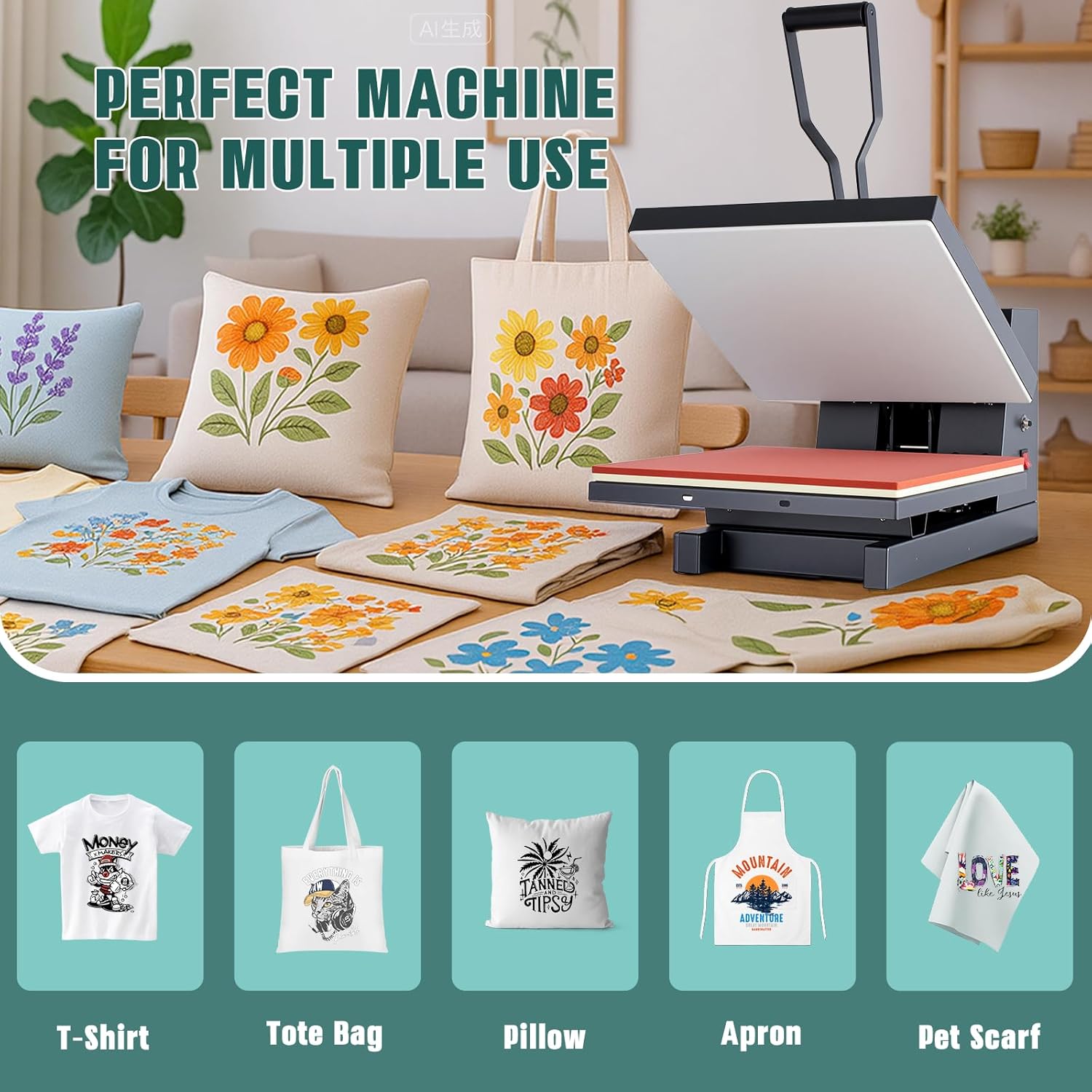
Image: A display of various customized items like t-shirts, tote bags, pillows, aprons, and pet scarves, demonstrating the machine's versatility.
3. Persediaan dan Pemasangan
The OLIXIS Heat Press Machine comes largely pre-assembled. Follow these steps for initial setup:
- Buka bungkusan Mesin: Carefully remove the heat press from its packaging.
- penempatan: Place the machine on a sturdy, flat, and heat-resistant surface. Ensure there is adequate space around the machine for safe operation and ventilation.
- Sambungan Kuasa: Connect the power cord to the machine and then to a grounded 110V-120V electrical outlet.
- Safety Pallet Base: Utilize the safety pallet base to provide heat insulation for your desktop, especially after use.
4. Arahan Operasi
The OLIXIS Heat Press features an easy-to-use LCD control panel and a simple 3-step operation process.
Fungsi Panel Kawalan
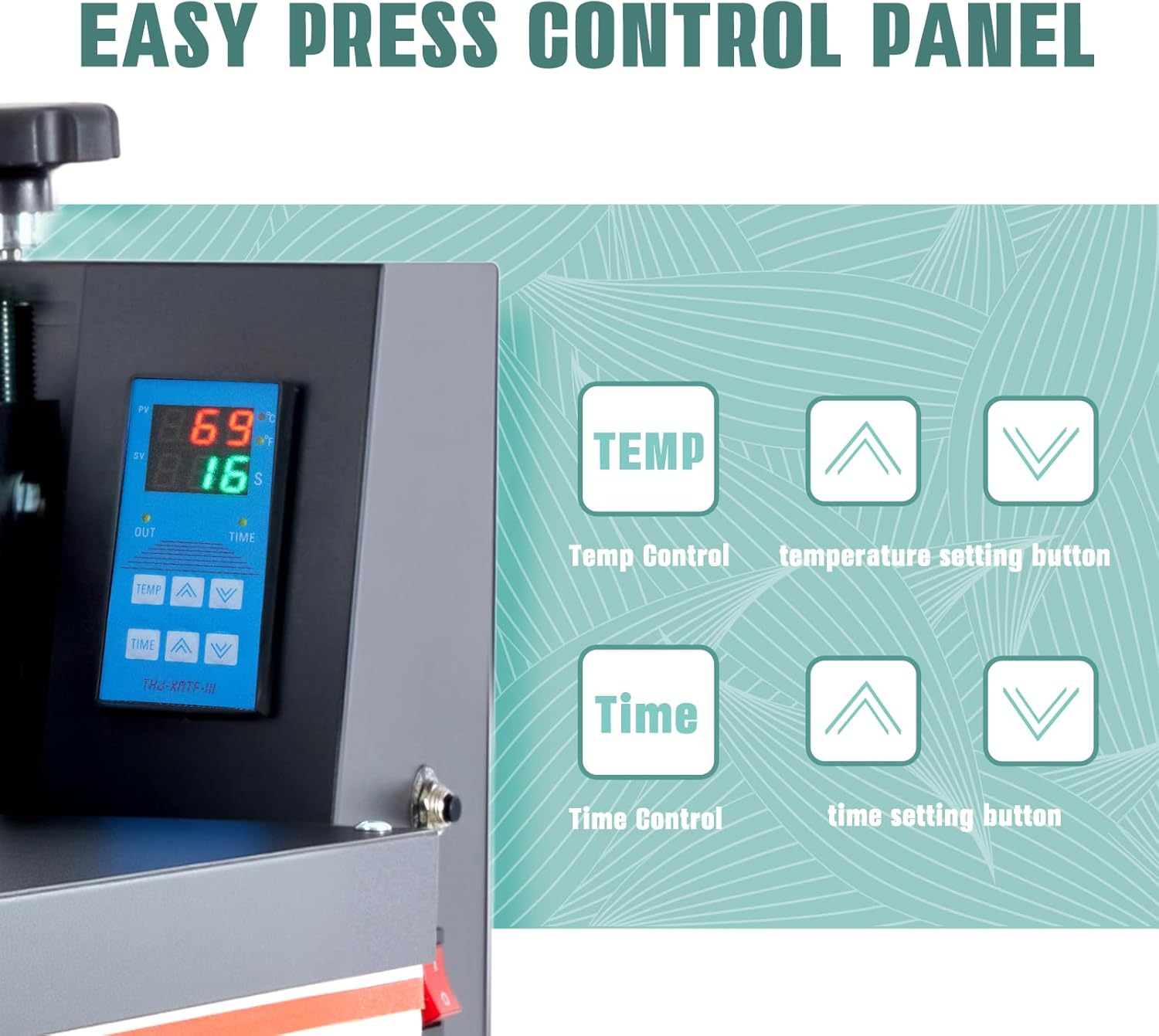
Imej: A terperinci view of the LCD control panel, highlighting temperature and time setting buttons.
- Paparan LCD: Shows current temperature and time.
- Temperature Control (TEMP): Use the up and down arrows to set the desired temperature (range: 32℉–570℉).
- Time Control (TIME): Use the up and down arrows to set the desired pressing time (range: 0–999s).
- Mod Memori: The machine can store your frequently used settings for quick recall. Refer to the full manual for detailed instructions on setting and recalling memory modes.
3-Step Operation Process

Image: A visual guide illustrating the three simple steps to operate the heat press machine.
- Prepare and Power On: Place your material (e.g., T-shirt with transfer) onto the lower platen. Press the power button to turn on the machine.
- Tetapkan Masa dan Suhu: Use the LCD control panel to adjust the desired time and temperature according to your transfer material's specifications.
- Lower Heating Plate: Once the desired temperature is reached, lower the heating plate handle to apply pressure. A buzzer will sound when the set time is complete. Lift the handle to release the pressure and remove your customized item.
Tekanan Boleh Laras
The machine features an adjustable pressure knob to fine-tune the pressure for different fabric types and transfer materials, ensuring consistent heat transfer results.
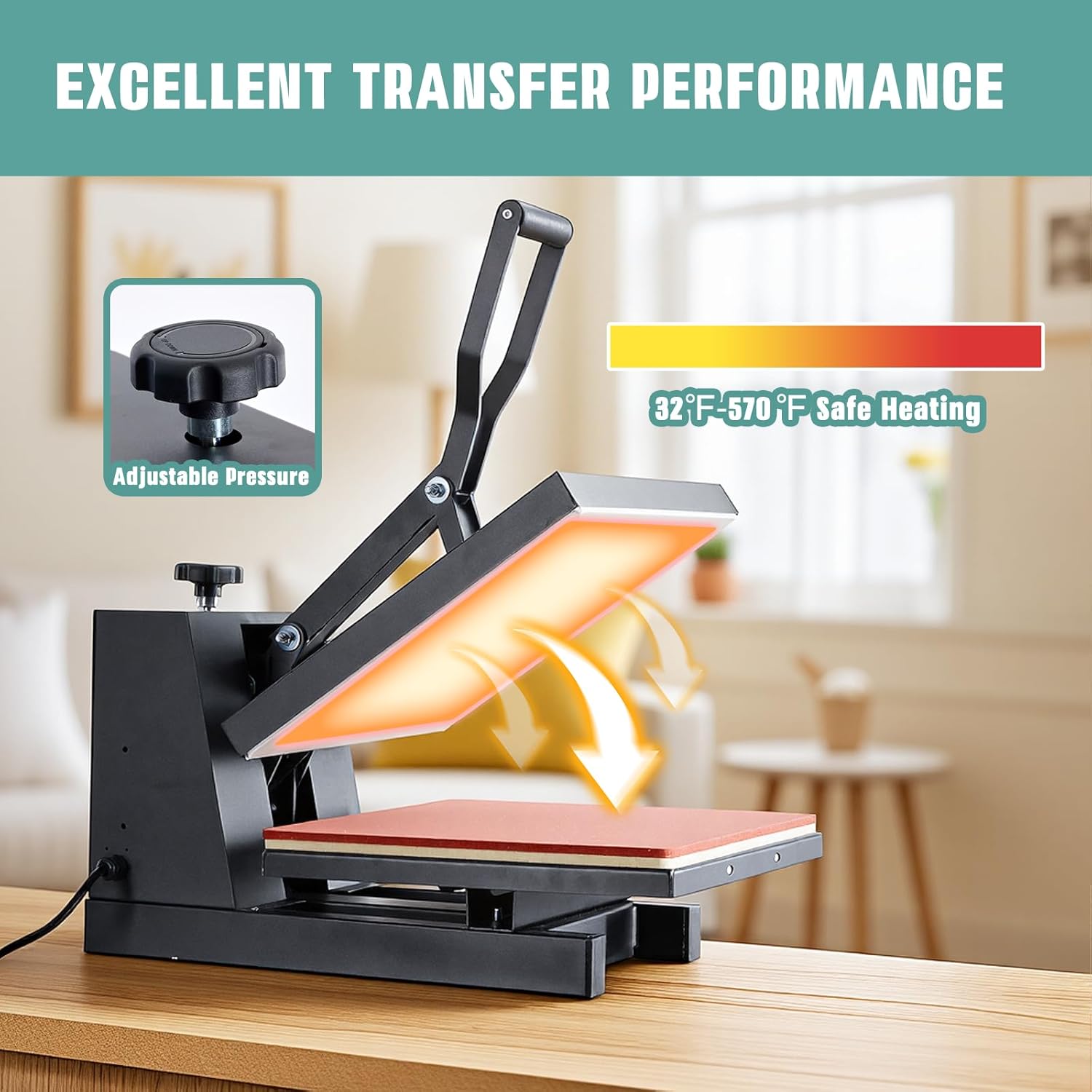
Image: The heat press machine with its heating element glowing, illustrating heat distribution, and a close-up of the adjustable pressure knob.
Video Operasi
Video: A brief demonstration of the OLIXIS heat press machine in action, showcasing ciri dan kemudahan penggunaannya.
5. Penyelenggaraan
Proper maintenance ensures the longevity and optimal performance of your heat press machine.
- Membersihkan Plat Pemanas: Allow the machine to cool completely. Use a soft, damp cloth to wipe the heating plate. For stubborn residue, use a non-abrasive cleaner specifically designed for heat press platens.
- Cleaning the Lower Platen: The silicone pad on the lower platen can be wiped clean with a damp kain.
- Pembersihan Am: Lap bahagian luar mesin dengan kain lembut dan kering.
- Storan: Simpan mesin dalam persekitaran yang kering dan bebas habuk apabila tidak digunakan.
6. Penyelesaian masalah
If you encounter issues with your OLIXIS Heat Press Machine, refer to the following common problems and solutions:
| Masalah | Kemungkinan Punca | Penyelesaian |
|---|---|---|
| Mesin tidak dihidupkan | Tiada bekalan kuasa; sambungan longgar | Periksa sambungan kord kuasa; pastikan soket berfungsi. |
| Pemindahan haba yang tidak sekata | Insufficient pressure; uneven platen; incorrect temperature/time | Adjust pressure knob; ensure platen is clean; verify temperature and time settings. |
| Pemasa tidak berfungsi | Kerosakan panel kawalan | Ensure settings are correctly entered. If issue persists, contact customer support. |
| Pemindahan tidak mematuhi | Incorrect temperature, time, or pressure; wrong transfer material | Adjust settings according to transfer material instructions; ensure proper pressure. |
For issues not listed here, please contact OLIXIS customer support.
7. Spesifikasi
Detailed technical specifications for the OLIXIS Heat Press Machine.

Image: A diagram illustrating the dimensions (23.7''L x 15.2''W x 14.2''H) and key specifications of the heat press machine.
| Ciri | Perincian |
|---|---|
| Nombor Model | PBJ-3838-OL |
| Saiz Plat Pemanas | 15'' x 15'' |
| kuasa | 1200W |
| Voltage | 110-120 Volt |
| Julat Suhu | 32℉ - 570℉ (0℃ - 299℃) |
| Julat Masa | 0 - 999 saat |
| Dimensi Produk | 23.66"L x 15.16"W x 14.17"H |
| Berat Barang | 38.6 paun |
| bahan | Aluminum, Metal, Plastic, Sponge |
8. Waranti dan Sokongan
Maklumat Waranti
The OLIXIS Heat Press Machine comes with a Waranti 1 tahun dari tarikh pembelian. Waranti ini meliputi kecacatan pembuatan dan kerosakan dalam penggunaan biasa. Sila simpan bukti pembelian anda untuk tuntutan waranti.
Sokongan Pelanggan
For any questions, technical assistance, or warranty claims, please contact OLIXIS customer support. Our professional after-sales service team is available to help solve your difficulties immediately.
You can find contact information on the official OLIXIS webtapak atau melalui platform pembelian anda.


