1. Pengenalan dan Lebihview
Thank you for choosing the KBS 20-IN-1 Bread Maker, Model MBF-014A. This appliance is designed to simplify your bread-making process with its versatile programs and user-friendly features. Please read this manual thoroughly before operation to ensure safe and optimal use.
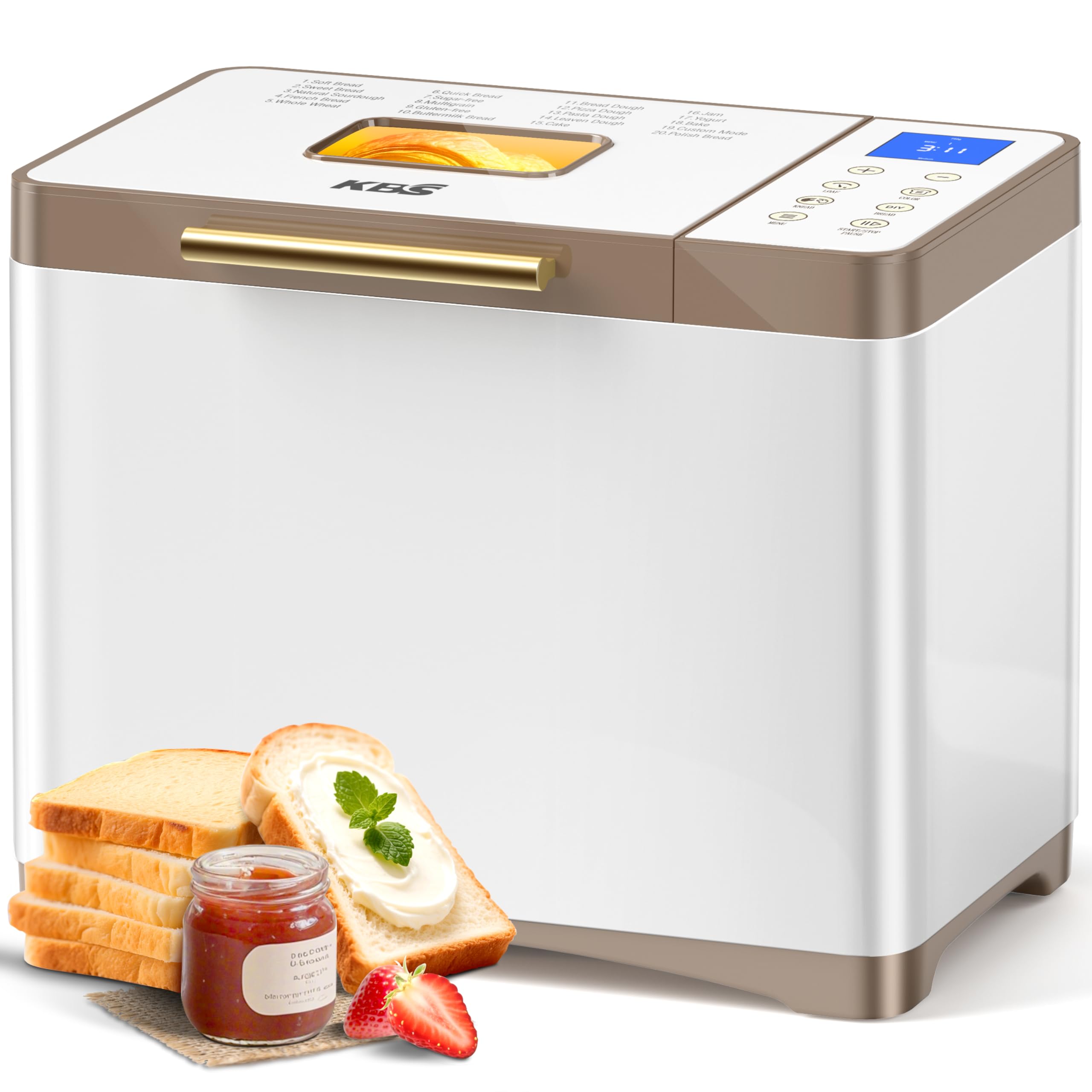
Image: KBS 20-IN-1 Bread Maker, Model MBF-014A, in White-Gold color.
Ciri-ciri Utama:
- 20 Pre-programmed Menus: Including Soft Bread, Sweet Bread, Natural Sourdough, French Bread, Whole Wheat, Quick Bread, Sugar-free, Multigrain, Gluten-free, Buttermilk Bread, Bread Dough, Pizza Dough, Pasta Dough, Leaven Dough, Cake, Jam, Yogurt, Bake, Custom Mode, and Polish Bread.
- Custom Program (Menu 19): Allows 100% customization of time for each of the 6 steps: autolysing, basic rise, degassing, re-rise, reshape, and last rise. Settings can be saved for repeated use.
- Nonstick Ceramic Pan & Stainless Steel Paddle: Features a 3000°F-fired ceramic pan for long-lasting nonstick performance and a durable stainless steel paddle tested for 10,000 cycles.
- Peredaran Udara Panas 360°: Ensures uniform baking and browning for a crispier crust and fluffier interior.
- 650W Variable-Frequency Motor: Provides 360° planetary mixing and adjusts speed for different doughs, offering energy efficiency and extended lifespan.
- 4-Season Constant Temperature System: Dual NTC and PID temperature control maintains consistent warmth, precisely locking onto an optimal 38°C rising zone.
- Convenience Functions: 15-hour delay timer, 60-minute keep warm function, and 15-minute power outage sandaran.
- Capacity & Crust Control: Bakes 1, 1.5, or 2 lb loaves with three crust settings (light, medium, dark).
- Durable & Intuitive Design: High-quality stainless steel body with a seamless glass digital touch panel for easy cleaning and modern aesthetics.
2. Arahan Keselamatan
To prevent personal injury or property damage, please observe the following safety precautions:
- Always ensure the bread maker is placed on a stable, flat, heat-resistant surface, away from flammable materials.
- Jangan rendam perkakas, kord, atau palam ke dalam air atau cecair lain.
- Jauhkan kanak-kanak dan haiwan peliharaan dari perkakas semasa operasi. Permukaan luar boleh menjadi panas.
- Unplug the bread maker from the outlet when not in use, before assembling or disassembling parts, and before cleaning.
- Jangan kendalikan sebarang perkakas dengan kord atau palam yang rosak, atau selepas perkakas tidak berfungsi atau rosak dalam apa jua cara.
- Elakkan sentuhan dengan bahagian yang bergerak.
- Jangan gunakan lampiran yang tidak disyorkan atau dijual oleh pengilang.
- Jangan letakkan pada atau berhampiran gas panas atau penunu elektrik, atau dalam ketuhar yang dipanaskan.
- Sentiasa berhati-hati apabila menggerakkan perkakas yang mengandungi minyak panas atau cecair panas lain.
- Jangan gunakan perkakas untuk kegunaan rumah selain daripada yang dimaksudkan.
- Pastikan voltage yang ditunjukkan pada perkakas sesuai dengan sumber listrik tempatan andatage sebelum menyambungkan perkakas.
- The bread pan and paddle are nonstick ceramic. Avoid using metal utensils that could scratch the surface.
3. Komponen dan Aksesori Produk
Familiarize yourself with the parts of your KBS Bread Maker and the included accessories.

Image: Included accessories for the KBS Bread Maker.
Aksesori yang disertakan:
- 1 x Nonstick Ceramic Pan
- 1 x Stainless Steel Paddle
- 1 x Sarung Tangan Tahan Panas
- 1 x Mengukur Piala
- 1 x Sudu Pengukur
- 1 x Hook (for paddle removal)
- 1 x Manual Pengguna (dokumen ini)
- 1 x Buku Resipi
Panel Kawalan Terlaluview:

Imej: Terperinci view of the KBS Bread Maker's digital touch panel and menu options.
The seamless glass digital panel features intuitive touch controls for selecting menus, loaf size, crust color, and starting/stopping the baking process. A clear LCD display shows program status and time remaining.
4. Persediaan
- Membongkar: Carefully remove all packaging materials and accessories. Inspect the bread maker for any damage.
- Pembersihan: Before first use, clean the bread pan, paddle, and other accessories with warm, soapy water. Wipe the exterior of the appliance with a damp kain. Keringkan semua bahagian dengan teliti.
- penempatan: Place the bread maker on a dry, stable, heat-resistant countertop, ensuring adequate ventilation around the unit. Do not place it near heat sources or in direct sunlight.
- Masukkan Kuali Roti: Place the nonstick ceramic bread pan into the baking chamber. Ensure it is securely seated by twisting it gently until it locks into place.
- Attach Kneading Paddle: Insert the stainless steel kneading paddle onto the shaft at the bottom of the bread pan.
- Sambungan Kuasa: Plug the power cord into a grounded electrical outlet. The bread maker will beep, and the display will light up, indicating it is ready for operation.
5. Arahan Operasi
Follow these steps to bake your desired bread or prepare other items using your KBS Bread Maker.
Operasi asas:
- Tambah Bahan: Refer to your recipe book. Typically, liquids are added first, followed by dry ingredients, and finally yeast on top. Ensure yeast does not come into direct contact with liquids or salt initially.
- Tutup Tudung: Close the lid of the bread maker securely.
- Pilih Menu: Press the "MENU" button repeatedly to cycle through the 20 available programs until your desired program number is displayed.
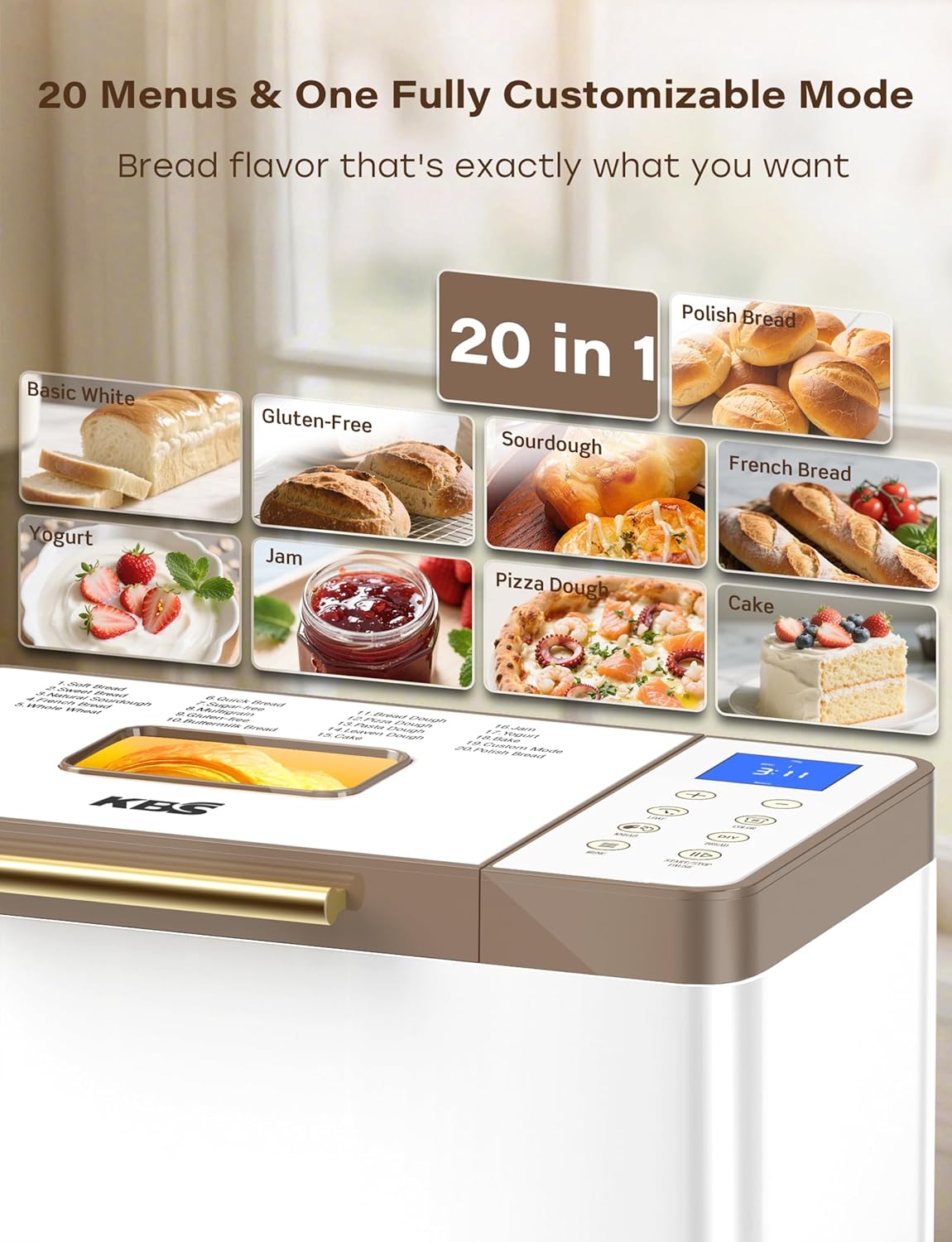
Image: The 20 pre-programmed menu options on the bread maker.
- Pilih Saiz Roti: Press the "LOAF" button to choose between 1 LB, 1.5 LB, or 2 LB loaf sizes, if applicable for the selected program.
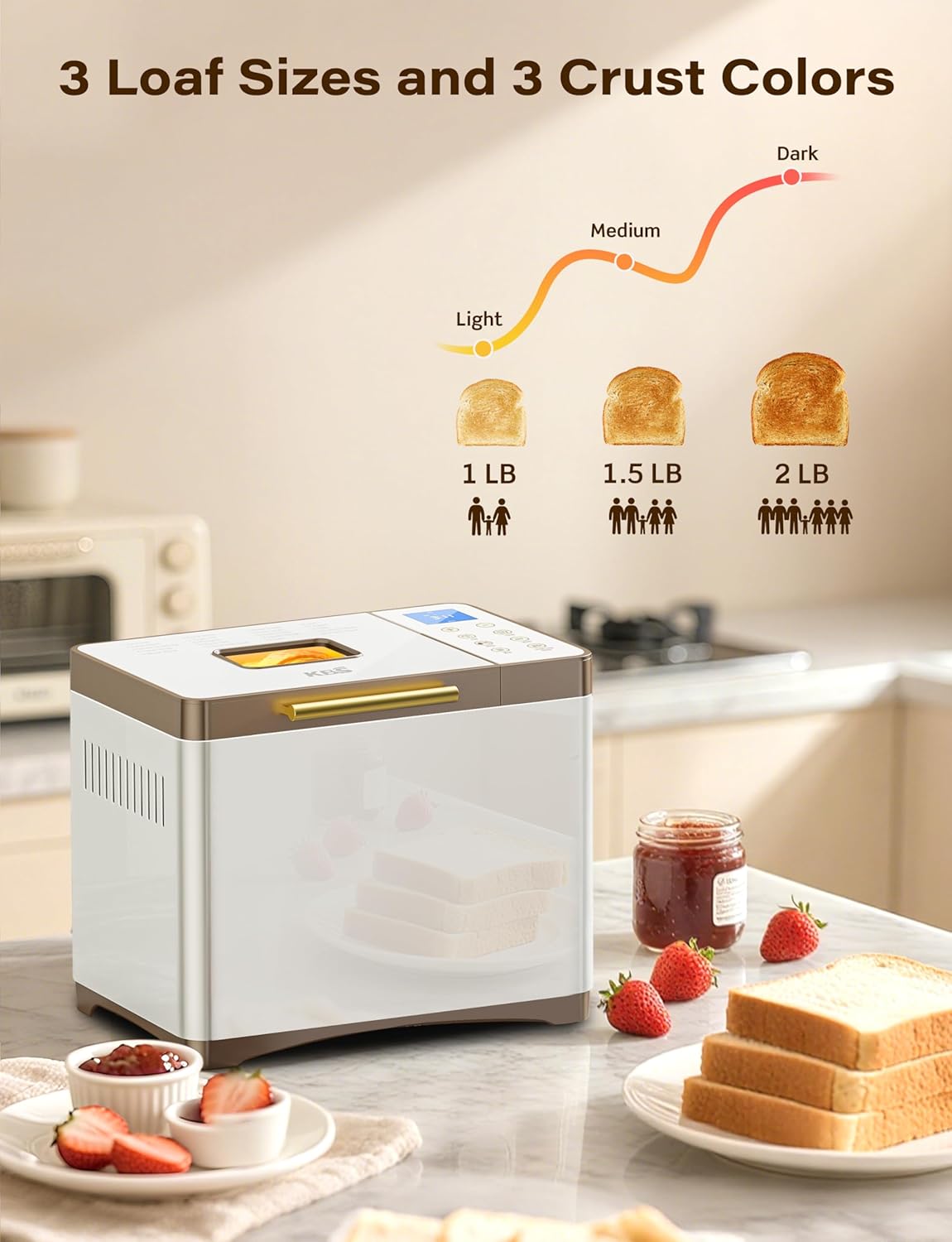
Image: Loaf size and crust color selection options.
- Pilih Warna Kerak: Press the "COLOR" button to choose between Light, Medium, or Dark crust settings, if applicable.
- Set Delay Timer (Optional): If you wish to delay the start of the baking process, use the "+" and "-" buttons to set the desired delay time (up to 15 hours). The delay time includes the baking time.
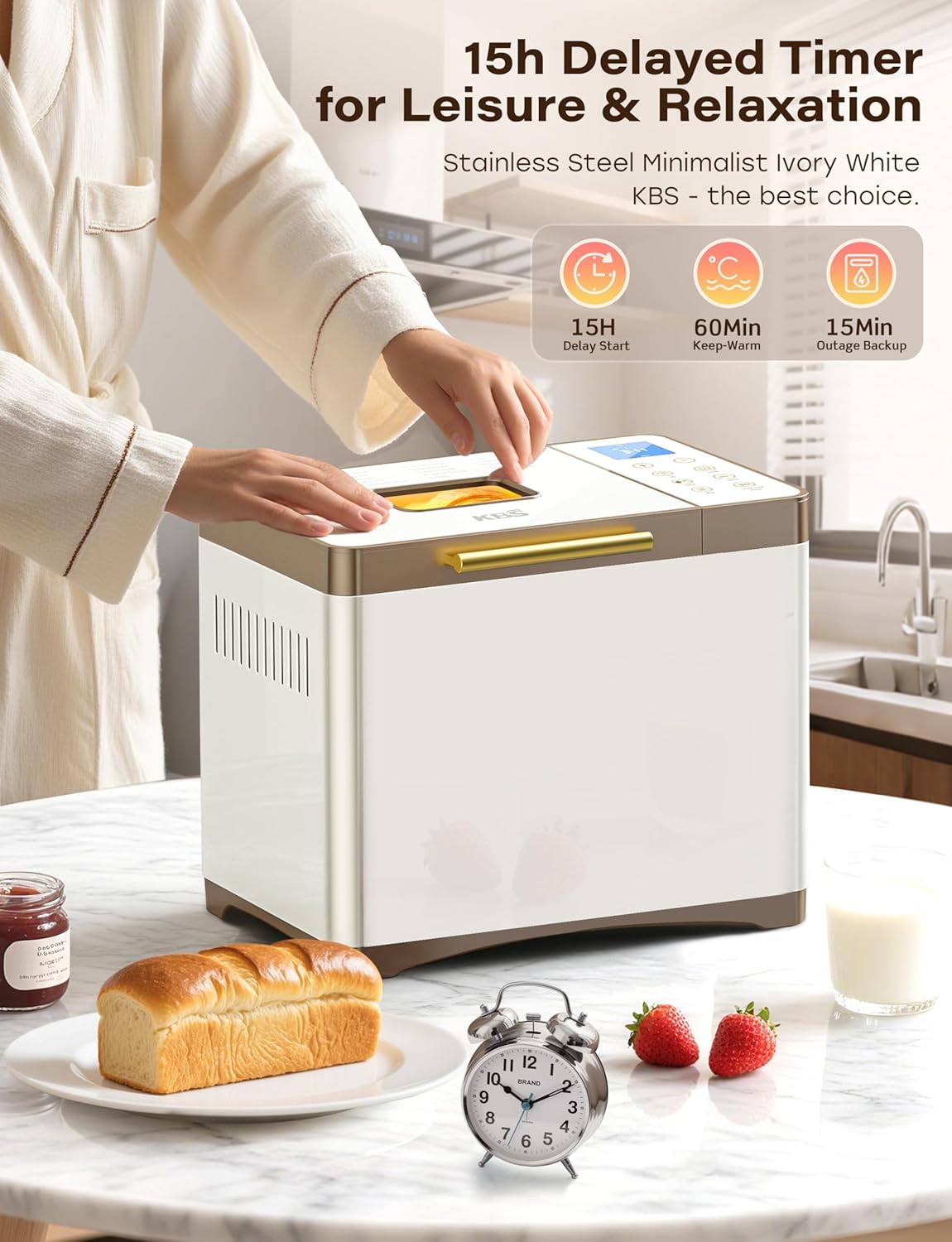
Image: Features for delayed start, keep warm, and power backup.
- Mula Membakar: Press the "START/STOP/PAUSE" button to begin the program. The bread maker will start kneading.
- Pemantauan: You can observe the kneading and rising process through the viewing window. The 360° hot air circulation ensures even baking.
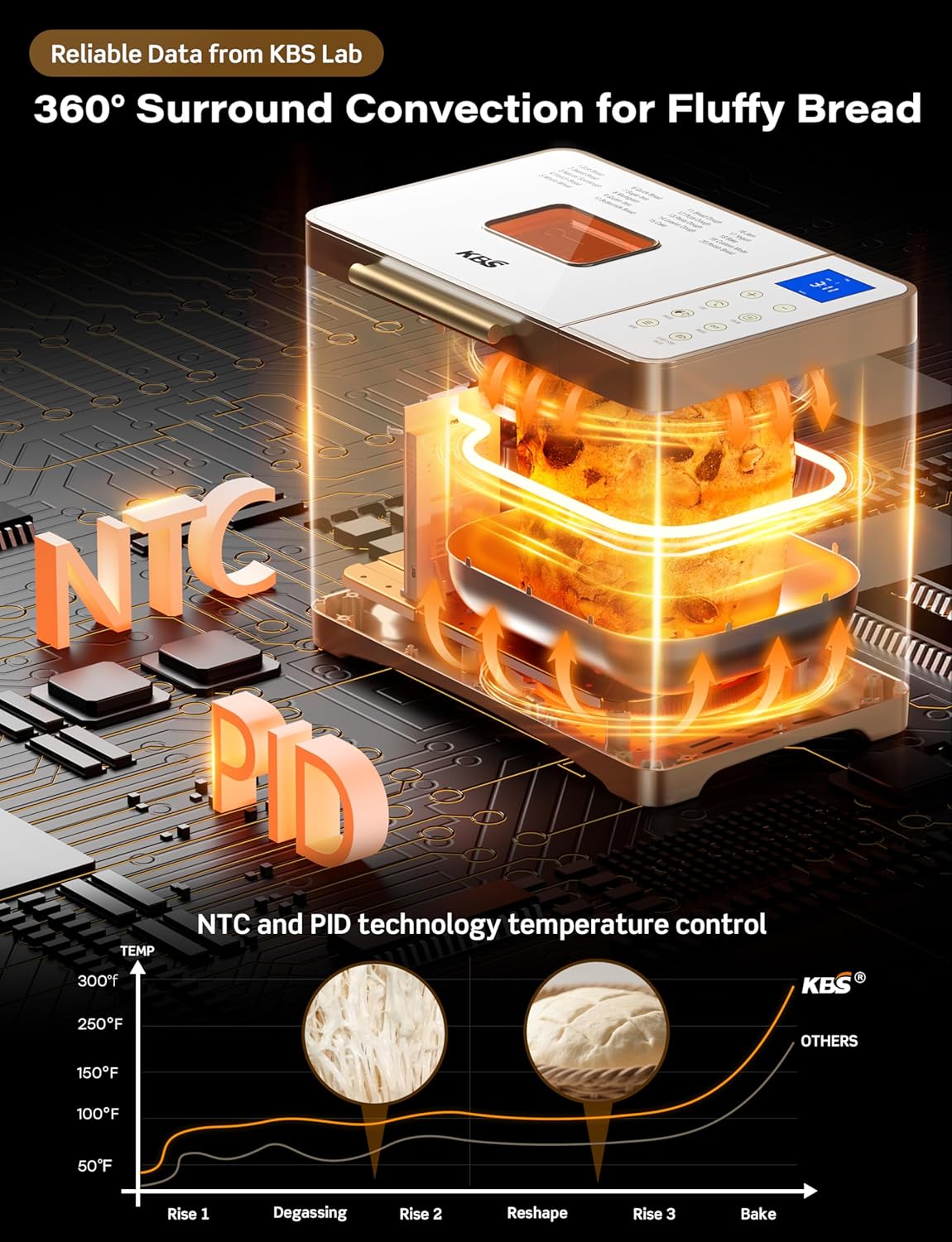
Image: Illustration of 360° surround convection and NTC/PID temperature control.
- Tamat Program: Once the program is complete, the bread maker will beep and automatically switch to the 60-minute "Keep Warm" function.
- Keluarkan Roti: Using the provided heat-resistant glove and hook, carefully remove the bread pan from the appliance. Invert the pan to release the bread onto a wire rack to cool. Remove the kneading paddle from the bread using the hook if it remains embedded.
Using Custom Mode (Menu 19):
The Custom Mode allows you to precisely control each stage of the bread-making process:
- Select Menu 19.
- Use the "+" and "-" buttons to adjust the duration for each of the 6 steps: Autolysing, Basic Rise, Degassing, Re-rise, Reshape, and Last Rise.
- Once settings are finalized, press "START/STOP/PAUSE" to save and begin. These settings will be remembered for future use of Custom Mode.
6. Penyelenggaraan dan Pembersihan
Regular cleaning and maintenance will prolong the life of your bread maker and ensure optimal performance.
Arahan Pembersihan:
- Cabut plag: Sentiasa cabut plag perkakas dan biarkan ia sejuk sepenuhnya sebelum dibersihkan.
- Kuali Roti dan Dayung Uli:
- Remove the bread pan and kneading paddle. If the paddle is stuck, fill the pan with warm water and let it soak for 30 minutes before removing.
- Wash with warm, soapy water using a soft sponge or cloth. Do not use abrasive cleaners or metal scouring pads, as this can damage the nonstick ceramic coating.
- Rinse thoroughly and dry completely before reassembling or storing. The ceramic pan is dishwasher safe, but hand washing is recommended to preserve the nonstick coating.
- Luaran: Lap bahagian luar pembuat roti dengan lembut, damp kain. Jangan gunakan pembersih yang kasar.
- Tudung dan Viewdalam Tetingkap: Wipe the inside of the lid and the viewtetingkap dengan iklanamp kain. Untuk kesan degil, gunakan detergen lembut.
- Ruang penaik: Remove any crumbs or residue from the baking chamber with a soft brush or damp kain.
Storan:
Ensure all parts are clean and dry before storing. Store the bread maker in a cool, dry place, away from direct sunlight and out of reach of children.
7. Penyelesaian masalah
If you encounter any issues with your bread maker, refer to the following common problems and solutions:
| Masalah | Kemungkinan Punca | Penyelesaian |
|---|---|---|
| Roti tidak naik | Expired yeast, incorrect water temperature, too much salt/sugar, old flour. | Check yeast expiration date. Use lukewarm water (105-115°F). Ensure correct ingredient measurements. Use fresh ingredients. |
| Roti terlalu padat/berat | Too much flour, not enough liquid, insufficient kneading. | Measure ingredients precisely. Adjust liquid amount slightly. Ensure paddle is correctly installed. |
| Roti runtuh semasa membakar | Too much liquid, too much yeast, high humidity. | Reduce liquid or yeast slightly. Consider using less liquid in humid conditions. |
| Uneven crust color | Incorrect crust setting, uneven heat distribution. | Verify crust color setting. Ensure bread maker is not obstructed for proper air circulation. |
| Uli dayung tersangkut dalam roti | Kejadian biasa. | Allow bread to cool slightly. Use the provided hook to carefully remove the paddle. |
| Bread maker not starting | Not plugged in, lid not closed, program not selected. | Check power connection. Ensure lid is fully closed. Select a program and press START/STOP/PAUSE. |
If the problem persists, please contact KBS customer support.
8. Spesifikasi
- model: MBF-014A
- Kuasa: 650W
- Voltage: 120 Volt
- kapasiti: Up to 2 Pounds (1LB, 1.5LB, 2LB options)
- Dimensi Produk: 8"D x 13.4"W x 11"H
- Berat Barang: 12.87 paun
- Bahan: 100% Stainless Steel Body, Ceramic NonStick Pan, Ceramic Paddle
- Bilangan Program: 20
- Pemasa Kelewatan: Sehingga 15 jam
- Fungsi Kekal Panas: 60 minit
- Pemulihan Gangguan Kuasa: 15 minit
- Warna Kerak: Terang, Sederhana, Gelap
9. Waranti dan Sokongan
KBS is committed to providing high-quality products and excellent customer service.
Sokongan Teknikal:
Our team of experienced engineers and professional customer service representatives is available to assist you. We aim to deliver customized solutions with rapid response within 12 hours.
For technical assistance or inquiries, please visit the official KBS website or contact our customer service team through the contact information provided on the product packaging or official webtapak.
Sila simpan bukti pembelian anda untuk tuntutan waranti.


