1. Produk Lebihview
The SGIN Y101 is a 15.6-inch laptop designed for everyday computing tasks, featuring a Core i3 processor, 16GB RAM, and a 1024GB SSD. It operates on Windows 11 Home and includes a backlit keyboard, WiFi 6 connectivity, and a 180-degree hinge for flexible use.

Image: SGIN Y101 Laptop highlighting its Core i3 processor, Windows 11, 7000mAh battery, backlit keyboard, WiFi 6, 180-degree hinge, 16GB RAM, and 1024GB SSD.
2. Apa yang ada di dalam Kotak
- 1 x SGIN Y101 Laptop
- 1 x Penyesuai Kuasa/Pengecas
- 1 x Manual Pengguna (dokumen ini)

Image: The SGIN Y101 laptop, its power adapter, and the user manual as typically found in the product packaging.
3. Persediaan
3.1 Pengecasan Awal dan Penghidupan Kuasa
- Sambungkan Penyesuai Kuasa: Plug the power adapter into the DC jack on the side of the laptop and then into a power outlet.
- Cas Bateri: Benarkan komputer riba mengecas sekurang-kurangnya 30 minit sebelum penggunaan awal, atau sehingga penunjuk bateri menunjukkan cas yang mencukupi.
- Hidupkan kuasa: Open the laptop lid and press the power button, usually located on the top right of the keyboard, to turn on the device.
3.2 Persediaan Windows 11
Follow the on-screen instructions to complete the initial Windows 11 Home setup. This typically includes:
- Memilih kawasan dan reka letak papan kekunci anda.
- Connecting to a Wi-Fi network (WiFi 6 supported).
- Log masuk dengan atau mencipta akaun Microsoft.
- Menyediakan PIN atau kata laluan.
3.3 Menyambung Peranti
The SGIN Y101 laptop offers various ports for connecting external devices:
Imej: Terperinci view of the laptop's multiple interfaces, including DC jack, Type-C, HDMI, USB 3.2, Security lock, TF card slot, 3.5mm Headphone jack, and RJ45 Ethernet port.
- Port USB 3.0/3.2: For connecting USB devices like mice, keyboards, or external storage.
- Port HDMI: Sambung ke monitor luaran atau TV untuk paparan lanjutan.
- Pelabuhan Jenis-C: For data transfer and potentially charging compatible devices.
- Slot Micro SD: Insert a TF card for expanded storage up to 1TB.
- Bicu Fon Kepala 3.5mm: Sambungkan fon kepala atau pembesar suara luaran.
- Port Ethernet RJ45: Untuk sambungan internet berwayar.
- Slot Kunci Kensington: Untuk keselamatan fizikal.
4. Mengendalikan Komputer Riba
4.1 Papan Kekunci dan Pad Sentuh
The laptop features a full-size keyboard with a numeric keypad and a large touchpad for navigation. The keyboard is backlit for use in low-light conditions.
- Papan Kekunci Bercahaya Belakang: Tekan Fn + F5 to toggle the keyboard backlight on or off.
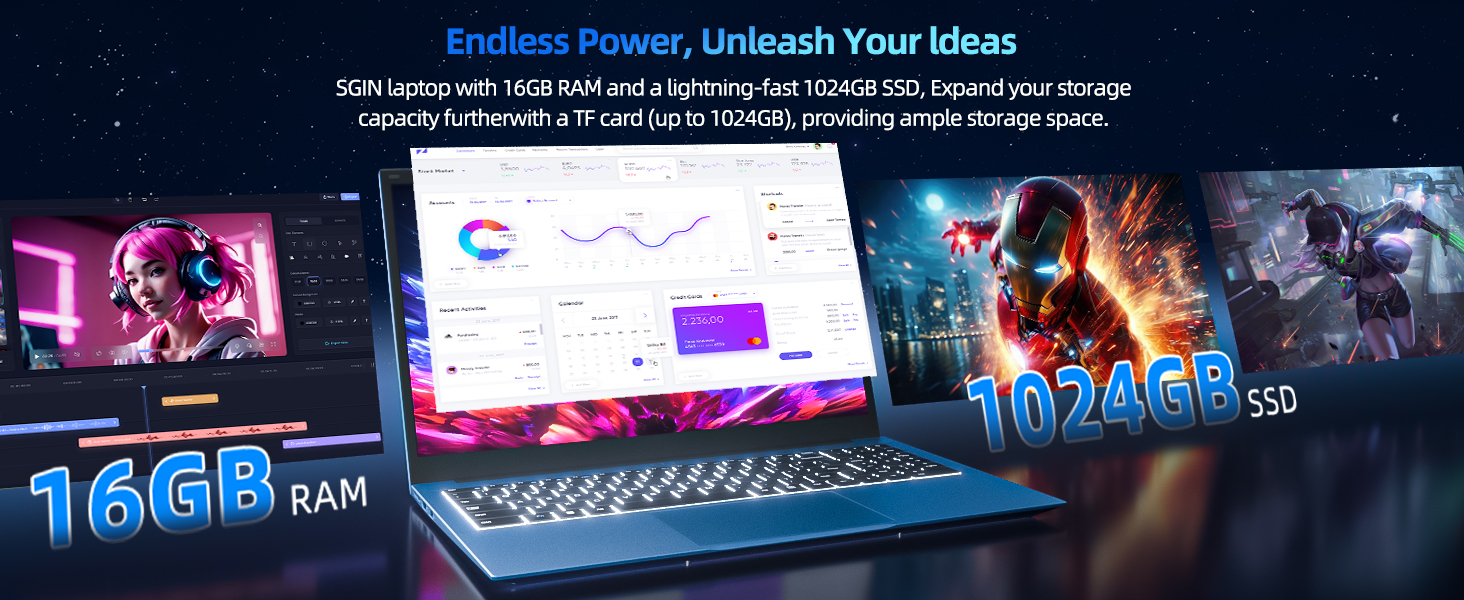
Image: Close-up of the SGIN Y101 laptop's backlit keyboard and numeric keypad, illustrating the Fn+F5 shortcut for backlight control.
4.2 Ciri Paparan
The 15.6-inch Full HD (1920x1080) IPS screen provides clear visuals and wide viewing angles. The laptop also features a 180-degree hinge, allowing the screen to lay flat for easy sharing and collaboration.
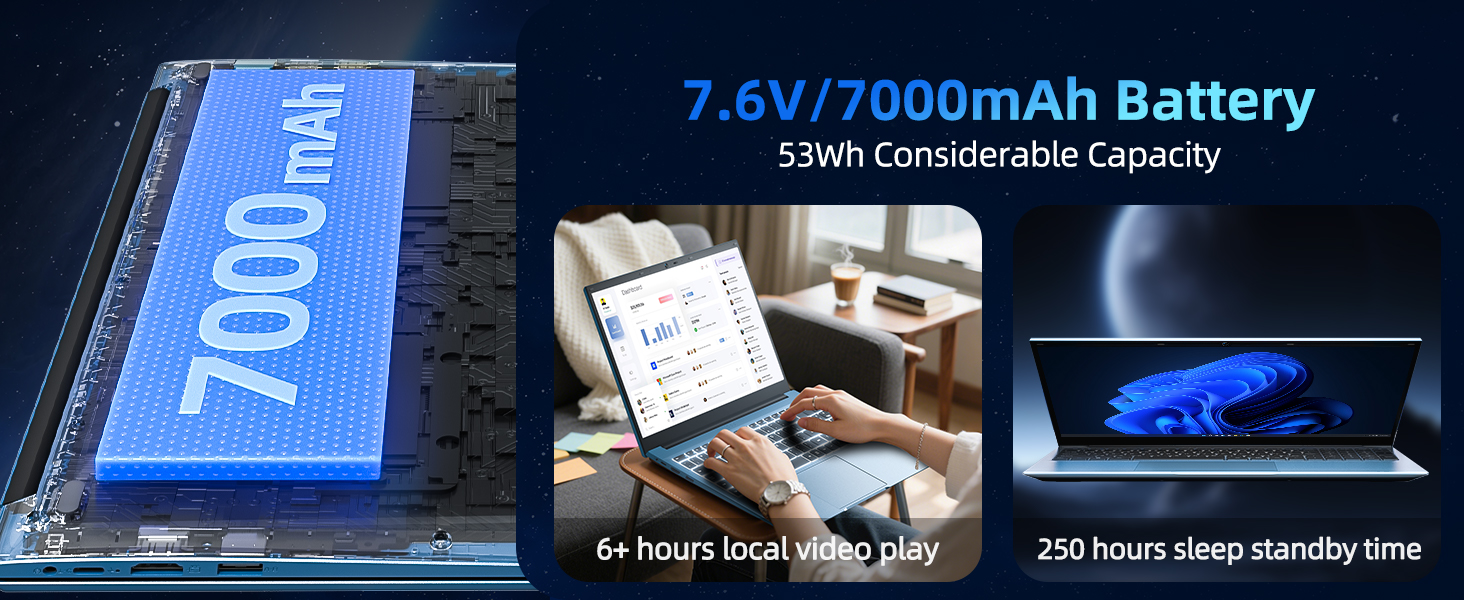
Image: The SGIN Y101 laptop displaying vibrant visuals on its 15.6-inch Full HD IPS screen.
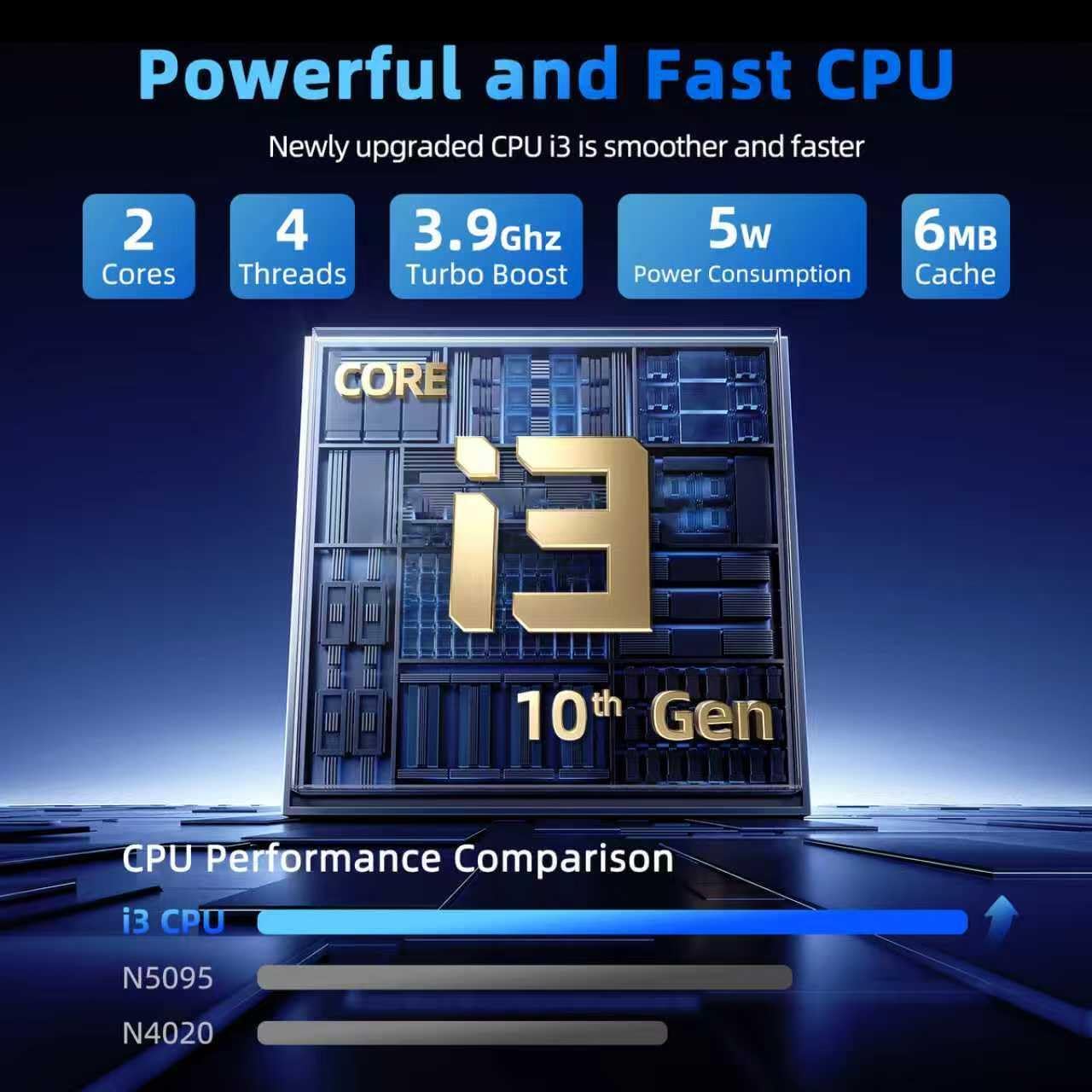
Image: The SGIN Y101 laptop open, illustrating its 180-degree hinge design for flexible viewing dan perkongsian.
4.3 Privasi Webpenutup Cam
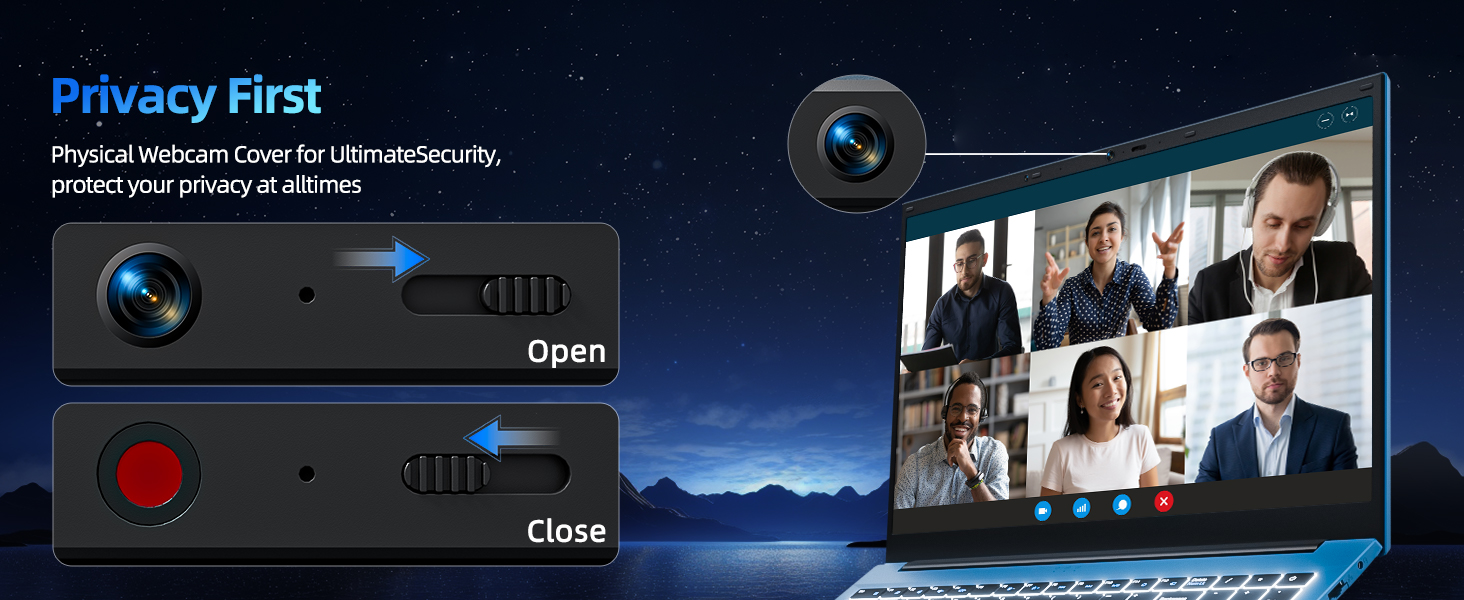
For enhanced privacy, the laptop includes a built-in physical webcam switch. Slide the cover to open or close the webcam mengikut keperluan.
5. Penyelenggaraan
5.1 Penjagaan Am
- Elakkan daripada mendedahkan komputer riba kepada suhu yang melampau, cahaya matahari langsung atau kelembapan yang tinggi.
- Jauhkan cecair daripada peranti.
- Handle the laptop with care to prevent physical damage.
5.2 Pembersihan
- Gunakan kain lembut dan tidak berbulu untuk membersihkan skrin dan bahagian luar.
- Untuk tanda degil, sedikit dampbersihkan kain dengan air atau pencuci yang selamat untuk skrin.
- Do not spray cleaners directly onto the laptop.
5.3 Penjagaan Bateri
- Untuk memanjangkan hayat bateri, elakkan daripada menyahcas sepenuhnya bateri dengan kerap.
- Simpan komputer riba di tempat yang sejuk dan kering jika tidak digunakan untuk tempoh yang lama.
- The 7000mAh/53.2Wh battery provides up to 8 hours of typical use.
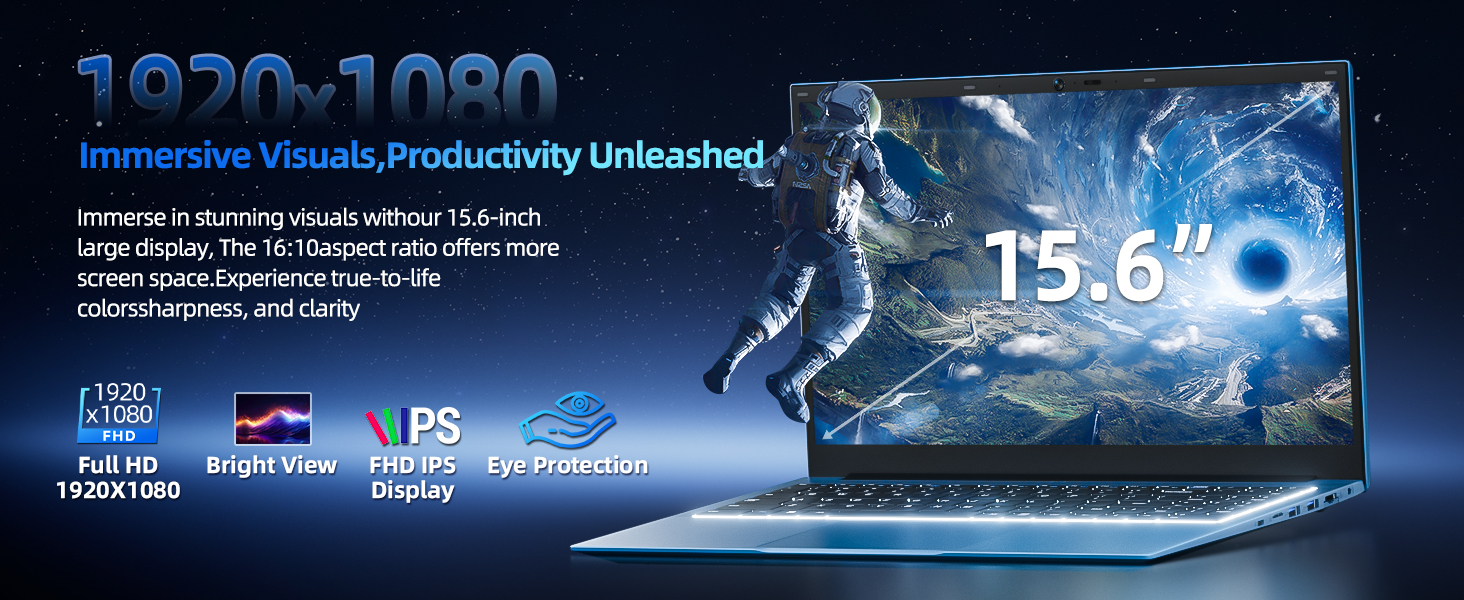
Image: Visual representation of the SGIN Y101 laptop's 7000mAh/53.2Wh large capacity battery, indicating its suitability for extended use.
6. Penyelesaian masalah
This section addresses common issues you might encounter with your SGIN Y101 laptop.
6.1 Isu Kuasa dan But
- Komputer riba tidak dihidupkan: Pastikan penyesuai kuasa disambungkan dengan kukuh dan bateri mempunyai cas yang mencukupi. Cuba salur kuasa yang lain.
- Laptop turns on but screen is black: Connect to an external monitor via HDMI to check if the display is the issue. Restart the laptop.
6.2 Paparan dan Grafik
- Screen flickering or unusual display: Update graphics drivers. If connecting to an external display, ensure the cable is secure.
- Screen appears dim or too bright: Adjust brightness settings in Windows or using keyboard function keys.
6.3 Isu Ketersambungan
- Wi-Fi tidak bersambung: Check if Wi-Fi is enabled in Windows settings. Restart your router and the laptop. Ensure correct password entry.
- Peranti USB tidak dikenali: Cuba port USB lain. Pastikan pemacu peranti dipasang.
6.4 Papan Kekunci dan Pad Sentuh
- Papan kekunci tidak bertindak balas: Restart the laptop. Ensure no foreign objects are under the keys.
- Pad sentuh tidak berfungsi: Check Windows settings to ensure the touchpad is enabled. Restart the laptop.
- Lampu latar tidak berfungsi: Tekan Fn + F5 to ensure it's toggled on.
If you encounter persistent issues not covered here, please refer to the support section for assistance.
7. Spesifikasi
| Ciri | Perincian |
|---|---|
| Nama Model | SGIN-Y101 |
| Pemproses | Intel Core i3-10100 (2-core, 4-thread, 6MB cache, up to 3.9GHz) |
| RAM | 16GB DDR3 SDRAM |
| Penyimpanan | 1024GB SSD (expandable with TF card up to 1TB) |
| Paparan | 15.6-inch Full HD (1920x1080) IPS |
| Sistem Operasi | Windows 11 Home |
| Bateri | 7000mAh / 53.2Wh (up to 8 hours battery life) |
| Kesambungan Wayarles | WiFi 6 (802.11ax) |
| Pelabuhan | USB 3.0, HDMI, Micro SD slot, Type-C, Kensington lock, 3.5mm Headphone jack, RJ45 Ethernet |
| Dimensi (LxWxH) | 15.6 x 9 x 0.6 inci |
| Berat badan | 4.97 paun |
| warna | Kelabu |
8. Waranti dan Sokongan
Your SGIN Y101 laptop comes with comprehensive support and warranty:
- Perlindungan 1 Tahun: Enjoy a 1-year protection plan covering manufacturing defects.
- 1-Year Repair Service: The product includes a 1-year repair service.
- Polisi Pemulangan 30 Hari: Eligible for returns within 30 days of purchase.
- Sokongan Pelanggan 24/7: Access instant customer help for any queries or issues.
For support, please contact SGIN customer service through the official channels provided at the time of purchase or on the SGIN webtapak.
9. Video Demonstrasi Produk
Watch this official video for a visual guide on the SGIN 15.6 Inch Laptop Computer's features and connectivity options.
Video: Tamatview and demonstration of the SGIN 15.6-inch laptop, showcasing its design, features, and available ports.


