1. Pengenalan
The LOTUS Smartwatch 50203/1 Naya Lite is designed to integrate health tracking and activity control into your daily routine. This smartwatch allows you to monitor health metrics, track various sports activities, and manage calls directly from your wrist. Its versatile and modern design ensures both functionality and comfort for daily use.
2. Apa yang ada di dalam Kotak
- LOTUS Smartwatch 50203/1 Naya Lite
- 1 Pengecas
- Manual Pengguna (dokumen ini)
3. Persediaan
3.1. Mengecas Peranti
Before initial use, fully charge your smartwatch. Connect the provided charger to the charging port on the back of the watch and plug the USB end into a compatible power adapter (not included) or a computer's USB port. The watch display will indicate charging status. A full charge typically takes approximately 2 hours.
3.2. Pemasangan Apl dan Berpasangan
- Muat turun Apl: Cari untuk the official LOTUS Smartwatch application in your smartphone's app store (Google Play Store for Android or Apple App Store for iOS). Install the application.
- Dayakan Bluetooth: Pastikan Bluetooth didayakan pada telefon pintar anda.
- Buka Apl: Launch the LOTUS Smartwatch app and follow the on-screen instructions to create an account or log in.
- Tambah Peranti: Within the app, navigate to the 'Add Device' or 'Pair Device' section. The app will search for available smartwatches.
- Select Your Smartwatch: Select 'LOTUS 50203/1 Naya Lite' from the list of discovered devices. Confirm the pairing request on both your smartphone and the smartwatch if prompted.
- Persediaan Lengkap: Follow any remaining prompts in the app to complete the initial setup, including personal profile information and notification preferences.
4. Arahan Operasi
4.1. Navigasi Asas
- Skrin sentuh: Leret ke kiri, kanan, atas atau bawah untuk menavigasi menu dan fungsi. Ketik untuk memilih pilihan.
- Butang Sisi: Press the side button to return to the home screen or to wake the display. A long press may access power options or specific features.
4.2. Membuat dan Menerima Panggilan
Once paired with your smartphone, the smartwatch allows you to manage calls directly. Ensure your watch is connected via Bluetooth to your phone.
- Menerima Panggilan: Apabila panggilan masuk, jam tangan akan memaparkan ID pemanggil. Ketik ikon hijau untuk menjawab atau ikon merah untuk menolak.
- Membuat Panggilan: Access the 'Phone' or 'Dialer' function on your smartwatch. You can dial numbers directly or select contacts from your synced phonebook.
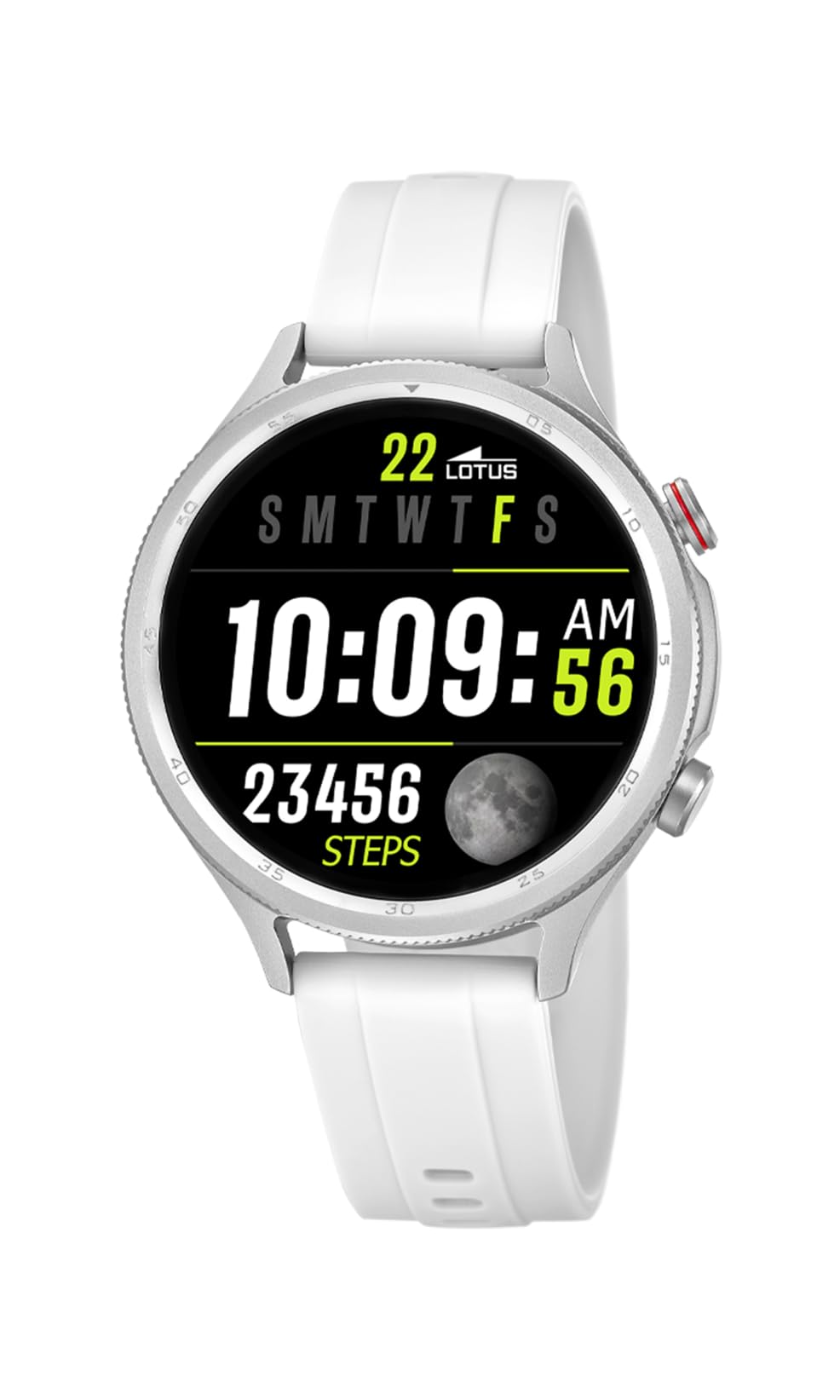
Image: The Lotus Smartwatch 50203/1 Naya Lite allows for convenient call management directly from your wrist.
4.3. Kawalan Muzik
Control music playback on your smartphone directly from your smartwatch. Navigate to the 'Music Control' feature on your watch. You can play, pause, skip tracks, and adjust volume.
4.4. Activity and Sports Tracking
The smartwatch tracks various fitness metrics and supports multiple sports modes.
- Langkah dan Kalori: The watch automatically counts your steps and estimates calories burned throughout the day. View your daily progress on the watch face or in the app.
- Mod Sukan: Access the 'Sports' menu to select from various activities (e.g., running, walking, cycling). The watch will record duration, distance, and other relevant data for your chosen activity.

Image: The smartwatch display provides real-time updates on your activity metrics.
4.5. Pemantauan Kesihatan
- Monitor Tidur: Wear the smartwatch to bed to track your sleep patterns. The app provides detailed analysis of your sleep quality.
- Other Health Metrics: The watch may offer additional health monitoring features. Refer to the app for a complete list and instructions on how to use them.
4.6. Pembantu Suara AI
Activate the AI Voice Assistant feature on your smartwatch to perform tasks using voice commands. Ensure your watch is connected to your smartphone and the voice assistant feature is enabled in the app.
5. Penyelenggaraan
5.1. Membersihkan Jam Pintar Anda
Regularly clean your smartwatch and strap to prevent skin irritation and maintain functionality.
- Lap skrin dan badan dengan kain lembut,amp, kain tidak berbulu.
- For the rubber strap, use mild soap and water, then rinse thoroughly and dry completely before wearing.
- Elakkan menggunakan bahan kimia yang keras, pembersih yang melelas, atau pelarut.
5.2. Penjagaan Bateri
- Elakkan menyahcas sepenuhnya bateri dengan kerap.
- Do not expose the watch to extreme temperatures, as this can degrade battery life.
- Gunakan hanya pengecas yang disediakan.
5.3. Rintangan Air (IP65)
The LOTUS Smartwatch 50203/1 Naya Lite is rated IP65 water resistant. This means it is protected against dust ingress and low-pressure water jets from any direction. It is suitable for everyday use and can withstand splashes or light rain. It is not suitable for swimming, showering, or prolonged submersion in water.
6. Penyelesaian masalah
- Tonton tidak dihidupkan: Pastikan jam tangan dicas sepenuhnya. Sambungkannya ke pengecas selama sekurang-kurangnya 30 minit.
- Tidak boleh berpasangan dengan telefon: Make sure Bluetooth is enabled on your phone and the watch. Ensure the watch is within range. Restart both the watch and your phone, then try pairing again through the app.
- Pemberitahuan tidak muncul: Check app settings on your phone to ensure notification permissions are granted for the LOTUS Smartwatch app. Also, verify notification settings within the smartwatch app itself.
- Data aktiviti yang tidak tepat: Ensure the watch is worn snugly on your wrist. Calibrate your personal information (height, weight, age) in the app for better accuracy.
- Skrin tidak bertindak balas: Try restarting the smartwatch. If the issue persists, contact customer support.
7. Spesifikasi
| Jenama | TERATAI |
| Model | 50203/1 |
| Pengeluar | Time Road SL. |
| Jenis Paparan | digital |
| Jenis Bahan | Aloi Zink |
| Jenis Bahan Band | Getah |
| Warna Band | putih |
| Tahap Ketahanan Air | IP65 (Tahan Air) |
| Bateri | 1 Non-standard battery (included) |
| Komponen Termasuk | 1 Pengecas |
8. Waranti dan Sokongan
For warranty information and customer support, please refer to the documentation provided with your purchase or visit the official LOTUS webtapak. Simpan bukti pembelian anda untuk tuntutan waranti.
Pengeluar: Time Road SL.