pengenalan
Welcome to the user manual for your Rapoo EV310M Wireless Vertical Mouse. This ergonomic mouse is designed for comfort and efficiency, featuring multi-mode wireless connectivity and adjustable DPI settings. Please read this manual carefully to ensure proper setup and optimal performance.
Kandungan Pakej
- Rapoo EV310M Wireless Vertical Mouse
- Penerima USB (disimpan di dalam tetikus)
- Bateri AA (prapasang atau disertakan)
- Panduan Mula Pantas (dokumen ini)
Produk Selesaiview
Familiarize yourself with the components of your Rapoo EV310M mouse.
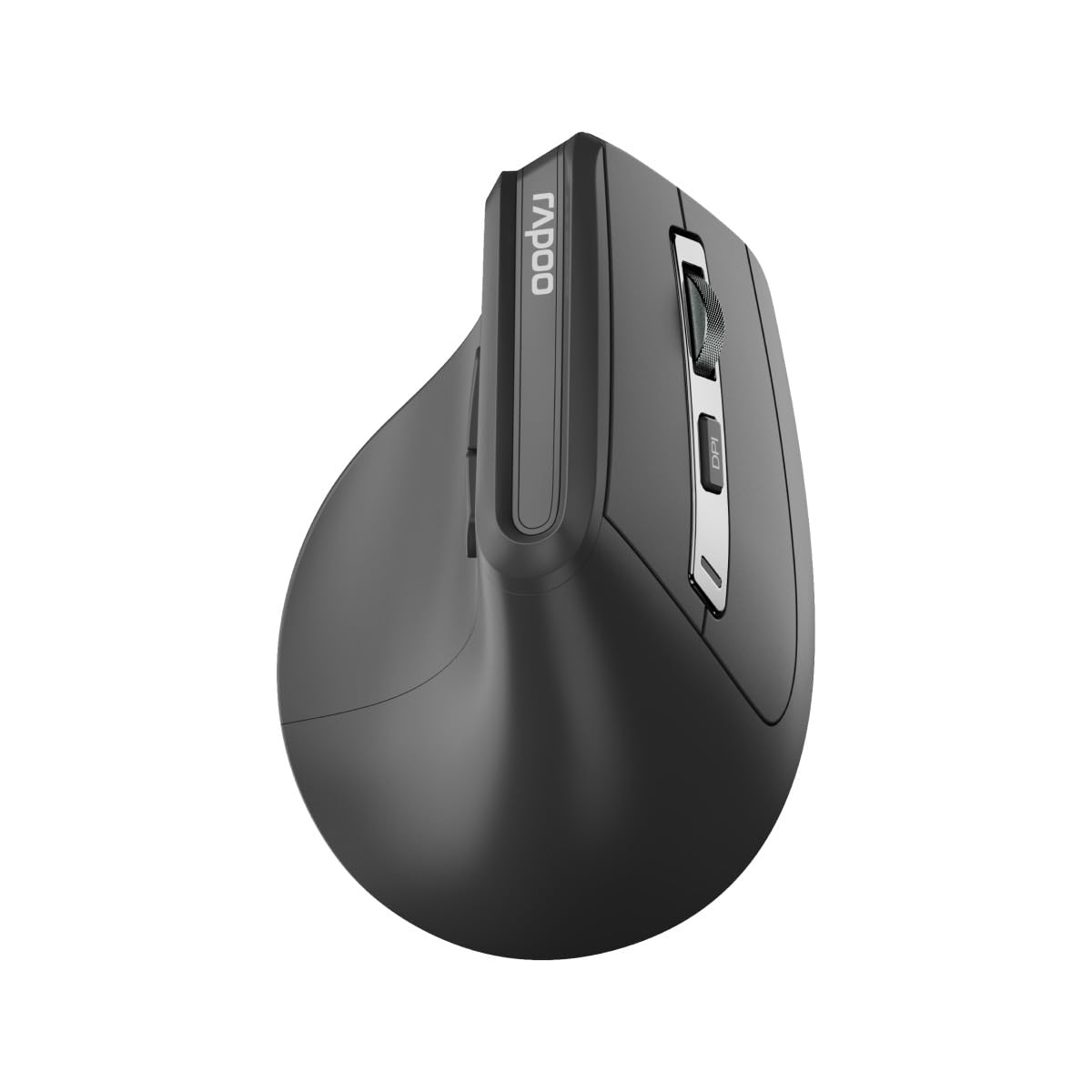
Imej: Atas view of the Rapoo EV310M Wireless Vertical Mouse, highlighting the scroll wheel and DPI button.
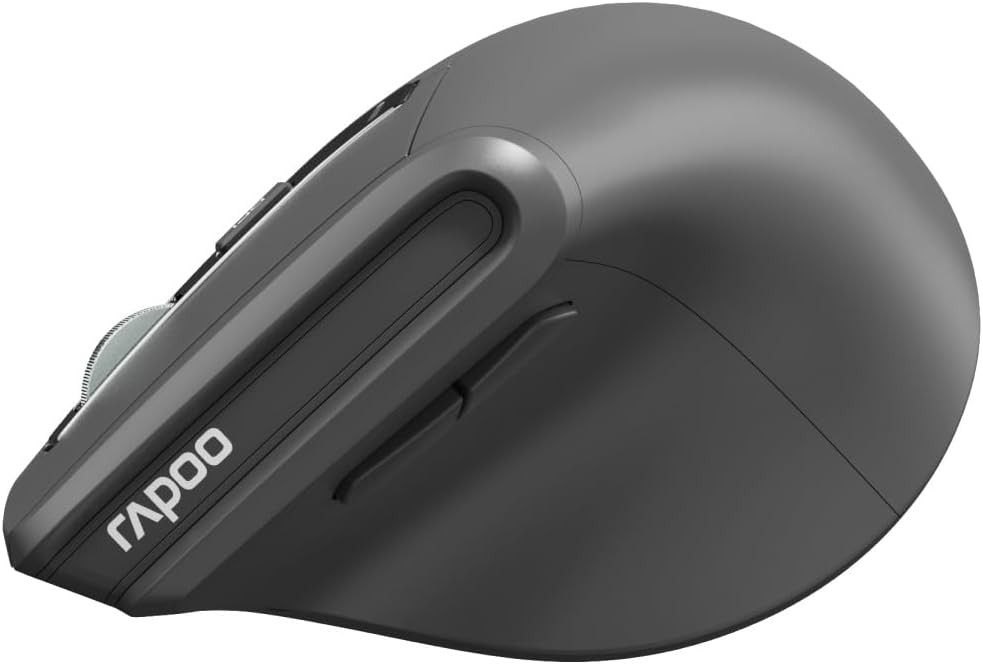
Imej: Sisi view of the Rapoo EV310M Wireless Vertical Mouse, showing the forward and backward navigation buttons.
Fungsi Butang
- Butang Klik Kiri: Fungsi klik kiri standard.
- Butang Klik Kanan: Fungsi klik kanan standard.
- Roda Tatal: Scroll up/down, middle-click.
- Butang DPI: Adjusts cursor sensitivity (DPI).
- Butang ke hadapan: Navigasi ke hadapan web pelayar atau file penjelajah.
- Butang ke belakang: Navigasi ke belakang web pelayar atau file penjelajah.
- Mode Switch Button/Indicator: Switches between 2.4GHz and Bluetooth modes.
Persediaan
1. Pemasangan Bateri
- Cari petak bateri di bahagian bawah tetikus.
- Buka penutup petak bateri.
- Masukkan satu bateri AA, pastikan kekutuban yang betul (+/-).
- Tutup penutup petak bateri.
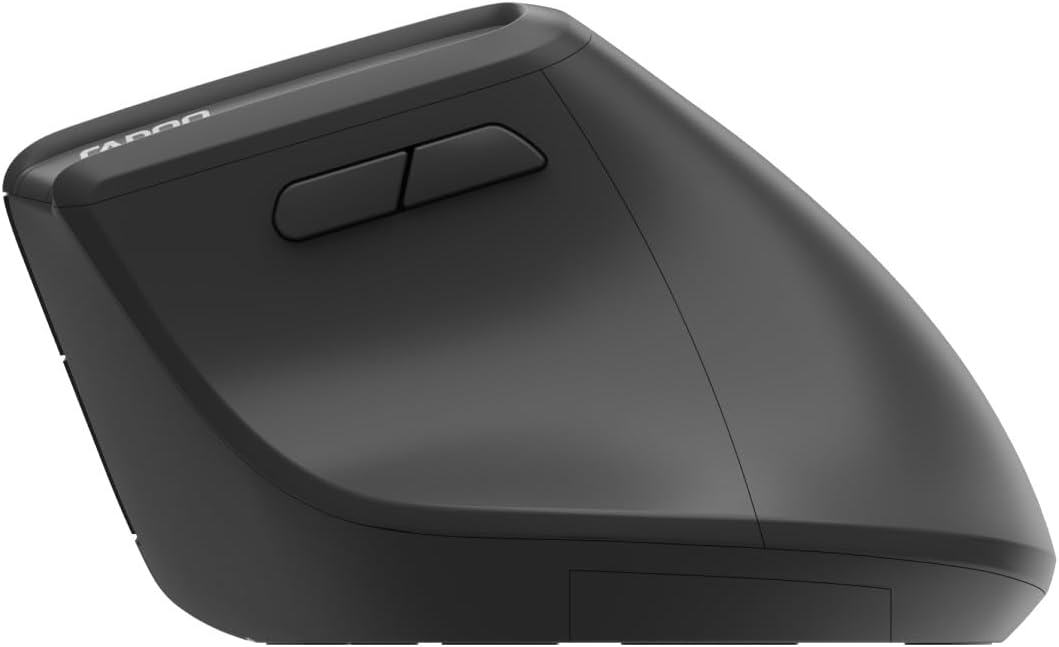
Image: Underside of the mouse, illustrating the battery compartment and the storage slot for the USB receiver.
2. Menyambung Tetikus Anda
The Rapoo EV310M supports multi-mode wireless connection: 2.4 GHz via USB receiver and Bluetooth 3.0/5.0.
2.1. Sambungan Wayarles 2.4 GHz
- Tanggalkan penerima USB daripada slot storannya di bahagian bawah tetikus.
- Palamkan penerima USB ke dalam port USB yang tersedia pada komputer anda.
- Turn on the mouse using the power switch (usually on the bottom).
- The mouse should connect automatically. If not, press the mode switch button until the 2.4GHz indicator lights up.
2.2. Sambungan Bluetooth
- Hidupkan tetikus.
- Press the mode switch button to select a Bluetooth channel (e.g., Bluetooth 1 or Bluetooth 2). The indicator light for the selected Bluetooth channel will start blinking slowly.
- Press and hold the mode switch button for 3 seconds until the indicator light blinks rapidly. This indicates the mouse is in pairing mode.
- Pada komputer atau peranti anda, buka tetapan Bluetooth dan cari peranti baharu.
- Select "RAPOO EV310M" from the list of available devices to pair.
- Setelah dipasangkan, lampu penunjuk akan berhenti berkelip dan kekal pepejal selama beberapa saat sebelum dimatikan.
Arahan Operasi
1. Pelarasan DPI
The DPI (Dots Per Inch) button allows you to adjust the cursor speed and sensitivity.
- Tekan ke butang DPI located on the top of the mouse to cycle through available DPI settings (e.g., 800, 1200, 1600, 2400 DPI).
- Each press will change the sensitivity, allowing you to find your preferred cursor speed.
2. Bertukar Antara Peranti Bersambung
The EV310M mouse can be paired with up to three devices (one 2.4GHz and two Bluetooth devices).
- Untuk bertukar antara peranti yang disambungkan, hanya tekan butang butang suis mod pada tetikus.
- The indicator light will briefly show which channel (2.4G, BT1, BT2) is active.
Penyelenggaraan
Pembersihan
Untuk membersihkan tetikus anda, gunakan kain lembut dan kering. Untuk kotoran degil, gunakan sedikit kainampLap kain dengan air atau larutan pembersih yang lembut. Elakkan menggunakan bahan kimia yang keras atau bahan yang melelas.
Penggantian Bateri
When the mouse performance degrades or the indicator light signals low battery, replace the AA battery following the installation steps in the Setup section.
Menyelesaikan masalah
Tetikus Tidak Membalas
- Periksa Bateri: Pastikan bateri dipasang dengan betul dan mempunyai cas yang mencukupi. Gantikan jika perlu.
- Suis kuasa: Verify the mouse is turned on.
- Penerima USB: For 2.4GHz mode, ensure the USB receiver is securely plugged into a working USB port. Try a different port.
- Sambungan Bluetooth: For Bluetooth mode, ensure Bluetooth is enabled on your device and the mouse is correctly paired. Re-pair if needed.
- Jarak: Ensure the mouse is within the effective operating range of your computer (typically 10 meters).
Pergerakan Kursor Tidak Menentu
- permukaan: Gunakan tetikus pada permukaan yang bersih dan tidak memantulkan cahaya. Alas tetikus disyorkan.
- Tetapan DPI: Adjust the DPI setting to a lower value if the cursor is too fast or jumpy.
- Kebersihan Sensor: Check the optical sensor on the bottom of the mouse for any obstructions or dirt. Clean gently with a soft cloth.
Spesifikasi
| Ciri | Perincian |
|---|---|
| Jenama | RAPOO |
| Nombor Model | EV310M |
| Teknologi Ketersambungan | Bluetooth (3.0, 5.0), Wayarles 2.4 GHz |
| Sensitiviti DPI | Adjustable 800-2400 DPI |
| Bilangan Butang | 6 |
| Orientasi Tangan | tangan kanan |
| Sumber Kuasa | Dikuasakan oleh Bateri (1x AA) |
| Hayat Bateri | Sehingga 9 bulan |
| Keserasian Sistem Pengendalian | PC, Linux, Mac |
| Berat Barang | 100 gram |
| warna | Hitam |
Waranti dan Sokongan
For warranty information or technical support, please refer to the official RAPOO webtapak atau hubungi pengedar tempatan anda. Simpan resit pembelian anda untuk tuntutan jaminan.


