1. Pengenalan
Thank you for choosing Portronics AA Lithius Type C Rechargeable Batteries. These batteries are designed for modern convenience, offering a built-in USB Type-C port for direct charging. With a 1.5V / 1480mAh capacity (2220mWh energy), they provide high performance and consistent output for a wide range of devices. This manual provides essential information for the safe and efficient use of your new rechargeable batteries.
2. Maklumat Keselamatan
Please read and understand all safety instructions before using the batteries. Failure to follow these instructions may result in fire, electric shock, or injury.
- Do not disassemble, crush, puncture, or short-circuit the batteries.
- Do not expose batteries to extreme temperatures (above 60°C/140°F or below -20°C/-4°F) or direct sunlight.
- Jangan rendamkan bateri dalam air atau cecair lain.
- Jauhkan bateri daripada kanak-kanak dan haiwan peliharaan.
- Use only compatible Type-C charging cables and power sources (DC 5V/0.5A).
- If a battery leaks, swells, or emits an odor, discontinue use immediately and dispose of it properly.
- Jangan campurkan bateri baru dan lama, atau jenis bateri yang berbeza.
- Ensure correct polarity (+/-) when inserting batteries into devices.

Figure 2.1: Advanced Multi-Layer Protection features of the Lithius Cell battery, including fireproof shell, short-circuit, surge, over-voltage, and overheating protection.

Figure 2.2: Leak-Proof Design elements of the Lithius Cell battery, featuring a short-circuit guard, pressure relief valve, dual-lock ring, and reinforced steel shell.
3. Produk Lebihview
The Portronics AA Lithius Cell is a high-capacity lithium-ion rechargeable battery designed for convenience and durability. Key features include:
- Built-in Type-C Charging: Eliminates the need for a separate charger.
- Kapasiti Tinggi: 1.5V / 1480mAh (2220mWh) for long-lasting power.
- Pelepasan Diri Rendah: Maintains charge for extended periods during storage.
- Keselamatan yang Dipertingkatkan: Over-current and over-discharge protection.
- Keserasian Luas: Suitable for various AA-powered devices.
4. Persediaan
4.1 Pengecasan Awal
Before first use, fully charge your Portronics Lithius Cell batteries.
- Locate the USB Type-C port on the side of the battery.
- Connect a standard USB Type-C charging cable (DC 5V/0.5A) to the battery port.
- Plug the other end of the cable into a compatible USB power source (e.g., wall adapter, computer USB port, car charger).
- The blue indicator light on the battery will blink during charging.
- Once fully charged, the blue indicator light will become stable (solid).
- Putuskan kabel pengecas.
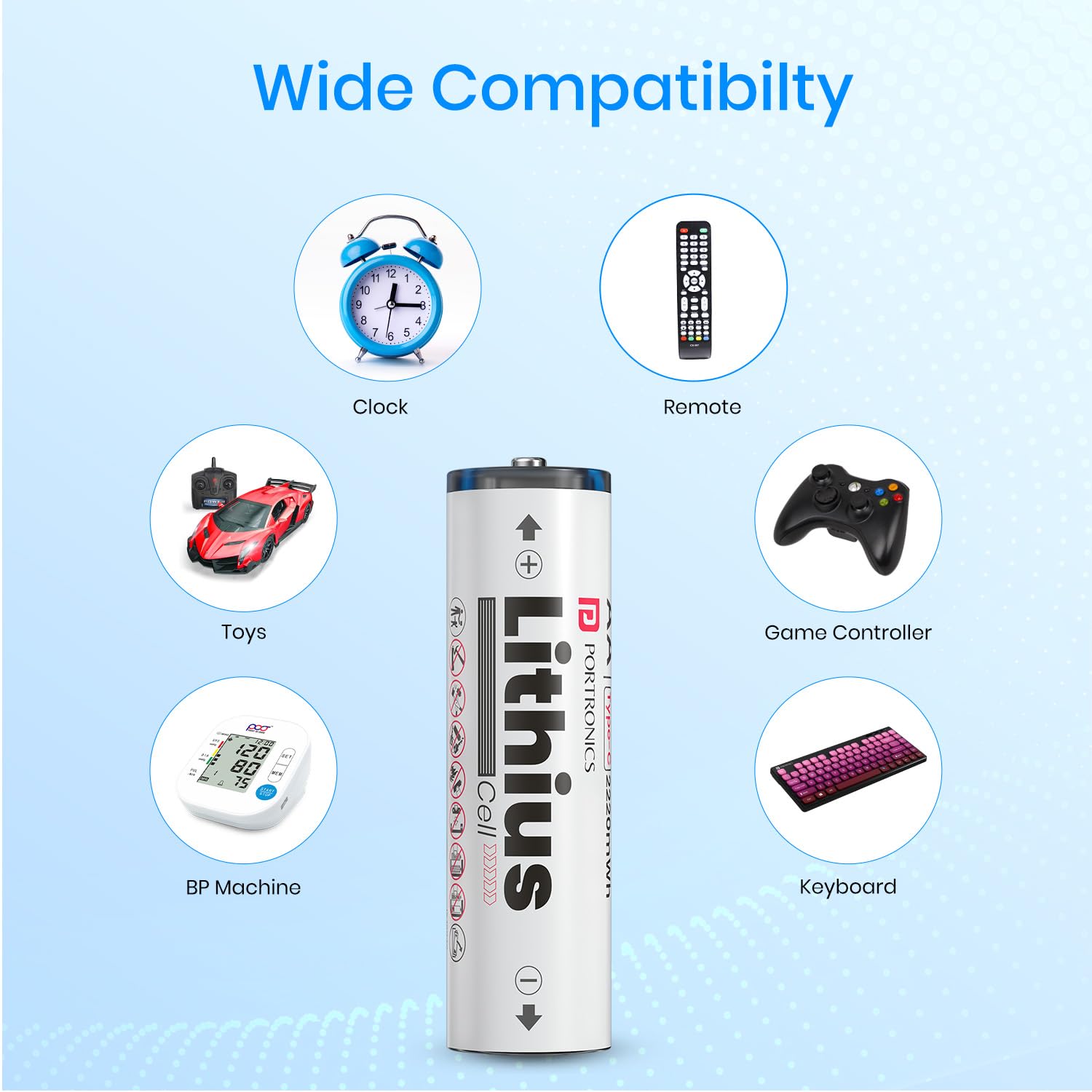
Figure 4.1: Direct Type-C charging of the Lithius Cell battery, eliminating the need for external chargers.

Figure 4.2: Visual guide to charging the Lithius Cell batteries, demonstrating charging via various USB sources and explaining the blue light indicators for charging status.
4.2 Pemasangan Bateri
After charging, insert the batteries into your device:
- Buka petak bateri peranti anda.
- Observe the polarity markings (+ and -) inside the compartment.
- Insert the Lithius Cell batteries, matching the battery's positive (+) and negative (-) terminals with the device's markings.
- Tutup petak bateri dengan selamat.
5. Arahan Operasi
The Portronics AA Lithius Cell batteries are designed to power a wide array of devices that typically use standard AA batteries. Their consistent 1.5V output ensures optimal performance for most electronics.

Figure 5.1: Wide compatibility of Lithius Cell batteries with common household and electronic devices.
Peranti yang serasi termasuk, tetapi tidak terhad kepada:
- Wireless keyboards and mice
- Kamera
- Torches and flashlights
- Remote controls (TV, AC, etc.)
- Remote-control cars and toys
- Pengawal permainan
- Lamps and alarm clocks
- Electric brushes and other small appliances
6. Penyelenggaraan
6.1 Penyimpanan
Store batteries in a cool, dry place away from direct sunlight and extreme temperatures. The Lithius Cell features Low Self-Discharge technology, allowing it to retain up to 80% of its charge even after months of non-use.

Figure 6.1: Low Self-Discharge performance of Lithius Cell batteries over time.
6.2 Pembersihan
If necessary, clean the battery terminals with a dry, clean cloth to ensure good contact with your device.
6.3 Charging Cycles
For optimal battery life, avoid completely draining the batteries before recharging. Regular charging helps maintain battery health.
7. Penyelesaian masalah
If you encounter issues with your Portronics Lithius Cell batteries, refer to the table below for common problems and solutions.
| Masalah | Kemungkinan Punca | Penyelesaian |
|---|---|---|
| Bateri tidak dicas | Loose cable connection, faulty cable/adapter, dirty charging port | Ensure cable is securely connected. Try a different Type-C cable or USB power source. Clean the charging port gently. |
| Peranti tidak dihidupkan | Battery not charged, incorrect polarity, device issue | Charge the battery fully. Check battery orientation (+/-). Test the device with other known-good batteries. |
| Hayat bateri pendek | High-drain device, battery degradation, incomplete charge | Ensure battery is fully charged. For high-drain devices, battery life will naturally be shorter. Consider replacing old batteries if degradation is significant. |
| Battery gets warm during charging/use | Normal operation, excessive load, faulty battery | Slight warmth is normal. If it becomes excessively hot, discontinue use and charging immediately. Contact support if warmth is unusual or extreme. |
8. Spesifikasi
Detailed technical specifications for the Portronics AA Lithius Type C Rechargeable Batteries:
| Ciri | Perincian |
|---|---|
| Jenama | Portronics |
| Model | POR-2509 |
| Nama Model | Lithius Cell |
| Jenis Bateri | Litium Ion |
| Saiz | AA |
| Kapasiti | 1480mAh (2220mWh) |
| Keluaran Voltage | 1.5V (DC 1.5V/2A max) |
| Input Voltage / Semasa | DC 5V/0.5A |
| Jenis Penyambung | USB Type-C (built-in) |
| Dimensi Produk (LxWxH) | 7.8 x 5.9 x 1.9 cm |
| Berat Barang | 57 g |
| Ciri Khas | Durable & Cost Effective Cell, Low Self Discharge, Over-Current Protection, Over-Discharge Protection |
| Peranti Serasi | Remote, Torch, Wireless keyboard, Camera, Remote-control cars, Wireless mouse, Lamps, Alarm clocks, Electric brushes, Gaming controllers |
| Negara Asal | China |
9. Waranti dan Sokongan
For warranty information and customer support, please refer to the product packaging or visit the official Portronics website. You can also contact Portronics customer service directly:
- e-mel: help@portronics.com
- Telefon: +91 9555-245-245
10. Maklumat Pelupusan
These batteries contain materials that should not be disposed of with regular household waste. Please dispose of them responsibly at designated recycling centers. Proper disposal helps prevent potential negative consequences for the environment and human health.

Figure 10.1: Emphasizing the sustainable and reusable nature of Lithius Cell batteries, promoting proper recycling and waste reduction.


