1. Pengenalan
The Honeywell Xenon 1902GSR is a high-performance wireless handheld barcode scanner designed for efficient and reliable data capture. This device utilizes advanced area-imaging technology to read both 1D and 2D barcodes, including those that are damaged, smudged, or displayed on digital screens. With Bluetooth connectivity, it offers cordless operation, enhancing mobility and reducing workspace clutter. This manual provides essential information for the proper setup, operation, and maintenance of your barcode reader.
2. Maklumat Keselamatan
- Jangan dedahkan peranti kepada suhu, kelembapan atau bahan menghakis yang melampau.
- Avoid direct eye exposure to the scanner's light source.
- Gunakan hanya aksesori dan penyesuai kuasa yang diluluskan oleh pengilang.
- Jangan cuba membuka atau membaiki peranti sendiri. Rujuk kepada kakitangan perkhidmatan yang berkelayakan.
- Buang bateri mengikut peraturan tempatan.
3. Kandungan Pakej
Sahkan bahawa semua item terdapat dalam pakej anda:
- Honeywell Xenon 1902GSR Barcode Reader
- Communication/Charging Cradle (CCB01-010BT)
- Kabel USB
- Panduan Mula Pantas (manual ini)
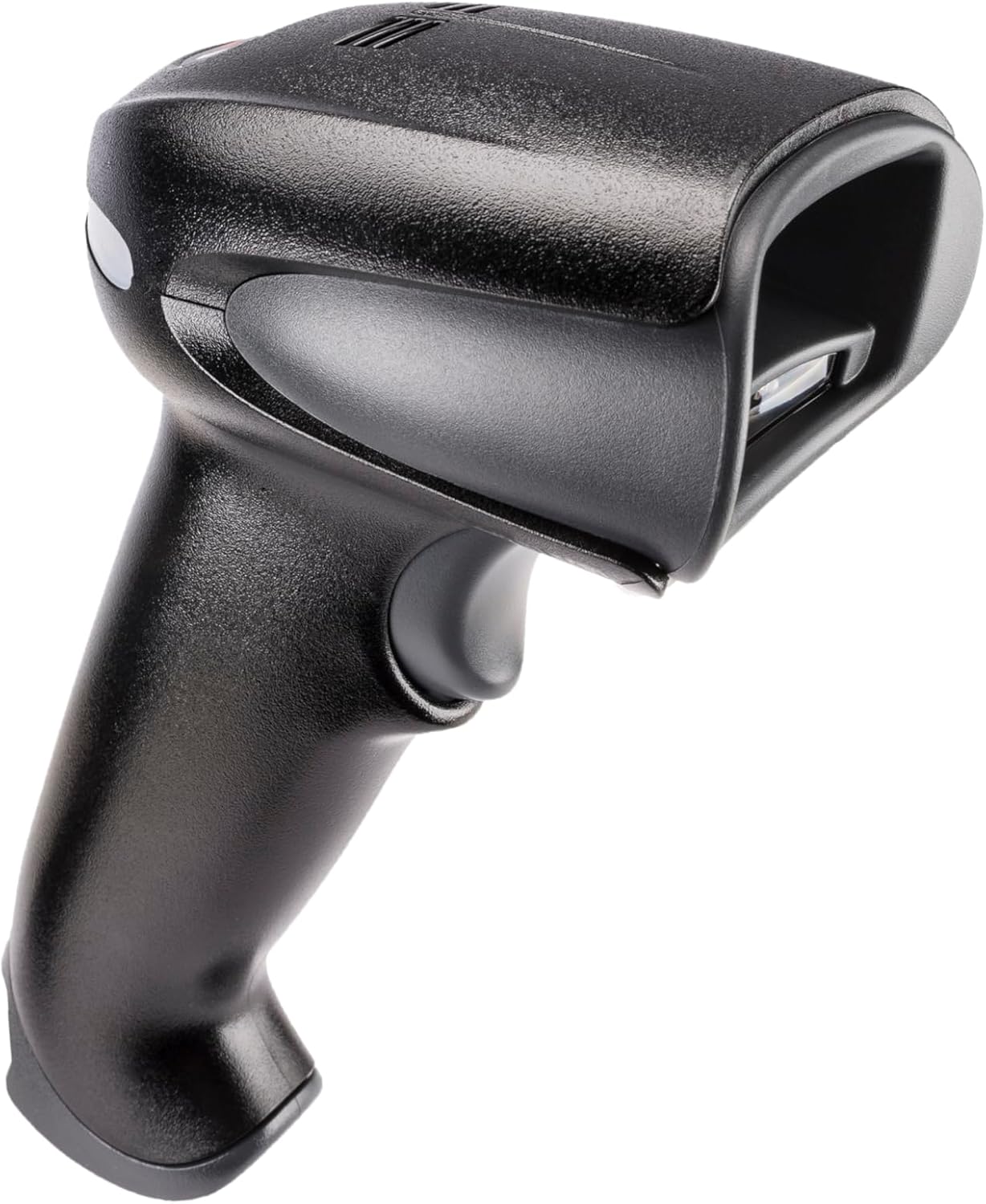
Figure 1: Honeywell Xenon 1902GSR Barcode Reader (Handheld Unit)

Figure 2: Honeywell Xenon 1902GSR Barcode Reader with its Communication/Charging Cradle
4. Persediaan dan Pemasangan
4.1 Mengecas Bateri
- Connect the USB cable to the communication/charging cradle.
- Plug the other end of the USB cable into a powered USB port on your computer or a USB wall adapter.
- Place the barcode reader into the cradle. Ensure it is seated correctly.
- The scanner's indicator light will show charging status. Allow several hours for a full charge before first use.
4.2 Connecting the Cradle to a Host System
The cradle connects to your host system (e.g., computer, POS terminal) via the supplied USB cable.
- Ensure the host system is powered on.
- Connect the USB cable from the cradle to an available USB port on your host system.
- The system should automatically detect and install the necessary drivers. If not, refer to the Honeywell support webtapak untuk muat turun pemandu.
4.3 Pairing the Scanner with the Cradle
The scanner and cradle are typically pre-paired at the factory. If re-pairing is necessary:
- Ensure the scanner is charged and powered on.
- Scan the "Link" barcode found on the bottom of the communication/charging cradle.
- The scanner will emit a series of beeps to indicate successful pairing.
5. Arahan Operasi
5.1 Pengimbasan Asas
- Hold the scanner with the scan window facing the barcode.
- Tekan dan tahan butang picu. Pancaran bidikan akan muncul.
- Pusatkan pancaran sasaran di atas kod bar.
- Once the barcode is successfully read, the scanner will emit a beep and the indicator light will flash green.
- Lepaskan picu.
5.2 Reading 1D and 2D Barcodes
The Xenon 1902GSR is capable of reading a wide variety of 1D (e.g., UPC/EAN, Code 39) and 2D (e.g., QR Code, Data Matrix, PDF417) barcodes. For optimal performance, ensure the barcode is well-lit and the scanner is held at an appropriate distance.
5.3 Julat Bluetooth
The scanner operates wirelessly up to 33 feet (10 meters) from its communication cradle. Performance may vary depending on environmental factors and obstacles.
6. Penyelenggaraan
6.1 Membersihkan Peranti
- Gunakan kain yang lembut dan bersihampened with water or a mild cleaning solution to wipe the exterior of the scanner and cradle.
- Jangan gunakan pembersih yang melelas, pelarut atau bahan kimia yang keras.
- Keep the scan window clean and free of dust and smudges for optimal reading performance.
6.2 Penjagaan Bateri
- For best battery life, avoid fully discharging the battery frequently.
- Simpan peranti di tempat yang sejuk dan kering apabila tidak digunakan untuk tempoh yang lama.
- If the battery performance significantly degrades, it may need replacement. Contact Honeywell support for authorized battery replacement options.
7. Penyelesaian masalah
| Masalah | Kemungkinan Punca | Penyelesaian |
|---|---|---|
| Pengimbas tidak dihidupkan | Bateri rendah atau habis | Place scanner in cradle to charge. Ensure cradle is powered. |
| Scanner not reading barcodes | Barcode damaged/poor quality; improper scanning technique; dirty scan window | Try scanning a different barcode. Adjust distance/angle. Clean scan window. |
| No data transmitted to host | Scanner not paired; USB cable disconnected; incorrect host interface settings | Re-pair scanner with cradle. Check USB cable connection. Verify host system settings. |
| Sambungan terputus-putus | Out of range; interference | Move scanner closer to cradle. Reduce sources of interference (e.g., other Bluetooth devices, Wi-Fi routers). |
8. Spesifikasi
| Ciri | Perincian |
|---|---|
| Model | 1902GSR |
| Ketersambungan | Bluetooth Class 2, v2.1 EDR; USB (via cradle) |
| Corak Imbasan | Imej Kawasan (tatasusunan 838 x 640 piksel) |
| Keupayaan Menyahkod | 1D, 2D, PDF417 |
| Julat Tanpa Wayar | Up to 33 ft (10 m) line of sight |
| Bateri | Lithium-Ion, 1800 mAh (minimum) |
| Dimensions (Scanner) | 4 x 6 x 3 inci (anggaran) |
| Weight (Scanner) | 1 paun (anggaran) |
| Suhu Operasi | 0°C hingga 50°C (32°F hingga 122°F) |
9. Waranti dan Sokongan
Honeywell products are designed for reliability and performance. For specific warranty details, please refer to the warranty card included with your product or visit the official Honeywell weblaman web. Untuk sokongan teknikal, muat turun pemacu atau pertanyaan perkhidmatan, sila lawati www.honeywell.com/us/en/support or contact your local Honeywell representative.
ASIN: B0G1PTY418
Tarikh Mula-mula Tersedia: 10 November 2025