1. Pengenalan
The M-AUDIO BX5BT 5-inch Desktop Studio Monitor Speakers are designed to provide a professional studio-quality audio experience in a compact form factor. These bi-amplified speakers are suitable for various applications including music production, video editing, content creation, and podcasting. They feature DSP-tuned crossovers for accurate sound reproduction, Kevlar woofers for rich bass, and silk dome tweeters for clear highs. Advanced control options are available via the M-Audio Studio Control App and Bluetooth 5.0 connectivity.

Image: A pair of M-AUDIO BX5BT 5-inch Desktop Studio Monitor Speakers, showcasing reka bentuk kompak mereka.
2. Kandungan Pakej
Pastikan semua item yang disenaraikan di bawah terdapat dalam pakej anda:
- BX5BT Speakers (Pair)
- Kabel Sambung Pembesar Suara
- Isolation Pads (2)
- Kabel Kuasa
- Panduan Mula Pantas
- Manual Keselamatan & Waranti
3. Ciri-ciri Utama
- Pro-Grade Sound: 240W of bi-amplified power for studio-quality clarity.
- DSP-Tuned Precision: Built-in DSP crossover for accurate, balanced sound. Features FLAT, HYPE, and CUSTOM reference modes.
- Kawalan Apl: M-Audio Studio Control App for 5-band EQ adjustment and custom presets.
- Bluetooth 5.0: Wireless audio streaming with ultra-low latency and up to 100 ft range.
- Komponen Premium: 5-inch Kevlar woofer for tight bass and 1-inch silk dome tweeter with waveguide for crisp highs.
- Burr-Brown A-D Converters: For stunning detail and dynamic range.
- Optimized Connectivity: Rear-panel TRS inputs and trim controls for easy integration.
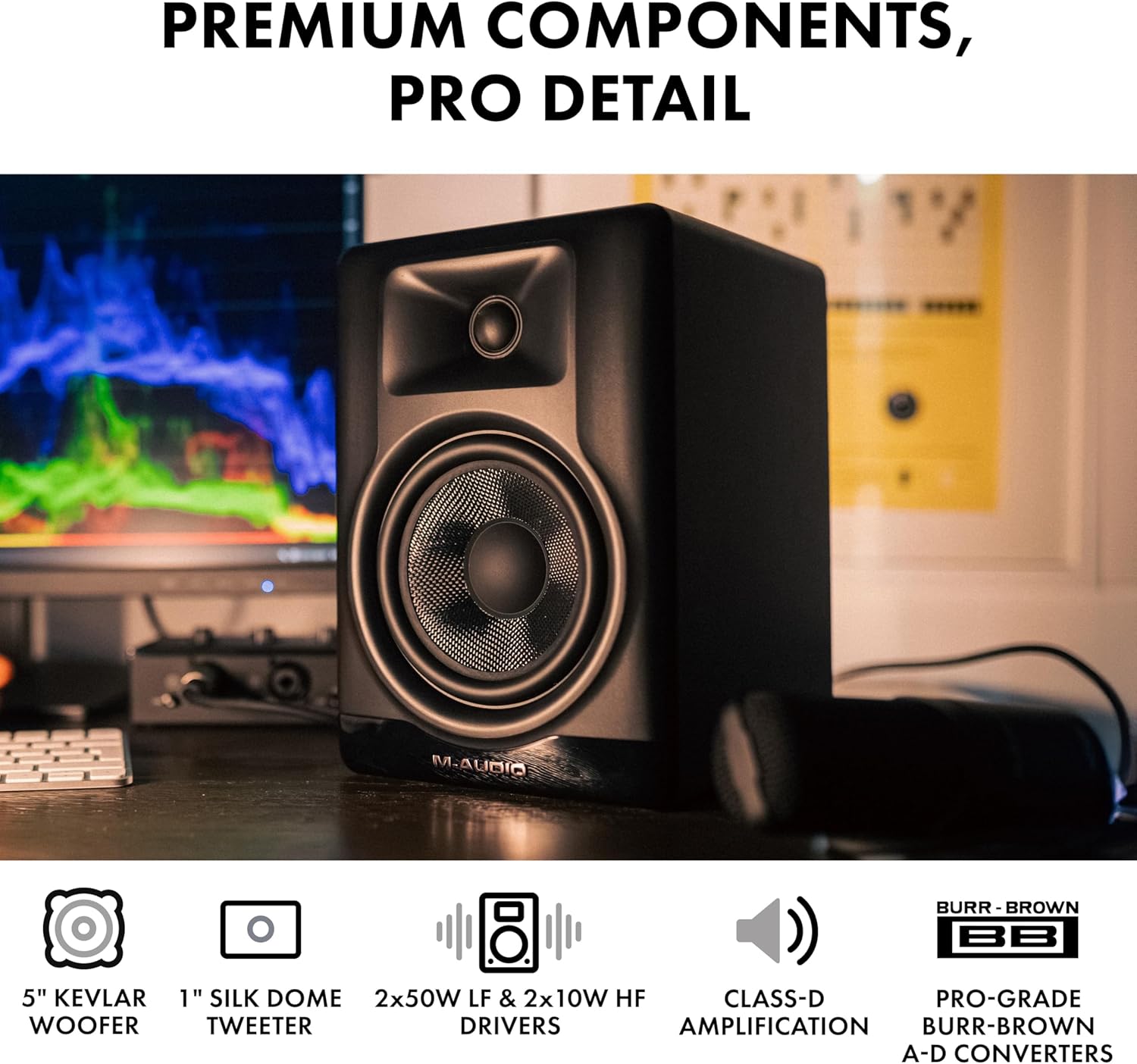
Imej: Jarak dekat view of the M-AUDIO BX5BT speaker, highlighting the 5-inch Kevlar woofer and 1-inch silk dome tweeter.
4. Arahan Persediaan
- penempatan: Position the speakers on a stable, flat surface, ideally at ear level and equidistant from your listening position. Use the included isolation pads to minimize vibrations.
- Sambungan Kuasa: Connect the power cable to each BX5BT monitor and then to a power outlet.
- Speaker Interconnection: Use the provided speaker interconnect cable to link the active speaker (with all controls) to the passive speaker.
- Sambungan Input Audio: Connect your audio source (e.g., audio interface, computer, mixer) to the active speaker using the appropriate TRS or RCA cables.
- Berpasangan Bluetooth (Pilihan): If desired, pair your Bluetooth-enabled device with the speakers for wireless audio streaming. Refer to the "Bluetooth Operation" section for detailed instructions.
- Hidupkan kuasa: Flip the power switch on the rear panel of the active speaker to the "ON" position.
- Pelarasan Kelantangan: Start with the volume knob set to minimum and gradually increase it to a comfortable listening level.

Image: Rear panel of the active M-AUDIO BX5BT speaker, showing the input, output, and power connections.
5. Operasi
5.1 Hidupkan/Mati Kuasa
To power on or off the speakers, use the switch located on the rear panel of the active speaker.
5.2 Kawalan Kelantangan
Adjust the overall output volume using the dedicated volume knob on the rear panel of the active speaker.
5.3 Speaker Mode Selection
The front panel features a "Speaker Mode" button to cycle through different sound profiles:
- FLAT: Provides a neutral, uncolored frequency response, ideal for critical listening and mixing.
- HYPE: Enhances bass and treble for a more pronounced sound, suitable for casual listening or gaming.
- KASTAM: Activates custom EQ settings configured via the M-Audio Studio Control App.

Image: Front panel of the M-AUDIO BX5BT speaker showing the Speaker Mode switch, alongside a smartphone screen displaying the M-Audio Studio Control App's EQ interface.
6. Ketersambungan
The BX5BT speakers offer versatile connectivity options:
- TRS Inputs: Balanced 1/4-inch TRS inputs (Left/Right) for professional audio equipment.
- Input RCA: Unbalanced RCA inputs (Left/Right) for consumer audio devices.
- Bluetooth 5.0: Wireless connection for streaming audio from compatible devices.
6.1 Operasi Bluetooth
- Ensure Bluetooth is enabled on your audio device.
- Press the Bluetooth pairing button on the front panel of the active speaker. The Bluetooth indicator will flash.
- Select "M-AUDIO BX5BT" from the list of available devices on your audio device.
- Once paired, the Bluetooth indicator will glow solid blue.
- You can now stream audio wirelessly to your BX5BT speakers. The Bluetooth 5.0 technology provides ultra-low latency and a range of up to 100 feet.

Image: M-AUDIO BX5BT speaker with a prominent Bluetooth logo, indicating wireless connectivity.
7. DSP and App Control
The BX5BT speakers incorporate Digital Signal Processing (DSP) for precise sound tuning. Further customization is available through the M-Audio Studio Control App.
7.1 Aplikasi Kawalan Studio M-Audio
Download the M-Audio Studio Control App to your smartphone or tablet to unlock advanced sound sculpting capabilities:
- EQ 5-Band: Adjust the frequency response to match your room acoustics or personal preference.
- Custom User Presets: Save and recall your preferred EQ settings for different listening scenarios.
- Voicing Optimization: Fine-tune playback for specific creative styles or room environments.
Ensure your device is connected via Bluetooth to the BX5BT speakers to use the app's control features.
Video: An official M-Audio video demonstrating the BX5BT studio monitors, highlighting their features and design.
8. Penyelesaian masalah
8.1 Tiada Bunyi
- Ensure both speakers are powered on and the power indicator is lit.
- Check all audio cables (TRS, RCA, interconnect) for secure connections.
- Verify the volume knob on the active speaker is turned up.
- Sahkan sumber audio sedang dimainkan dan kelantangannya mencukupi.
- If using Bluetooth, ensure the speakers are correctly paired and selected as the output device on your source.
8.2 Bunyi Herot
- Kurangkan kelantangan pada kedua-dua pembesar suara dan sumber audio anda.
- Check for damaged audio cables and replace if necessary.
- Pastikan tahap output sumber audio tidak terlalu tinggi, yang boleh menyebabkan keratan.
8.3 Isu Sambungan Bluetooth
- Ensure the speakers are in pairing mode (Bluetooth indicator flashing).
- Move your Bluetooth device closer to the speakers (within 100 ft).
- Cuba nyahpasang dan pasangkan semula pembesar suara daripada tetapan Bluetooth peranti anda.
- Avoid sources of interference such as Wi-Fi routers or other wireless devices.
9. Spesifikasi Teknikal
| Ciri | Spesifikasi |
|---|---|
| Jenis Pembesar Suara | Desktop Studio Monitor |
| Diameter Woofer | 5 Inches (Kevlar) |
| Diameter Tweeter | 1 Inch (Silk Dome with Waveguide) |
| Kuasa Output Maksimum Pembesar Suara | 240 Watt (Bi-ampdiberi kebenaran) |
| Respons Kekerapan | 49 Hz - 22 kHz |
| Teknologi Ketersambungan | Bluetooth 5.0, TRS, RCA |
| Julat Bluetooth | 100 Kaki |
| Kaedah Kawalan | Apl, Butang Tekan |
| Ciri Khas | DSP, 5-band EQ, Custom Presets, App Control |
| Dimensi Produk (setiap satu) | 7.96 x 6.92 x 10 inci |
| Item Weight (pair) | 15.71 paun (7.14 kg) |
| bahan | Kayu Kejuruteraan |
| Sumber Kuasa | AC |

Image: M-AUDIO BX5BT speaker positioned on a desk, illustrating its size and weight in context.
10. Penyelenggaraan
- Pembersihan: Use a soft, dry cloth to clean the exterior of the speakers. Avoid using abrasive cleaners, solvents, or harsh chemicals.
- habuk: Regularly dust the speaker grilles and surfaces to prevent accumulation that could affect sound quality or internal components.
- Pengudaraan: Ensure adequate airflow around the speakers to prevent overheating. Do not block the rear ports.
- Storan: If storing the speakers for an extended period, place them in their original packaging or a protective cover in a cool, dry environment.
11. Waranti dan Sokongan
The M-AUDIO BX5BT speakers come with a manufacturer's warranty. Please refer to the included Safety & Warranty Manual for detailed information regarding warranty terms, conditions, and registration procedures.
For technical support, product registration, or further inquiries, please visit the official M-AUDIO webtapak atau hubungi bahagian perkhidmatan pelanggan mereka. Simpan resit pembelian anda sebagai bukti pembelian untuk tuntutan waranti.
Anda boleh mendapatkan lebih banyak maklumat dan sumber sokongan di M-AUDIO Store on Amazon.


