1. Pengenalan
This manual provides essential information for the safe and efficient operation of your Philips TAZ4300 Portable CD Player Boombox. Please read these instructions carefully before using the device and retain them for future reference.
The Philips TAZ4300 is a versatile portable audio system offering multiple playback options including CD, FM radio, USB, Bluetooth, and Aux input. It features 4W RMS stereo sound and is designed for both AC and battery power for portability.
2. Apa yang ada di dalam Kotak
- Main Unit (Philips TAZ4300 Portable CD Player Boombox)
- Kord Kuasa
- Manual Pengguna

Video: Unboxing the Philips TAZ4300 CD Player Boombox. This video demonstrates the unboxing process, showing the contents of the package including the main unit, power cord, and user manual.
3. Produk Lebihview
The Philips TAZ4300 features a compact design with clearly labeled controls for ease of use. Key components include:
- Top-loading CD Compartment: For playing CDs.
- Penceramah: Dual 2.5-inch full-range speakers for stereo sound.
- Panel Kawalan: Buttons for power, function/EQ, volume, track navigation, scan, repeat, and memory.
- Skrin Paparan: Shows current mode, track number, frequency, or volume level.
- Port USB: Untuk memainkan audio daripada pemacu USB.
- Input AUX: Untuk menyambungkan peranti audio luaran.
- Jack fon kepala: Untuk mendengar secara peribadi.
- Telescopic FM Antenna: Untuk penerimaan radio yang lebih baik.
- Pemegang Bawa: Untuk mudah dibawa.

Imej: Depan view of the Philips TAZ4300 with key controls labeled, including the power button, function/EQ, volume controls, track navigation, USB port, AUX port, and headphone jack.
4. Persediaan
4.1 Bekalan Kuasa
Your Philips TAZ4300 can be powered by either AC power or batteries.
Kuasa AC
- Pastikan unit dimatikan.
- Connect the supplied AC power cord to the AC IN socket on the unit.
- Palamkan hujung kord kuasa yang lain ke salur keluar dinding.
Kuasa Bateri
For portable use, the unit requires 4 x C batteries (not included).
- Buka penutup petak bateri yang terletak di bahagian bawah unit.
- Insert 4 C-size batteries, ensuring correct polarity (+/-).
- Tutup penutup petak bateri dengan selamat.
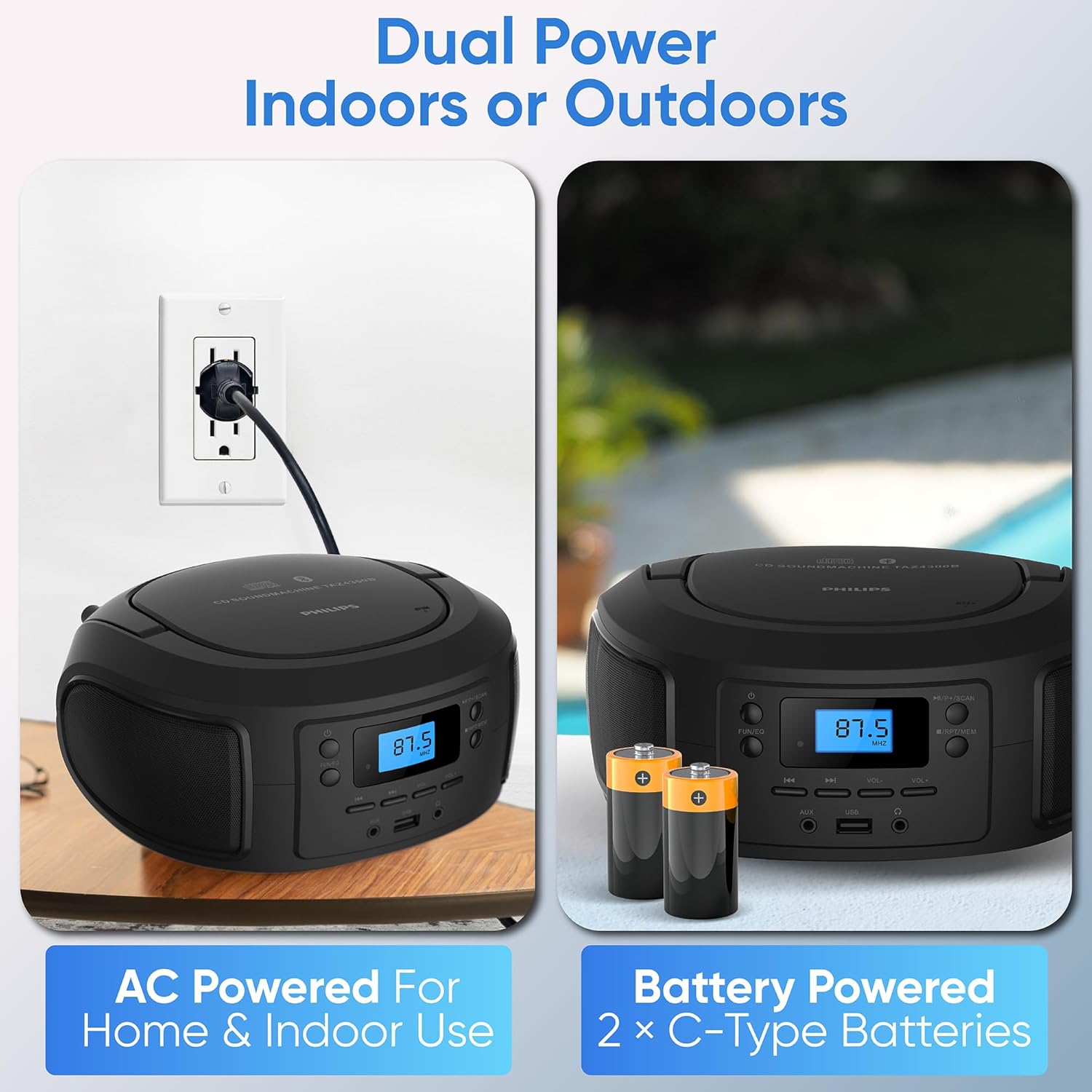
Image: Demonstrates the two power options for the Philips TAZ4300: connecting to an AC outlet and inserting C-type batteries.
Antena 4.2 FM
Untuk penerimaan radio FM yang optimum, panjangkan sepenuhnya antena teleskopik. Laraskan kedudukannya untuk isyarat terbaik.
5. Arahan Operasi
5.1 Hidupkan/Mati Kuasa
Tekan ke kuasa butang untuk menghidupkan atau mematikan unit.
5.2 Melaraskan Kelantangan
Gunakan vol- dan VOL+ buttons to decrease or increase the volume level.
5.3 Memilih Sumber
Tekan ke SERONOK/EQ button repeatedly to cycle through available sources: CD, Bluetooth, FM Radio, USB, and AUX.
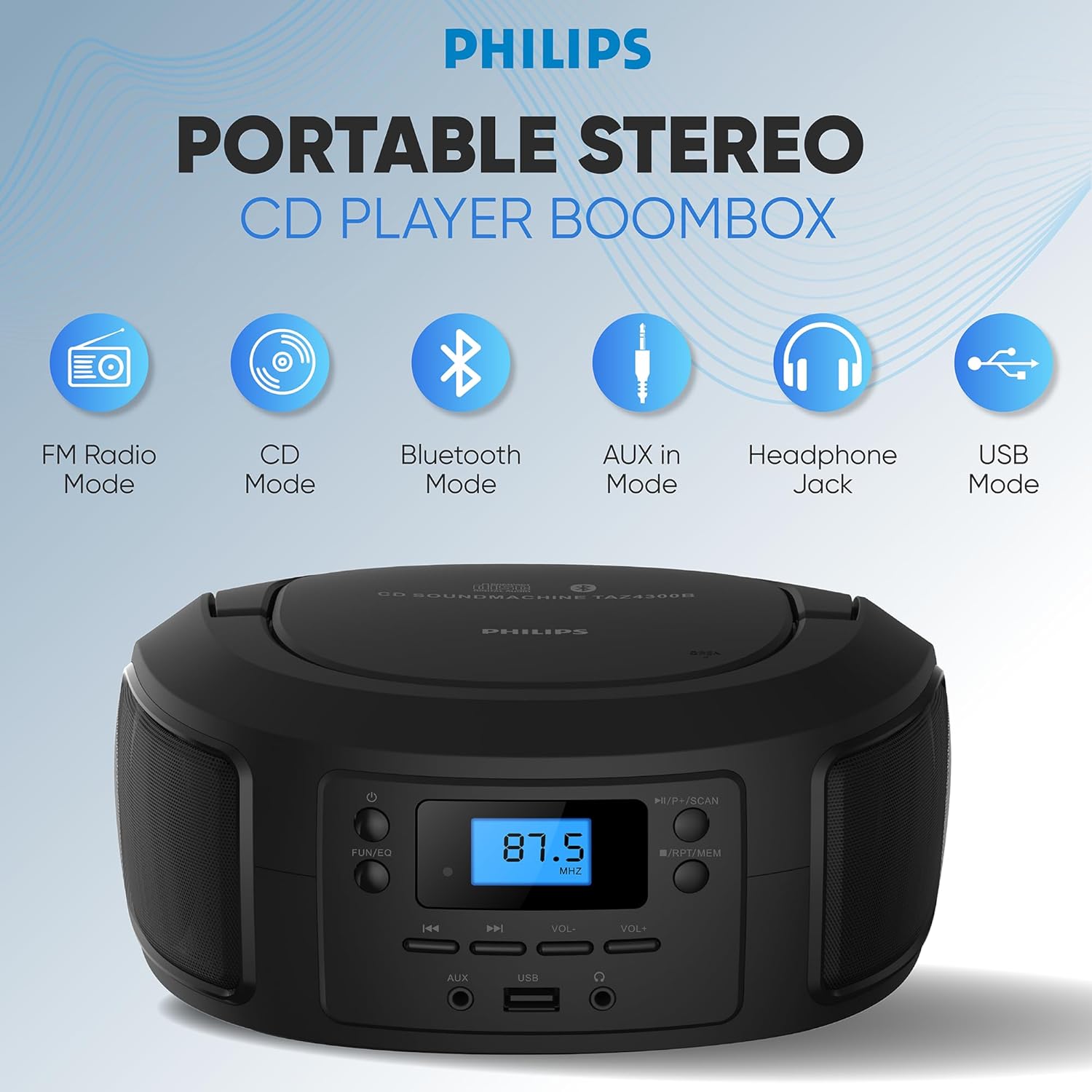
Image: Illustrates the different playback modes available on the Philips TAZ4300: FM Radio, CD, Bluetooth, AUX in, Headphone Jack, and USB Mode.
5.4 Main Semula CD
The unit supports CD, CD-R, CD-RW, and MP3 discs.
- Open the top-loading CD compartment.
- Letakkan CD dengan bahagian label menghadap ke atas.
- Tutup petak CD.
- Pilih mod CD menggunakan SERONOK/EQ butang.
- CD akan mula dimainkan secara automatik. Jika tidak, tekan butang Main/Jeda butang.
- Gunakan Lompat Ke Hadapan or Langkau ke belakang butang untuk menavigasi trek.
5.5 Berpasangan Bluetooth
Strim audio secara wayarles daripada peranti anda yang didayakan Bluetooth.
- Pilih mod Bluetooth menggunakan SERONOK/EQ button. The display will show "BT" and flash, indicating it's in pairing mode.
- Pada peranti mudah alih anda, dayakan Bluetooth dan cari peranti yang tersedia.
- Select "Philips TAZ4300" from the list.
- Once paired, the display will stop flashing and you can play audio from your device.

Image: A smartphone wirelessly connected to the Philips TAZ4300 via Bluetooth, demonstrating music streaming.
5.6 Radio FM
Enjoy your favorite radio stations with the digital FM tuner.
- Select FM Radio mode using the SERONOK/EQ butang.
- Panjangkan antena teleskopik untuk penerimaan terbaik.
- Tekan ke Imbas button to automatically search and store available stations.
- Gunakan Lompat Ke Hadapan or Langkau ke belakang buttons to manually tune or select preset stations.

Image: Highlights the digital FM tuner with 30 presets and a telescopic antenna for strong reception on the Philips TAZ4300.
5.7 Main Semula USB
Mainkan audio files from a USB drive (up to 128 GB).
- Masukkan pemacu USB ke port USB.
- Pilih mod USB menggunakan SERONOK/EQ butang.
- The unit will automatically detect and play audio files.
- Gunakan Lompat Ke Hadapan or Langkau ke belakang butang untuk menavigasi trek.
5.8 Input AUX
Sambungkan peranti audio luaran menggunakan kabel audio 3.5mm (tidak disertakan).
- Connect one end of a 3.5mm audio cable to the AUX IN port on the unit.
- Sambungkan hujung satu lagi ke bicu fon kepala atau output audio peranti luaran anda.
- Pilih mod AUX menggunakan SERONOK/EQ butang.
- Kawal main balik dan kelantangan daripada peranti luaran anda.
5.9 Penggunaan Fon Kepala
For private listening, plug 3.5mm headphones into the headphone jack. The speakers will automatically mute.
6. Penyelenggaraan
6.1 Membersihkan Unit
Lap unit dengan lembut, damp kain. Jangan gunakan pembersih atau pelarut yang kasar. Pastikan unit telah dicabut daripada plag sebelum membersihkan.
6.2 Penjagaan Kanta CD
Untuk memastikan main balik CD yang optimum, bersihkan kanta CD sekali-sekala menggunakan pembersih kanta CD yang terdapat di pasaran. Elakkan menyentuh kanta secara langsung.
6.3 Penggantian Bateri
If using battery power, replace all batteries when the unit's performance diminishes. Do not mix old and new batteries or different types of batteries.
7. Penyelesaian masalah
If you encounter issues with your Philips TAZ4300, refer to the following common problems and solutions:
| Masalah | Kemungkinan Punca | Penyelesaian |
|---|---|---|
| Unit tidak dihidupkan. | No AC power or dead batteries. | Check AC power connection or replace batteries. |
| Tiada bunyi. | Kelantangan terlalu rendah; fon kepala disambungkan; sumber yang dipilih salah. | Increase volume; disconnect headphones; select correct source. |
| CD melangkau atau tidak dimainkan. | Dirty or scratched CD; CD inserted incorrectly; dirty CD lens. | Clean or replace CD; reinsert CD correctly; clean CD lens. |
| Peranti Bluetooth tidak boleh berpasangan. | Bluetooth tidak didayakan pada peranti; unit tidak dalam mod berpasangan; peranti terlalu jauh. | Ensure Bluetooth is on and unit is in pairing mode; move device closer. |
| Penerimaan radio FM yang lemah. | Antenna not extended or positioned incorrectly. | Panjangkan dan laraskan antena teleskopik sepenuhnya. |
8. Spesifikasi
- Dimensi Produk: 8 x 6 x 5 inci
- Berat Barang: 2.65 paun
- Nombor Model Item: TAZ4300
- Jenama: Philips
- Teknologi Ketersambungan: Tambahan, Bluetooth, USB
- warna: Hitam
- Jenis pembesar suara: Stereo
- Pengeluar: PHILIPS
- Keserasian CD: CD, CD-R, CD-RW, MP3
- Versi Bluetooth: 5.3
- Output Kuasa: 4W RMS
- Sumber Kuasa: AC or 4 x C batteries (not included)
9. Waranti dan Sokongan
For warranty information, product registration, or additional support, please visit the official Philips support webtapak. Simpan resit pembelian anda sebagai bukti pembelian.


