1. Pengenalan
The PUSOKEI NM Miner is a compact and efficient device designed for Bitcoin lottery mining. Featuring a 2.8-inch color display and a 980 KH/S hashrate, it offers a user-friendly experience for both novice and experienced users. This manual provides essential information for setting up, operating, and maintaining your device.
Kandungan Pakej
- 1 x PUSOKEI NM Miner Device
- 1 x Kabel USB
- 1 x Connection Cable (for internal components)
- 1 x Manual Pengguna
- 1 x Kotak Penyimpanan
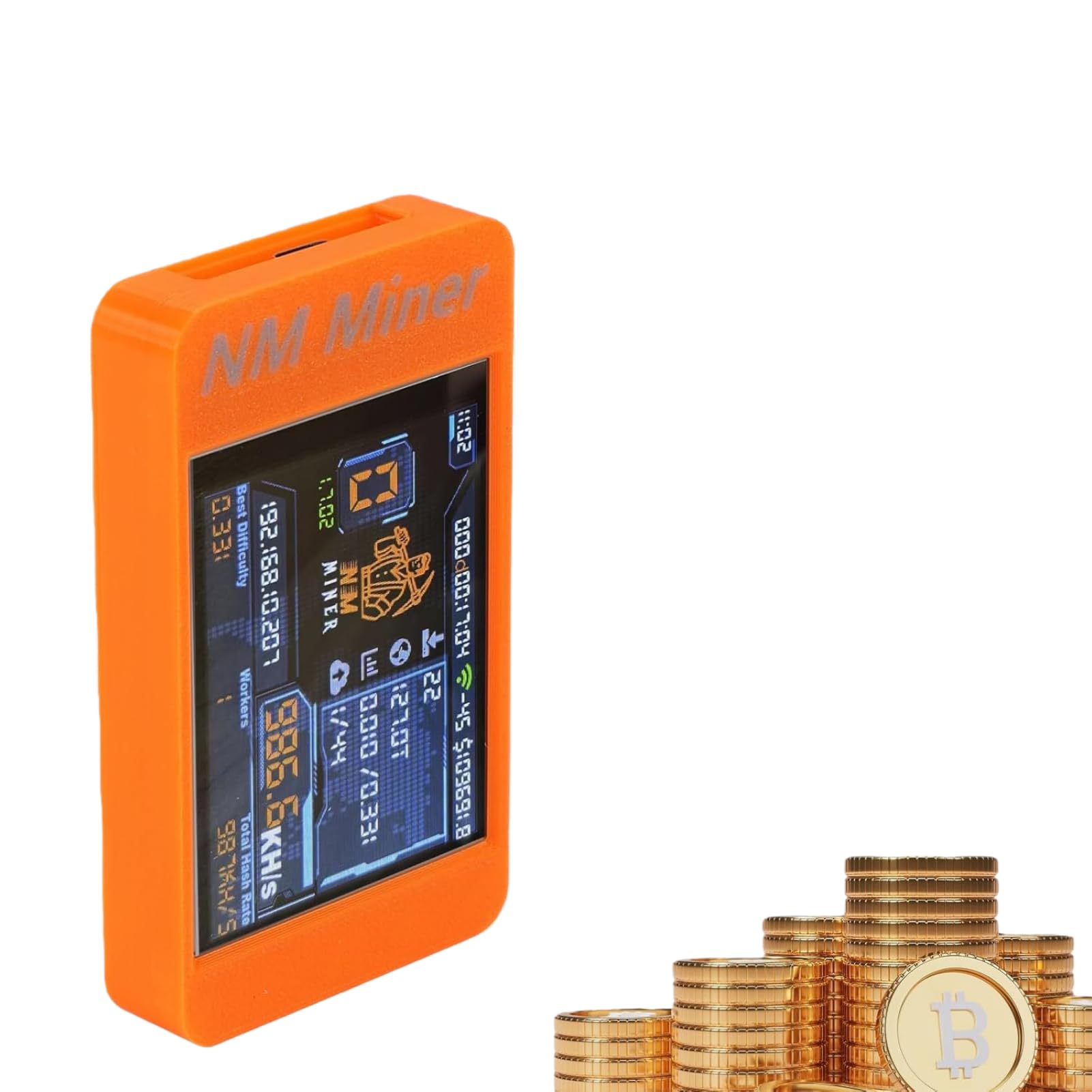
Figure 1.1: PUSOKEI NM Miner V2 Max Solo Miner, highlighting its hashrate and connectivity.

Figure 1.2: Included components: the miner device, USB cable, connection wires, and storage box.
2. Spesifikasi
| Ciri | Spesifikasi |
|---|---|
| Jenis Produk | Penambang Bitcoin |
| bahan | ABS |
| Hashrate | 980 KH/S |
| Saiz Paparan | 2.8 inches (Color Display) |
| Dimensi Produk | Lebih kurang 8.9 x 5.1 x 1.5 cm (3.5 x 2 x 0.6 inci) |
| Berat badan | lebih kurang 120 g |
| Pemproses | ESP32-S3 Microcontroller |
| Ketersambungan | 2.4GHz WiFi/Hotspot |
| Port USB | 1 |
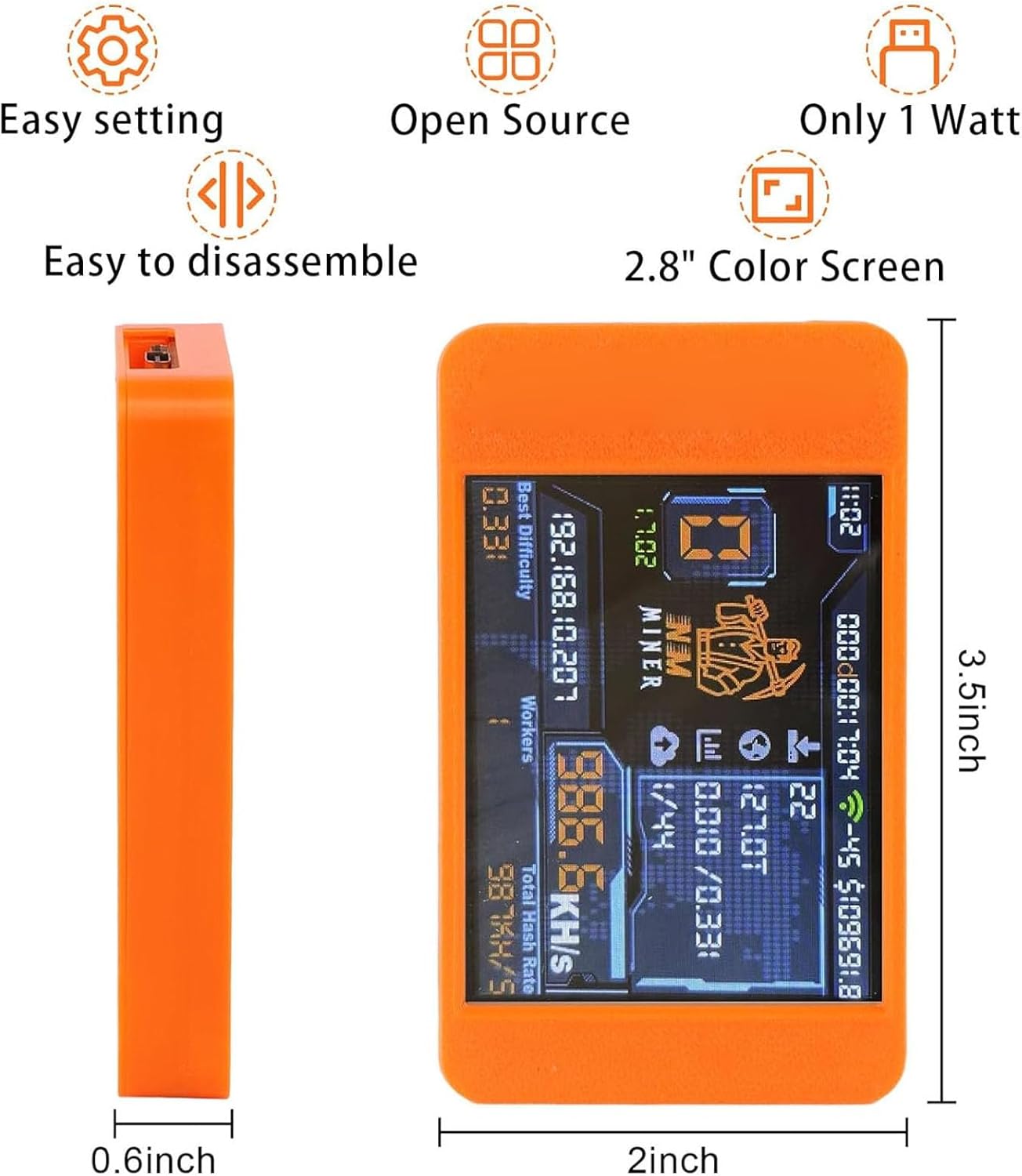
Figure 2.1: Dimensions of the PUSOKEI NM Miner.
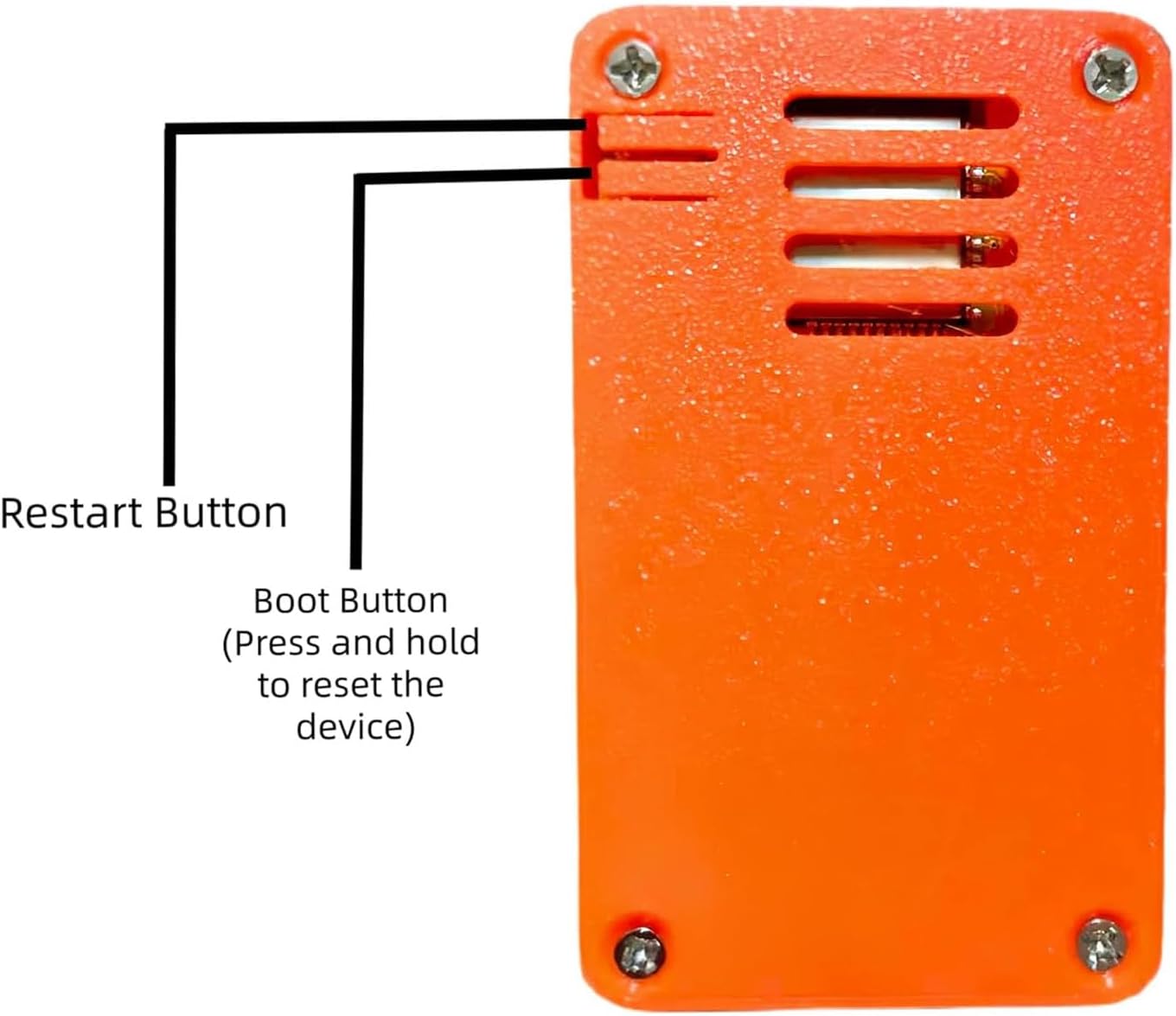
Figure 2.2: Miner dimensions with display view.

Rajah 2.3: Bawah view of the miner, showing connection ports.
3. Persediaan
The PUSOKEI NM Miner is designed for a simple plug-and-play setup. Follow these steps to get your device ready for operation:
- Buka bungkusan Peranti: Carefully remove the miner and all accessories from the packaging.
- Sambungkan Kuasa: Use the provided USB cable to connect the miner to a suitable power source (e.g., a computer USB port or a USB wall adapter).
- But Permulaan: The device will automatically power on and begin its boot sequence. The 2.8-inch color display will activate.
- Sambungan Rangkaian: The miner requires a 2.4GHz WiFi or hotspot connection to operate. Follow the on-screen prompts or refer to the device's interface for network configuration.
- Konfigurasi: Access the intuitive interface to adjust mining strategies and settings as needed.
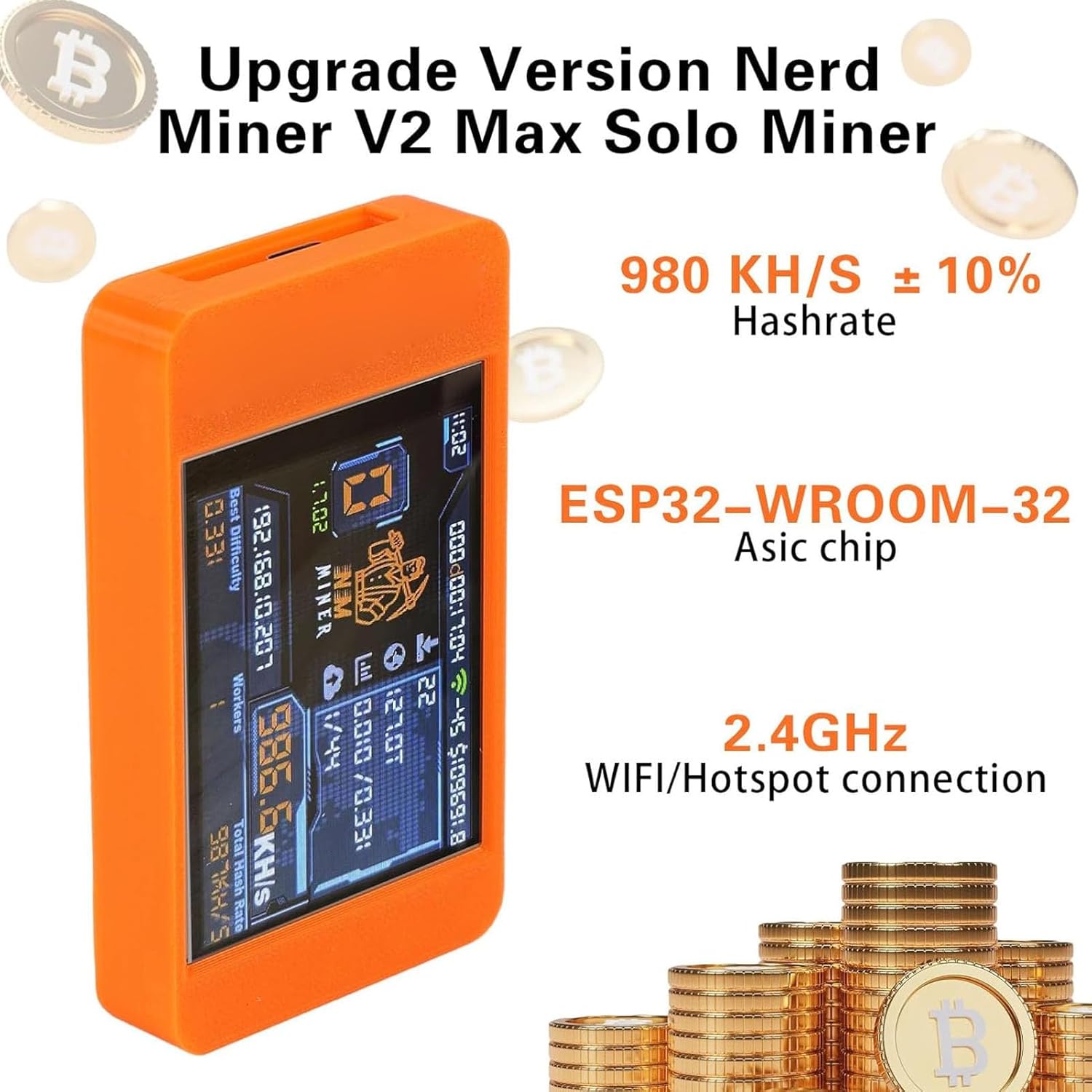
Figure 3.1: The miner's display indicating easy setup and open-source capabilities.
4. Arahan Operasi
The PUSOKEI NM Miner offers versatile mining modes and a clear display for monitoring operations.
4.1 Paparan Terlaluview
The 2.8-inch color display provides real-time information about your mining activities. This includes:
- Hashrate: Current computational power (e.g., 980 KH/S).
- Coin Price: Real-time display of cryptocurrency prices.
- Penggunaan Kuasa: Energy usage status.
- Mining Status: Operational status and progress.
- Masa dan Tarikh: Masa dan tarikh semasa.

Figure 4.1: Real-time display of coin price, hashrate, and time.

Rajah 4.2: Satu lagi view of the miner's display showing key operational data.
4.2 Mining Modes
The device supports multiple mining modes:
- Normal Pool Mining: Standard mining operation within a mining pool.
- Solo Mining: Mining independently, with the potential for higher individual rewards if a block is found.
- Lottery Mining: A specialized mode that allows users to potentially earn unexpected rewards through a lottery-based system.
You can select and configure these modes through the device's intuitive interface to suit your mining preferences.
4.3 Butang dan Kawalan
The miner includes essential buttons for control:
- Butang Mulakan Semula: Initiates a soft restart of the device.
- Butang But: Press and hold this button to reset the device to its initial state or for firmware updates.

Figure 4.3: Location of the Restart and Boot buttons.
5. Penyelenggaraan
To ensure the longevity and optimal performance of your PUSOKEI NM Miner, follow these general maintenance guidelines:
- Pembersihan: Regularly wipe the device with a soft, dry cloth to remove dust. Avoid using liquid cleaners or abrasive materials.
- Pengudaraan: Pastikan peranti diletakkan di kawasan yang mempunyai pengudaraan yang baik untuk mengelakkan terlalu panas. Jangan sekat sebarang bukaan pengudaraan.
- Persekitaran: Operate the miner in a stable environment, away from extreme temperatures, humidity, and direct sunlight.
- Pengurusan Kabel: Keep all cables neatly organized and free from kinks or damage.
6. Penyelesaian masalah
If you encounter issues with your PUSOKEI NM Miner, consider the following troubleshooting steps:
- Peranti Tidak Dihidupkan: Ensure the USB cable is securely connected to both the miner and a functional power source. Try a different USB cable or power adapter.
- Tiada Paparan: Check power connection. If the device is powered on but the screen is blank, try restarting the device using the Restart Button.
- Isu Sambungan Rangkaian: Verify your 2.4GHz WiFi network is active and the password is correct. Ensure the miner is within range of your WiFi router.
- Low Hashrate: Check your network connection stability. Ensure the device is not overheating.
- Peranti Tidak Responsif: Press and hold the Boot Button to perform a hard reset. Note that this may reset some settings.
For persistent issues, please refer to the official PUSOKEI support channels.
7. Waranti dan Sokongan
This product comes with a standard manufacturer's warranty. Please retain your proof of purchase for any warranty claims. For technical support, warranty information, or service inquiries, please contact PUSOKEI customer support through their official webtapak atau peruncit tempat produk itu dibeli.
Nota: Unauthorized disassembly or modification of the device may void your warranty.