1. Pengenalan
The ANTMINER BT606 is a compact and versatile mini WiFi security camera designed for discreet surveillance. It offers 1080P high-definition video recording, infrared night vision, and remote monitoring capabilities via a smartphone application. Its small size and various mounting options make it suitable for a wide range of indoor and outdoor applications, including home security, pet monitoring, child supervision, and evidence recording.
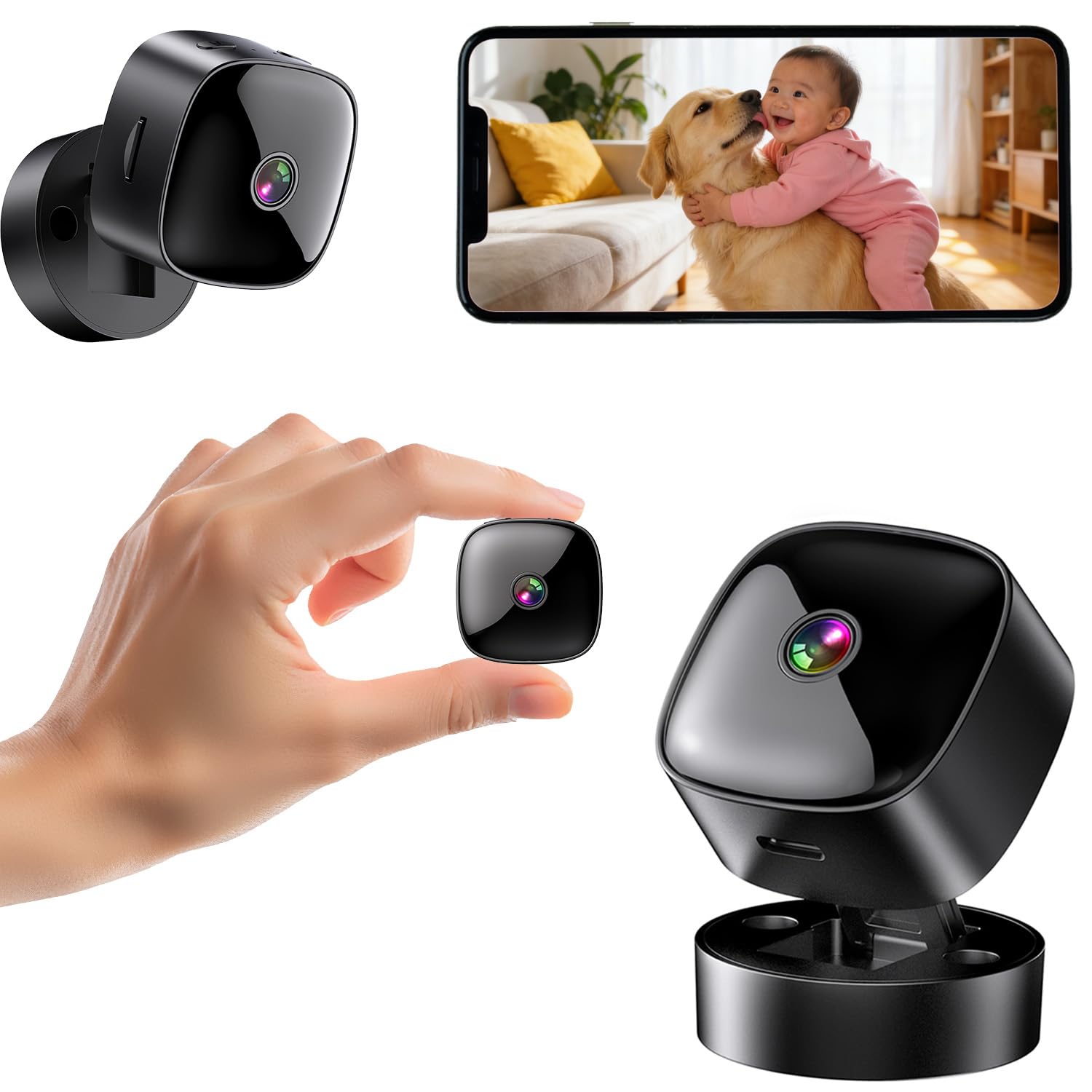
Figure 1: ANTMINER BT606 Mini WiFi Security Camera overview.
2. Kandungan Pakej
Sila semak pakej untuk item berikut:
- ANTMINER BT606 Mini Camera
- Pangkalan Magnetik
- Kabel USB Jenis-C
- Skru Pemasangan (2)
- Manual Pengguna (Bahasa Inggeris)

Figure 2: Included components: camera, base, Type-C cable, screws, and manual.
3. Ciri-ciri Produk
- Reka Bentuk Ultra-Kompak: Small size allows for discreet placement in various indoor and outdoor environments, such as furniture gaps, behind decorations, or in vehicles.
- 1080P High-Definition Video: Merakam gambar yang jelas dan terperincitage, ensuring important details are visible.
- Penglihatan Malam Inframerah: Equipped with infrared lights for clear recording in low-light conditions or complete darkness, providing 24/7 surveillance.
- WiFi Connectivity & Remote Monitoring: Connects to your home or office 2.4GHz WiFi network, enabling real-time viewing and control via a dedicated smartphone app (iOS/Android).
- Loop Recording & Long Recording: Menulis ganti foo tertua secara automatiktage when the memory card is full, ensuring continuous recording without manual deletion. Supports extended recording sessions, especially when powered via USB.
- Kanta Sudut Lebar: Features a 120-degree wide-angle lens to cover a broader area, minimizing blind spots.
- Operasi mudah: Simple one-button control for starting and stopping recording.
- Pemasangan Serbaguna: Includes a magnetic base for easy attachment to metal surfaces, a desktop stand, and options for wall or ceiling mounting using screws.
4. Panduan Persediaan
4.1 Mengecas Kamera
Before first use, fully charge the camera using the provided Type-C USB cable and a standard USB power adapter (not included). The camera can also record while charging, enabling 24-hour continuous surveillance.
4.2 Memasukkan Kad MicroSD
Insert a MicroSD card (up to 128GB, Class 10 or higher recommended) into the card slot. Ensure the card is inserted correctly. The camera supports loop recording, which will automatically overwrite old footage apabila kad penuh.
4.3 Muat Turun dan Pemasangan Apl
Download the dedicated smartphone application for iOS or Android devices. Cari untuk the app name (usually indicated in the included manual or on the product packaging) in your device's app store. Install the app and create an account if prompted.
4.4 Menyambung ke WiFi
- Hidupkan kamera.
- Open the installed app on your smartphone.
- Follow the in-app instructions to add a new device. This typically involves scanning a QR code displayed on the camera or connecting to the camera's temporary WiFi hotspot.
- Select your 2.4GHz WiFi network (5GHz networks are not supported) and enter the password.
- Once connected, the camera's status indicator will change, and you will see the live feed in the app.

Figure 3: WiFi connection process and multi-user sharing via QR code. Note: Only 2.4GHz WiFi is supported.
4.5 Memasang Kamera
Kamera ini menawarkan pilihan pemasangan fleksibel:
- Peletakan Desktop: Place the camera on its magnetic base on any flat surface.
- Lampiran Magnetik: The camera's back has a magnet, allowing direct attachment to suitable metal surfaces.
- Pemasangan Dinding/Siling: Use the provided screws to attach the magnetic base to a wall or ceiling, then attach the camera to the base. Adjust the camera angle as needed.

Gambar 4: Cthamples of desktop, wall, and ceiling installation methods.
5. Arahan Operasi
5.1 Hidupkan/Mati Kuasa
Press and hold the power button to turn the camera on or off. Refer to the indicator light for status.
5.2 Merakam Video
Once powered on and a MicroSD card is inserted, the camera will typically begin recording automatically. You can also manually start/stop recording via the dedicated button on the camera or through the smartphone app.
5.3 Real-time Viewing dan Main semula
Open the smartphone app to view the live feed from your camera. You can also access recorded footage stored on the MicroSD card through the app for playback.
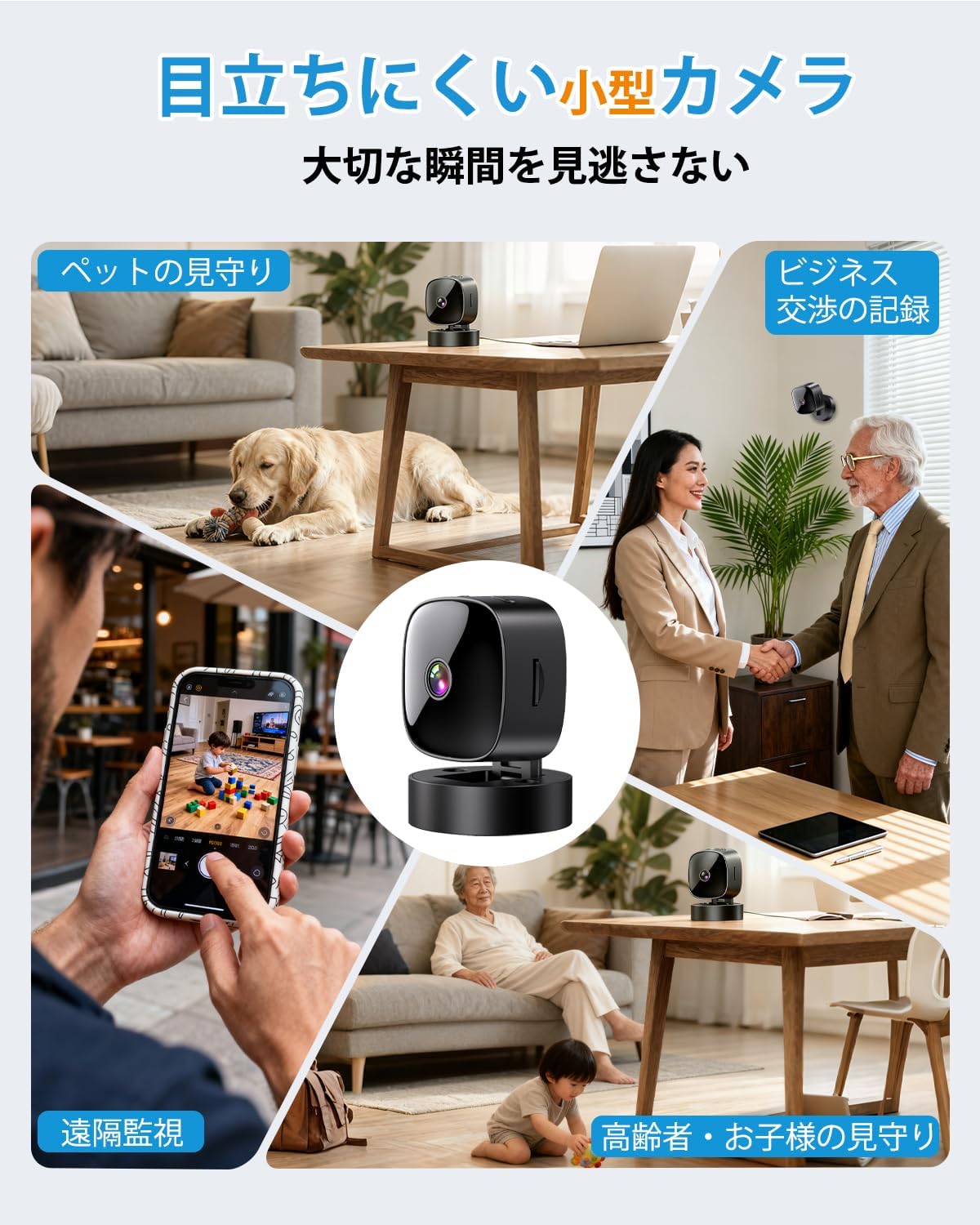
Figure 5: Various applications such as pet monitoring, business recording, remote surveillance, and care for children or the elderly.
5.4 Penglihatan Malam
The camera automatically switches to infrared night vision mode in low-light conditions. This ensures clear black-and-white video recording even in complete darkness.
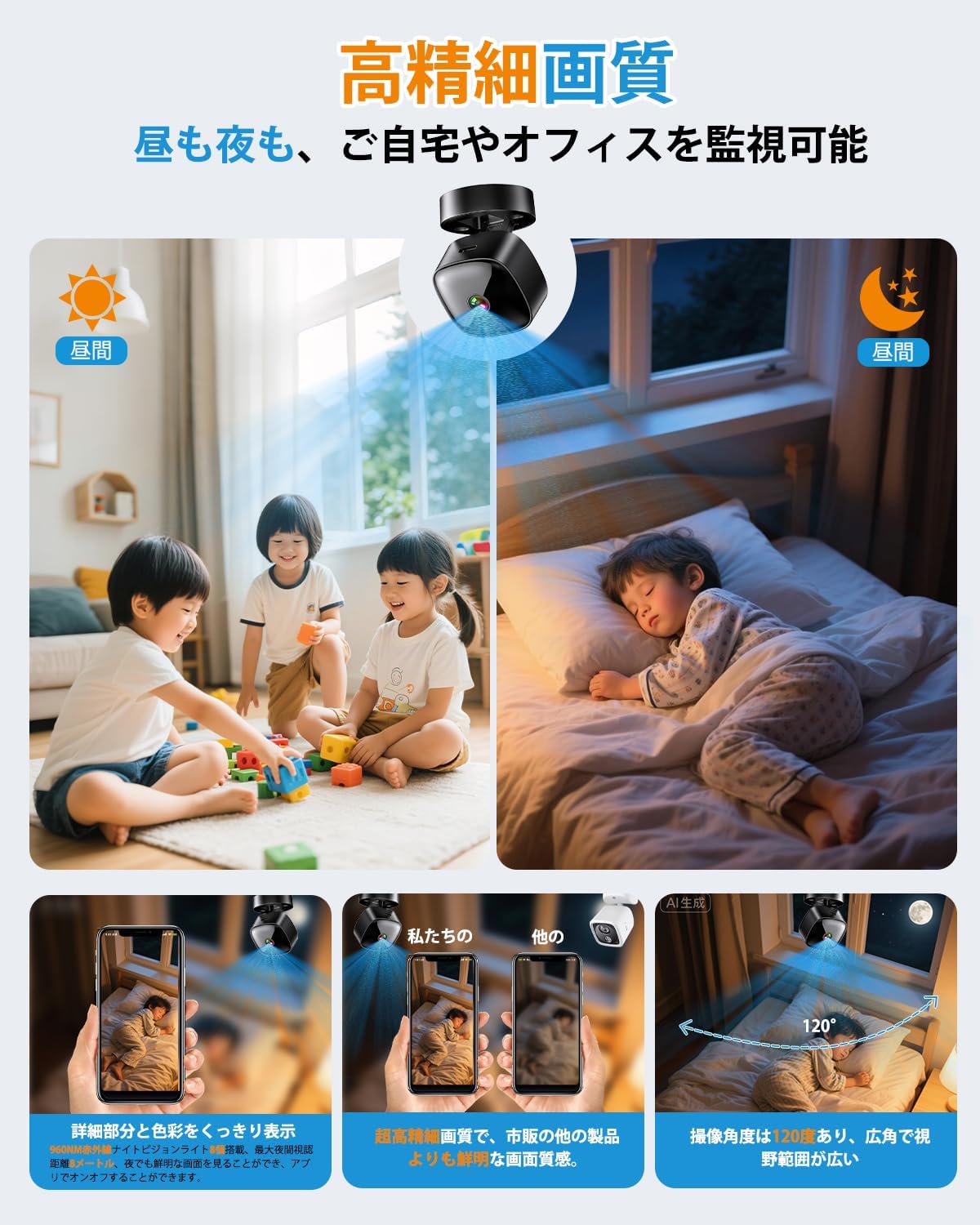
Figure 6: High-definition day and night vision, showcasing clear images in both bright and dark environments with a 120-degree wide-angle.
5.5 Rakaman Gelung
The loop recording feature ensures that the camera continues to record even when the MicroSD card is full. It automatically deletes the oldest files untuk memberi ruang untuk rakaman baharu.
6. Penyelenggaraan
- Pembersihan: Gunakan kain lembut dan kering untuk membersihkan kanta dan badan kamera. Elakkan penggunaan bahan kimia yang keras atau bahan yang melelas.
- Penjagaan Bateri: For optimal battery life, avoid fully discharging the camera frequently. Charge the camera regularly, especially if it's used for continuous surveillance.
- Pengurusan Kad SD: Periodically format the MicroSD card through the app or on a computer to maintain performance and prevent data corruption. Back up important footage sebelum memformat.
- Kemas kini Firmware: Check the app periodically for any available firmware updates for the camera. Keeping the firmware updated ensures optimal performance and security.
7. Penyelesaian masalah
| Masalah | Kemungkinan Punca / Penyelesaian |
|---|---|
| Kamera tidak dihidupkan | Battery may be depleted. Charge the camera for at least 2 hours. Ensure the power button is pressed and held correctly. |
| Tidak dapat menyambung ke WiFi |
|
| No recording or footage hilang |
|
| Kualiti video yang teruk |
|
8. Spesifikasi
| Ciri | Perincian |
|---|---|
| Nama Model | BT606 |
| Jenama | ANTMINER |
| Resolusi Video | 1080p |
| Ketersambungan | WiFi (2.4GHz sahaja) |
| Penglihatan Malam | Inframerah |
| Penyimpanan | Kad MicroSD (sehingga 128GB) |
| Rakaman Gelung | Disokong |
| Sumber Kuasa | USB rechargeable (can record while charging) |
| Dimensi Produk | 30 x 30 x 30 mm (lebih kurang 1.2 x 1.2 x 1.2 inci) |
| Berat Produk | 70 g (lebih kurang 2.5 oz) |
| warna | Hitam Gelap |
| Jenis Pemasangan | Magnetic, Desktop Stand, Wall/Ceiling Mount |
| Sokongan Apl | iOS, Android |
9. Waranti dan Sokongan
This product comes with a standard manufacturer's warranty. For specific warranty details, please refer to the product packaging or contact the retailer where you purchased the device. For technical support or further assistance, please refer to the contact information provided with your purchase or visit the official ANTMINER webtapak.