1. Pengenalan
Welcome to the FUNYET NY-03 16-inch Laptop user manual. This guide provides essential information for setting up, operating, maintaining, and troubleshooting your new laptop. Please read this manual thoroughly to ensure optimal performance and longevity of your device.
2. Maklumat Keselamatan
To prevent damage to your device or injury to yourself and others, please observe the following safety precautions:
- Jangan dedahkan komputer riba kepada suhu yang melampau, cahaya matahari langsung atau kelembapan yang tinggi.
- Elakkan meletakkan objek berat di atas komputer riba.
- Keep liquids away from the device. In case of spills, immediately power off and disconnect the charger.
- Gunakan hanya penyesuai kuasa asal yang disertakan dengan komputer riba anda.
- Do not attempt to disassemble or repair the laptop yourself. Contact qualified service personnel for assistance.
- Pastikan pengudaraan yang betul untuk mengelakkan terlalu panas. Jangan sekat lubang udara.
3. Kandungan Pakej
Sahkan bahawa semua item terdapat dalam pakej produk anda:
- FUNYET NY-03 16-inch Laptop
- Penyesuai Kuasa
- Manual Pengguna (dokumen ini)
4. Produk Lebihview
Familiarize yourself with the physical features and components of your FUNYET NY-03 laptop.
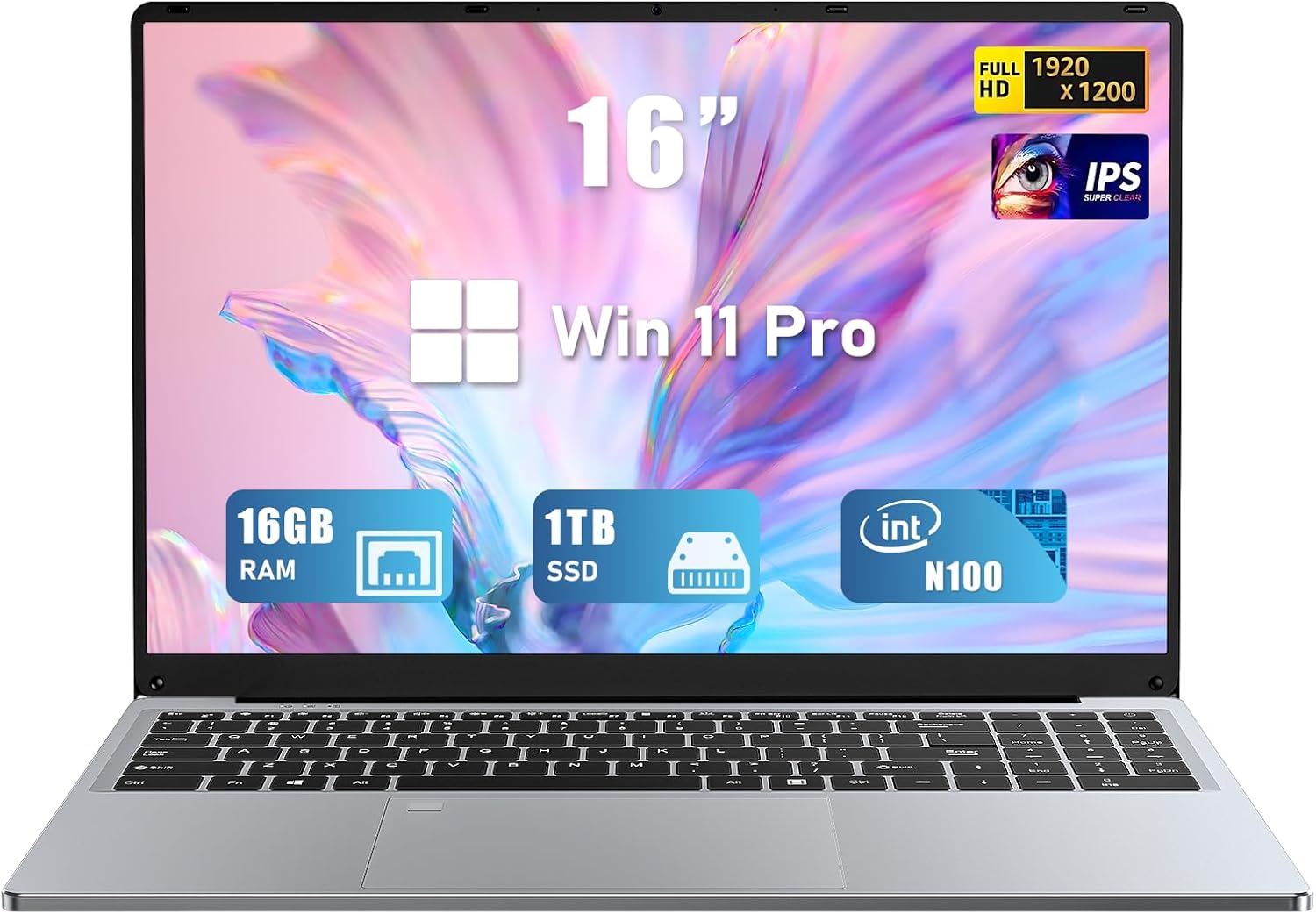
Rajah 4.1: Depan view of the FUNYET NY-03 16-inch Laptop, showcasinreka bentuknya yang anggun dan paparannya yang besar.
4.1. Komponen Luaran
- 16.0-inch FHD IPS Display: Skrin beresolusi tinggi untuk visual yang jelas.
- Papan Kekunci Bercahaya Belakang: Full-size keyboard with adjustable backlighting for comfortable typing in various lighting conditions.
- Pad Sentuh Besar: Responsive touchpad for precise navigation.
- Bersepadu Webcam: Located above the display for video calls.
- Pembaca Cap Jari: Integrated for secure and quick login.
4.2. Pelabuhan dan Penyambung

Rajah 4.2: Sisi view of the FUNYET NY-03 laptop highlighting the various input/output ports.
- Port USB 3.0: Untuk menyambungkan peranti USB berkelajuan tinggi.
- Port USB 2.0: Untuk menyambungkan peranti USB standard.
- Port HDMI Mini: Untuk menyambung ke paparan luaran.
- Input Kuasa DC: Untuk menyambungkan penyesuai kuasa.
- Bicu Audio 3.5mm: Untuk menyambungkan fon kepala atau pembesar suara luaran.
4.3. Video Produk
Video 4.1: Tamatview of the FUNYET 16-inch laptop, demonstrating its design and key features. This video provides a visual guide to the laptop's physical aspects and functionality.
Video 4.2: A detailed look at the FUNYET 16-inch gaming laptop, showcasing its various components and user experience. This video highlights the laptop's build quality and interface.
5. Persediaan
5.1. Hidupkan Kuasa Awal
- Connect the power adapter to the DC power input port on your laptop and then to a power outlet.
- Tekan butang kuasa yang terletak pada papan kekunci untuk menghidupkan komputer riba.
- Follow the on-screen instructions to complete the initial Windows 11 Pro setup, including language, region, and network settings.
5.2. Sambungan Rangkaian
Untuk menyambung ke rangkaian Wi-Fi:
- Klik ikon Wi-Fi dalam bar tugas.
- Pilih rangkaian yang anda inginkan daripada senarai.
- Enter the network password if prompted and click Sambung.
6. Mengendalikan Komputer Riba Anda
6.1. Operasi Asas
- Hidupkan/Mati Kuasa: Tekan butang kuasa untuk menghidupkan. Untuk mematikan, klik butang Mula, kemudian Kuasa > Tutup.
- papan kekunci: The backlit keyboard allows for comfortable typing. Use the Fn keys (e.g., Fn + F5/F6) to adjust backlight brightness.
- Pad sentuh: Menyokong gerak isyarat berbilang sentuhan untuk navigasi. Rujuk tetapan Windows untuk penyesuaian.
- Pembaca Cap Jari: Set up your fingerprint for secure and fast login via Windows Hello in Settings > Accounts > Sign-in options.
6.2. Ciri Paparan

Figure 6.1: The 16-inch FHD IPS display with a 1920x1200 resolution, offering a vibrant and immersive viewpengalaman dalam.
The 16.0-inch FHD IPS display provides a resolution of 1920x1200 pixels, ensuring sharp and vibrant visuals. The micro-bezel design enhances the immersive viewpengalaman dalam.
6.3. Prestasi

Figure 6.2: Visual representation of the Intel 12th Gen N100 Processor, highlighting its 4 cores and 3.4 GHz turbo frequency for efficient performance.
Powered by an Intel 12th Gen N100 processor with 4 cores and 4 threads, operating up to 3.4 GHz, the laptop delivers seamless performance for daily tasks. With 16GB of RAM and a 1TB high-speed SSD, it efficiently handles multitasking and provides amppenyimpanan le.
6.4. Ketersambungan
The laptop supports 802.11a/b/g/n/ac Wi-Fi for fast internet access and Bluetooth for connecting wireless peripherals.
6.5. Pengurusan Bateri

Figure 6.3: Illustration of the laptop's long battery life, indicating up to 8 hours of usage on a single charge.
The laptop is equipped with a 6000mAH rechargeable battery, offering up to 8 hours of battery life. To maximize battery longevity, ensure the laptop is fully charged before first use and avoid frequent deep discharges.
6.6. Operating System: Windows 11 Pro
Your laptop comes pre-installed with Windows 11 Pro, offering enhanced security, productivity features, and a modern user interface. Explore features like Snap Layouts, Widgets, and Microsoft Teams integration for an optimized computing experience.
7. Penyelenggaraan
- Pembersihan: Use a soft, lint-free cloth to clean the screen and exterior. Avoid abrasive cleaners or solvents.
- Kemas Kini Perisian: Semak dan pasang kemas kini Windows secara kerap untuk memastikan kestabilan dan keselamatan sistem.
- Storan: Simpan komputer riba di tempat yang sejuk dan kering apabila tidak digunakan.
8. Penyelesaian masalah
Bahagian ini menangani isu biasa yang mungkin anda hadapi dengan komputer riba anda.
- Komputer riba tidak dihidupkan: Pastikan penyesuai kuasa disambungkan dengan selamat dan bateri telah dicas. Cuba salur kuasa yang lain.
- Tiada sambungan Wi-Fi: Check if Wi-Fi is enabled in Windows settings. Restart your router and the laptop.
- Prestasi perlahan: Close unnecessary applications, check for malware, and ensure sufficient free space on the SSD.
- Isu skrin: Adjust display brightness. If the screen remains blank or distorted, try connecting to an external monitor via Mini HDMI to diagnose.
9. Spesifikasi
| Ciri | Spesifikasi |
|---|---|
| Jenama | FUNYET |
| Nama Model | NY-03 |
| Saiz Skrin | 16 Inci |
| Resolusi Skrin | 1920 x 1200 pixels (FHD IPS) |
| Pemproses | Intel 12th Gen N100 (up to 3.4GHz) |
| RAM | 16GB DDR4 |
| Penyimpanan | 1TB SSD |
| Sistem Operasi | Windows 11 Pro |
| Kad Grafik | Integrated (Intel UHD Graphics) |
| Jenis Wayarles | 802.11a/b/g/n/ac, Bluetooth |
| Pelabuhan | 1x USB 3.0, 1x USB 2.0, 1x Mini HDMI, 1x DC Power Input, 1x 3.5mm Audio Jack |
| Ciri Khas | Papan Kekunci Berlampu Belakang, Pembaca Cap Jari |
| Bateri | 6000mAH (up to 8 hours) |
| Berat Barang | 5.1 paun |
| Dimensi Produk | 14 x 9 x 0.8 inci |
10. Waranti dan Sokongan
Your FUNYET NY-03 laptop comes with a Waranti 1 tahun. For any issues or queries, please contact FUNYET customer support. They aim to reply within 24 hours.
- Perkhidmatan Pelanggan: Enjoy worry-free usage with dedicated round-the-clock customer service.
- Maklumat Hubungan: Refer to the contact details provided in your product packaging or on the official FUNYET webtapak untuk sokongan.