1. Pengenalan
This manual provides essential information for the safe and efficient operation of your podoru 10000mAh Magnetic Power Bank. Please read these instructions thoroughly before using the device and retain them for future reference.
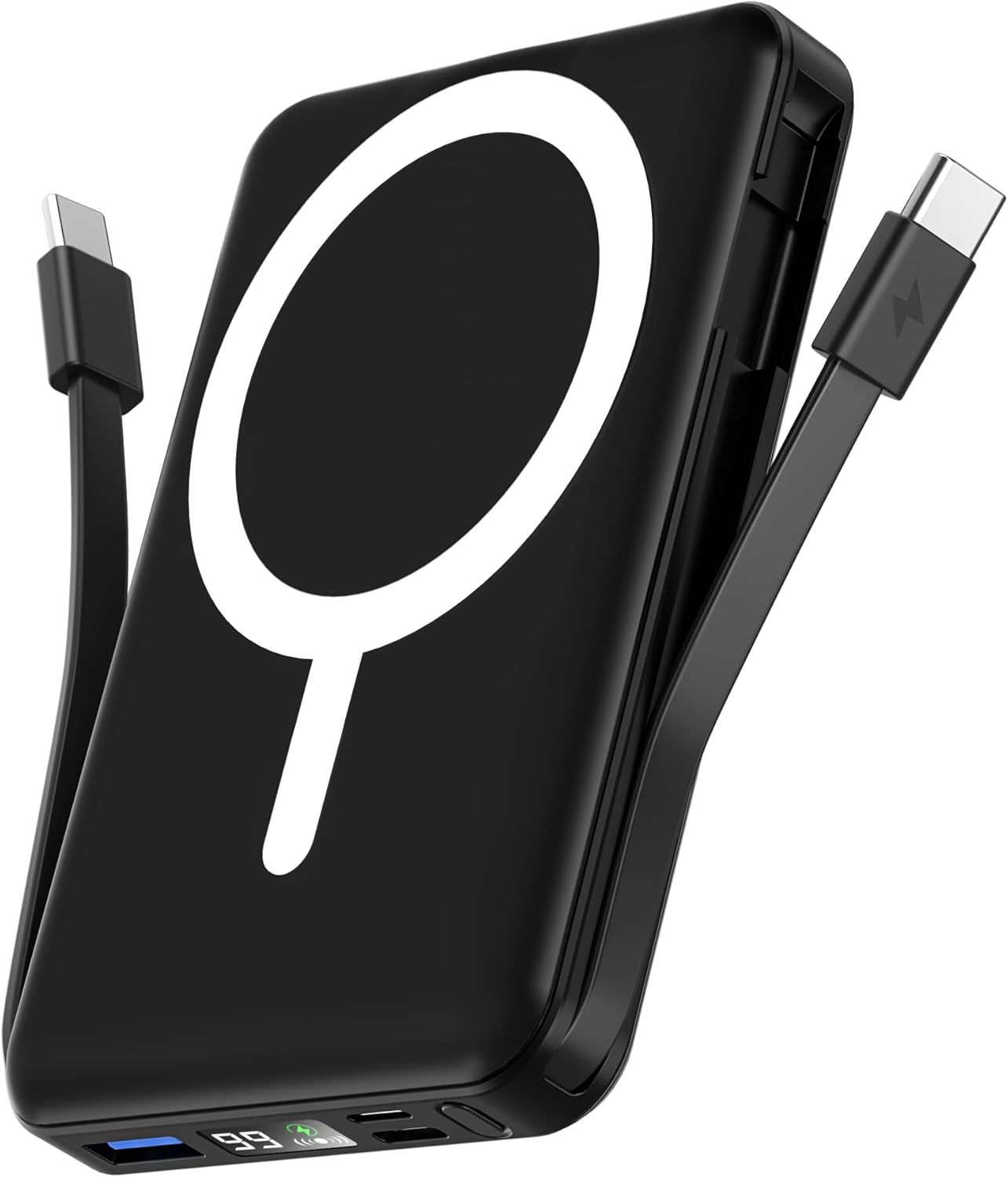
Image 1: The podoru 10000mAh Magnetic Power Bank in black, featuring its magnetic charging surface and built-in cables.
2. Ciri-ciri Utama
- Kapasiti Tinggi 10000mAh: Provides substantial power for extended device usage.
- Pengecasan Wayarles Magnetik: Supports up to 15W wireless charging for compatible iPhone 12-17 series.
- Built-in Dual USB-C Cables: Integrated USB-C cables for convenient wired charging of various devices, eliminating the need for extra cables.
- Pengecasan Berbilang Peranti: Capable of charging up to 5 devices simultaneously via wireless, USB-C PD (20W output), USB (22.5W output), and built-in cables.
- Paparan LED Digital: Clear display shows exact remaining power percentage, wireless charging status, and PD fast charging indicator.
- Reka bentuk padat dan mudah alih: Lightweight (186g) and pocket-sized (105x71x19mm) for easy portability.
- Kickstand Bersepadu: Membolehkan untuk bebas tangan viewing semasa mengecas.
- Keselamatan Unggul: Features comprehensive multi-protect safety system including temperature control, overcharge protection, and short circuit protection.
3. Kandungan Pakej
Sila semak pakej untuk item berikut:
- podoru 10000mAh Magnetic Power Bank (Model KT-D011)
- Manual Pengguna
- Kabel Pengecas USB-C ke USB-C (untuk mengecas semula power bank)
4. Persediaan Awal
4.1 Penggunaan Pertama
Before first use, fully charge your power bank. This ensures optimal battery performance and longevity. The digital LED display will show "100%" when fully charged.
4.2 Menyemak Tahap Bateri
Press the power button once to activate the LED display and view peratus bateri semasatage. The display will also show the wireless charging symbol and a green PD fast charging symbol when active.
5. Arahan Operasi
5.1 Pengecasan Tanpa Wayar
- Ensure your device is compatible with magnetic wireless charging (e.g., iPhone 12-17 series).
- Align the back of your compatible device with the magnetic charging surface of the power bank. The magnets will securely attach the device.
- The power bank will automatically begin wireless charging. The LED display will show the wireless charging symbol.

Image 2: Illustrates an iPhone magnetically attached to the power bank for wireless charging.
5.2 Wired Charging (Using Built-in Cables)
- Locate the built-in USB-C cables on the sides of the power bank.
- Gently pull out the appropriate cable (USB-C to USB-C or USB-C to Lightning, depending on your device).
- Connect the cable to your device's charging port. The power bank will automatically begin charging.

Image 3: The power bank simultaneously charging multiple devices using its built-in cables and wireless function.
5.3 Wired Charging (Using External Ports)
- The power bank features additional USB-A and USB-C input/output ports.
- Connect your device using a compatible external charging cable to the desired port.
- Bank kuasa akan mula mengecas secara automatik.
5.4 Mengecas semula Power Bank
The power bank can be recharged using either a Lightning cable or a USB-C cable.
- Connect a Lightning cable to the Lightning input port or a USB-C cable to the USB-C input/output port.
- Connect the other end of the cable to a power adapter (not included).
- Paparan LED akan menunjukkan kemajuan pengecasan.

Image 4: Demonstrates recharging the power bank using either a Lightning or USB-C cable.
5.5 Kickstand Functionality
The power bank features a built-in kickstand for convenient hands-free viewing while your phone is magnetically attached and charging.
- Gently pull out the integrated kickstand from the back of the power bank.
- Place the power bank with your attached phone on a flat surface.
- Laraskan sudut untuk optimum viewing.
6. Keserasian
This power bank is compatible with a wide range of devices:
- Pengecasan Wayarles Magnetik: iPhone 12 Series, iPhone 13 Series (including mini, Pro, Pro Max), iPhone 14 Series (including Plus, Pro, Pro Max), iPhone 15 Series (including Plus, Pro, Pro Max), iPhone 16 Series (including Plus, Pro, Pro Max), iPhone 17 Series (including Pro, Pro Max, Air).
- Pengecasan Berwayar: Compatible with iPhone and Type-C devices (e.g., Samsung, Pixel, Huawei series, Tablets) using the built-in USB-C cables or external cables via USB-A/USB-C ports.

Image 5: Illustrates the power bank's compatibility with various smartphone brands and tablets.
7. Spesifikasi
| Ciri | Perincian |
|---|---|
| Dimensi Produk | 4.13 x 2.79 x 0.74 inci |
| Berat Barang | 8.4 auns (186g) |
| Nombor Model | KT-D011 |
| Jenis Bateri | 1 Bateri Lithium Polimer diperlukan |
| Kapasiti Bateri | 10000 Miliamp jam |
| Output Pengecasan Tanpa Wayar | Sehingga 15W |
| Output PD USB-C | Sehingga 20W |
| Output USB | Sehingga 22.5W |
| Input Kilat | Sehingga 12W |
| Input USB-C | Sehingga 20W |
| Ciri Khas | Built-in Cables, Digital Display, Fast Charging, Pocket Size, Wireless Charging |
8. Maklumat Keselamatan
Untuk memastikan operasi yang selamat dan mencegah kerosakan, sila patuhi perkara berikut:
- Do not disassemble, hit, crush, or throw the power bank into fire.
- Hentikan penggunaan serta-merta jika bateri membengkak teruk.
- Jangan gunakan dalam persekitaran suhu tinggi.
- Do not immerse the power bank in water.
- Jauhkan daripada kanak-kanak.
- It is normal for the power bank to become slightly warm during charging.
- Elakkan menggunakan kabel atau pengecas yang rosak.
- Do not place metal objects between the power bank and the device during wireless charging.
9. Penyelenggaraan
- Keep the power bank clean and dry. Do not wash with corrosive chemicals.
- Charge the power bank once every 3 months if it is not used for a long time to maintain battery health.
- Simpan di tempat yang sejuk dan kering jauh dari cahaya matahari langsung dan suhu yang melampau.
10. Penyelesaian masalah
- Peranti tidak dicas: Pastikan power bank dicas. Periksa sambungan kabel. Untuk pengecasan tanpa wayar, pastikan penjajaran dan keserasian peranti yang betul.
- Pengecasan perlahan: Verify that your device and cable support fast charging. Ensure the power bank has sufficient charge.
- Bank kuasa tidak dicas: Try a different charging cable or power adapter. Ensure the charging port is clean and free of debris.
- Paparan LED tidak berfungsi: Press the power button to activate the display. If it remains off, the power bank may be fully discharged or require service.
11. Waranti dan Sokongan
Untuk maklumat jaminan atau sokongan teknikal, sila rujuk butiran hubungan yang diberikan bersama pembelian anda atau lawati laman web rasmi podoru. website. Each item has a unique code that can be verified before shipping for authenticity.