1. Pengenalan
Thank you for choosing the Donerton Bluetooth 5.4 Wireless Headphones, Model W90. These headphones are designed to provide a high-quality audio experience with advanced features such as Bluetooth 5.4 connectivity, HiFi stereo sound, Environmental Noise Cancelling (ENC) for calls, and IP7 waterproofing. This manual will guide you through the setup, operation, and maintenance of your new headphones to ensure optimal performance and longevity.
2. Maklumat Keselamatan
- Do not disassemble or modify the headphones or charging case. This may cause malfunction or damage and will void the warranty.
- Keep the device away from extreme temperatures (hot or cold), humidity, and water, except for the specified IP7 water resistance.
- Avoid prolonged exposure to loud volumes to prevent hearing damage.
- Bersihkan fon kepala dengan kain lembut dan kering. Jangan gunakan bahan kimia yang keras atau bahan yang melelas.
- Jauhkan daripada kanak-kanak dan haiwan peliharaan.
- Lupuskan peranti dan komponennya secara bertanggungjawab mengikut peraturan tempatan.
3. Kandungan Pakej
Sila semak kandungan pakej semasa dibuka untuk memastikan semua item ada:
- Donerton W90 Wireless Headphones (Left and Right earbuds)
- Kes Pengecasan
- Kabel Pengecas USB
- Manual Pengguna (Dokumen ini)
4. Produk Lebihview
Familiarize yourself with the components of your Donerton W90 Wireless Headphones.
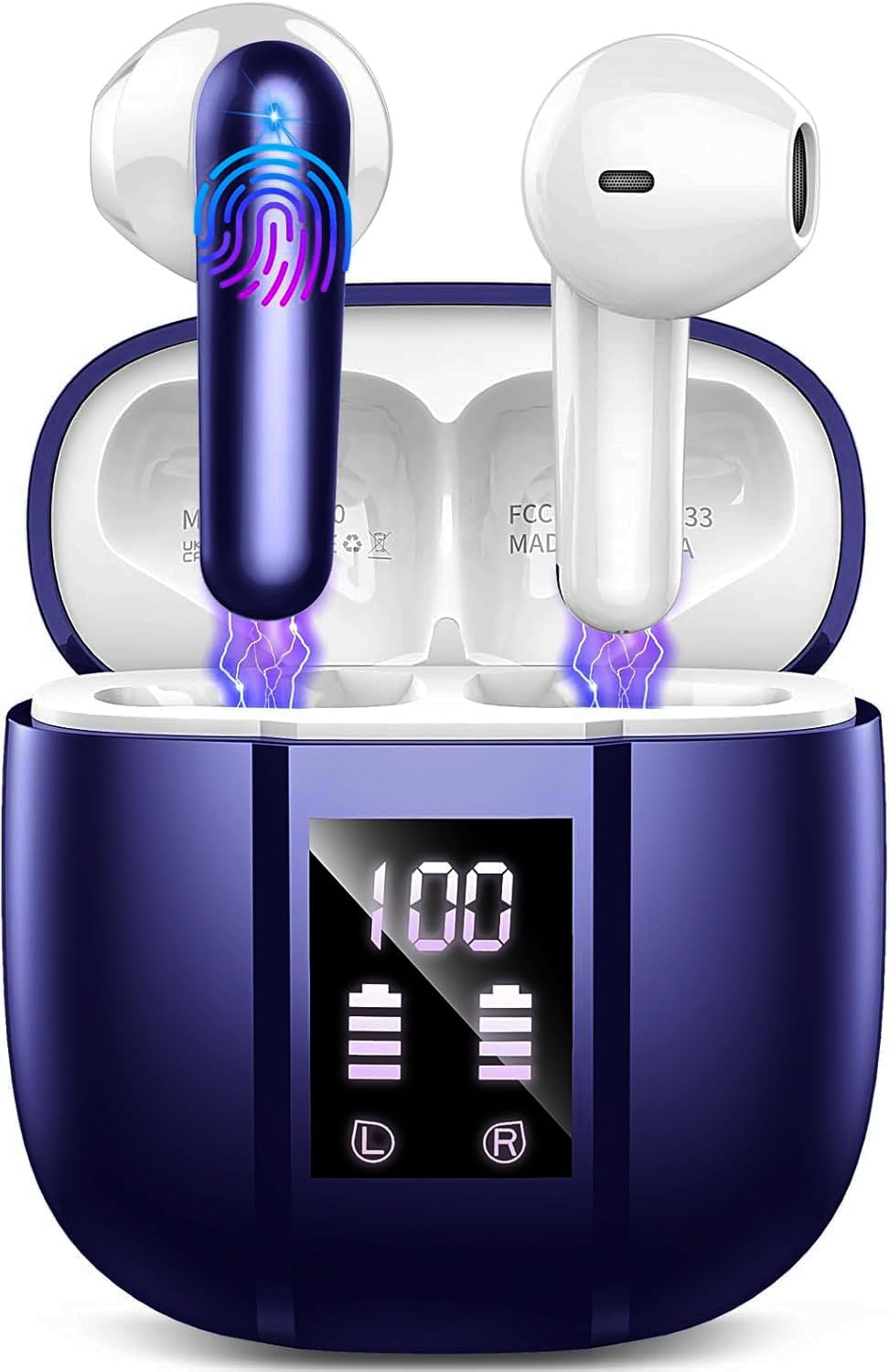
Image: Donerton W90 Wireless Headphones and Charging Case. This image displays the overall design of the earbuds and their charging case.
- Earbud: Left and Right earbuds with touch control areas and charging contacts.
- Sarung Pengecasan: Houses and charges the earbuds, features an LED display for battery status.
- Port Pengecasan USB-C: Located on the charging case for power input.
- Mikrofon: Integrated into each earbud for calls and ENC functionality.
5. Persediaan
5.1 Mengecas Fon Kepala
Sebelum penggunaan pertama, cas sepenuhnya fon kepala dan bekas pengecas.
- Place both earbuds into the charging case. Ensure they are correctly seated, and the charging indicators on the case light up.
- Sambungkan kabel pengecas USB ke port pengecasan pada kes dan ke sumber kuasa USB (cth, komputer, penyesuai dinding).
- The LED display on the charging case will show the battery level. A full charge typically takes about 1.5 hours for the case.
- Setelah dicas sepenuhnya, cabut kabel pengecasan.
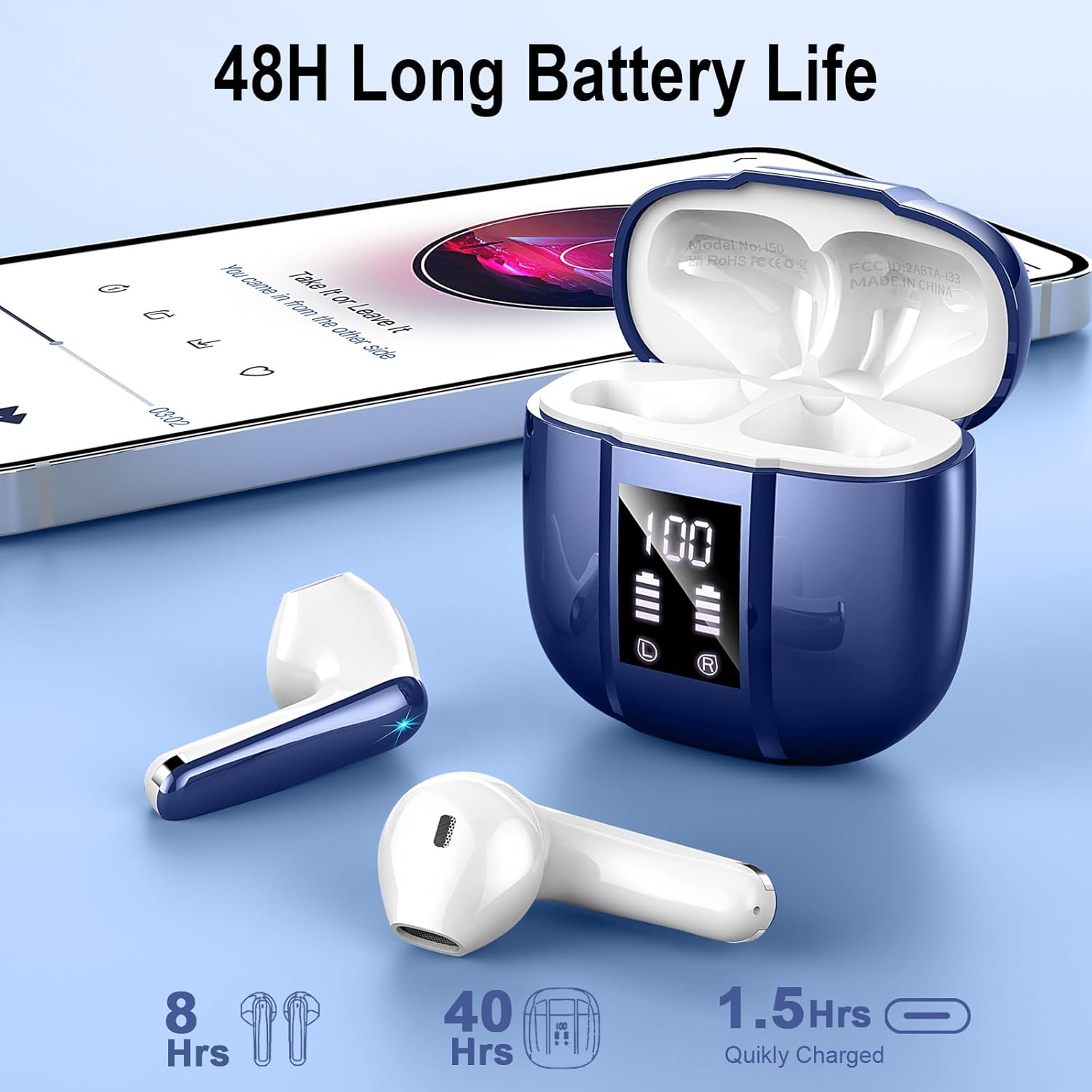
Image: Donerton W90 Charging Case with LED Display. This image illustrates the charging case displaying battery levels for both earbuds and the case itself, indicating a quick charge time of 1.5 hours for the case and up to 8 hours of playback per earbud charge, with an additional 40 hours from the case.
5.2 Gandingan Awal
Follow these steps to pair your headphones with a Bluetooth-enabled device for the first time:
- Pastikan fon kepala dicas.
- Open the charging case. The earbuds will automatically power on and enter pairing mode. The indicator lights on the earbuds will flash.
- Pada peranti anda (telefon pintar, tablet, dll.), dayakan Bluetooth.
- Cari untuk available Bluetooth devices. Select "Donerton W90" from the list.
- Once connected, the earbud indicator lights will turn off or flash slowly, and you will hear a confirmation tone.

Image: Donerton W90 One-Step Pairing and Touch Control. This image demonstrates the simple pairing process by opening the charging case and selecting the device on a smartphone's Bluetooth settings. It also highlights the touch control functions on the earbuds.
5.3 Automatic Re-pairing
After the initial pairing, the headphones will automatically connect to the last paired device when you open the charging case and take them out, provided Bluetooth is enabled on your device and it is within range.
6. Arahan Operasi
6.1 Memakai Fon Kepala
Untuk kualiti dan keselesaan bunyi yang optimum, pastikan fon telinga diletakkan dengan betul di telinga anda.
- Kenal pasti fon telinga Kiri (L) dan Kanan (R).
- Masukkan setiap fon telinga ke dalam saluran telinga yang sepadan dengan lembut.
- Putar fon telinga sedikit sehingga ia berasa selamat dan selesa.

Image: Donerton W90 Ergonomic Design and Fit. This image highlights the ergonomic design of the earbuds, showing how they fit comfortably and securely in the ear, emphasizing their lightweight nature and portability.
6.2 Kawalan Sentuhan
The Donerton W90 headphones feature intuitive touch controls on each earbud. The specific functions may vary slightly depending on your device and application.
| Tindakan | Earbud Kiri (L) | Earbud Kanan (R) |
|---|---|---|
| Main/Jeda Muzik | Ketik sekali | Ketik sekali |
| Trek Seterusnya | Ketik dua kali | Ketik dua kali |
| Trek Sebelumnya | Ketik tiga kali | Ketik tiga kali |
| Kelantangan Naik | Tekan dan tahan | T/A |
| Kelantangan Kurang | T/A | Tekan dan tahan |
| Jawab/Tamatkan Panggilan | Ketik sekali | Ketik sekali |
| Tolak Panggilan | Tekan dan tahan selama 2 saat | Tekan dan tahan selama 2 saat |
| Aktifkan Pembantu Suara | Ketuk empat kali ganda | Ketuk empat kali ganda |
The headphones feature Environmental Noise Cancelling (ENC) for clear calls. This technology automatically reduces background noise during phone conversations.

Image: Donerton W90 Crystal Clear Call with ENC. This image visually represents the Environmental Noise Cancelling (ENC) feature, showing how background noise is reduced to ensure clear voice transmission during calls.
7. Penyelenggaraan
7.1 Pembersihan
- Regularly clean the earbuds and charging case to prevent dirt and earwax buildup.
- Gunakan kain lembut, kering dan tidak berbulu untuk mengelap permukaan.
- Untuk kotoran degil, sedikit dampen kain dengan air. Jangan gunakan alkohol, pelarut atau pembersih yang melelas.
- Pastikan sentuhan pengecasan pada kedua-dua fon telinga dan sarung bersih dan bebas daripada serpihan untuk mengekalkan pengecasan yang betul.
7.2 Penyimpanan
- Apabila tidak digunakan, simpan fon kepala di dalam bekas pengecas untuk melindunginya dan memastikan ia sentiasa dicas.
- Simpan peranti di tempat yang sejuk dan kering, jauh dari cahaya matahari langsung dan suhu yang melampau.
7.3 Rintangan Air (IP7)
The Donerton W90 headphones are rated IP7 waterproof. This means they are protected against immersion in water up to 1 meter for up to 30 minutes. They are resistant to splashes, sweat, and rainwater.
- Do not intentionally submerge the charging case in water, as it is not waterproof.
- Pastikan fon telinga benar-benar kering sebelum meletakkannya semula ke dalam bekas pengecasan untuk mengelakkan kerosakan pada sesentuh pengecasan.
- Water resistance is not a permanent condition and may decrease as a result of normal wear.
8. Penyelesaian masalah
If you encounter issues with your Donerton W90 headphones, refer to the following common problems and solutions:
8.1 Headphones Not Pairing
- Pastikan Bluetooth didayakan: Check that Bluetooth is turned on on your device.
- Re-enter pairing mode: Place the earbuds back into the charging case, close the lid, then open it again to re-initiate pairing mode.
- Lupakan peranti: On your device, go to Bluetooth settings, find "Donerton W90", and select "Forget" or "Unpair". Then, try the pairing process again from step 5.2.
- Mengecas fon kepala: Ensure both earbuds and the charging case have sufficient battery.
- Jarak: Make sure the headphones are within the Bluetooth range (up to 15 meters) of your device.
8.2 Tiada Bunyi atau Kelantangan Rendah
- Semak tahap kelantangan: Adjust the volume on both your connected device and using the headphone touch controls.
- Sambung semula: Disconnect and re-connect the headphones to your device.
- Clean earbuds: Ensure there is no earwax or debris blocking the earbud speakers.
- Cuba sumber audio lain: Test with a different song or application.
8.3 Isu Pengecasan
- Check cable and adapter: Ensure the USB charging cable and power adapter are working correctly. Try a different cable or adapter.
- Clean charging contacts: Wipe the charging contacts on both the earbuds and inside the case with a dry cloth.
- Proper seating: Pastikan fon telinga diletakkan dengan betul di dalam bekas pengecas.
8.4 Satu Fon Telinga Tidak Berfungsi
- pasangan semula: Try forgetting the device and re-pairing as described in 8.1.
- Tetapkan semula: Some issues can be resolved by resetting the headphones. Refer to the manufacturer's website or contact support for specific reset instructions if needed.
- caj: Pastikan kedua-dua fon telinga dicas.
9. Spesifikasi
| Ciri | Perincian |
|---|---|
| Model | W90 |
| Versi Bluetooth | 5.4 |
| Protokol Bluetooth | HFP, HSP, A2DP, AVRCP |
| Julat Tanpa Wayar | Sehingga 15 meter (49 kaki) |
| Pemandu Pembesar Suara | Pembesar Suara Dinamik 13mm |
| Kawalan Bunyi | Environmental Noise Cancellation (ENC) with 4 microphones |
| Masa Main Semula Fon Telinga | 6-8 jam (cas sekali) |
| Jumlah Masa Main Semula (dengan kes) | Sehingga 45-50 jam |
| Masa Pengecasan (Kes) | Lebih kurang 1.5 jam |
| Penilaian Kalis Air | IP7 (earbud sahaja) |
| Berat Earbud | Approximately 3 grams each |
| bahan | plastik |
| Jenis Bateri | Polimer Litium |
| Keserasian | iOS 9.0+, Android 10.0+, Bluetooth 5.4+ devices |
10. Waranti dan Sokongan
Donerton products are designed and manufactured to the highest quality standards. For detailed warranty information, please refer to the warranty card included with your purchase or visit the official Donerton webtapak.
If you experience any issues or have questions regarding your Donerton W90 Wireless Headphones, please contact Donerton customer support through the retailer where you purchased the product or via the contact information provided on the official Donerton webtapak.


