1. Pengenalan
Welcome to the Fanvace HiFi MP3 Player user manual. This guide provides essential information for setting up, operating, and maintaining your new audio device. Please read this manual thoroughly to ensure proper use and to maximize your listening experience.
1.1 Kandungan Pakej
- 1 x Fanvace HiFi MP3 Player
- 1 x Kabel USB-C
- 1 x Kabel Audio
- 1 x Kad Micro SD 64GB
- 1 x Sarung Kulit
- 1 x Manual Pengguna

The Fanvace HiFi MP3 Player, showcasing its compact design with a touch screen on the front and the rear panel with regulatory markings.
2. Maklumat Keselamatan
To ensure safe and reliable operation, please observe the following safety guidelines:
- Jangan dedahkan peranti kepada suhu yang melampau, cahaya matahari langsung atau kelembapan yang tinggi.
- Elakkan daripada menjatuhkan atau meletakkan peranti kepada kesan yang kuat.
- Jangan buka, baiki atau ubah suai peranti ini sendiri. Hubungi kakitangan servis yang sah untuk mendapatkan bantuan.
- Jauhkan peranti daripada air dan cecair lain.
- Use only the provided or certified compatible charging cables and adapters.
- Mendengar berpanjangan pada tahap kelantangan tinggi boleh menyebabkan kerosakan pendengaran.
3. Produk Lebihview
3.1 Susun Atur dan Kawalan Peranti
Familiarize yourself with the physical components and controls of your MP3 player.

An illustration of the Fanvace HiFi MP3 Player highlighting its core features: DSD decoding, DAC ES9018K2M chip, Bluetooth 5.3, 50 hours music play, multiple music formats, line & audio output, equalizer, and 2.8-inch TFT screen.
- Tombol Kelantangan: Rotate to adjust playback volume.
- Butang Kuasa: Press and hold to power on/off. Short press to turn screen on/off.
- Butang Navigasi: For track control (play/pause, next/previous).
- Skrin Sentuh HD 2.8 inci: Primary interface for navigation and control.
- Bicu Fon Kepala 3.5mm: For wired headphone connection.
- Pelabuhan Garis Keluar: Untuk menyambung ke luaran amppengangkat atau sistem audio.
- Port USB-C: Untuk pengecasan dan pemindahan data.
- Slot Kad Mikro SD: Untuk storan yang boleh dikembangkan.

Satu jarak dekat view of the Fanvace MP3 Player's audio output ports, including the 3.5mm headphone jack and line-out, with examples of connected devices like headphones, speakers, and car audio systems.
4. Persediaan
4.1 Mengecas Peranti
Before first use, fully charge the MP3 player.
- Connect the provided USB-C cable to the player's USB-C port.
- Sambungkan hujung kabel USB-C yang satu lagi ke penyesuai kuasa USB (tidak disertakan) atau port USB komputer.
- The charging indicator will illuminate. A full charge typically takes 3-4 hours.

The Fanvace MP3 Player displayed with information about its 2000mAh rechargeable battery, indicating 3-4 hours for full charge, 50 hours playback with headphones, and 60 hours with Bluetooth.
4.2 Memasukkan Kad SD Mikro
The player comes with a 64GB Micro SD card. You can expand storage up to 256GB.
- Cari slot kad Micro SD di sisi pemain.
- Masukkan kad Micro SD dengan kenalan emas menghadap ke bawah sehingga ia klik pada tempatnya.
- Untuk mengalih keluar, tolak kad masuk perlahan-lahan sehingga ia keluar.

The Fanvace MP3 Player shown with a Micro SD card being inserted, illustrating its expandable storage capacity up to 256GB.
4.3 Memindahkan Muzik Files
Connect the player to your computer to transfer audio files.
- Connect the MP3 player to your computer using the USB-C cable.
- Pemain akan muncul sebagai pemacu cakera boleh tanggal pada komputer anda.
- Seret dan lepaskan audio yang anda inginkan files into the player's internal storage or the Micro SD card.
- Keluarkan peranti dari komputer anda dengan selamat sebelum memutuskan sambungan kabel.
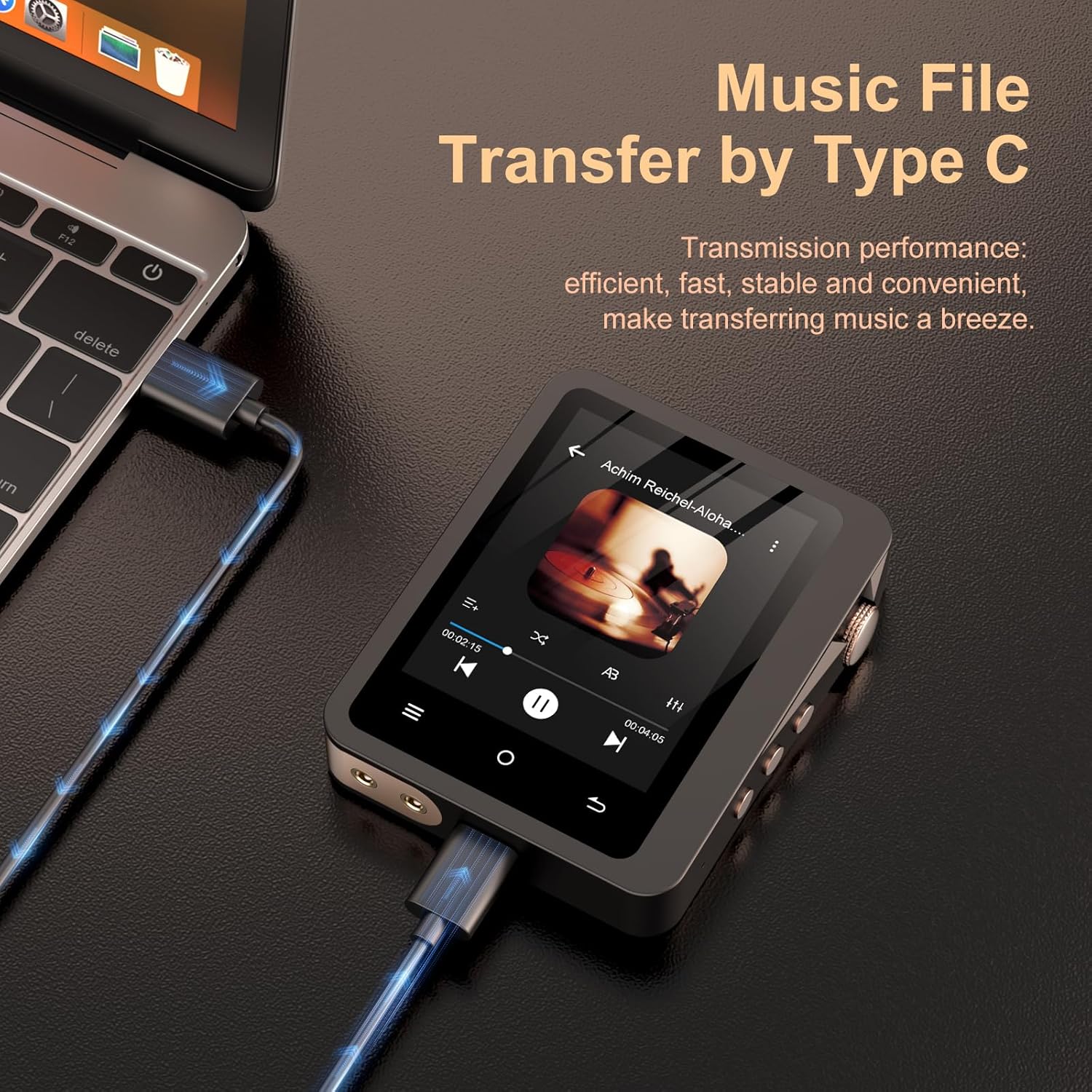
The Fanvace MP3 Player connected to a laptop using a USB-C cable, demonstrating the method for efficient music file pemindahan.
5. Arahan Operasi
5.1 Hidupkan/Mati Kuasa
- Untuk Menghidupkan: Tekan dan tahan butang Kuasa sehingga skrin menyala.
- Untuk Mematikan: Press and hold the Power button, then confirm 'Power Off' on the screen.
- Skrin Hidup/Mati: Short press the Power button to turn the screen on or off without powering down the device.
5.2 Menavigasi Antara Muka
The player features a 2.8-inch HD touch screen for intuitive navigation.
- Skrin Sentuh: Tap icons to select, swipe to scroll through lists or menus.
- Butang Fizikal: Use the navigation buttons for quick control during playback.
5.3 Main balik Muzik
- From the main menu, select 'Music' or 'Files' to browse your audio library.
- Tap on a song or album to begin playback.
- Use the on-screen controls or physical buttons for Play/Pause, Next Track, Previous Track.
- Adjust the volume using the rotary volume knob.
5.4 Berpasangan Bluetooth
Connect your player to Bluetooth headphones or speakers.
- Pastikan fon kepala/pembesar suara Bluetooth anda berada dalam mod berpasangan.
- On the MP3 player, go to 'Settings' > 'Bluetooth'.
- Turn Bluetooth 'On' and scan for available devices.
- Select your device from the list to pair. Once paired, the player will connect automatically in the future.
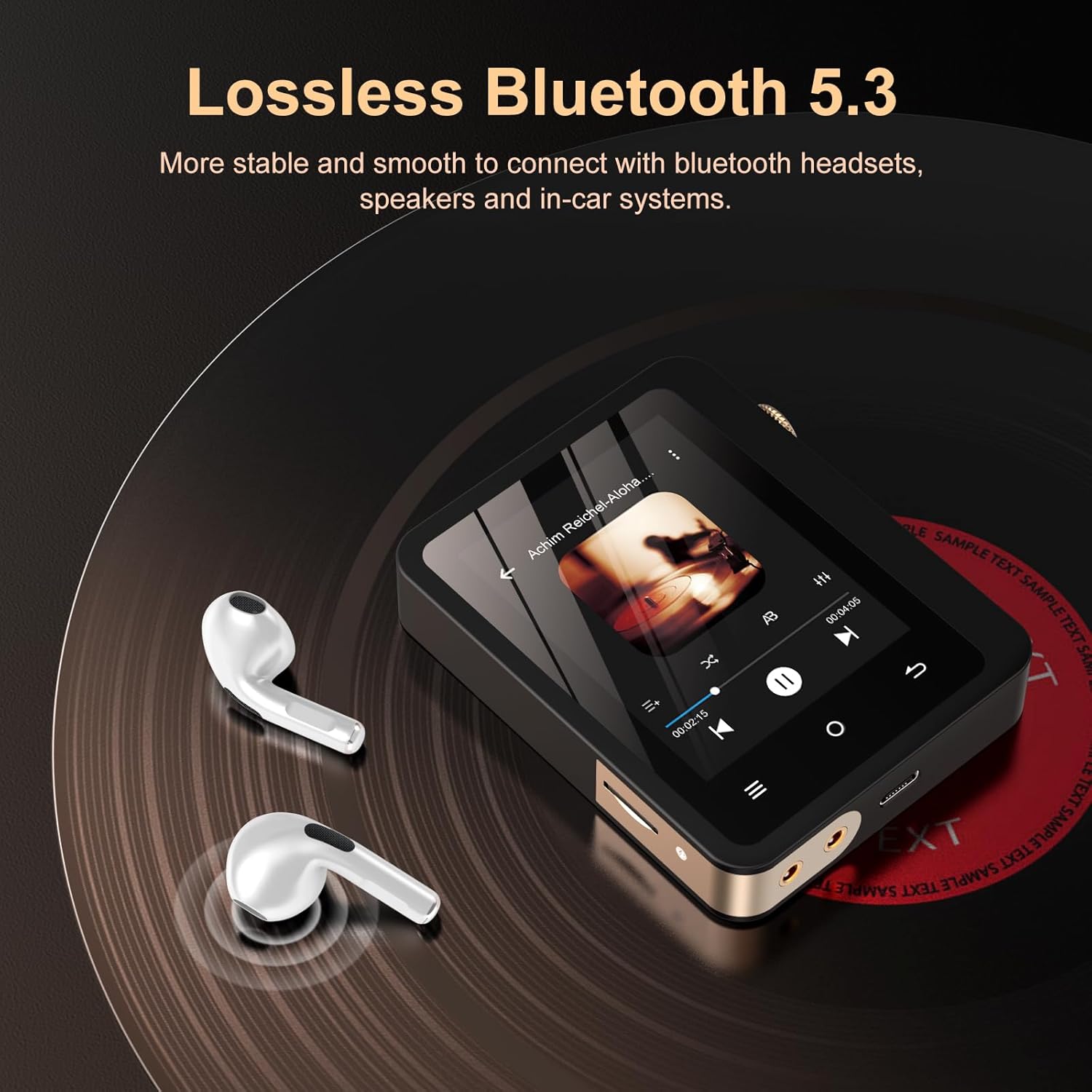
The Fanvace MP3 Player demonstrating its Bluetooth 5.3 connectivity, shown next to a pair of wireless earbuds on a vinyl record surface.
Note: The player functions as a Bluetooth transmitter only, not a receiver.
5.5 Mod Output Audio
- Output Fon Kepala: Connect wired headphones to the 3.5mm jack for direct listening.
- Beratur: Use the dedicated line-out port with the provided audio cable to connect to external amplifiers, home audio systems, or car audio systems for enhanced sound.
6. Penyelenggaraan
6.1 Pembersihan
- Wipe the device with a soft, dry, lint-free cloth.
- Jangan gunakan pembersih yang melelas, alkohol atau pelarut kimia.
6.2 Penyimpanan
- Store the player in a cool, dry place away from direct sunlight.
- Jika menyimpan untuk tempoh yang lama, cas bateri sehingga kira-kira 50% untuk memanjangkan jangka hayatnya.
7. Penyelesaian masalah
If you encounter issues with your Fanvace MP3 Player, refer to the table below for common problems and solutions.
| Masalah | Penyelesaian |
|---|---|
| Peranti tidak dihidupkan. | Pastikan bateri dicas. Sambungkan ke sumber kuasa dan cuba lagi. |
| Tiada bunyi semasa main balik. | Check volume level. Ensure headphones/speakers are properly connected or Bluetooth is paired. Verify audio file keserasian format. |
| Tidak boleh memindahkan files ke peranti. | Ensure the USB-C cable is securely connected. Try a different USB port or cable. Ensure the device is recognized by the computer. |
| Isu sambungan Bluetooth. | Ensure the player and the Bluetooth device are in pairing mode and within range. Disconnect and re-pair the devices. |
| Skrin tidak bertindak balas. | Restart the device by holding the power button. If unresponsive, allow the battery to drain completely and then recharge. |
8. Spesifikasi
Key technical details of the Fanvace HiFi MP3 Player.

Satu dalaman view highlighting the ES9018K2M DAC chip, emphasizing the player's high-fidelity audio capabilities with specifications like DSD 256 decoding, PCM 24bit/192kHz, SNR 127dB/kHz, and low THD+N.
| Ciri | Perincian |
|---|---|
| Nombor Model | F10 |
| Dimensi | 6.22 x 3.35 x 1.14 inci |
| Berat Barang | 10.5 auns |
| Bateri | 2000mAh Rechargeable (1 x 9V battery included) |
| Kapasiti Penyimpanan Memori | 64 GB (expandable up to 256 GB via Micro SD) |
| Saiz Skrin | 2.8 Inci |
| Teknologi Ketersambungan | Aux, Bluetooth 5.3 |
| Ciri Khas | Equalizer, Hi-Res Audio, Touch Screen, DSD Decoding |
| Format Audio yang Disokong | MP1/2/3, AAC, FLAC, APE, WAV, PCM, WMA, OGG, ALAC, MS-ADPCM, AIFF, IMA, DSF, DFF, DSD256 |
| Cip DAC | ES9018K2M |
| SNR | 127dB/kHz |
| THD+N | <0.001% |
9. Waranti dan Sokongan
9.1 Maklumat Waranti
Your Fanvace HiFi MP3 Player is covered by a standard manufacturer's warranty. Please refer to the warranty card included in your package for specific terms and conditions. Keep your proof of purchase for warranty claims.
9.2 Sokongan Pelanggan
If you have any questions, require technical assistance, or experience issues not covered in this manual, please contact Fanvace customer support. Contact details can typically be found on the product packaging or the official Fanvace webtapak.


