pengenalan
This manual provides detailed instructions for the safe and efficient use of your artfone CS181 senior mobile phone. Please read this manual carefully before using the device and keep it for future reference. The artfone CS181 is designed for ease of use, featuring large buttons, clear display, and essential functions for reliable communication.
Kandungan Pakej
- artfone CS181 Mobile Phone
- Bateri (800mAh)
- Kabel Pengecas USB-C
- Manual Pengguna
- Lanyard (may vary by package)
Peranti Lebihview
Familiarize yourself with the main components and design of your artfone CS181 phone.
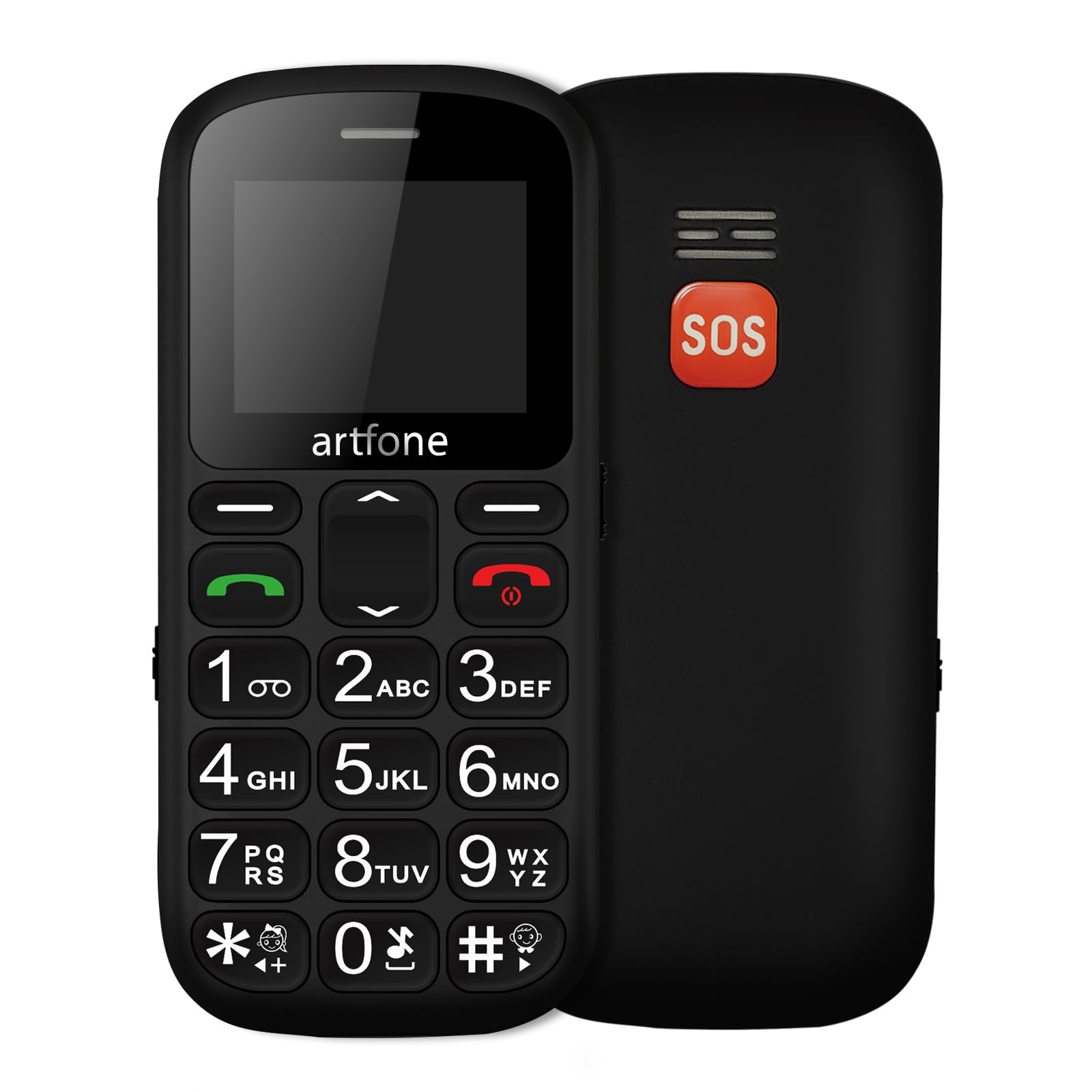
Imej: Depan dan belakang view of the artfone CS181 mobile phone, showcasing its large keypad and the SOS button on the rear.

Imej: Diagram illustrating the dimensions of the artfone CS181 phone from various angles.
Persediaan
1. Installing the Battery and SIM Cards
The artfone CS181 supports dual SIM cards (2G GSM network). Ensure the phone is powered off before installation.
- Tanggalkan penutup belakang telefon dengan membukanya perlahan-lahan dari takuk.
- Insert the 800mAh Lithium-ion battery into its compartment, ensuring the contacts align correctly.
- Locate the SIM card slots. Insert your 2G GSM SIM card(s) into the designated slots, ensuring the gold contacts face downwards and the cut corner aligns correctly.
- (Optional) If using a memory card, insert it into the memory card slot.
- Pasang semula penutup belakang sehingga ia terpasang dengan selamat di tempatnya.

Imej: Dalaman view of the artfone CS181 showing the battery compartment, dual SIM card slots, and memory card slot.
2. Mengecas Telefon
Before first use, fully charge the phone battery.
- Connect the USB-C charging cable to the charging port on the phone.
- Connect the other end of the cable to a compatible USB power adapter (not always included) or a computer's USB port.
- The charging indicator on the phone's screen will show the charging status. Disconnect the charger once the battery is full.
3. Menghidupkan/Mematikan
- Untuk menghidupkan: Tekan dan tahan butang Kuasa/Tamatkan Panggilan butang (butang merah) sehingga skrin menyala.
- Untuk mematikan kuasa: Tekan dan tahan butang Kuasa/Tamatkan Panggilan butang sehingga pilihan mati kuasa muncul, kemudian pilih "Matikan kuasa".
4. Tetapan Awal
Upon first power-on, you may be prompted to set the language, date, and time. Follow the on-screen instructions.
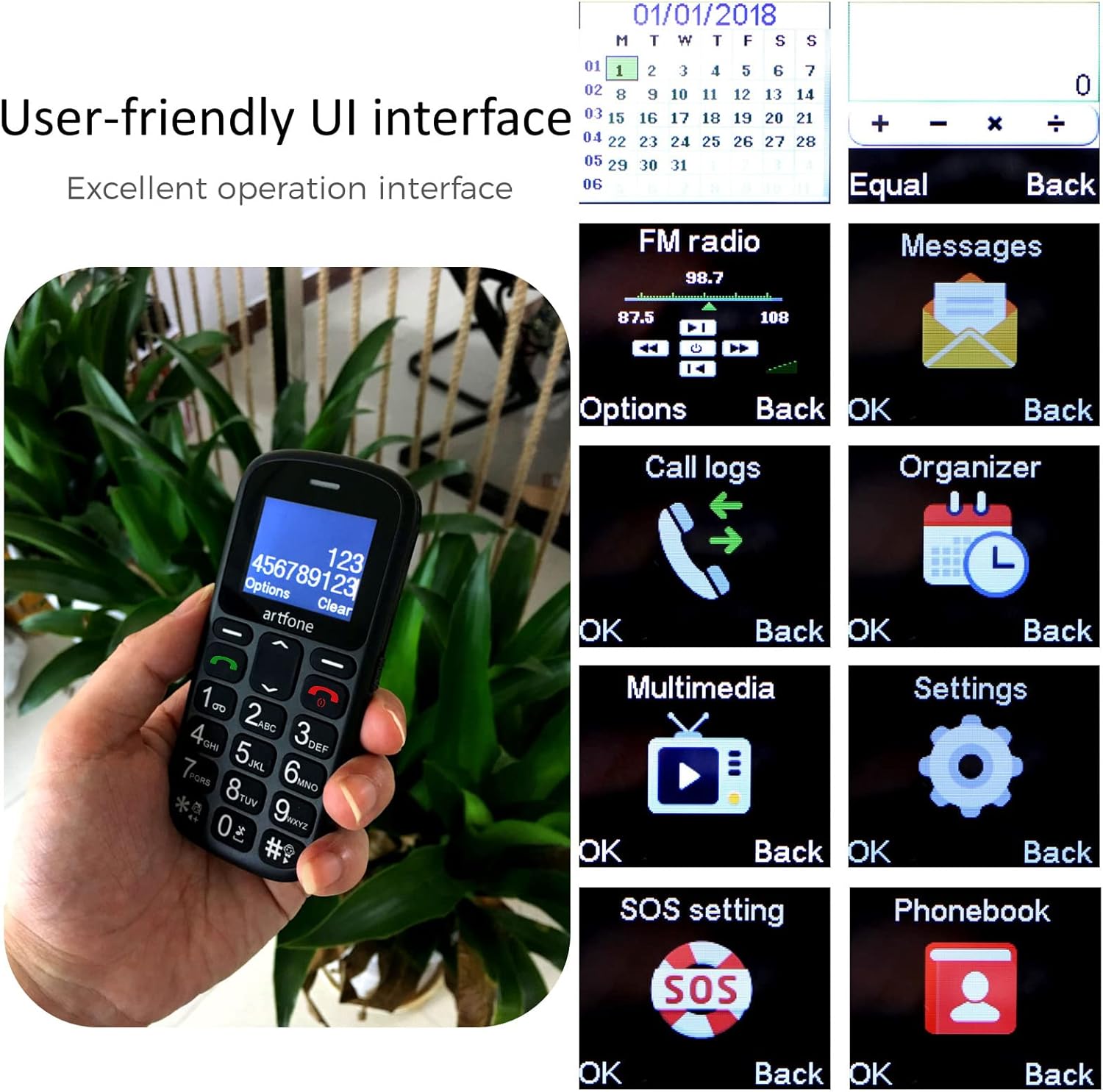
Imej: The artfone CS181's user-friendly interface with large, clear menu icons for functions like FM radio, messages, call logs, and settings.
Arahan Operasi
1. Membuat dan Menerima Panggilan
- Untuk membuat panggilan: Masukkan nombor telefon menggunakan pad kekunci dan tekan butang Panggil butang (butang hijau).
- Untuk menjawab panggilan: Tekan ke Panggil button (green button) when the phone rings.
- Untuk menamatkan panggilan: Tekan ke Tamatkan Panggilan button (red button).
- Pengumuman Suara: The phone can announce dialed numbers in English, German, French, Spanish, and Italian. This feature can be enabled or disabled in the settings menu.
2. Menghantar dan Menerima Mesej SMS
- Navigasi ke menu "Mesej".
- Select "Write message" to compose a new SMS.
- Masukkan nombor penerima atau pilih daripada kenalan, kemudian taip mesej anda.
- Tekan "Hantar" untuk menghantar mesej.
3. SOS Emergency Call Function
The SOS button is located on the back of the phone and is designed for quick access to emergency contacts.
- Setting up SOS numbers: Pergi ke Menu > Settings > SOS Settings. You can pre-program up to five emergency numbers and an emergency SMS message.
- Mengaktifkan SOS: Dalam keadaan kecemasan, tekan dan tahan butang SOS for 3 seconds. The phone will automatically dial the pre-programmed numbers in sequence and send the emergency SMS.
- Canceling SOS: If activated by mistake, you can cancel the SOS call within 3 seconds by pressing any key.

Imej: A finger pressing the prominent orange SOS button located on the back of the artfone CS181 phone.
4. Lampu suluh
The phone includes a bright flashlight for convenience.
- To turn on/off: Press the dedicated flashlight button on the left side of the phone.

Imej: The artfone CS181 phone with its flashlight illuminated, showing the light beam and the location of the flashlight LED.
5. Radio FM
Dengarkan stesen radio FM kegemaran anda.
- Navigasi ke menu "Radio FM".
- Use the navigation keys to scan for stations or manually tune.
6.Bluetooth
Sambungkan telefon anda ke fon kepala Bluetooth atau peranti lain.
- Pergi ke Menu > Settings > Bluetooth.
- Turn Bluetooth on and search for available devices.
- Select the desired device to pair.
7. Keypad Lock/Unlock
Prevent accidental key presses by locking the keypad.
- To lock: Press the dedicated keypad lock button on the right side of the phone.
- To unlock: Press the dedicated keypad lock button again.
8. Speed Dial Setup
Assign frequently called numbers to speed dial keys (1-9, *, #).
- Pergi ke Menu > Settings > Speed Dial.
- Select a key (e.g., "1") and assign a contact from your phonebook.
- To use: Press and hold the assigned speed dial key to call the contact.
Penyelenggaraan
1. Penjagaan Bateri
- Use only the original or approved charger and battery.
- Elakkan daripada mendedahkan bateri kepada suhu yang melampau.
- Jangan tebuk, buka atau litar pintas bateri.
- If the phone will not be used for an extended period, charge it partially and store it in a cool, dry place.
2. Pembersihan dan Penyimpanan
- Clean the phone with a soft, dry cloth. Do not use liquid cleaners.
- Keep the phone away from dust, moisture, and direct sunlight.
- Elakkan daripada menjatuhkan telefon atau terkena impak yang kuat.
Menyelesaikan masalah
| Masalah | Kemungkinan Punca | Penyelesaian |
|---|---|---|
| Telefon tidak dihidupkan. | Bateri habis atau tidak dipasang dengan betul. | Cas bateri. Pastikan bateri dimasukkan dengan betul. |
| Tidak boleh membuat atau menerima panggilan. | Tiada isyarat rangkaian, kad SIM tidak dimasukkan atau masalah kad SIM. | Check network coverage. Reinsert SIM card. Contact your service provider. |
| SOS button activated by mistake. | Accidental press. | Press any key within 3 seconds of activation to cancel. |
| Kualiti panggilan yang lemah. | Weak signal or environmental interference. | Bergerak ke kawasan yang mempunyai isyarat yang lebih baik. Elakkan halangan. |
| Pad kekunci tidak bertindak balas. | Pad kekunci dikunci. | Unlock the keypad using the dedicated side button. |
Spesifikasi
| Ciri | Perincian |
|---|---|
| Jenama | artfone |
| Nama Model | CS181 |
| Sistem Operasi | artfone OS |
| Saiz Skrin | 2.4 inci |
| Ketersambungan | 2G, GSM (850/900/1800/1900 MHz) |
| Sokongan Kad SIM | Dual SIM |
| Kapasiti Bateri | 800 mAh Litium-ion |
| Masa Tunggu Sedia | Sehingga 7 hari |
| Masa Berbual | Sehingga 5 jam |
| Memori Dalaman | 32MB + 24MB (RAM + ROM) |
| Port Pengecasan | USB Jenis-C |
| Ciri Khas | SOS Button, Large Keys, FM Radio, Bluetooth, Flashlight, Voice Announcement |
| Dimensi (L x W x T) | 121.6mm x 55.4mm x 14.3mm (4.78 dalam x 2.18 dalam x 0.56 inci) |
Waranti dan Sokongan
Your artfone CS181 mobile phone comes with a standard manufacturer's warranty. Please refer to the warranty card included in your package for specific terms and conditions. For technical support, troubleshooting assistance, or warranty claims, please contact artfone customer service through their official webtapak atau peruncit tempat anda membeli produk tersebut.
Untuk maklumat lanjut, lawati artfone Brand Store.


