1. Pengenalan
Thank you for choosing the ganopterygon TK09 Smart Watch. This device is a 1.85-inch HD fitness tracker designed for both men and women, offering features such as call answering and making, over 100 sports modes, sleep monitoring, heart rate monitoring, and IP68 waterproof rating. It is compatible with Android and iOS devices. This manual provides essential information for setting up, operating, and maintaining your smart watch.
2. Kandungan Pakej
Sila sahkan bahawa semua item terdapat dalam pakej anda:
- ganopterygon TK09 Smart Watch
- Kabel Pengecasan
- Manual Pengguna (dokumen ini)
3. Produk Lebihview
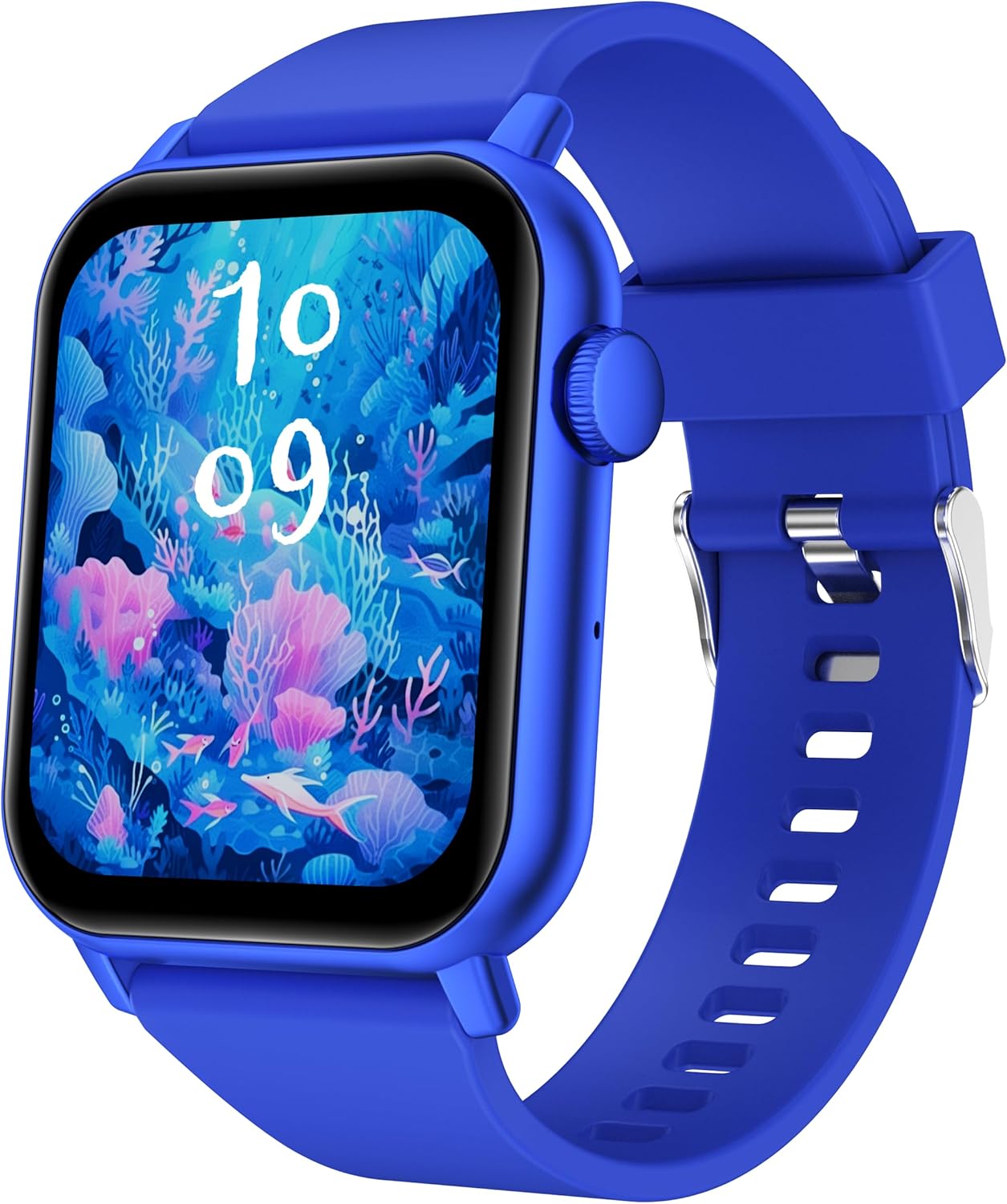
This image displays the ganopterygon TK09 Smart Watch. It features a rectangular screen with a vibrant digital watch face depicting an underwater scene with coral and fish. The watch has a blue silicone strap with a silver buckle. A circular button is visible on the right side of the watch casing.
The ganopterygon TK09 Smart Watch features a 1.85-inch HD display for clear visuals. It includes a side button for navigation and control. The watch is equipped with sensors on the back for health monitoring. The durable silicone strap ensures comfortable wear.
4. Persediaan
4.1 Mengecas Peranti
Before first use, fully charge your smart watch. Connect the magnetic charging cable to the charging contacts on the back of the watch and plug the USB end into a standard USB power adapter (not included) or a computer USB port. The watch display will indicate charging status.
4.2 Memuat turun Aplikasi Pendamping
To unlock all features, download the dedicated companion app on your smartphone. Scan the QR code provided in the quick start guide or search for the app name (usually found in the quick start guide or on the watch packaging) in the Apple App Store (for iOS) or Google Play Store (for Android).
4.3 Berpasangan dengan Telefon Pintar Anda
- Pastikan jam tangan pintar anda dicas dan dihidupkan.
- Dayakan Bluetooth pada telefon pintar anda.
- Buka aplikasi pendamping dan ikut arahan pada skrin untuk membuat akaun atau log masuk.
- In the app, navigate to the device pairing section and select your TK09 Smart Watch from the list of available devices.
- Sahkan permintaan berpasangan pada kedua-dua jam tangan dan telefon pintar anda.
5. Arahan Operasi
5.1 Navigasi Asas
- Skrin Sentuh: Leret ke kiri/kanan, atas/bawah untuk menavigasi menu dan ciri. Ketik untuk memilih.
- Butang Sisi: Press to wake up the screen, return to the main watch face, or access the app menu. A long press may power on/off the device or activate a specific function.
5.2 Menukar Muka Jam Tangan
From the main watch face, long-press the screen to enter the watch face selection menu. Swipe left or right to browse available watch faces and tap to select your preferred one. More watch faces can be downloaded and customized via the companion app.
5.3 Pemberitahuan
Once paired with your smartphone, the watch can display notifications for calls, messages, and various apps. Ensure notification permissions are enabled in both your phone's settings and the companion app.
6. Ciri-ciri
6.1 Pemantauan Kesihatan
- Pemantauan Denyut Jantung: The watch continuously or periodically monitors your heart rate. View data masa nyata pada jam tangan atau arah aliran terperinci dalam apl.
- Pemantauan Tidur: Tracks your sleep patterns, including deep sleep, light sleep, and wake times. Access sleep analysis in the companion app.
6.2 Mod Sukan
The TK09 Smart Watch supports over 100 sports modes. Navigate to the 'Sports' or 'Workout' section on your watch, select your activity, and start tracking. Data such as duration, calories burned, and heart rate will be recorded.
6.3 Kefungsian Panggilan
With its built-in microphone and speaker, the watch allows you to answer and make calls directly from your wrist when connected to your smartphone via Bluetooth. Ensure Bluetooth calling is enabled in the app settings.
Penarafan Kalis Air IP68 6.4
The device is IP68 rated, meaning it is resistant to dust and can withstand immersion in water up to 1.5 meters for up to 30 minutes. It is suitable for daily use, hand washing, and light rain. Avoid hot water, steam, or prolonged immersion in deep water.
7. Penyelenggaraan
- Pembersihan: Bersihkan jam tangan dan tali anda secara berkala dengan kain lembut dan kering. Jika perlu, gunakan sedikit kain lapamp kain dan sabun lembut, kemudian bilas dan keringkan dengan teliti.
- Elakkan Bahan Kimia: Jangan gunakan bahan kimia yang keras, pelarut pembersih atau detergen yang kuat, kerana ini boleh merosakkan kemasan dan pengedap jam tangan.
- Penjagaan Bateri: To prolong battery life, avoid extreme temperatures. Charge the watch regularly and do not let the battery completely drain for extended periods.
8. Penyelesaian masalah
| Isu | Penyelesaian yang Mungkin |
|---|---|
| Jam tangan tidak boleh dihidupkan | Ensure the watch is fully charged. Connect to the charger and wait a few minutes before attempting to power on again. |
| Tidak boleh berpasangan dengan telefon pintar | Check if Bluetooth is enabled on your phone. Ensure the watch is within range. Restart both the watch and your phone. Clear the app's cache or reinstall the app. |
| Data kesihatan yang tidak tepat | Pastikan jam tangan dipakai dengan kemas di pergelangan tangan anda, tidak terlalu ketat atau terlalu longgar. Bersihkan sensor di bahagian belakang jam tangan. Elakkan pergerakan berlebihan semasa pengukuran. |
| Tiada pemberitahuan diterima | Verify that notification permissions are granted for the companion app in your phone's settings. Check app settings to ensure specific app notifications are enabled. Ensure the watch is connected via Bluetooth. |
| Fungsi panggilan tidak berfungsi | Confirm that the watch is properly connected for Bluetooth calls (often a separate Bluetooth connection in phone settings). Check volume levels on both watch and phone. |
9. Spesifikasi
| Ciri | Perincian |
|---|---|
| Nombor Model | TK09 |
| Saiz Skrin | 1.85 Inci |
| Jenis Paparan | HD |
| Sistem Operasi | Android Wear 2.0 |
| Teknologi Ketersambungan | Bluetooth |
| Standard Komunikasi Tanpa Wayar | Bluetooth |
| Kapasiti Penyimpanan Memori | 128 MB |
| Saiz Terpasang Memori RAM | 128 MB |
| Jenis Bateri | Lithium Polymer (1 A battery included) |
| Penilaian Ketahanan Air | IP68 |
| Ciri Khas | Activity Tracker, Heart Rate Monitoring, Sleep Monitoring, Call Functionality, 100+ Sports Modes |
| GPS | GPS Melalui Telefon Pintar |
| Berat Barang | 2.5 Auns |
| Dimensi Pakej | 6.4 x 3.5 x 0.75 inci |
10. Waranti dan Sokongan
For warranty information and customer support, please refer to the documentation included with your purchase or contact ganopterygon customer service through their official website or the contact information provided in the companion app. Please retain your proof of purchase for warranty claims.
