pengenalan
This manual provides detailed instructions for the OpenRock Link 20 Open-Ear Headphones. It covers initial setup, usage, maintenance, and troubleshooting to ensure optimal performance and user experience. The OpenRock Link 20 features an open-ear design, a detachable magnetic boom mic, 5-mic AI ENC noise reduction, and extended battery life, designed for versatile use in various environments.
Apa yang ada dalam Kotak
- OpenRock Link 20 Wireless Headphones
- Magnetic Detachable Mic
- Kes Pengecasan
- Kabel Pengecasan (USB-A ke USB-C)
- Manual Pengguna

Image: All components included in the OpenRock Link 20 package.
Persediaan
First-Time Setup & Pairing
- Keluarkan filem pelindung dari fon telinga.
- Place both earbuds back into the charging case. They will automatically enter pairing mode, indicated by flashing red and blue lights.
- Open your device's Bluetooth settings (e.g., smartphone, laptop).
- Select "OpenRock Link 20" from the list of available devices to connect. A voice prompt will confirm successful connection.
Video: Step-by-step guide on how to use the OpenRock Link 20, including initial setup and pairing.
Wearing Options
The OpenRock Link 20 offers flexible wearing options for comfort and functionality.
Option 1: Earbuds Only
- Gently slide the earbuds over your ears, ensuring the ear hook sits comfortably and securely behind your ear.
- Adjust the earbud speaker to align with your ear canal for optimal sound delivery without blocking your ear.
Option 2: Earbuds with Detachable Boom Mic
- Attach the magnetic boom mic to either the left or right earbud. The mic will snap into place securely.
- Wear the earbud with the attached mic over your ear, positioning the boom mic towards your mouth for clear voice pickup. The system automatically switches to HD Meeting Mode when the mic is attached.

Image: Instructions for wearing the earbuds and attaching the boom mic.

Image: Detailed steps for wearing the OpenRock Link 20 headphones.
Fungsi Butang
The OpenRock Link 20 earbuds feature intuitive physical buttons for easy control of music, calls, and other functions.
- Single Press (Either Earbud): Play/Pause music, Answer/Hang up call.
- Tekan Dua Kali (Fon Telinga Kiri): Lagu sebelumnya.
- Tekan Dua Kali (Fon Telinga Kanan): Trek seterusnya.
- Double Press (Either Earbud): Tolak panggilan masuk.
- Triple Press (Left Earbud): Switch sound modes (Music, Beast, Vocal).
- Triple Press (Right Earbud): Aktifkan pembantu suara.
- Press and Hold 1s (Right Earbud): Naikkan kelantangan.
- Press and Hold 1s (Left Earbud): Perlahankan suara.
- Press (Boom Mic Button): Mute/Unmute microphone.
- Quadruple Press (Either Earbud): Dail semula nombor terakhir.
Video: Demonstrates various button functions for music control, call management, and mode switching.

Image: Visual summary of key features and controls.
Penyesuaian Apl
Enhance your experience with the OpenRock App, available for download on your smartphone. The app allows for personalized settings and access to additional features.
- Tahap Bateri: Check real-time battery levels for both earbuds and the charging case.
- Penyama: Switch between preset sound modes (Music, Beast, Vocal) or create your own custom EQ settings.
- Max Volume Limiter: Protect your hearing by setting a maximum volume limit.
- Over-time Wear Reminder: Receive reminders to take breaks from wearing the earbuds.
- Gerak isyarat: Customize single, double, triple, quadruple, and long press functions for each earbud.
- Spatial Sound & Sound Balance: Adjust these settings to suit your audio preference.
- Auto Matikan: Set the earbuds to automatically shut down after a period of inactivity (e.g., 15, 30, 60 minutes).
- Gesaan Suara: Adjust the voice prompt style and volume.
- Find My Buds: If you misplace your earbuds, use this feature to make them beep, helping you locate them.
- Peningkatan Firmware: Update the earbuds' firmware to get new features and improvements.

Image: The OpenRock app interface for deep customization.

Image: The 'Find My Buds' feature in the OpenRock app to locate misplaced earbuds.
Connecting a Second Device (Multipoint Connection)
The OpenRock Link 20 supports multipoint connection, allowing you to seamlessly switch between two paired devices.
- Ensure the earbuds are already connected to your first device.
- Open the charging case and press and hold the button on the back of the case for 2 seconds until the red and blue lights flash, indicating pairing mode.
- On your second device, open Bluetooth settings and select "OpenRock Link 20" to connect.
- The earbuds will now be connected to both devices. You can pause audio on one device and play on the other, and the earbuds will automatically switch.

Image: Multipoint connection allowing seamless switching between phone and laptop.
Hidupkan/Mati Kuasa
Hidupkan kuasa
- automatik: Buka bekas pengecasan dan fon telinga akan dihidupkan secara automatik.
- Manual: Press and hold the earbud button for 1 second.
Matikan Kuasa
- automatik: Close the charging case, and the earbuds will power off automatically.
- Manual: Press and hold the earbud button for 3 seconds.
Tetapan Semula Kilang
If you experience connectivity issues or other malfunctions, a factory reset can help resolve them.
- Letakkan kedua earbud ke dalam cas pengecasan.
- Press and hold the button on the back of the case for 10 seconds until the red light flashes.
- The earbuds are now reset to their factory settings. You will need to re-pair them with your devices.
Video: Demonstrates how to perform a factory reset on the OpenRock Link 20.
LED Indicators (Charging Case)
The LED indicator on the charging case provides information about the battery status:
- Cahaya Biru: Indicates more than 20% charge remaining.
- Lampu Merah: Indicates 20% or less charge remaining, time to recharge.
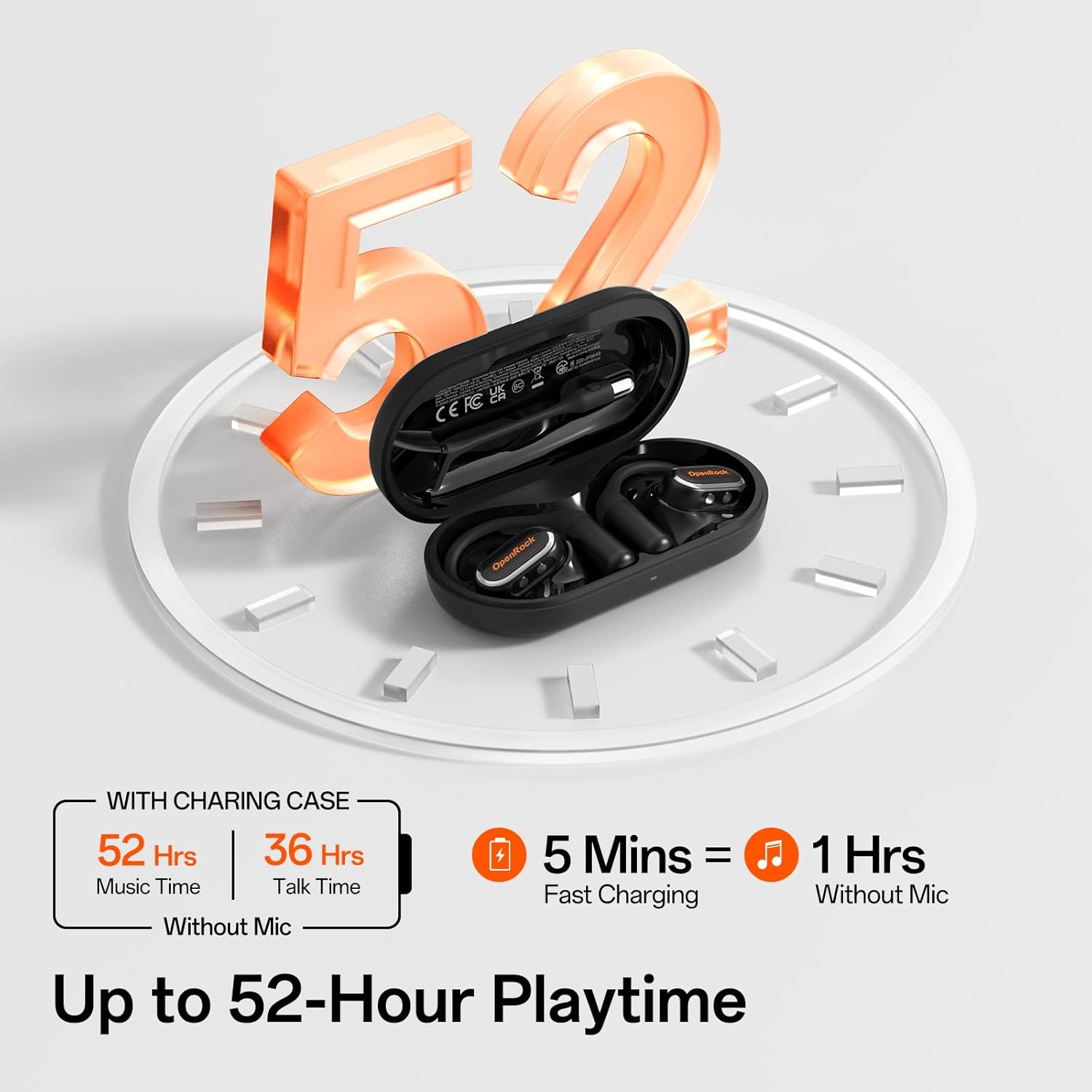
Image: The charging case with LED indicator and battery life details.
Spesifikasi
| Ciri | Perincian |
|---|---|
| Nama Model | Openrock Link 20 |
| Jenama | OpenRock |
| Teknologi Ketersambungan | Wayarles (Bluetooth 5.4) |
| Kawalan Bunyi | Environmental Noise Cancellation (AI ENC) |
| Hayat Bateri (Earbud) | Up to 13 hours (music), 9 hours (talk) |
| Jumlah Hayat Bateri (dengan Bekas Pengecasan) | Up to 52 hours (music), 36 hours (talk) |
| Pengecasan Cepat | Cas 5 minit untuk penggunaan 1 jam |
| Tahap Ketahanan Air | IPX7 (earbuds), IP55 (detachable mic) |
| Berat Barang | 9g (setiap fon telinga) |
| Jenis Pemacu Audio | Dynamic Driver (15x10mm high-flux NdFeB) |
| bahan | Acrylonitrile Butadiene Styrene (ABS), Metal, Silicone |
| Peranti Serasi | Telefon Bimbit, Komputer Riba, Telefon |
| Jenis Kawalan | Kawalan Butang |
Penyelenggaraan
Proper maintenance ensures the longevity and optimal performance of your OpenRock Link 20 headphones.
- Pembersihan: Use a soft, dry cloth to clean the earbuds and charging case. Avoid using harsh chemicals or abrasive materials.
- Storan: Store the earbuds in their charging case when not in use to protect them from dust and damage. Keep in a cool, dry place.
- Penjagaan Bateri: Untuk memanjangkan hayat bateri, elakkan daripada kerap mengecas fon telinga sepenuhnya. Caskannya secara berkala, walaupun tidak digunakan secara berterusan.
- Pendedahan Air: While IPX7 rated, avoid prolonged submersion in water. Ensure the earbuds are dry before placing them back in the charging case.
Menyelesaikan masalah
If you encounter any issues with your OpenRock Link 20 headphones, try the following steps:
- Tiada Masalah Bunyi/Kesambungan:
- Pastikan fon telinga dicas.
- Verify Bluetooth is enabled on your device and the earbuds are paired.
- Try disconnecting and re-pairing the earbuds.
- Perform a factory reset (refer to the 'Factory Reset' section).
- Mic Tidak Berfungsi:
- Ensure the detachable boom mic is securely attached.
- Check if the mic is muted (press the button on the boom mic).
- Verify mic settings on your connected device.
- Isu Pengecasan:
- Ensure the charging cable is properly connected to both the case and a power source.
- Check the LED indicator on the case for charging status.
- Bersihkan sesentuh pengecasan pada kedua-dua fon telinga dan sarung.
Waranti dan Sokongan
OpenRock products come with a standard manufacturer's warranty. For detailed warranty information, product support, or service inquiries, please refer to the official OpenRock website or contact their customer service directly. The user manual included in the box also contains specific warranty terms and contact details.
Untuk bantuan tambahan, sila layari OpenRock Store on Amazon.


