pengenalan
This manual provides detailed instructions for the proper use and maintenance of your VILTROX AF 85mm F2.0 EVO FE full-frame portrait lens. Designed for Sony E-Mount cameras, this lens features a wide F2.0 aperture, advanced optical elements, and enhanced autofocus capabilities. Please read this manual thoroughly before using the lens to ensure optimal performance and longevity.
Apa yang ada dalam Kotak
- VILTROX AF 85mm F2.0 EVO FE Lens
- Kantung Lensa
- Cap Lensa Depan
- Cap Lensa Belakang
- Tudung Lensa

Figure 1: Included items with the VILTROX AF 85mm F2.0 EVO FE lens.
Persediaan
1. Attaching the Lens to Your Camera
- Pastikan kamera anda dimatikan.
- Align the white index mark on the lens barrel with the corresponding white index mark on your Sony E-Mount camera body.
- Masukkan kanta dengan lembut ke dalam tempat letak kanta kamera.
- Putar kanta mengikut arah jam sehingga ia klik pada tempatnya, menunjukkan ia telah dikunci dengan selamat.
- Tanggalkan penutup kanta hadapan.

Figure 2: The VILTROX AF 85mm F2.0 EVO FE lens attached to a Sony camera body.
2. Attaching the Lens Hood
- Sejajarkan hud kanta dengan bahagian hadapan kanta.
- Twist the hood until it locks into position. The lens hood helps to prevent flare and protect the front element.

Figure 3: The lens with the lens hood installed.
3. Unboxing dan Pemeriksaan Awal
Video 1: Tamatview of the VILTROX AF 85mm F2.0 EVO FE lens, including unboxing and initial handling.
Mengendalikan Lensa
1. Focus Mode Switch (AF/MF)
The lens features a switch on the barrel to select between Autofocus (AF) and Manual Focus (MF) modes. Slide the switch to your desired mode.
- AF (Autofokus): The camera will automatically focus on your subject. This mode is ideal for most shooting situations.
- MF (Fokus Manual): Allows you to manually adjust the focus by rotating the focus ring on the lens. This is useful for precise focusing in specific scenarios or when autofocus struggles.
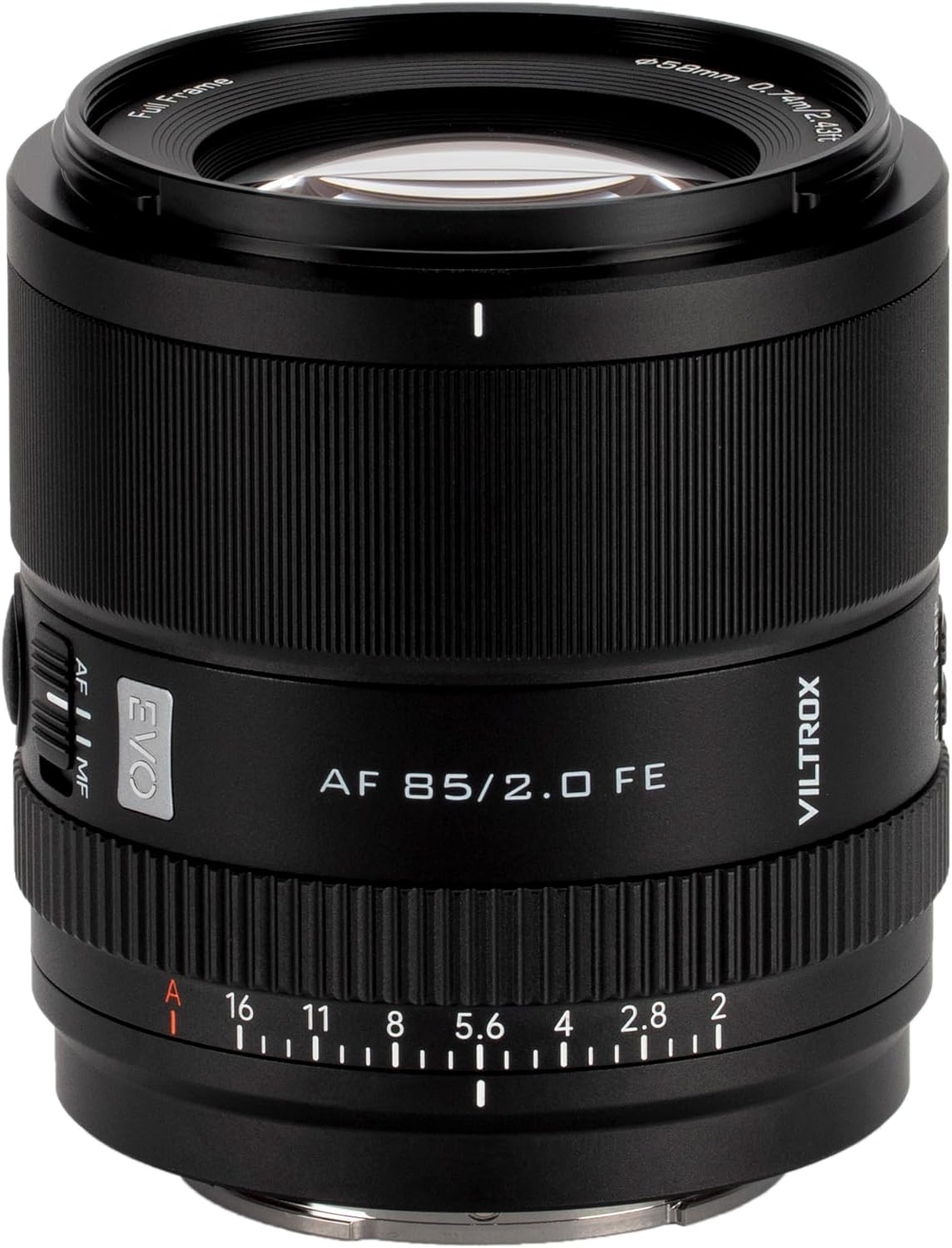
Figure 4: The AF/MF switch on the lens barrel.
2. Aperture Control
The lens features an aperture ring for direct control over the aperture setting. You can choose between F2.0 (wide open) to F16. The wider aperture (smaller f-number) allows more light and creates a shallower depth of field (more background blur), while a narrower aperture (larger f-number) allows less light and creates a deeper depth of field (more in focus).

Figure 5: The aperture ring on the VILTROX AF 85mm F2.0 EVO FE lens.
3. Demonstrating Aperture Effects (Daylight)
Video 2: This video demonstrates the effect of different aperture settings (F2.0 to F16) on depth of field and background blur in daylight conditions.
4. Demonstrating Aperture Effects (Night Scene)
Video 3: This video illustrates how varying aperture settings (F2.0 to F16) impact the appearance of night scenes, particularly bokeh and light rendition.
Penyelenggaraan
1. Membersihkan Lensa
- Gunakan kain lembut dan tidak berbulu atau berus kanta untuk menghilangkan habuk dari permukaan kanta.
- For smudges or fingerprints, apply a small amount of lens cleaning solution to a microfiber cloth and gently wipe the lens in a circular motion.
- Elakkan menyentuh elemen kaca secara langsung dengan jari anda.
2. Penyimpanan
- Always attach both front and rear lens caps when the lens is not in use.
- Simpan kanta di tempat yang sejuk dan kering, jauh dari cahaya matahari langsung dan suhu yang melampau.
- Jika menyimpan untuk tempoh yang lama, pertimbangkan untuk menggunakan kabinet penyahlembapan atau paket gel silika untuk mencegah pertumbuhan kulat.
Menyelesaikan masalah
1. Autofocus Issues in Low Light
In very low light conditions, the autofocus system may struggle to acquire focus. This is a common characteristic of many lenses and camera systems.
- Penyelesaian: Switch to Manual Focus (MF) mode and adjust focus manually.
- Penyelesaian: Use an external light source to illuminate your subject, aiding the autofocus system.
- Penyelesaian: Ensure your camera's firmware and the lens's firmware (if applicable) are up to date, as updates can sometimes improve autofocus performance.
2. Vignetting at Wide Apertures
Some vignetting (darkening of the image corners) may be noticeable at wider apertures (e.g., F2.0 to F4). This can be a creative effect for portraits but can also be corrected.
- Penyelesaian: Stop down the aperture to a narrower setting (e.g., F5.6 or higher) to reduce vignetting.
- Penyelesaian: Vignetting can often be corrected in post-processing software using lens profiles or manual adjustments.
Spesifikasi
| Ciri | Perincian |
|---|---|
| Jenama | VILTROX |
| Model | AF 85mm F2.0 FE |
| Panjang Fokus | 85mm (Tetap) |
| Apertur Maksimum | F2.0 |
| Aperture minimum | F16 |
| Jenis Kanta | Standard, Portrait |
| Pemasangan yang Serasi | Sony FE (E-Mount) |
| Motor Fokus Automatik | Motor Melangkah (STM) |
| Jarak Fokus Minimum | 0.74 meter (2.43 kaki) |
| Reka Bentuk Optik | 10 elements in 8 groups (including ED and HR lenses) |
| Dimensi Produk | 3 x 2.7 x 2.7 inci |
| Berat Barang | 12 auns (340g) |
| ASIN | B0FSZF3WBT |
| Tarikh Mula-mula Tersedia | 28 September 2025 |
Rajah Pembinaan Kanta

Rajah 6: Meletup view of the lens optical elements.
Modulation Transfer Function (MTF) Chart

Figure 7: MTF chart illustrating lens performance.
Waranti dan Sokongan
For warranty information, technical support, or service inquiries, please refer to the warranty card included in your product packaging or visit the official VILTROX webtapak. Simpan bukti pembelian anda untuk tuntutan waranti.


