1. Pengenalan
This manual provides detailed instructions for the installation, operation, and maintenance of your Jansite T383S 4-in-1 Carplay Android Auto Display. Please read this manual thoroughly before using the device to ensure proper functionality and safety. Keep this manual for future reference.
2. Kandungan Pakej
Sahkan bahawa semua item yang disenaraikan di bawah disertakan dalam pakej anda. Jika ada item yang hilang atau rosak, sila hubungi sokongan pelanggan.
- Jansite T383S Display Unit
- Original Car Bracket
- Pendakap Cawan Sedut
- Kabel Audio AUX
- Kamera Belakang 1080P
- Kabel Kuasa Pemetik Rokok
- Manual Arahan
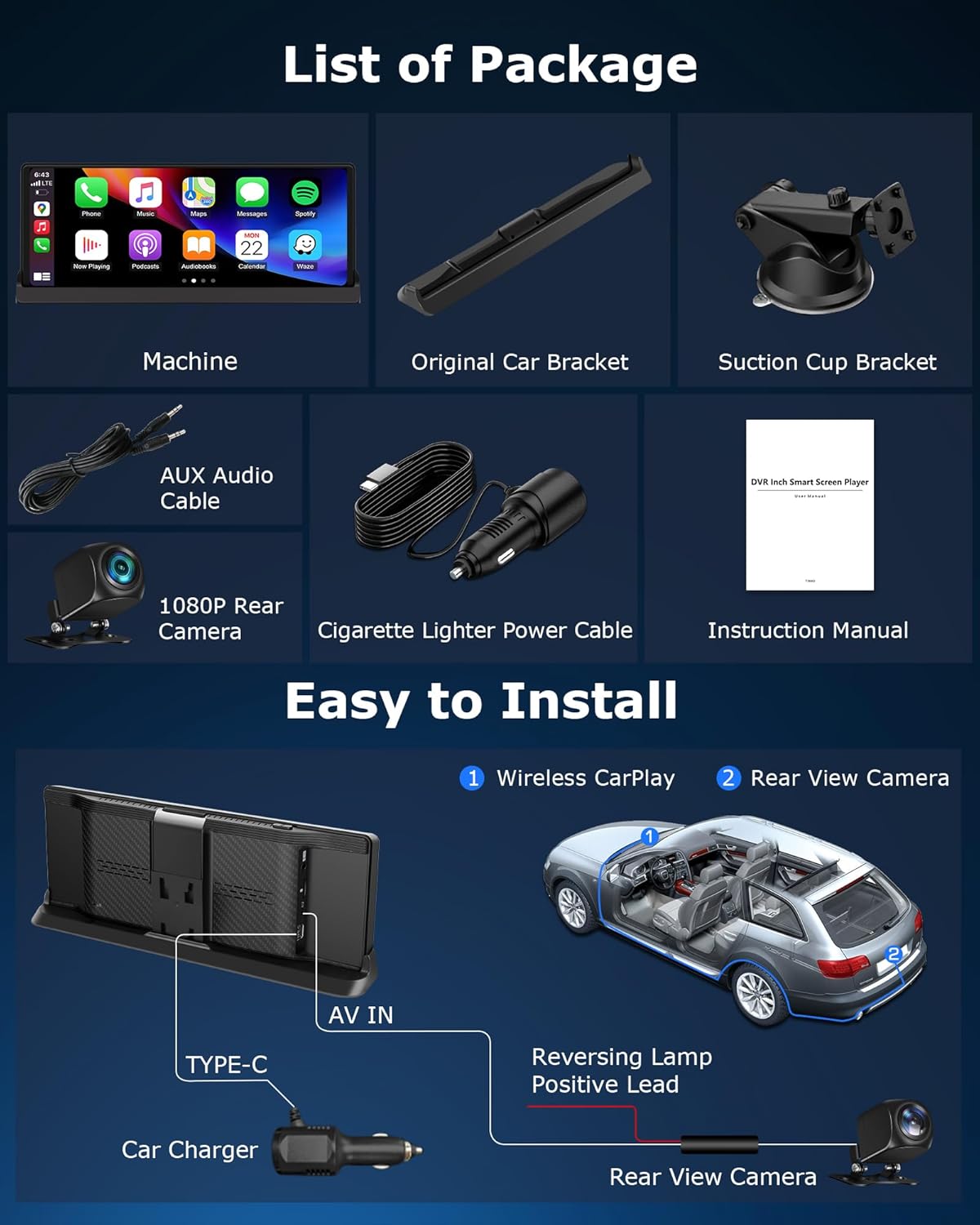
Image 2.1: Illustration of the items included in the Jansite T383S package.
3. Persediaan dan Pemasangan
3.1 Memasang Paparan
The Jansite T383S offers flexible mounting options to suit your vehicle's interior. You can choose between the original car bracket or the suction cup bracket.
- Original Car Bracket: This bracket is designed to integrate seamlessly with your car's dashboard, providing a stable and aesthetically pleasing installation. Position the bracket to ensure minimal obstruction of your driving view.
- Pendakap Cawan Sedutan: For versatile placement, attach the suction cup to a clean, smooth surface on your dashboard or windshield. Adjust the arm and angle for optimal viewing. Ensure the suction cup is firmly secured before driving.

Imej 3.1: Cthamples of the display mounted using various bracket options, demonstrating stability and reduced view halangan.
3.2 Sambungan Kuasa
Connect the provided cigarette lighter power cable to the display unit and then to your vehicle's 12V power outlet.
3.3 Pemasangan Kamera Belakang
The rear camera provides a real-time reversing view. Follow these steps for installation:
- Mount the 1080P rear camera at the rear of your vehicle, ensuring a clear view.
- Connect the camera's video cable to the AV IN port on the display unit.
- Connect the red wire of the camera's power lead to the positive terminal of your vehicle's reversing light. This ensures the display automatically switches to the camera view apabila gear undur dihidupkan.
Image 3.2: Installation diagram illustrating the connection of the display and rear camera to the vehicle's power and reversing light.
4. Arahan Operasi
4.1 Menghidupkan dan Persediaan Awal
Once connected to power, the display will automatically power on when the vehicle starts. Follow the on-screen prompts for initial language and time zone settings.
4.2 CarPlay Tanpa Wayar dan Android Auto
The Jansite T383S supports wireless Apple CarPlay and Android Auto, allowing seamless integration with your smartphone.
- Dayakan Wi-Fi dan Bluetooth pada telefon pintar anda.
- On the display, navigate to the CarPlay or Android Auto icon.
- Pilih telefon anda daripada senarai peranti yang tersedia untuk dipasangkan.
- Confirm the pairing request on both your phone and the display.
Once connected, you can access navigation, make hands-free calls, send messages, and play music directly from your phone's interface on the display.

Image 4.1: Display showing wireless CarPlay and Android Auto interfaces, highlighting voice command functionality.
4.3 Kawalan Suara
Utilize Siri (for Apple CarPlay) or Google Assistant (for Android Auto) for hands-free control. Simply activate the voice assistant and issue commands such as:
- "Navigate to [destination]"
- "Call [contact name]"
- "Play [song/artist]"
- "Send a message to [contact name]"
4.4 Integrated Media Applications
The display comes with pre-installed applications like Netflix, YouTube, and TikTok. To use these:
- Connect the display to a Wi-Fi hotspot (e.g., from your smartphone).
- Open the desired application from the main menu.
- Log in with your account credentials if required.
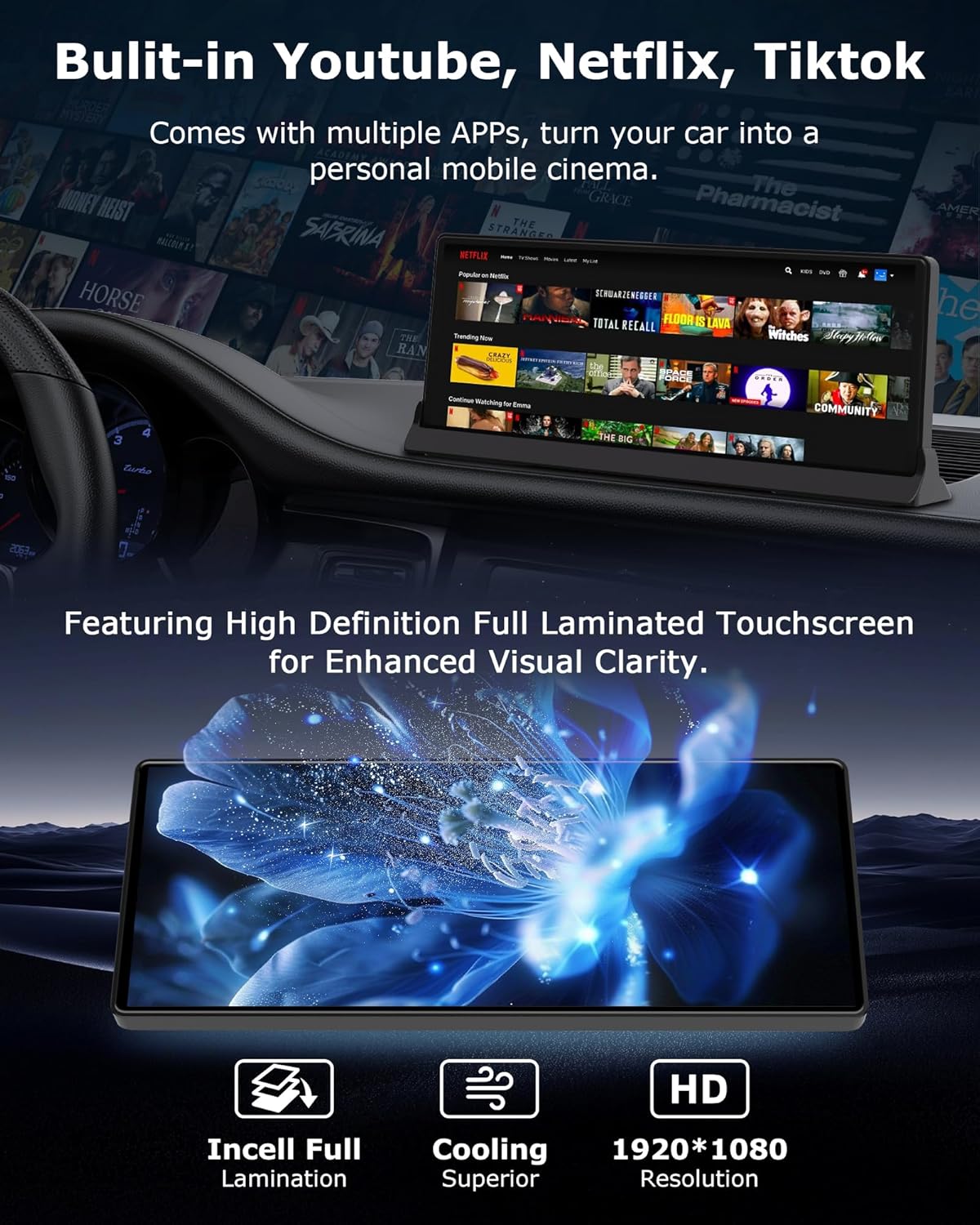
Image 4.2: The display showcasing its ability to run streaming applications like YouTube, Netflix, and TikTok, along with details on its high-definition touchscreen.
4.5 Kamera Undur View
The display provides two methods to activate the reversing camera view:
- Pengaktifan Automatik: If the camera is correctly wired to your vehicle's reversing light, the display will automatically switch to the camera view when you engage reverse gear.
- Pengaktifan Manual: Press the dedicated reverse button on the screen to manually activate the camera view pada bila-bila masa.
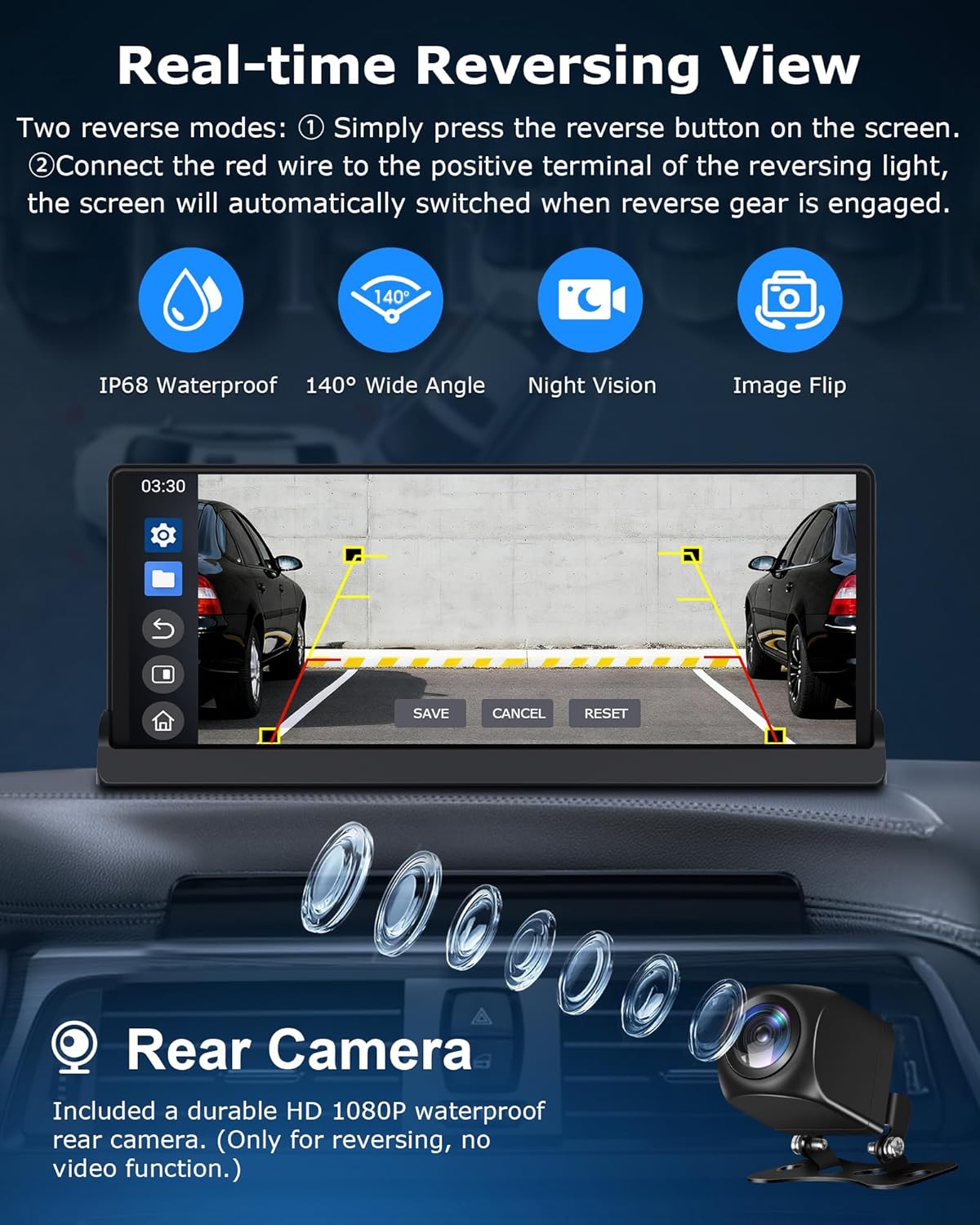
Image 4.3: The display showing a real-time reversing view, highlighting features like IP68 waterproof, 140° wide angle, night vision, and image flip for the rear camera.
5. Ciri-ciri Utama
5.1 4-in-1 Multifunctionality
The Jansite T383S combines four essential functions into one device: Wireless Apple CarPlay, Wireless Android Auto, Online Video Streaming (YouTube, Netflix, TikTok), and a Reversing Camera System. This integration provides a comprehensive in-car experience.

Image 5.1: Visual representation of the 4-in-1 system, including CarPlay, Android Auto, video streaming, and reversing camera functionality.
5.2 High-Definition Touchscreen
The device features a 10.26-inch high-definition fully laminated touchscreen with a resolution of 1920 x 1080p, offering clear visuals and responsive touch control.
5.3 Dual-Band Wi-Fi and Bluetooth
Equipped with dual-band Wi-Fi for stable CarPlay operation and high-definition video streaming. Dual Bluetooth ensures faster and more reliable audio transmission for a lossless stereo listening experience. Multiple audio output options are available:
- Pembesar Suara Terbina dalam: For direct audio output from the display.
- Pemancar FM: Hantar audio secara wayarles ke radio FM kereta anda.
- Sambungan AUX: Connect via the provided AUX cable for a wired audio connection to your car's audio system.
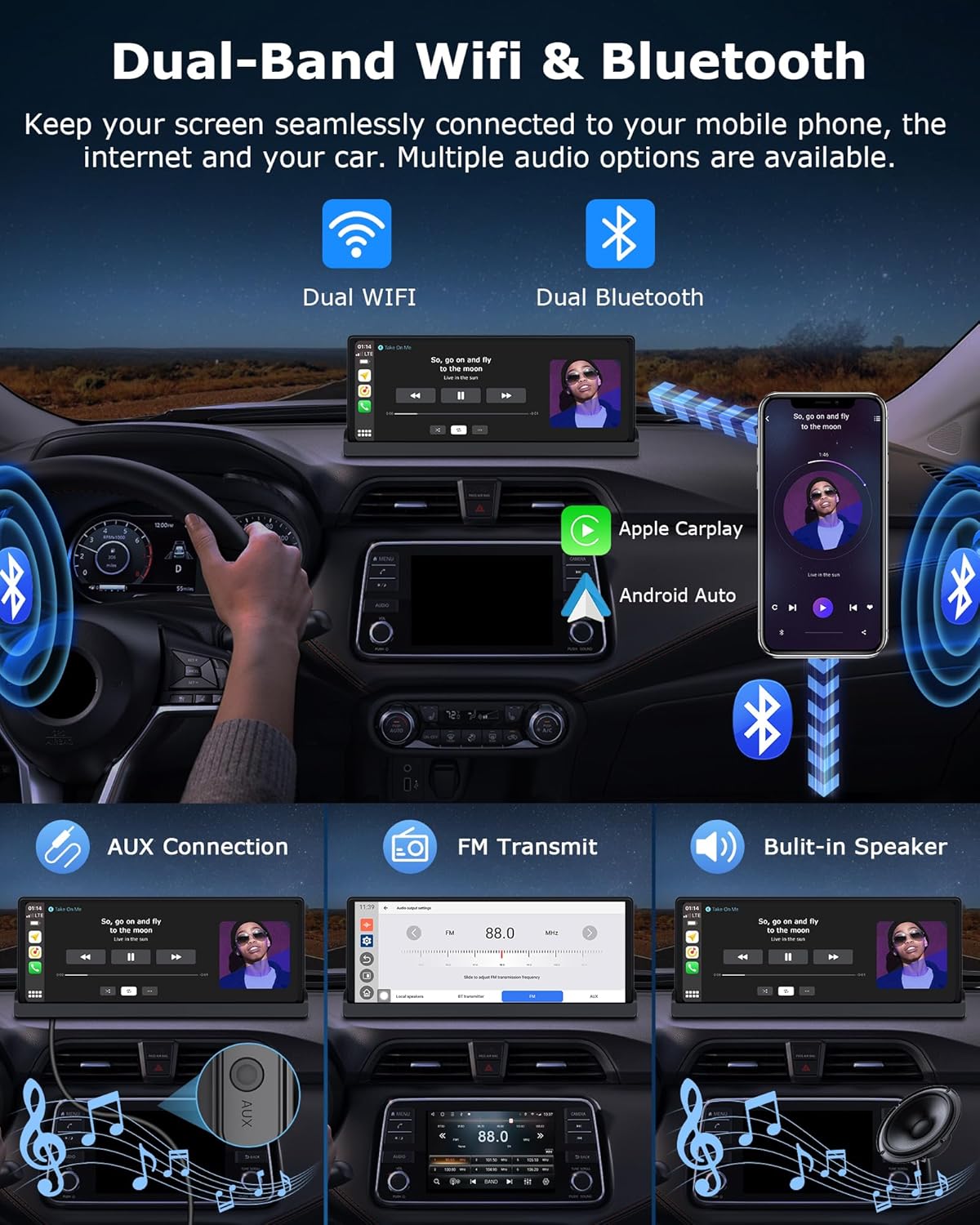
Image 5.2: Diagram illustrating dual-band Wi-Fi and Bluetooth connectivity, along with various audio output methods like AUX, FM transmit, and built-in speakers.
6. Penyelenggaraan
6.1 Membersihkan Paparan
Gunakan kain lembut dan tidak berbulu untuk mengelap skrin dengan lembut. Untuk calitan degil, sedikit dampen kain dengan air atau pembersih selamat skrin. Elakkan bahan yang melelas atau bahan kimia yang keras.
6.2 Firmware Updates (OTA)
The Jansite T383S supports Over-The-Air (OTA) firmware updates. Regularly check for updates to ensure optimal performance, new features, and system improvements.
- Connect the display to a stable Wi-Fi network.
- Navigate to the 'Settings' menu on the display.
- Select 'System Update' or 'OTA Update'.
- Follow the on-screen instructions to download and install any available updates. Do not power off the device during an update.

Image 6.1: The display showing the OTA update interface and options for customizing boot-up screens and wallpapers.
6.3 Pemperibadian
You can customize the display's boot-up screen and wallpapers. Upload desired images via an SD card (not included) to personalize your device.
7. Penyelesaian masalah
| Masalah | Kemungkinan Punca | Penyelesaian |
|---|---|---|
| Paparan tidak dihidupkan. | Tiada kuasa, sambungan longgar, kabel kuasa rosak. | Check if the cigarette lighter power cable is securely connected. Ensure the vehicle's 12V outlet is functional. Try a different power source if available. |
| CarPlay/Android Auto tidak bersambung secara wayarles. | Wi-Fi/Bluetooth off on phone, pairing issue, interference. | Ensure Wi-Fi and Bluetooth are enabled on your smartphone. Forget the device on both the phone and display, then attempt to re-pair. Move closer to the display to reduce interference. |
| Tiada bunyi atau kualiti audio yang teruk. | Incorrect audio output setting, loose AUX cable, FM interference. | Check the audio output settings on the display (Built-in Speaker, FM, AUX). Ensure the AUX cable is fully inserted. If using FM, try a different frequency to avoid interference. |
| Kamera belakang tidak dipaparkan. | Loose camera connection, incorrect wiring, camera malfunction. | Verify the camera's video cable is securely connected to the AV IN port. Check the power connection to the reversing light. Ensure the reversing gear is engaged or manually activate the camera view. |
| Skrin tidak bertindak balas atau beku. | Software glitch, temporary error. | Perform a soft reset by pressing and holding the power button until the device restarts. If the issue persists, disconnect power for a few minutes and reconnect. |
8. Spesifikasi
- Jenama: Jansite
- Nombor Model: T383S
- Saiz Paparan: 10.26 inci
- Resolusi Paparan: 1920 x 1080p
- Ketersambungan: Dual-Band Wi-Fi, Bluetooth
- Ciri Khas: Wireless Apple CarPlay, Wireless Android Auto, GPS Navigation (via smartphone), Integrated Streaming Apps (Netflix, YouTube, TikTok), Reversing Camera Support, OTA Updates
- Peranti Serasi: Telefon Pintar, Tablet
- Mod Output Audio: Stereo
- Konfigurasi Saluran Bunyi Sekeliling: 2.0
- Pengekodan Video: H.264, H.265/HEVC
- Jenis Output Audio: Built-in Speakers, AUX, FM Transmitter
9. Maklumat Keselamatan
- Do not operate the display or watch videos while driving. Distracted driving can lead to accidents.
- Ensure the display is securely mounted and does not obstruct your view jalan raya atau mengganggu kawalan kenderaan.
- Elakkan daripada mendedahkan peranti kepada suhu yang melampau, cahaya matahari langsung untuk tempoh yang lama atau kelembapan yang berlebihan.
- Jangan cuba membuka atau membaiki peranti ini sendiri. Rujuk semua servis kepada kakitangan yang berkelayakan.
- Gunakan hanya kabel kuasa dan aksesori yang disediakan untuk mengelakkan kerosakan atau bahaya kebakaran.


