pengenalan
This manual provides detailed instructions for the setup, operation, and maintenance of your LIGE EF21-I Smartwatch. Please read this manual thoroughly before using the device to ensure proper function and to maximize its features.
Maklumat Keselamatan
- Jangan cuba membongkar atau mengubah jam tangan.
- Jauhkan jam tangan daripada suhu melampau dan cahaya matahari langsung.
- Avoid exposing the watch to strong impacts or drops.
- Do not use corrosive chemicals to clean the watch.
- This device is not a medical device. Health data is for reference only and should not be used for medical diagnosis or treatment.
- Ensure charging contacts are clean and dry before charging.
Kandungan Pakej
Sahkan bahawa semua item terdapat dalam pakej anda:
- LIGE EF21-I Smartwatch
- Kabel Pengecasan Magnetik USB
- Kabel Pengecasan Jenis-C
- Manual Pengguna

Image: The package includes both a USB magnetic charging cable and a Type-C charging cable for versatile power options.
Panduan Persediaan
1. Pengecasan Awal
Before first use, fully charge your smartwatch. Connect the magnetic charging cable to the charging contacts on the back of the watch and the USB end to a power adapter (not included) or a computer USB port. The watch display will show the charging status.

Image: The smartwatch connected to its magnetic charger, indicating its 800 mAh battery capacity.
2. Pemasangan Apl dan Berpasangan
To unlock all features, download and install the "Fit CloudPro" app on your smartphone.
- Scan the QR code in the manual or on the watch (if available) or search for "Fit CloudPro" in your phone's app store (compatible with Android 8.0+ and iOS 12.0+).
- Buka aplikasi dan buat akaun atau log masuk.
- Pastikan Bluetooth didayakan pada telefon pintar anda.
- Dalam aplikasi, navigasi ke bahagian peranti dan pilih "Tambah Peranti" atau pilihan yang serupa.
- Select "EF21-I" from the list of available devices to pair.
- Ikut gesaan pada skrin untuk melengkapkan proses berpasangan.
Sebaik sahaja dipasangkan, jam tangan akan menyegerakkan masa dan data dengan telefon anda.
Arahan Operasi
Navigasi Asas
- Skrin Sentuh: Leret ke kiri/kanan, atas/bawah untuk menavigasi menu dan ciri. Ketik untuk memilih.
- Butang Sisi: Typically, one button acts as a power/back button, while others may be customizable shortcuts. Refer to the on-screen prompts for specific functions.

Image: The 1.43-inch AMOLED display offers brilliant colors and a fluid, efficient user experience.
Fungsi Panggilan Bluetooth
The EF21-I Smartwatch supports Bluetooth calls, allowing you to make and receive calls directly from your wrist.
- Ensure the watch is connected to your smartphone via Bluetooth.
- Access the "Call" or "Phone" function on your watch.
- You can use the dial pad, access your contacts, or view sejarah panggilan.
- Advanced noise cancellation ensures clear audio during calls.
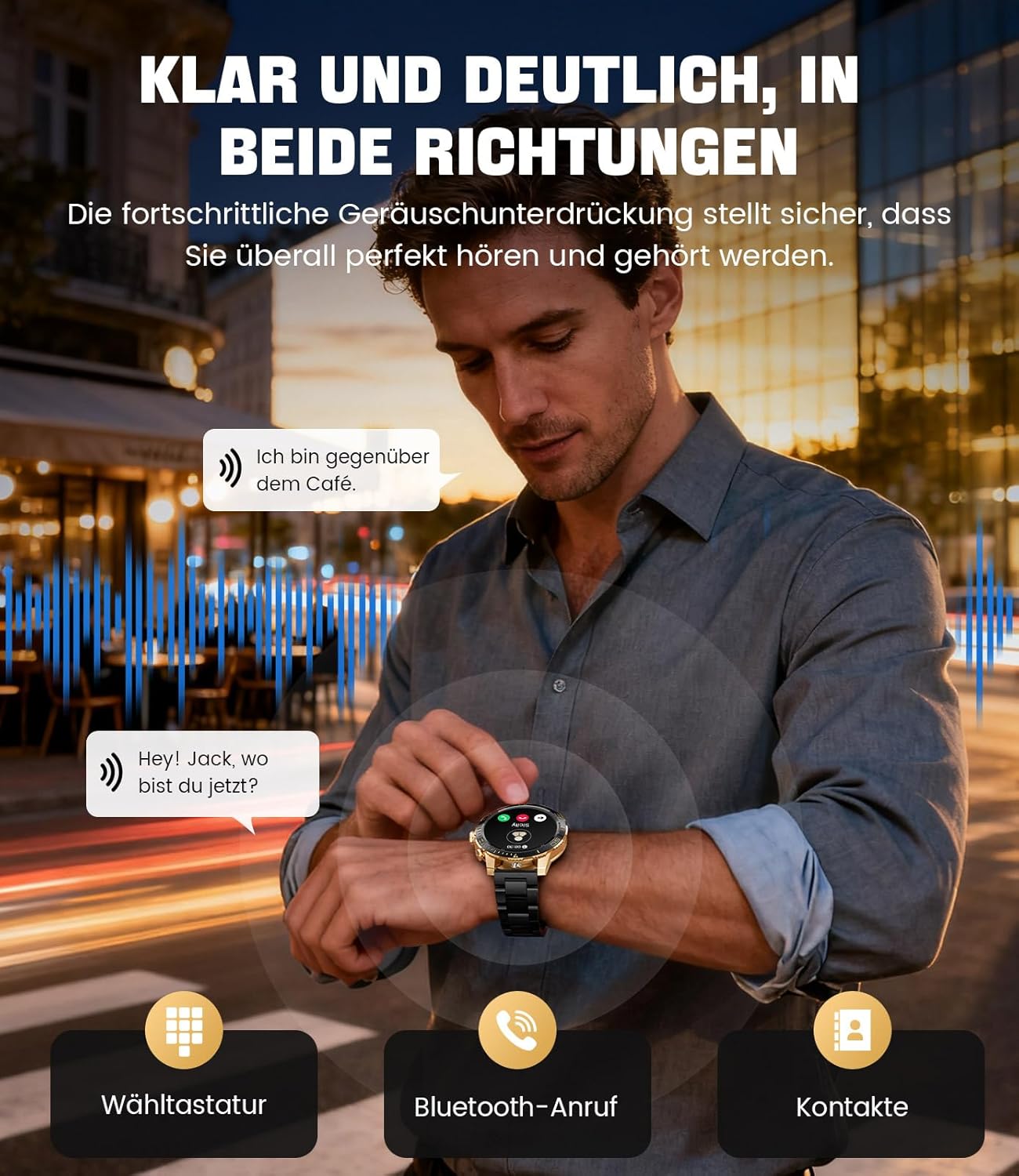
Image: The smartwatch allows clear two-way communication with advanced noise cancellation, featuring a dial pad, Bluetooth call option, and contacts access.
Pemberitahuan
Receive real-time notifications from your smartphone apps directly on your watch.
- Enable app notifications in the "Fit CloudPro" app settings.
- The watch will display incoming calls, SMS, and messages from social media apps (e.g., Facebook, Twitter, Instagram, WhatsApp).
- A quick glance at your wrist allows you to stay informed discreetly.

Image: The smartwatch displays real-time notifications from various social media applications, keeping you informed discreetly.
Pemantauan Kesihatan
The EF21-I Smartwatch acts as your 24/7 health guardian, providing continuous monitoring of key health metrics.
- Kadar Jantung: Monitors your heart rate throughout the day.
- Oksigen Darah (SpO2): Mengukur tahap ketepuan oksigen darah anda.
- Penjejakan Tidur: Analyzes your sleep patterns, distinguishing between deep sleep, light sleep, and awake times.
- Pemantauan Tekanan: Tracks stress levels.
- Peringatan Sedentari: Memberi amaran kepada anda untuk bergerak selepas tempoh tidak aktif.
View detailed health data and trends in the "Fit CloudPro" app.
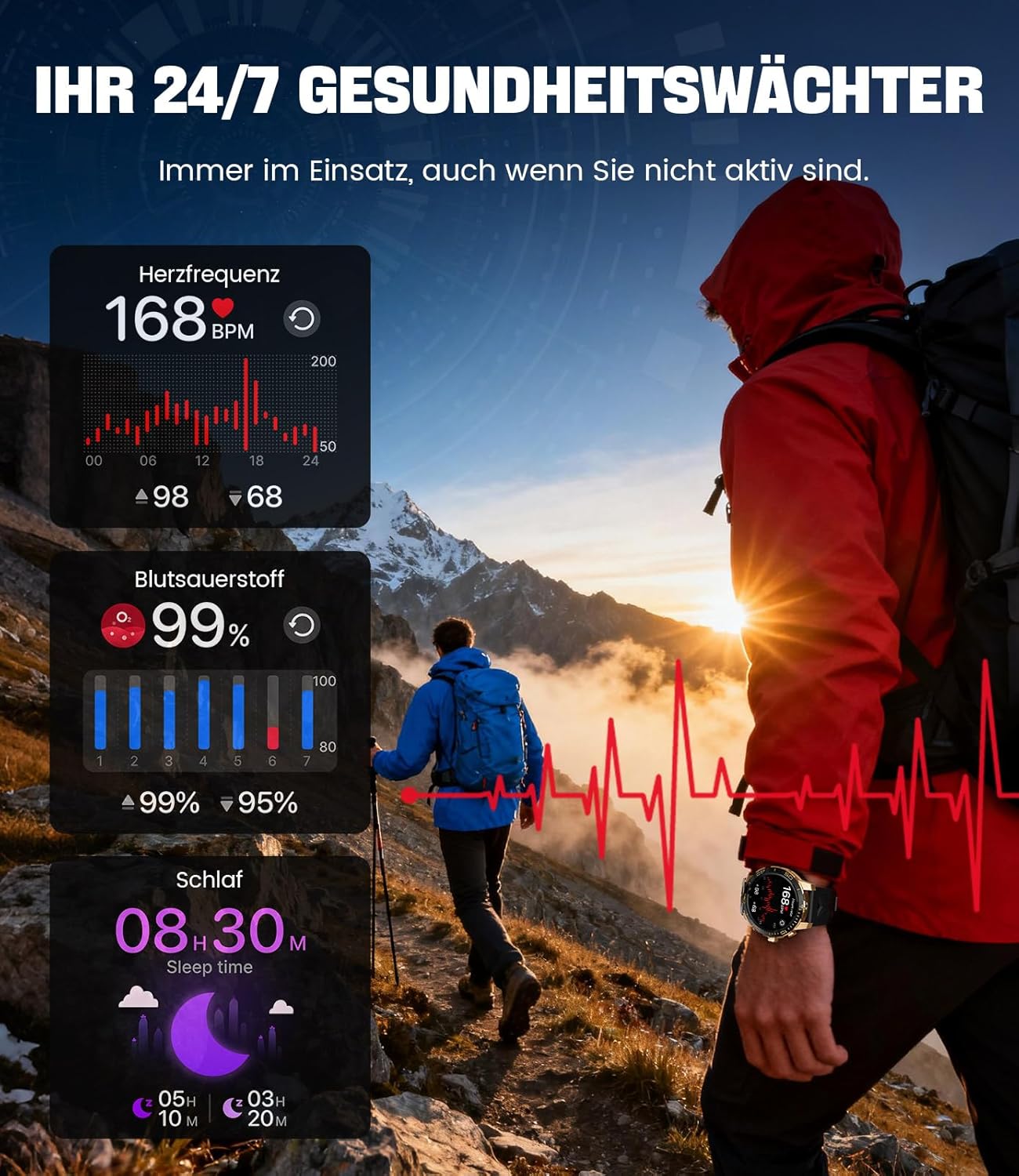
Image: The smartwatch functions as a 24/7 health guardian, monitoring heart rate, blood oxygen, and sleep patterns, even when you are not actively engaged in exercise.
Mod Sukan
With over 200 sports modes, the watch helps you track your workouts and achieve your fitness goals.
- Pilih mod sukan yang anda inginkan daripada menu jam tangan.
- The watch records data such as heart rate, calories burned, and steps taken.
- Automatic recognition for walking, running, and cycling is supported.
- Review your activity data in the "Fit CloudPro" app for performance analysis.

Image: The smartwatch supports over 200 training modes, tracking heart rate, calories, and steps for various activities.
Muka Jam yang boleh disesuaikan
Peribadikan jam tangan pintar anda dengan pelbagai muka jam tangan.
- The watch comes with several pre-installed classic watch faces.
- Access over 200 additional designs through the "Fit CloudPro" app.
- You can also upload your own photos to create custom watch faces.
Ciri-ciri Tambahan
- Ramalan cuaca: Dapatkan kemas kini cuaca masa nyata.
- Jam loceng: Tetapkan penggera terus dari pergelangan tangan anda.
- Kawalan Kamera Jauh: Use your watch to trigger your phone's camera.
- Lampu suluh: Activate a flashlight function on your wrist.
- Pencari Telefon: Find your misplaced smartphone using the watch.

Image: The smartwatch features a wrist flashlight function, providing illumination for outdoor activities.
Penyelenggaraan
Pembersihan
- Lap skrin jam tangan dan badan dengan kain lembut dan tidak berbulu.
- Untuk kotoran degil, dampen kain sedikit dengan air.
- Avoid using harsh chemicals, abrasive materials, or ultrasonic cleaners.
- Pastikan kenalan pengecas bersih dan bebas daripada serpihan.
Rintangan Air (IP68)
The LIGE EF21-I Smartwatch is IP68 water-resistant, meaning it can withstand immersion in water up to 1.5 meters for up to 30 minutes. It is suitable for daily use, hand washing, and swimming.
- Jangan gunakan jam tangan ini di dalam air panas, sauna atau bilik wap.
- Elakkan menekan butang di bawah air.
- After exposure to water, especially saltwater, dry the watch thoroughly.
Menyelesaikan masalah
Jam Tangan Tidak Dihidupkan
- Pastikan jam tangan dicas sepenuhnya. Sambungkannya ke pengecas selama sekurang-kurangnya 30 minit.
- Tekan dan tahan butang kuasa selama beberapa saat.
Unable to Pair with App
- Pastikan Bluetooth didayakan pada telefon pintar anda.
- Ensure the watch is sufficiently charged.
- Mulakan semula telefon pintar dan jam tangan pintar anda.
- Try unpairing and re-pairing the device through the "Fit CloudPro" app.
- Semak sama ada aplikasi mempunyai kebenaran yang diperlukan pada telefon anda.
Data Kesihatan Tidak Tepat
- Pastikan jam tangan dipakai dengan kemas pada pergelangan tangan anda, tidak terlalu longgar atau terlalu ketat.
- Bersihkan penderia di belakang jam tangan.
- Elakkan pergerakan berlebihan semasa pengukuran.
- Remember that health data is for reference and not for medical use.
Pemberitahuan Tidak Diterima
- Sahkan bahawa jam tangan disambungkan ke telefon anda melalui Bluetooth.
- Check notification settings in the "Fit CloudPro" app.
- Ensure your phone's notification settings allow the app to send notifications.
- Disable any battery optimization settings for the "Fit CloudPro" app on your phone.
Spesifikasi
| Ciri | Perincian |
|---|---|
| Jenama | LIGE |
| Nombor Model | EF21-I |
| Saiz Paparan | 1.43 Inci |
| Jenis Paparan | AMOLED |
| Kapasiti Bateri | 800 mAh (Litium-polimer) |
| Ketersambungan | Bluetooth |
| Keserasian Sistem Pengendalian | Android 8.0+ & iOS 12.0+ |
| Penilaian Ketahanan Air | IP68 |
| Kapasiti Penyimpanan Memori | 256 MB |
| Ciri Khas | Weather forecast, Sedentary reminder, Alarm clock, Touch screen, Always-on display, Bluetooth calling, Heart rate monitor, SpO2 monitor, Sleep monitor, 200+ sports modes, Phone locator |
| GPS | GPS melalui telefon pintar |

Image: The smartwatch features impact resistance, indicated by a 'Military Grade Drop-Tested' badge.
Waranti dan Sokongan
Maklumat Waranti
The product is supported by a 12-month warranty. Please retain your proof of purchase for warranty claims.
Sokongan Pelanggan
For technical assistance, troubleshooting, or warranty inquiries, please contact LIGE customer support. Refer to the contact information provided with your purchase or visit the official LIGE webtapak.


