1. Pengenalan
This manual provides essential information for setting up, operating, maintaining, and troubleshooting your FUNYET 16-inch Laptop Computer, Model NY-08. Designed for both students and business professionals, this laptop combines powerful performance with a portable design and a vibrant display. Please read this manual thoroughly to ensure optimal use and longevity of your device.
2. Persediaan
2.1 Membuka kotak
Carefully remove all components from the packaging. The box should contain the laptop, an AC adapter, an instruction manual, and a warranty card.

Figure 2.1: The FUNYET laptop as it appears when first unboxed, still protected by its sleeve.
Untuk panduan visual tentang proses membuka kotak dan persediaan awal, sila rujuk video di bawah:
Video 2.1: Pembukaan kotak dan permulaanview of the FUNYET Laptop.
2.2 Kuasa Awal Hidup
Connect the AC adapter to the laptop's DC port and a power outlet. Open the laptop lid and press the power button located on the keyboard. Follow the on-screen instructions to complete the initial Windows 11 Pro setup.
2.3 Menyambung ke Wi-Fi
During the initial setup, you will be prompted to connect to a Wi-Fi network. Select your preferred network from the list and enter the password if required. The laptop supports WiFi 5 (802.11a/b/g/n/ac) for reliable wireless connectivity.
3. Mengendalikan Komputer Riba Anda
3.1 Ciri Paparan
Experience stunning visuals on the 16-inch Full HD IPS display with a resolution of 1920 x 1200 pixels. The narrow 0.2-inch micro bezel and an impressive 90% screen-to-body ratio provide an immersive viewing experience. The display also features eye protection and bright colors for enhanced comfort and clarity.

Figure 3.1: Key display features of the FUNYET laptop.
3.2 Papan Kekunci dan Pad Jejak
The laptop is equipped with an ergonomic backlit keyboard, allowing for comfortable typing in various lighting conditions. It also includes a numeric keypad for efficient data entry and a large, responsive touchpad for precise navigation.

Figure 3.2: Features of the backlit keyboard and large touchpad.
3.3 Pelabuhan dan Ketersambungan
Komputer riba ini menawarkan pelbagai port untuk menyambungkan peranti persisian dan paparan luaran:
- 2 x Port USB 3.0
- 1 x Port USB 2.0
- 1 x Port HDMI Mini
- Bicu fon kepala 1 x 3.5mm
- 1 x DC Power Port (12V/3A)
Wireless connectivity includes WiFi 5 (802.11a/b/g/n/ac) and Bluetooth 4.2.

Gambar 3.3: Lebihview port sambungan komputer riba.
3.4 Hayat Bateri
The laptop is equipped with an upgraded 6000mAh battery, providing up to 6 hours of average battery life, suitable for on-the-go use.

Figure 3.4: Battery capacity and life improvements.
3.5 Sistem Operasi
The laptop comes with Windows 11 Pro pre-installed, offering enhanced speed, security, and efficiency. Microsoft Office 365 is also pre-installed to support your work and creative tasks.

Figure 3.5: Windows 11 Pro interface on the laptop.
3.6 Prestasi
Powered by an Intel 13th Generation Celeron N150 processor with 4 cores and 4 threads, operating at speeds up to 3.6 GHz, the laptop delivers seamless performance for various tasks. With 16GB of LPDDR4 RAM and a 1TB high-speed SSD, it handles multitasking and data storage efficiently.

Figure 3.6: Intel N150 Processor specifications and performance overview.
For a detailed review of the laptop's performance, including video editing and gaming capabilities, watch the video below:
Video 3.1: In-depth review of the FUNYET N150 Laptop's features and performance.
4. Penyelenggaraan
To ensure your laptop remains in optimal condition, follow these general maintenance guidelines:
- Pembersihan: Regularly clean the screen with a microfiber cloth and the keyboard with compressed air to remove dust and debris.
- Kemas Kini Perisian: Keep your Windows 11 Pro operating system and all installed applications updated to ensure security and performance.
- Penjagaan Bateri: Avoid fully discharging the battery frequently. For prolonged storage, charge the battery to about 50-60%.
- Storan: Simpan komputer riba di tempat yang sejuk dan kering, jauh daripada cahaya matahari langsung dan suhu yang melampau.
5. Penyelesaian masalah
If you encounter any issues with your laptop, consider the following basic troubleshooting steps:
- Tiada Kuasa: Pastikan penyesuai AC disambungkan dengan selamat pada kedua-dua komputer riba dan salur keluar kuasa yang berfungsi. Periksa lampu penunjuk kuasa.
- Isu Paparan: If the screen is blank, try connecting an external monitor to determine if the issue is with the laptop's display or graphics card.
- Prestasi Perlahan: Close unnecessary applications, check for malware, and ensure your system is updated. Consider restarting the laptop.
- Kesambungan Wi-Fi: Restart your router and modem. Check the laptop's Wi-Fi settings and ensure airplane mode is off.
For persistent issues, please contact FUNYET support as detailed in the Warranty and Support section.
6. Spesifikasi

Figure 6.1: Detailed specifications for the FUNYET NY-08 Laptop.
| Ciri | Spesifikasi |
|---|---|
| Model | NY-08 |
| Pemproses | Intel 13th Gen Celeron N150 (up to 3.6GHz) |
| RAM | 16GB LPDDR4 |
| Penyimpanan | 1TB SSD |
| Paparan | 16-inch FHD IPS (1920 x 1200 pixels) |
| Grafik | Integrated 13th Gen GPU |
| Sistem Operasi | Windows 11 Pro |
| Kesambungan Wayarles | WiFi 5 (802.11a/b/g/n/ac), Bluetooth 4.2 |
| Pelabuhan | 2x USB 3.0, 1x USB 2.0, 1x Mini HDMI, 1x 3.5mm Headphone Jack, 1x DC Port |
| Bateri | 6000mAh (up to 6 hours average life) |
| Berat badan | 3.5 paun |
| Dimensi (LxWxH) | 14 x 7.5 x 0.8 inci |
| Ciri Khas | Backlit Keyboard, Numeric Keypad, 90% Screen-to-body Ratio, 180° Opening |
7. Waranti dan Sokongan
Your FUNYET laptop is backed by a 2-year warranty, ensuring peace of mind. Additionally, we offer a 6-month replacement/return service for any manufacturing defects. For any questions or technical assistance, our dedicated support team is available 24/7 online and via phone support weekdays from 4 PM to 10 PM PT.
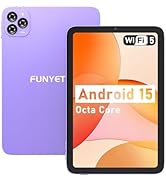
Figure 7.1: FUNYET Warranty and Support Information.
Maklumat Hubungan:
- Sokongan Telefon: +1 800-986-9631 (Weekdays 4-10 PM PT)
- Sokongan E-mel: funyetstore@outlook.com


