pengenalan
This manual provides detailed instructions for the proper use, setup, and maintenance of your Trevi EAR 100 AID Wireless Headphones. Please read this manual carefully before using the product to ensure optimal performance and longevity.
Kandungan Pakej
Sahkan bahawa semua item terdapat dalam pakej:
- Trevi EAR 100 AID Wireless Headphones (Left and Right Earbuds)
- Charging Case with Touch Display
- Kabel Pengecas USB-C
- 2 Pasang Hujung Telinga (pelbagai saiz)
- Manual Pengguna (dokumen ini)
Produk Selesaiview
Familiarize yourself with the components of your Trevi EAR 100 AID headphones.
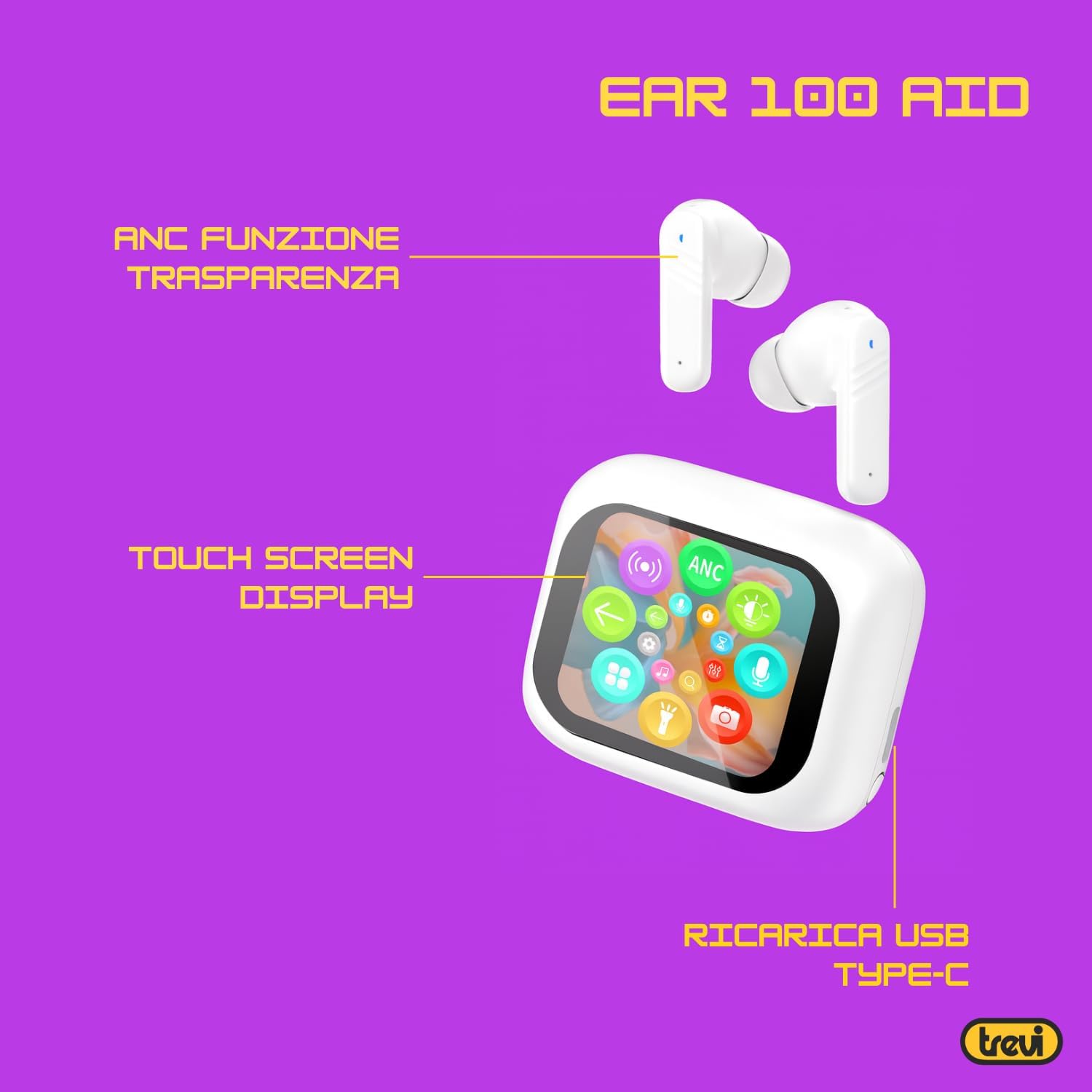
Image: Trevi EAR 100 AID Wireless Headphones and Charging Case. This image shows the earbuds and the charging case from a front-facing perspective.

Imej: Sisi view of Trevi EAR 100 AID Wireless Headphones and Charging Case. This image provides a profile view of the earbuds and their charging case.
Imej: Belakang view of Trevi EAR 100 AID Wireless Headphones and Charging Case. This image displays the rear aspect of the earbuds and their charging case.

Imej: Selesaiview of Trevi EAR 100 AID features. This graphic highlights the Active Noise Cancellation (ANC) and Transparency function, the Touch Screen Display on the charging case, and the USB-C charging port.
Persediaan
1. Mengecas Fon Kepala dan Sarung
Sebelum penggunaan pertama, cas sepenuhnya fon kepala dan bekas pengecas.
- Letakkan fon telinga ke dalam bekas pengecasan.
- Sambungkan kabel pengecas USB-C ke port pengecasan pada kes dan ke sumber kuasa.
- The display on the charging case will indicate the charging status.
- A full charge provides up to 5 hours of earbud autonomy, extendable with the charging case.

Image: Smart Charging Case with Rapid Charging. This image shows the open charging case with earbuds inside, emphasizing its quick charging capability via USB Type-C. A QR code for the AI COOL app download is also visible.
2. Berpasangan dengan Peranti
- Pastikan fon telinga berada dalam bekas pengecasan dan bekasnya terbuka.
- Pada peranti anda (telefon pintar, tablet, dll.), dayakan Bluetooth.
- Cari untuk "Trevi EAR 100 AID" in the list of available Bluetooth devices.
- Select it to pair. A voice prompt will confirm successful connection.
- The headphones use Wireless V5.4 technology for a fast and reliable connection.
3. AI COOL App Installation
For AI simultaneous translation and advanced features, download the AI COOL app.
- Scan the QR code found on the charging case or in the product packaging.
- Sebagai alternatif, lawati https://www.xuanjiai.cn/app/download untuk memuat turun aplikasi.
- Follow the on-screen instructions to install and set up the app.
Arahan Operasi
1. Memakai Earbud
Select the appropriate ear tips for a comfortable and secure fit. Insert the earbuds gently into your ears and adjust them until they feel snug.

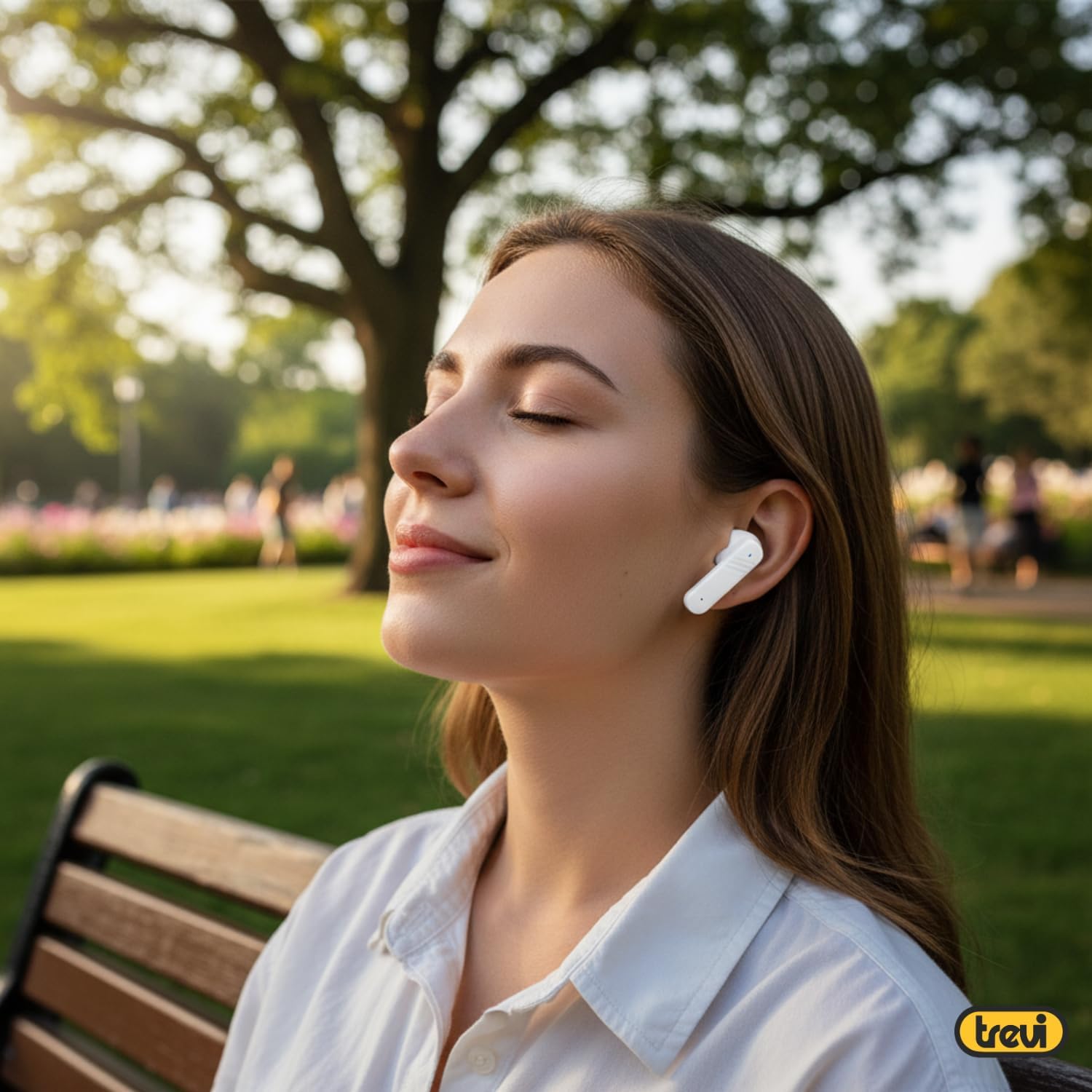
Image: A woman wearing Trevi EAR 100 AID earbuds comfortably while relaxing in a park. This illustrates the in-ear fit and comfort of the headphones.
2. Touch Controls on Charging Case Display
The charging case features a touch display for smart controls.
- Main Balik Muzik: Control play, pause, skip tracks directly from the display.
- Pengurusan Panggilan: Jawab, tamatkan atau tolak panggilan.
- Mod Audio: Beralih antara mod ANC, Transparency dan Normal.
- Penyamaan (EQ): Laraskan bunyi profiles.
- Cari Earbud: Use this function to locate misplaced earbuds.

Image: Trevi EAR 100 AID charging case with color LED touch screen. The screen displays various functions such as call answering, music playback, and other smart controls.

Image: Customizable screen options for the Trevi EAR 100 AID charging case. This image shows four dynamic and one static high-quality display options that can be changed at any time.
3. Pembatalan Bunyi Aktif (ANC) dan Mod Ketelusan
The headphones offer two distinct audio modes for different environments:
- Pembatalan Bunyi Aktif (ANC): Eliminates external noise, providing a quiet listening experience. This mode is ideal for travel or noisy environments, reducing external noise by up to 35 dB with an effectiveness of up to 99.44%.
- Mod Ketelusan: Allows you to hear your surroundings while still enjoying your audio. This is useful for situations where you need to be aware of your environment, such as walking in a city or listening to announcements.
Switch between these modes using the touch controls on the charging case or through the connected app.

Image: A person using Trevi EAR 100 AID earbuds on an airplane, demonstrating the deep active noise reduction (ANC) feature. The image highlights the intelligent external noise cancellation up to 35 dB.
4. AI Simultaneous Translation
Utilize the AI COOL app for real-time language translation.
- Ensure the AI COOL app is installed and connected to your headphones.
- Open the app and select the desired translation mode (e.g., conversation mode, interpreter mode).
- Speak into your device's microphone or the earbud's microphone, and the translation will be provided in real-time through the earbuds.
- This feature is designed for seamless communication across language barriers during travel, work, or multilingual conversations.
5. Clear Calls with ENC Technology
The headphones feature Environmental Noise Cancellation (ENC) technology for clear voice calls.
- ENC reduces background noise during calls, making your voice clearer to the person on the other end.
- This technology is optimized for crowded environments, ensuring conversations are clear and free from interference.

Image: A man making a phone call using Trevi EAR 100 AID earbuds. This image illustrates the ENC (Environmental Noise Cancellation) technology for clear calls, optimized for crowded environments.
Penyelenggaraan
- Pembersihan: Bersihkan fon telinga dan bekas pengecas dengan kerap menggunakan kain yang lembut, kering dan tidak berbulu. Jangan gunakan pembersih atau pelarut yang melelas.
- Petua Telinga: Remove and clean the ear tips with mild soap and water, then dry thoroughly before reattaching.
- Storan: Apabila tidak digunakan, simpan fon kepala di dalam bekas pengecas untuk melindunginya daripada habuk dan kerosakan.
- Penjagaan Bateri: Untuk menjimatkan hayat bateri, elakkan daripada kerap mencas sepenuhnya bateri. Cas peranti secara berkala, walaupun tidak digunakan untuk tempoh yang lama.
Menyelesaikan masalah
| Masalah | Penyelesaian yang Mungkin |
|---|---|
| Fon kepala tidak boleh dihidupkan. | Ensure the charging case and earbuds are fully charged. Place earbuds in the case and close it, then open again. |
| Tidak boleh berpasangan dengan peranti. | Make sure Bluetooth is enabled on your device. Ensure earbuds are in pairing mode (usually by opening the case). Forget the device from your Bluetooth list and try pairing again. |
| Tiada bunyi atau kelantangan rendah. | Check volume levels on both your device and the headphones. Ensure earbuds are properly seated in your ears. Reconnect the Bluetooth connection. |
| AI Translation not working. | Verify the AI COOL app is installed, updated, and properly connected to the headphones. Check your internet connection for translation services. |
| Isu pengecasan. | Check the USB-C cable and power adapter. Ensure the charging contacts on the earbuds and case are clean and free of debris. |
Spesifikasi
| Ciri | Perincian |
|---|---|
| Jenama | Trevi |
| Nama Model | EAR 100 AID |
| warna | putih |
| Penempatan Telinga | Dalam telinga |
| Faktor Bentuk | Dalam telinga |
| Kawalan Bunyi | Pembatalan Bising Aktif (ANC) |
| Bicu Fon Kepala | No Jack (Wireless) |
| Teknologi Ketersambungan | Tanpa wayar |
| Teknologi Komunikasi Tanpa Wayar | Bluetooth V5.4 |
| Komponen yang Disertakan | 2 Ear Tips, Cable, User Manual |
| Hayat Bateri (Earbud) | Up to 5 hours (extendable with charging case) |
| ANC Effectiveness | Up to 35 dB reduction, 99.44% shielding effectiveness |
Waranti dan Sokongan
For warranty information and technical support, please refer to the official Trevi webtapak atau hubungi perkhidmatan pelanggan mereka. Simpan bukti pembelian anda untuk tuntutan waranti.
Untuk bantuan lanjut, lawati Trevi Store on Amazon.


