Maklumat Keselamatan Penting
- Jangan dedahkan peranti kepada suhu yang melampau, cahaya matahari langsung atau kelembapan yang tinggi.
- Elakkan daripada menjatuhkan atau meletakkan peranti kepada kesan yang kuat.
- Jauhkan daripada air dan cecair lain.
- Jangan cuba membuka, membaiki atau mengubah suai peranti.
- Use only the provided 45W power adapter and Type-C cable.
- Pastikan pengudaraan yang betul semasa digunakan untuk mengelakkan terlalu panas.
- Jauhkan daripada kanak-kanak.
Kandungan Pakej
Sahkan bahawa semua item terdapat dalam pakej anda:
- Baseus Picogo AF21 3-in-1 Wireless Charging Station
- Penyesuai Daya 45W
- 3.3ft Type-C to Type-C Cable
- Manual Pengguna (dokumen ini)
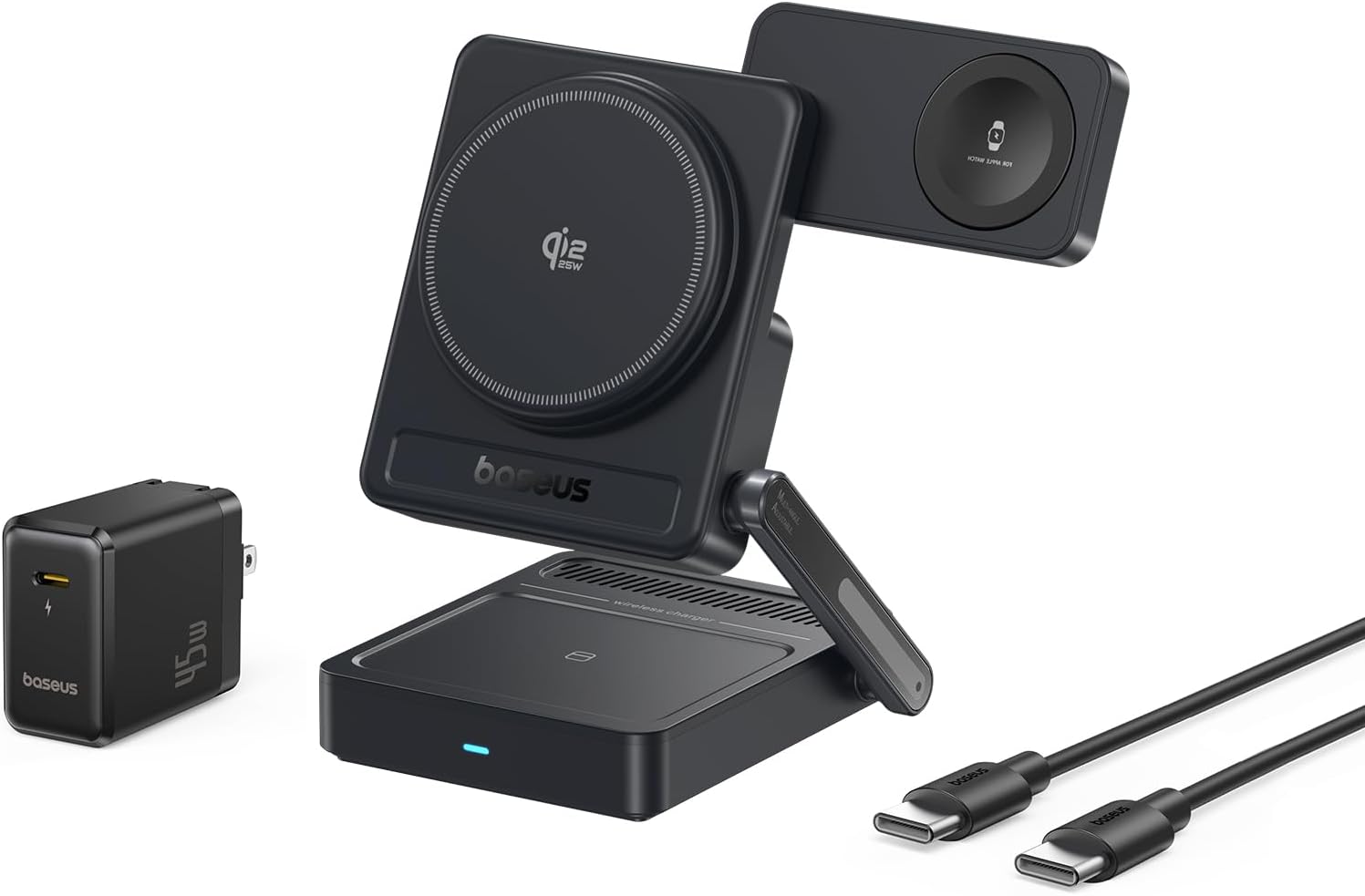
Image: Contents of the Baseus Picogo AF21 package, showing the charging station, power adapter, and cable.
Produk Selesaiview
The Baseus Picogo AF21 is a versatile 3-in-1 wireless charging station designed to simultaneously charge your iPhone, Apple Watch, and AirPods. It features Qi2.2 25W fast charging for compatible iPhones, magnetic alignment, and a foldable design for portability.
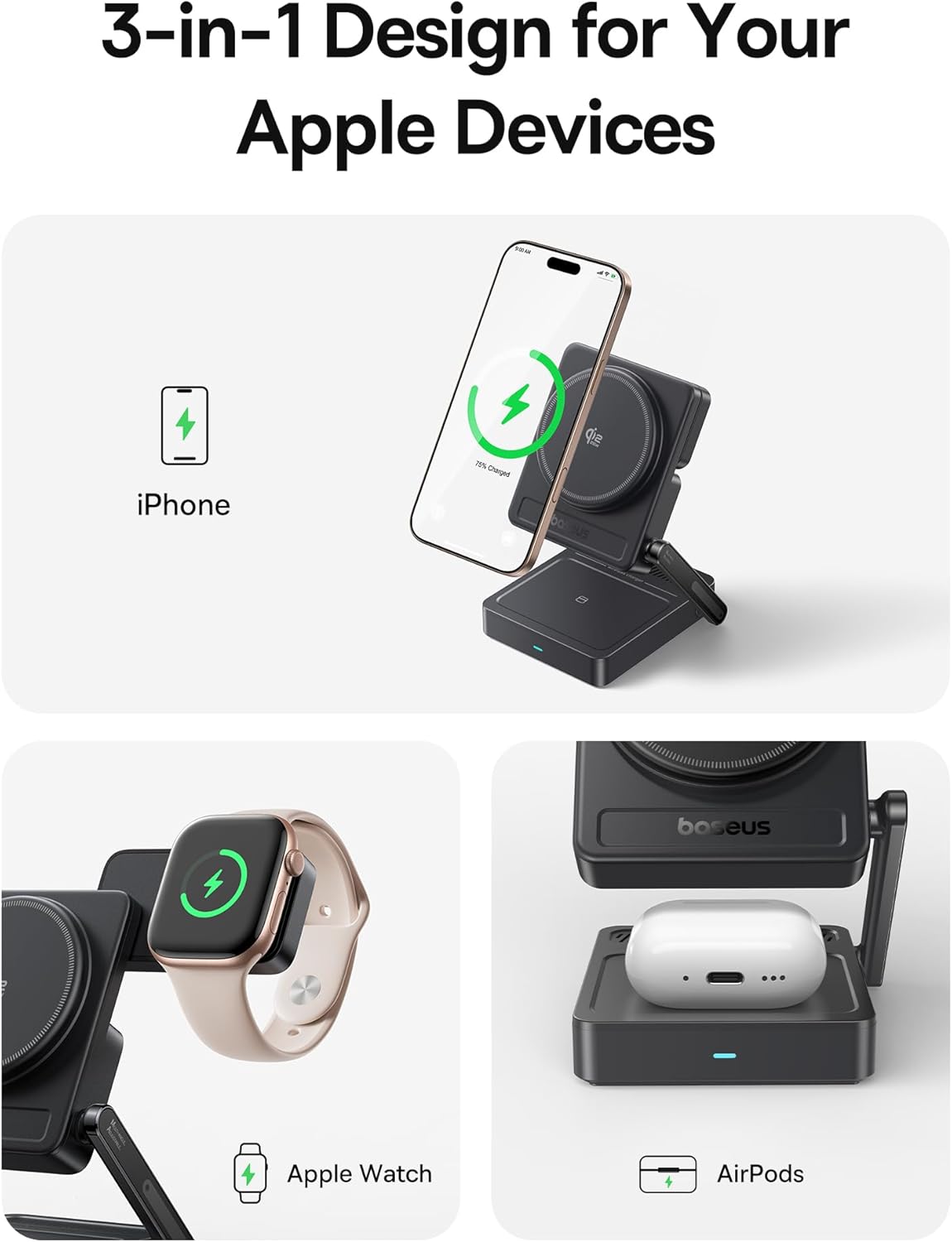
Image: The Baseus Picogo AF21 charging station highlighting its three charging zones for an iPhone, Apple Watch, and AirPods.
Panduan Persediaan
- Buka lipatan Stesen Pengecasan: Gently unfold the charging station from its compact travel state. The phone charging panel and watch charging panel can be adjusted to your desired angle.
- Sambungkan Kuasa: Insert the provided Type-C to Type-C cable into the charging station's input port and connect the other end to the 45W power adapter.
- Palamkan ke Alur Kuasa: Plug the 45W power adapter into a wall outlet. The LED indicator on the base will illuminate, indicating the station is ready for use.

Image: Visual guide demonstrating the adjustable angles of the charging station's base, phone panel, and watch panel.
Arahan Operasi
Charging Your iPhone (Qi2.2 25W)
Place your MagSafe-compatible iPhone (iPhone 12 and newer) onto the main magnetic charging panel. The strong N52M magnets will automatically align your device for optimal charging. For iPhone 17 series, 25W charging is supported. For iPhone 16 series, update to iOS 26 or later for 25W. iPhone 12-15 series support up to 15W Qi2.0 charging.

Image: An iPhone 16 Pro Max charging wirelessly on the station, illustrating the speed of Qi2.2 25W charging.
Charging Your Apple Watch (5W Max)
Place your Apple Watch (all models S1-S10, SE, Ultra) onto the dedicated magnetic watch charging puck. The puck can be rotated 180 degrees for convenient placement.

Image: An Apple Watch charging on the side puck of the Baseus Picogo AF21.
Charging Your AirPods (5W Max)
Place your Qi-enabled AirPods case onto the flat charging pad at the base of the station.
StandBy Mode
When your iPhone is charging horizontally, it will automatically enter Apple's StandBy mode, displaying widgets, clocks, or photo galleries.
Video: Demonstration of the Baseus Picogo AF21 3-in-1 Charging Station in use, showing an iPhone in StandBy mode, Apple Watch, and AirPods charging simultaneously.
Ciri-ciri Utama
- Qi2.2 25W Wireless Fast Charging: Provides rapid charging for compatible iPhones, significantly faster than previous Qi standards.
- Pengecasan 3-dalam-1: Simultaneously charges iPhone, Apple Watch, and Qi-enabled AirPods.
- Foldable & Compact Design: Easily folds down to a small size (2.97 × 3.15 × 1.5 inches, 0.56 lbs) for convenient travel and storage.
- Penjajaran Magnetik: Features 16 N52M magnets for secure and precise alignment of your iPhone, ensuring efficient charging.
- Boleh laras Viewsudut: Base bracket (0–55°), phone panel (0–115°), and watch panel (180° rotation) offer flexible viewing and charging positions.
- Perlindungan 8 Lapisan: Built-in safeguards against over-temperature, over-current, over-voltage, foreign object detection, under-voltage, no fire risk, static shielding, and short-circuit detection.

Imej: Meletup view of the charging station highlighting its internal safety features and protection layers.
Keserasian
- iPhone: iPhone 12 series and newer (including iPhone 17, 16, 15, 14, 13, 12 series). Requires iOS 26 or later for full 25W Qi2.2 charging on iPhone 16 series. iPhone 12-15 series support up to 15W Qi2.0.
- Apple Watch: All Apple Watch models (Series 1-10, SE, Ultra).
- AirPods: All Qi-enabled AirPods models (with wireless charging case).
- Other Qi-enabled Devices: Compatible with other Qi-enabled smartphones and earbuds, though charging speeds may vary.
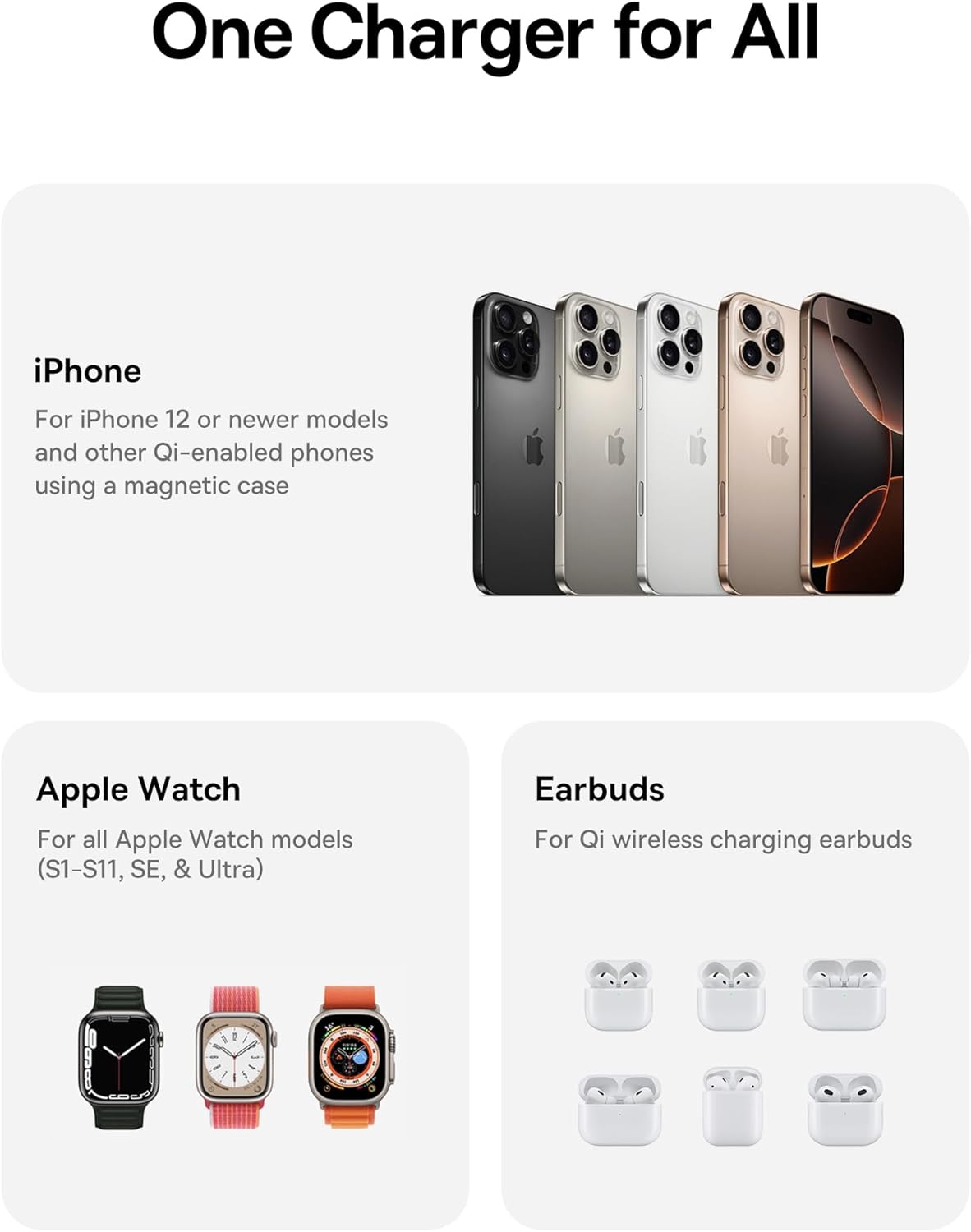
Image: A visual representation of the charging station's compatibility with different Apple devices.
Spesifikasi
| Nombor Model | E02054 |
| Input Voltage | 240 Volt |
| Amppemadam | 3 Amps |
| Wattage | 25 Watt (Maksimum) |
| Jenis Penyambung | USB Jenis C |
| Dimensi Produk (Dilipat) | 3.15 x 2.97 x 1.5 inci |
| Berat Barang | 1.08 paun |
| Ciri Khas | Charging Indicator, Magsafe Compatible, Multi Device Charging, Travel, Wireless Charging |
Menyelesaikan masalah
- Peranti tidak dicas:
- Ensure the charging station is properly connected to the 45W power adapter and a live power outlet.
- Verify your device is correctly aligned on the charging pad. For iPhones, ensure magnetic connection.
- Remove any thick cases or metallic objects from your device that might interfere with wireless charging.
- Check if your device is Qi-enabled or MagSafe-compatible.
- Pengecasan perlahan:
- Confirm you are using the provided 45W power adapter and cable. Lower wattagPenyesuai elektronik boleh menyebabkan pengecasan lebih perlahan.
- Ensure your iPhone's software is up to date, especially for 25W Qi2.2 charging on iPhone 16 series (requires iOS 26 or later).
- Avoid using your device heavily while charging, as this can slow down the charging process.
- Penunjuk LED tidak menyala:
- Check the power connection from the wall outlet to the adapter and to the charging station.
- Cuba salur keluar kuasa yang berbeza.
Penjagaan dan Penyelenggaraan
- Clean the charging surfaces regularly with a soft, dry cloth to remove dust and debris.
- Jangan gunakan bahan kimia atau pembersih kasar.
- Store the charging station in a cool, dry place when not in use.
Waranti dan Sokongan
Untuk maklumat jaminan atau sokongan teknikal, sila rujuk kepada Baseus rasmi webtapak atau hubungi perkhidmatan pelanggan mereka. Simpan resit pembelian anda untuk tuntutan waranti.
Pengeluar: Shenzhen Baseus Technology Co., Ltd.
Tarikh Mula-mula Tersedia: 18 September 2025
Pautan Produk: Halaman Produk Amazon