1. Produk Lebihview
The House of Marley Positive Vibration Rebel Wireless ANC Headphones are designed to provide an immersive audio experience with adaptive noise cancelling technology. Crafted from sustainable materials, these over-ear headphones offer extended playtime and comfortable wear.

Image 1.1: House of Marley Positive Vibration Rebel Wireless ANC Headphones, Cream.
Ciri-ciri Utama:
- Pembatalan Bunyi Adaptif: Intelligently blocks distractions for an immersive listening experience.
- Rich Balanced Sound: Precision-tuned 40mm drivers deliver full-spectrum audio.
- Jangka Hayat Bateri: Up to 130 hours of playtime (75 hours with ANC activated).
- Bahan Mampan: Constructed with FSC certified wood and recycled aluminum.
- Portable Comfort: Soft memory foam cushions, adjustable headband, foldable design, and IPX5 water resistance.
- Bluetooth 5.4: Ensures smooth and stable wireless connectivity.
2. Persediaan
2.1 Apa yang ada di dalam Kotak
- Positive Vibration Rebel Wireless ANC Headphones
- Kabel Pengecas USB-C
- Kabel Audio AUX 3.5mm
- Panduan Mula Pantas (rujuk manual ini untuk arahan terperinci)
2.2 Mengecas Fon Kepala
- Cari port pengecasan USB-C pada fon kepala.
- Connect the provided USB-C cable to the headphones and the other end to a USB power source (e.g., wall adapter, computer USB port).
- The LED indicator on the headphones will show charging status. Refer to the LED indicator section for details.
- A full charge provides up to 130 hours of playtime (75 hours with ANC). A quick 15-minute charge can provide approximately 4 hours of playtime.
2.3 Berpasangan Bluetooth
- Pastikan fon kepala dimatikan.
- Tekan dan tahan butang Kuasa sehingga penunjuk LED berkelip biru dan merah, menunjukkan mod berpasangan.
- Pada peranti anda (telefon pintar, komputer riba, tablet), dayakan Bluetooth dan cari peranti yang tersedia.
- Select "Positive Vibration Rebel" from the list of devices.
- Setelah disambungkan, penunjuk LED akan bertukar menjadi biru padu.
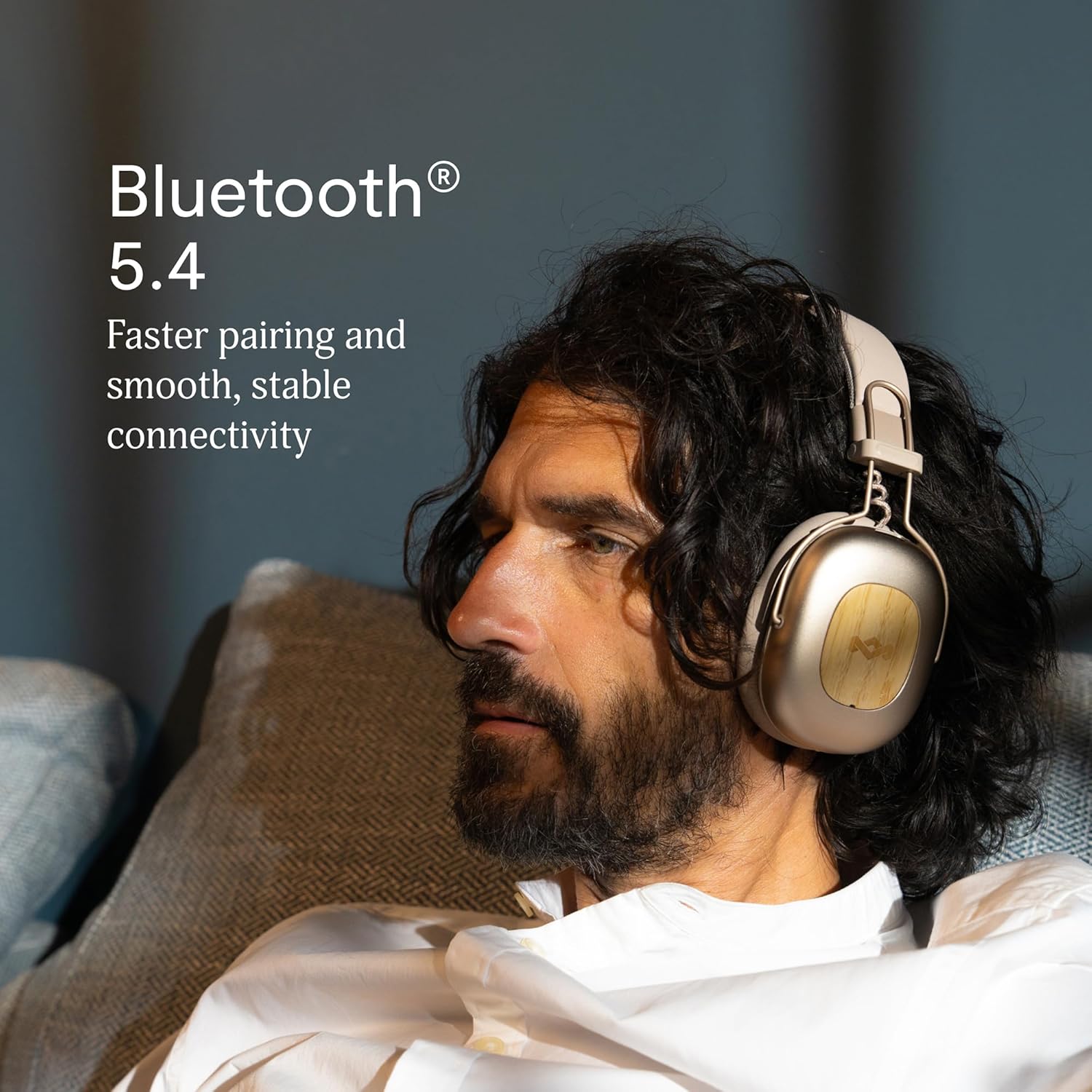
Image 2.1: Bluetooth 5.4 connectivity for stable pairing.
2.4 Melaraskan Padanan
The headphones feature an adjustable headband and soft memory foam ear cushions for comfortable wear. Adjust the headband to ensure the earcups sit comfortably over your ears, creating a good seal for optimal sound and noise cancelling performance.

Image 2.2: Ergonomic design for all-day comfort.
3. Arahan Operasi
3.1 Hidupkan/Mati Kuasa
- Hidupkan kuasa: Tekan dan tahan butang Kuasa selama 2-3 saat sehingga penunjuk LED menyala.
- Matikan: Tekan dan tahan butang Kuasa selama 3-4 saat sehingga penunjuk LED dimatikan.
3.2 Main balik Muzik
- Main/Jeda: Tekan butang Pelbagai fungsi sekali.
- Lagu Seterusnya: Tekan dan tahan butang Naikkan Kelantangan selama 2 saat.
- Trek Sebelumnya: Tekan dan tahan butang Kurangkan Kelantangan selama 2 saat.
- Kelantangan: Tekan butang Kelantangan Naik sebentar.
- Perlahankan suara: Tekan butang Kelantangan Turun sebentar.
3.3 Pengurusan Panggilan
- Jawab/Tamatkan Panggilan: Tekan butang Pelbagai fungsi sekali.
- Tolak Panggilan: Tekan dan tahan butang Berbilang fungsi selama 2 saat.
3.4 Adaptive Noise Cancelling (ANC)
The headphones feature Adaptive Noise Cancelling to reduce ambient noise. There are typically multiple modes:
- ANC Hidupkan: Blocks out most external noise.
- Ambient Mode (Transparency): Membolehkan anda mendengar persekitaran anda sambil mendengar audio.
- ANC Dimatikan: Standard listening without noise cancelling.
Press the ANC button (usually located on one of the earcups) to cycle through the available ANC modes.

Image 3.1: Adaptive Noise Cancelling for distraction-free listening.
3.5 Sambungan Berwayar
For a wired connection, use the provided 3.5mm AUX audio cable. Plug one end into the headphone's 3.5mm port and the other end into your audio device. Note that some features like ANC may still function, but power is drawn from the headphone's battery.
4. Penyelenggaraan
4.1 Pembersihan
- Gently wipe the headphones with a soft, dry, lint-free cloth.
- Jangan gunakan bahan kimia yang keras, pelarut pembersih atau detergen yang kuat.
- Elakkan mendapatkan kelembapan ke dalam mana-mana bukaan.
4.2 Penyimpanan
When not in use, store the headphones in a cool, dry place, away from extreme temperatures and direct sunlight. The foldable design allows for compact storage.
4.3 Penjagaan Bateri
- Elakkan menyahcas sepenuhnya bateri dengan kerap.
- Cas fon kepala secara berkala, walaupun tidak digunakan untuk tempoh yang lama, untuk mengekalkan kesihatan bateri.
- Do not attempt to replace the battery yourself. Contact customer support if battery issues arise.
4.4 Rintangan Air (IPX5)
The headphones are rated IPX5 water resistant, meaning they can withstand a sustained, low-pressure water jet spray. This makes them suitable for light rain or sweaty workouts. However, they are not designed for submersion in water. Do not expose them to heavy rain or immerse them in any liquid.
5. Penyelesaian masalah
5.1 Tiada Kuasa
- Pastikan fon kepala dicas. Sambungkannya ke sumber kuasa menggunakan kabel USB-C.
- Press and hold the Power button for the specified duration to turn them on.
5.2 Tidak Boleh Dipasangkan dengan Peranti
- Pastikan fon kepala berada dalam mod berpasangan (LED berkelip biru dan merah).
- Pastikan Bluetooth didayakan pada peranti anda dan ia berada dalam julat (biasanya 10 meter).
- Lupakan peranti daripada tetapan Bluetooth peranti anda dan cuba pasangkan semula.
- Mulakan semula kedua-dua fon kepala dan peranti anda.
5.3 Tiada Bunyi atau Kelantangan Rendah
- Semak tahap kelantangan pada kedua-dua fon kepala dan peranti anda yang disambungkan.
- Ensure the headphones are properly connected via Bluetooth or the 3.5mm AUX cable.
- If using a wired connection, ensure the cable is fully inserted into both ports.
- Cuba mainkan audio daripada sumber atau aplikasi lain.
5.4 Adaptive Noise Cancelling Not Working Effectively
- Pastikan ANC diaktifkan dengan menekan butang ANC.
- Check that the earcups form a good seal around your ears. Adjust the fit if necessary.
- ANC is most effective against low-frequency, constant noise. It may not completely eliminate sudden or high-frequency sounds.
6. Spesifikasi
| Ciri | Perincian |
|---|---|
| Nama Model | Positive Vibration Rebel |
| Nombor Model Item | EM-JH152 |
| Teknologi Ketersambungan | Wayarles (Bluetooth) |
| Versi Bluetooth | 5.4 |
| Jenis Pemacu Audio | Pemacu Dinamik (40mm) |
| Ciri Kawalan Bunyi | Pembatalan Kebisingan Adaptif |
| Hayat Bateri | Up to 130 Hours (75 Hours with ANC) |
| Masa Mengecas | 15 minutes for 4 hours playtime (quick charge) |
| Tahap Ketahanan Air | IPX5 |
| bahan | Aluminum, Wood (FSC certified), REWIND™ Fabric |
| Penempatan Telinga | Atas Telinga |
| Peranti Serasi | Telefon Pintar, Komputer Riba, Tablet, Pembesar Suara Pintar |
| Dimensi Produk | 8.13 x 3.75 x 8.36 inci |
| Berat Barang | 1.14 paun |
| UPC | 846885011874 |
7. Waranti dan Sokongan
7.1 Maklumat Waranti
House of Marley products typically come with a limited warranty. For specific details regarding the warranty period and terms for your Positive Vibration Rebel Wireless ANC Headphones, please refer to the warranty card included with your product or visit the official House of Marley webtapak. Simpan bukti pembelian anda untuk tuntutan waranti.
7.2 Sokongan Pelanggan
If you encounter any issues not covered in this manual or require further assistance, please contact House of Marley customer support. You can usually find contact information (phone, email, or support portal) on the official House of Marley webtapak:


