pengenalan
Thank you for choosing the CASCHO Smart Watch P125. This device is designed to enhance your daily life with advanced health monitoring, fitness tracking, and smart communication features. This manual provides essential information for setting up, operating, and maintaining your smartwatch.
The CASCHO Smart Watch P125 features a 1.85-inch HD full-touch screen, a gold-tone metal bezel, and comes with two interchangeable straps (one metal mesh, one silicone). It offers 24/7 health monitoring including heart rate, blood oxygen (SpO2), blood pressure, and sleep patterns. With over 120 sports modes, Bluetooth 5.4 for calls and messages, and an AI voice assistant, it's a versatile companion for both Android and iOS users.
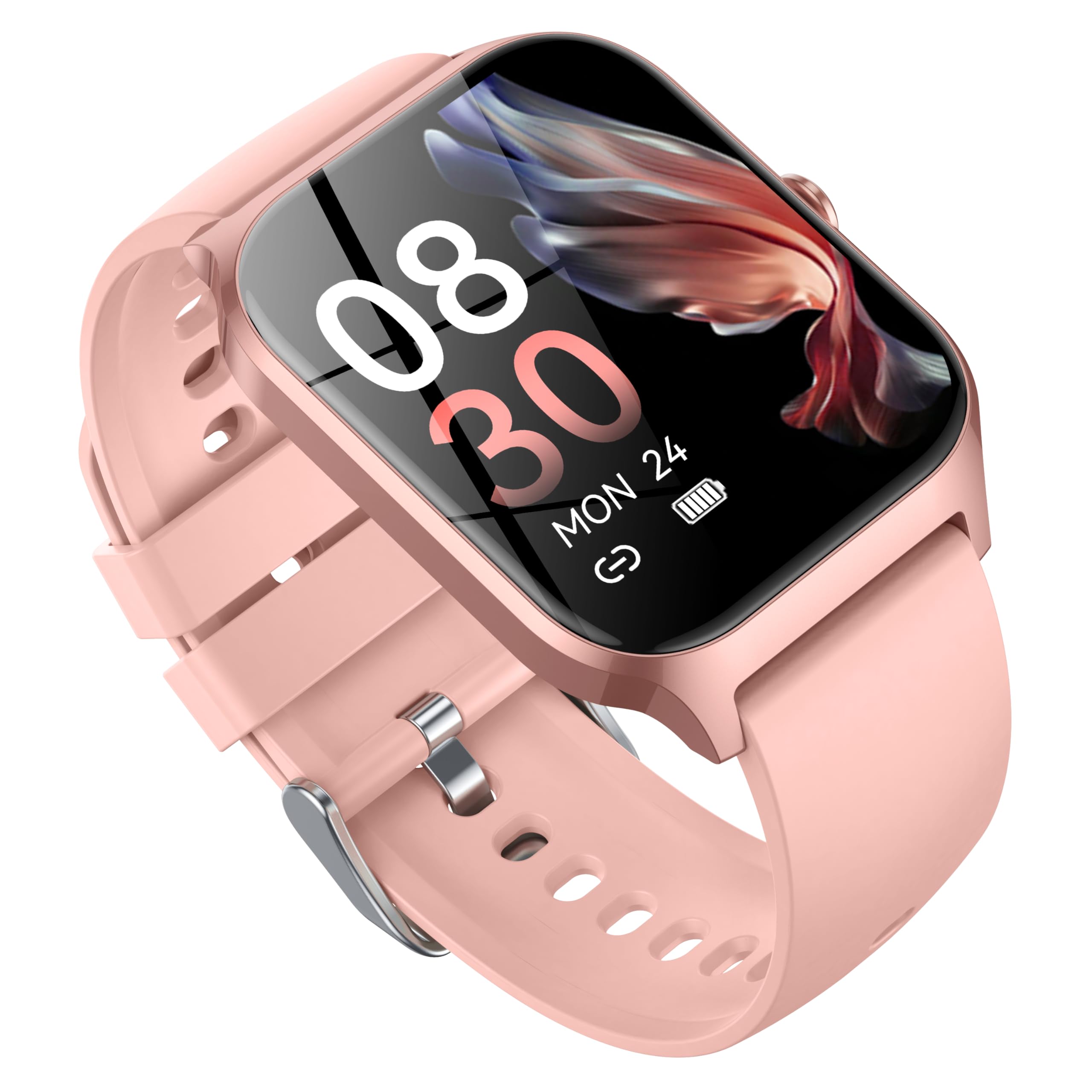
Image: CASCHO Smart Watch P125 in Lilac Pink with both mesh and silicone bands.
1. Persediaan
1.1 Mengecas Jam Tangan Pintar
Before initial use, fully charge your smartwatch. The watch uses a magnetic charging cable. Ensure the charging pins align correctly with the magnetic contacts on the back of the watch. A full charge typically takes approximately 2 hours.
Video: Demonstrates how to correctly use the magnetic data cable to charge the CASCHO Smart Watch P125. The video highlights the magnetic poles for proper connection.
1.2 Muat Turun Apl dan Berpasangan
- Scan the QR code provided in the user manual or on the watch screen to download the 'VeryFit' app from your device's app store (App Store for iOS, Google Play for Android).
- Pastikan Bluetooth didayakan pada telefon pintar anda.
- Open the 'VeryFit' app, register or log in, and follow the on-screen instructions to add your device. Select 'P125' from the list of available devices to pair.
- Sahkan permintaan pasangan pada telefon dan jam tangan pintar anda.
Video: Guide on how to connect the CASCHO Smart Watch P125 to your smartphone using the companion app.
1.3 Hidupkan/Mati Kuasa
- Hidupkan kuasa: Tekan dan tahan butang sisi selama beberapa saat sehingga skrin menyala.
- Matikan: From the watch face, swipe down to access the quick settings, tap the settings icon, then navigate to 'System' > 'Power Off'. Confirm to shut down.
2. Mengendalikan Jam Tangan Pintar Anda
2.1 Navigasi Asas
- Leret ke atas/bawah: Tatal melalui menu dan pemberitahuan.
- Leret Kiri/Kanan: Akses fungsi atau widget pantas.
- Ketik: Pilih item atau sahkan tindakan.
- Tekan Butang Sisi: Kembali ke muka jam utama atau bangunkan skrin.
2.2 Pemantauan Kesihatan
The CASCHO Smart Watch P125 continuously monitors key health metrics:
- Kadar Jantung: Penjejakan kadar denyutan jantung masa nyata.
- Oksigen Darah (SpO2): Mengukur tahap ketepuan oksigen darah.
- Tekanan darah: Memberikan anggaran bacaan tekanan darah.
- Penjejakan Tidur: Automatically monitors sleep patterns (deep sleep, light sleep, wakefulness) and provides comprehensive analysis in the app.
- Pengesanan Tekanan: Helps you understand your stress levels throughout the day.
- Penjejakan Kitaran Haid Wanita: Supports tracking and predictions for menstrual cycles.
2.3 Fitness Tracking (120+ Sports Modes)
Track your workouts with precision across a wide range of activities:
- Mod termasuk: Walking, Running, Cycling, Swimming, Yoga, Basketball, Rock Climbing, Skateboarding, Roller Skating, Strength Training, HIIT, and many more.
- The watch accurately records steps, calories burned, and distance covered.
- Synchronize data with the 'VeryFit' app for detailed analysis and progress tracking.
Video: Selesaiview of the multifunctional features of the CASCHO Smart Watch P125, including health and fitness tracking.
2.4 Ciri-ciri Komunikasi
- Panggilan Bluetooth: Make and answer calls directly from your wrist via Bluetooth 5.4.
- Pemberitahuan Mesej: Receive alerts for incoming calls, SMS, and app notifications (e.g., WhatsApp, Facebook) directly on your watch.
- Pembantu Suara AI: Utilize the built-in AI voice assistant for quick commands and information retrieval.
2.5 Penyesuaian
- Tonton Wajah: Choose from over 200 watch face styles via the 'VeryFit' app or customize with your own photos.
- Tali yang boleh ditukar ganti: Easily swap between the included metal mesh and silicone straps to match your style or activity.
3. Penyelenggaraan
- Pembersihan: Regularly clean your watch and straps with a soft, damp kain. Elakkan bahan kimia yang keras.
- Tahan Air: The watch is IP68 water-resistant, suitable for daily use and light water exposure (e.g., hand washing, rain). Avoid hot water, saunas, or deep diving.
- Penjagaan Bateri: To prolong battery life, avoid extreme temperatures and do not leave the watch fully discharged for extended periods.
4. Penyelesaian masalah
- Tonton tidak dihidupkan: Pastikan jam tangan dicas sepenuhnya.
- Tidak boleh berpasangan dengan telefon: Check if Bluetooth is enabled on your phone and the watch is within range. Restart both devices and try again. Ensure the 'VeryFit' app is updated.
- Data kesihatan tidak tepat: Ensure the watch is worn snugly on your wrist. Avoid excessive movement during measurements.
- Pemberitahuan tidak diterima: Check app notification settings on your phone and within the 'VeryFit' app. Ensure the app is running in the background.
5. Spesifikasi
| Jenama | CASCHO |
| Nombor Model | P125 |
| Saiz Skrin | 1.85 Inci |
| Sistem Operasi | Pakai OS 1.0 |
| Teknologi Ketersambungan | Bluetooth 5.4 |
| Komposisi Sel Bateri | Litium Ion (300mAh) |
| Tahan Air | IP68 |
| Berat Barang | 80 Gram (2.82 auns) |
| Kapasiti Penyimpanan Memori | 1 GB |
| Ciri Khas | Alarm Clock, Heart Rate Monitor, Sleep Monitor, Blood Oxygen Monitor, Activity Tracker, AI Voice Assistant |
6. Waranti
Your CASCHO Smart Watch P125 comes with a standard manufacturer's warranty. Please refer to the warranty card included in your product packaging for specific terms and conditions. Keep your proof of purchase for any warranty claims.
7. Sokongan
For further assistance, technical support, or to provide feedback, please contact CASCHO customer service through the 'VeryFit' app or visit the official CASCHO website. You can also refer to the FAQ section within the app for common questions.


