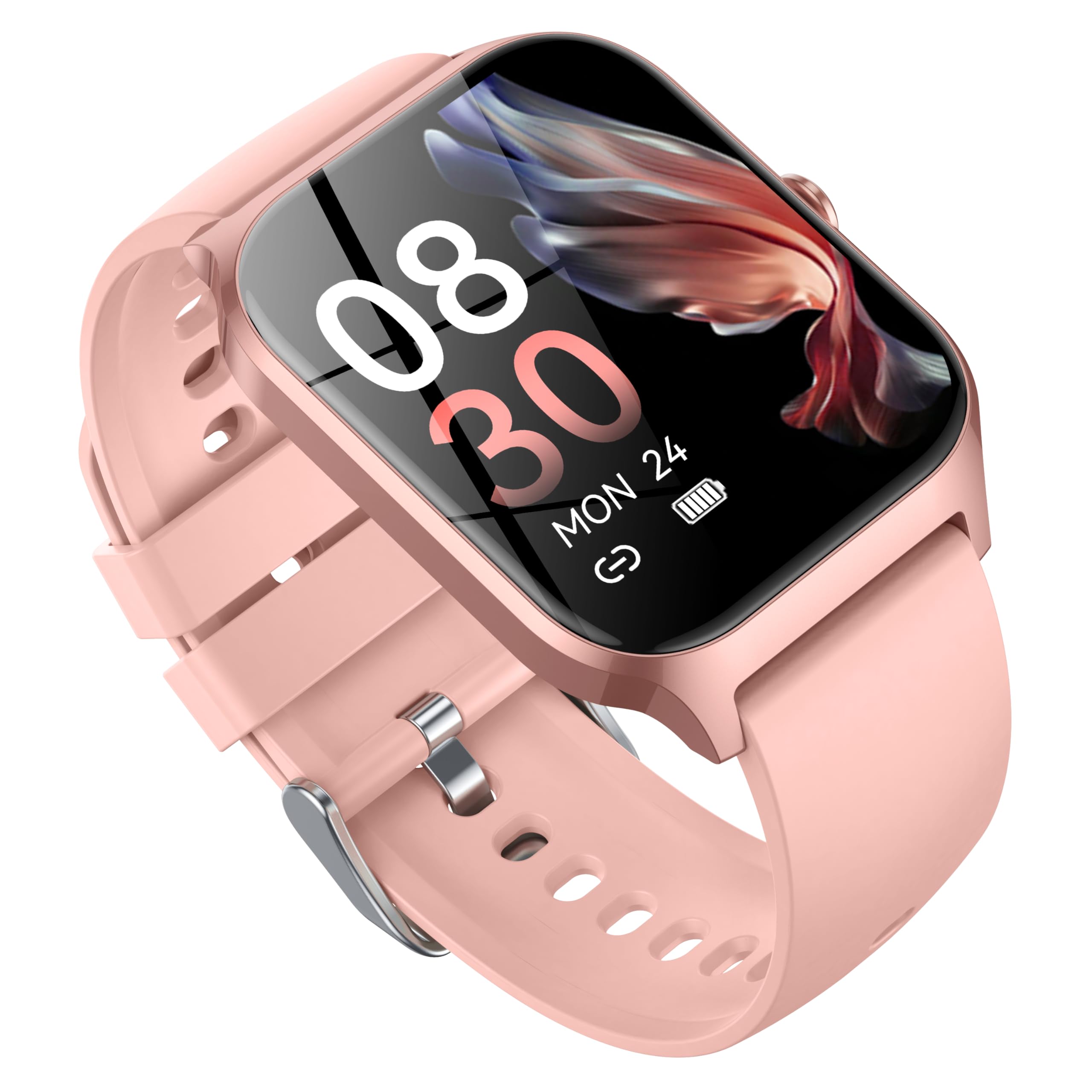
Thank you for choosing the CASCHO P125 Smart Watch. This device is designed to enhance your daily life with advanced health monitoring, fitness tracking, and smart communication features. Please read this manual thoroughly to ensure proper usage and to maximize your experience with the watch.
The CASCHO P125 features a 1.85-inch HD touchscreen, Bluetooth 5.4 connectivity, and compatibility with both iOS and Android systems. It offers comprehensive health tracking including heart rate, blood oxygen (SpO2), and sleep monitoring, alongside over 120 sports modes. Enjoy convenient features like Bluetooth calls, message notifications, and AI voice control.
Apa yang ada dalam Kotak
1 x CASCHO P125 Smart Watch (with pre-installed strap)
1 x Kabel Pengecasan
1 x Manual Pengguna
Additional Strap(s) (e.g., 1 metal strap + 1 silicone strap)
Image: Contents of the CASCHO P125 Smart Watch package, including the watch, charging cable, and user manual.
Panduan Persediaan
1. Pengecasan Awal
Before first use, fully charge your CASCHO P125 Smart Watch. Connect the magnetic charging cable to the charging points on the back of the watch and plug the USB end into a compatible power adapter (not included).
Video: Demonstrates how to correctly use the magnetic data cable to charge the CASCHO P125 Smart Watch.
2. Muat Turun Apl dan Berpasangan
To unlock the full potential of your smart watch, download the companion app. Scan the QR code provided in the manual or on the watch screen to download the "VeryFit" app from the App Store (iOS) or Google Play Store (Android).
Pastikan Bluetooth didayakan pada telefon pintar anda.
Open the "VeryFit" app and follow the on-screen instructions to create an account or log in.
In the app, select "Add Device" and allow the app to search for your watch.
Select "P125" or the corresponding device ID from the list of found devices to pair. Confirm the pairing request on both your phone and watch.
Video: Guide on how to connect the smart watch to your smartphone via the companion app.
3. Language and Unit Settings
After successful pairing, you will be prompted to select your preferred language and measurement units (e.g., Celsius/Fahrenheit, km/miles) within the app.
4. Persediaan Pemberitahuan
Enable necessary permissions in your phone's settings and within the "VeryFit" app to receive call, message, and app notifications directly on your watch.
5. Health Tracking Activation
Within the app, activate continuous health monitoring for features like heart rate, SpO2, and stress. Note that continuous monitoring may impact battery life.
6. AI Voice Assistant (Alexa)
If desired, sign in to your Amazon Alexa account through the "VeryFit" app to enable AI voice control features on your smart watch.
Mengendalikan Jam Tangan Pintar Anda
Navigasi Asas
Leret ke atas/bawah: Tatal melalui menu dan pemberitahuan.
Leret Kiri/Kanan: Access quick-view widgets or different function screens.
Ketik: Pilih item atau sahkan tindakan.
Tekan Butang Sisi: Return to the home screen or wake the watch.
Long Press Side Button: Power on/off or access quick settings.
Pemantauan Kesihatan
The CASCHO P125 continuously monitors your health data. Access these features by swiping through the watch interface or checking the "VeryFit" app.
Kadar Jantung: Monitors your heart rate throughout the day.
Oksigen Darah (SpO2): Mengukur tahap ketepuan oksigen darah anda.
Penjejakan Tidur: Automatically records your sleep patterns (deep sleep, light sleep, wakefulness).
Pengesanan Tekanan: Memberikan gambaran tentang tahap tekanan anda.
Penjejakan Kitaran Haid Wanita: Membantu mengesan dan meramalkan kitaran haid.
Image: The CASCHO P125 Smart Watch displaying heart rate and sleep tracking information.
Mod Sukan
With over 120 sports modes, the watch accurately tracks your steps, calories burned, and distance. Select your desired activity from the "Exercise" menu on the watch.
Includes modes for walking, running, cycling, swimming, yoga, basketball, and many more.
Synchronize data with the "VeryFit" app for detailed analysis of your fitness progress.
Image: The CASCHO P125 Smart Watch screen showing a selection of available sports modes.
Panggilan dan Mesej
The watch supports Bluetooth 5.4 calls, allowing you to answer and make calls directly from your wrist. You will also receive notifications for incoming messages and app alerts.
Ensure your watch is connected to your phone via Bluetooth for call and message functionality.
Manage call and message settings within the "VeryFit" app.
Penyesuaian
Personalize your watch with over 200 watch face styles available through the "VeryFit" app, or use your own photos for a custom look. The watch also comes with interchangeable straps (metal and silicone) to suit different occasions.
Penyelenggaraan
Pembersihan: Regularly wipe the watch screen and straps with a soft, dry cloth. For silicone straps, a mild soap and water solution can be used, ensuring it is thoroughly dried afterward.
Tahan Air: The watch is IP68 waterproof, suitable for daily use like hand washing or light rain. Avoid prolonged submersion, hot water, or steam.
mengecas: Gunakan hanya kabel pengecas yang disediakan. Elakkan menggunakan kabel atau pengecas yang rosak.
Storan: Simpan jam tangan di tempat yang sejuk dan kering apabila tidak digunakan. Elakkan suhu yang melampau.
Menyelesaikan masalah
Tonton tidak dihidupkan: Ensure the watch is fully charged. If it's completely drained, it may take a few minutes on the charger before it responds.
Tidak dapat dipasangkan dengan telefon:
Pastikan Bluetooth didayakan pada telefon anda dan jam tangan berada dalam liputan.
Check if the "VeryFit" app has all necessary permissions enabled in your phone's settings.
Mulakan semula telefon dan jam tangan anda.
If previously paired, try unpairing and re-pairing the device through the app.
Pemberitahuan tidak diterima:
Sahkan bahawa kebenaran pemberitahuan diberikan kepada aplikasi "VeryFit" dalam tetapan telefon anda.
Pastikan jam tangan disambungkan melalui Bluetooth.
Check notification settings within the "VeryFit" app.
Data kesihatan tidak tepat: Ensure the watch is worn snugly on your wrist, about one finger's width from your wrist bone. Clean the sensor on the back of the watch regularly.
For warranty information and customer support, please refer to the documentation included in your product packaging or visit the official CASCHO webtapak. Anda juga boleh menghubungi penjual secara terus untuk mendapatkan bantuan.
Additional protection plans are available for purchase separately to extend coverage for your device. Please check the product listing or contact your retailer for details.
Maklumat Keselamatan
Jangan cuba membuka, membaiki atau mengubah suai peranti itu sendiri.
Jauhkan peranti daripada suhu ekstrem, cahaya matahari langsung dan medan magnet yang kuat.
This device is not a medical device. The measurement data is for reference only and should not be used for medical diagnosis or treatment.
Avoid using the device while driving or in situations that require full attention.
P125 Smartwatch User Manual: Setup, Features, and Support Your guide to the P125 Smartwatch. This manual covers initial setup, pairing with your phone, detailed feature explanations, troubleshooting, and warranty information. Get the most out of your wearable device.
Smart Watch P125 User Manual User manual for the Smart Watch P125, covering features, app installation, connection, precautions, and FAQs. Learn how to use your smartwatch for health tracking, notifications, and more.
KALINCO P125 Smart Watch Data Transparency Declaration Official data transparency declaration for the KALINCO P125 Smart Watch, detailing data collection, usage, sharing, storage, and security measures in compliance with EU data regulations.
Déclaration de Transparence des Données - Montre Connectée KALINCO P125 Déclaration de transparence des données pour la montre connectée KALINCO P125, détaillant les catégories de données collectées, leur utilisation, l'accès utilisateur, le partage, le stockage, la conservation et les mesures de sécurité, conformément au règlement UE.