pengenalan
Thank you for choosing the Greenvelly Biometric Wall Gun Safe. This manual provides essential information for the safe and proper installation, operation, and maintenance of your new wall-mounted gun safe. Please read these instructions carefully before use and retain them for future reference.
Maklumat Keselamatan Penting
- Sentiasa simpan senjata api tanpa muatan dan asingkan daripada peluru.
- Simpan kunci kecemasan di lokasi yang selamat, jauh daripada peti besi dan jauh daripada kanak-kanak. Jangan simpan di dalam peti besi.
- Ensure the safe is securely mounted to a structural element of your wall to prevent unauthorized removal.
- Do not allow children or unauthorized individuals to access the safe.
- Regularly check battery levels and replace them as needed to ensure continuous operation of the electronic lock.
- This safe is designed to deter theft and unauthorized access. It is not fireproof or waterproof unless explicitly stated.
Kandungan Pakej
Pastikan semua komponen ada sebelum pemasangan:
- Greenvelly Biometric Wall Gun Safe
- Kunci Kecemasan (2)
- Expansion Screws for mounting
- Para boleh laras (3)
- Manual Arahan (dokumen ini)
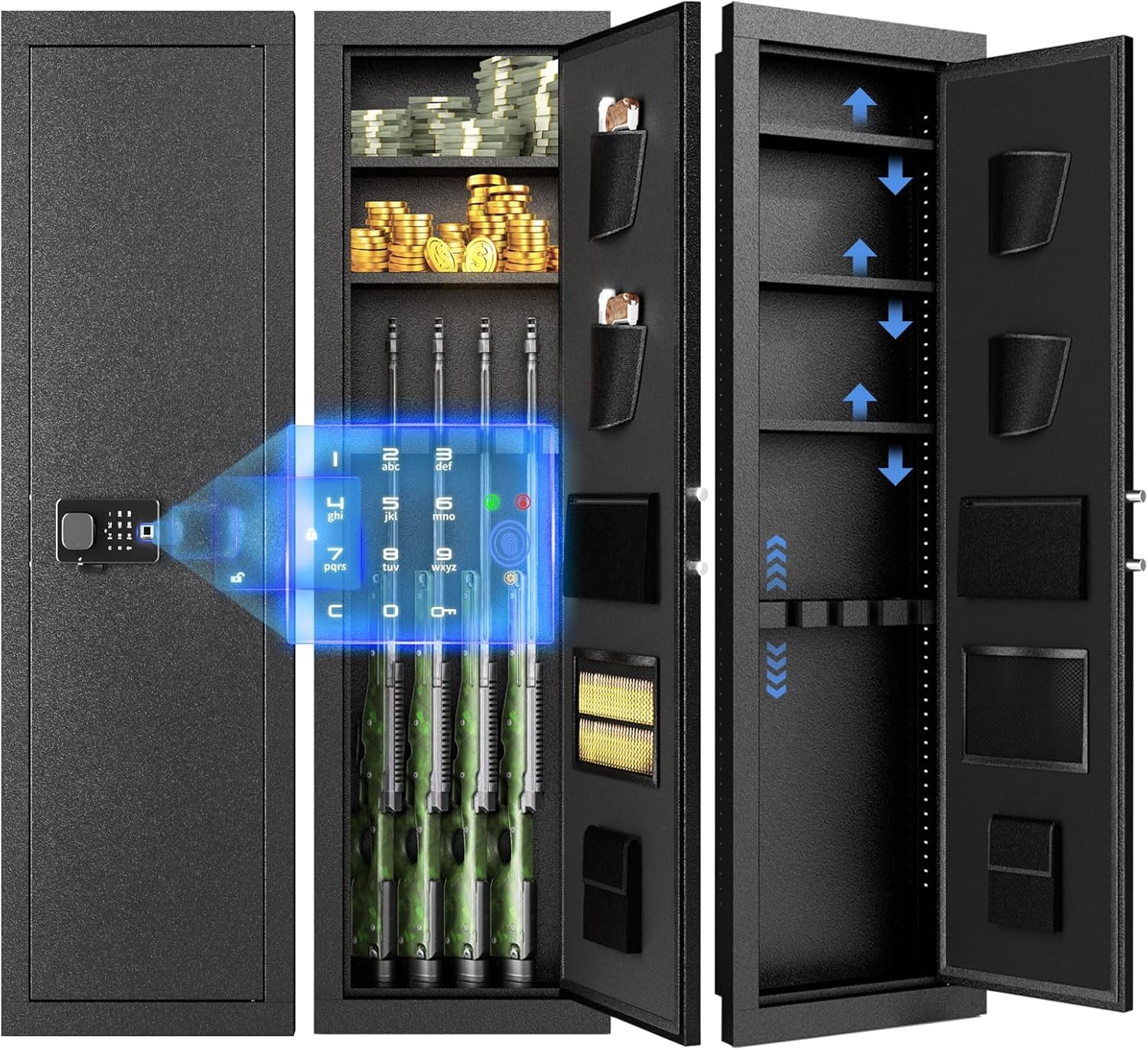
Figure 1: Safe dimensions and included accessories.
Spesifikasi
| Ciri | Perincian |
|---|---|
| Jenama | Greenvelly |
| Nombor Model | 784227749156 |
| Dimensi Produk (D x W x H) | 6" x 18" x 53" |
| Jenis Kunci | Biometrik, Pad Kekunci, Kekunci |
| warna | Hitam |
| Kapasiti | 648 Inci kubik |
| bahan | logam |
| Jenis Pemasangan | Lekap di dinding |
Persediaan dan Pemasangan
The Greenvelly Biometric Wall Gun Safe is designed for discreet installation between standard wall studs. No assembly is required for the safe itself.
1. Memilih Lokasi Pemasangan
Select a location within your home that offers sufficient space between wall studs (typically 16 inches on center) and allows for the full height of the safe (53 inches). Consider areas where the safe can be concealed, such as behind a mirror, painting, or within a closet.

Gambar 2: Cthample of safe installation in a closet.

Gambar 3: Cthample of safe installation in a room.
2. Preparing the Wall Opening
- Locate two adjacent wall studs using a stud finder.
- Mark the outline for the safe's opening on the wall, ensuring it is slightly larger than the safe's dimensions (18" W x 53" H) to allow for easy insertion.
- Carefully cut out the marked section of drywall or other wall material. Ensure no electrical wires or plumbing are present in the cutting area.
3. Memasang Peti Keselamatan
- Slide the safe into the prepared wall opening. Ensure it sits flush with the wall surface.
- Using the pre-drilled holes on the safe's frame, secure the safe to the wall studs with the provided expansion screws. Use a drill to create pilot holes if necessary.
- Tighten all screws firmly to ensure the safe is stable and cannot be easily removed.

Figure 4: Securing the safe to the wall studs.
Arahan Operasi
Your Greenvelly Biometric Wall Gun Safe offers three methods of access: biometric fingerprint, digital keypad, and emergency key.

Gambar 5: Lebihview of unlocking methods.
1. Pemasangan Bateri
The electronic lock requires [Number] AA batteries (not included). Locate the battery compartment on the inside of the safe door. Insert the batteries, ensuring correct polarity. Close the compartment cover.
Penting: If the batteries are depleted, the safe can still be opened using the emergency key. An external battery pack may also be available for temporary power (refer to product specifications for availability).
2. Initial Access with Emergency Key
Before programming any electronic access, familiarize yourself with the emergency key access:
- Cari lubang kunci kecemasan, biasanya tersembunyi di sebalik penutup pada panel papan kekunci.
- Insert one of the provided emergency keys and turn it to unlock the safe.
- Turn the knob to open the safe door.
Amaran: Store emergency keys in a secure, separate location, away from the safe and out of reach of children.
3. Programming a User Code (Keypad Access)
- With the safe door open, press the internal programming button (usually a red button or a button marked "SET" or "PROG"). The keypad will beep, and an indicator light will illuminate.
- Enter your desired 4-8 digit user code.
- Press the "#" or "ENTER" button to confirm. The safe will beep to indicate successful programming.
- Uji kod baharu dengan pintu terbuka sebelum menutupnya.
4. Registering Fingerprints (Biometric Access)
The safe can store multiple fingerprints. Refer to the specific instructions provided with your safe for the exact number and procedure, as this can vary slightly by model.
- With the safe door open, press the internal programming button. The fingerprint scanner will activate, and an indicator light will flash.
- Place your finger firmly on the scanner. Lift and repeat several times from different angles until the safe confirms successful registration (usually with a series of beeps or a green light).
- Ulangi untuk jari atau pengguna tambahan mengikut kehendak.
- Test registered fingerprints with the door open before closing it.
5. Membuka Peti besi
- Biometrik: Place a registered finger on the scanner. If recognized, the lock will disengage. Turn the knob to open.
- Pad kekunci: Enter your programmed user code, then press "#" or "ENTER". If correct, the lock will disengage. Turn the knob to open.
- Kunci Kecemasan: Use the emergency key as described in "Initial Access with Emergency Key" above.
6. Para boleh laras
The safe includes three adjustable shelves to customize your storage space. To adjust, simply unclip or slide the shelves from their current position and re-insert them into the desired slots along the internal rails. This allows for flexible organization of firearms, ammunition, and other valuables.
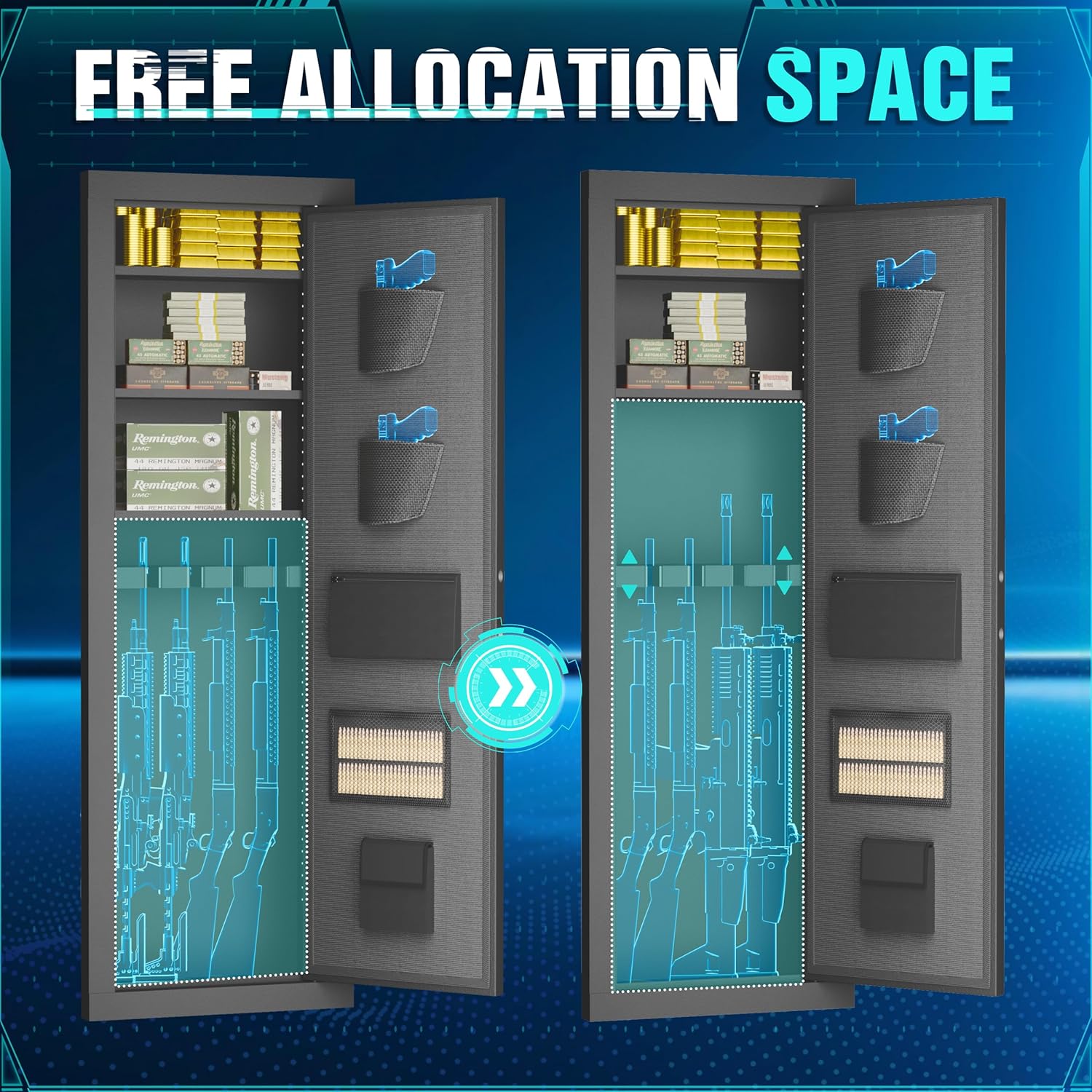
Figure 6: Customizable internal storage with adjustable shelves.
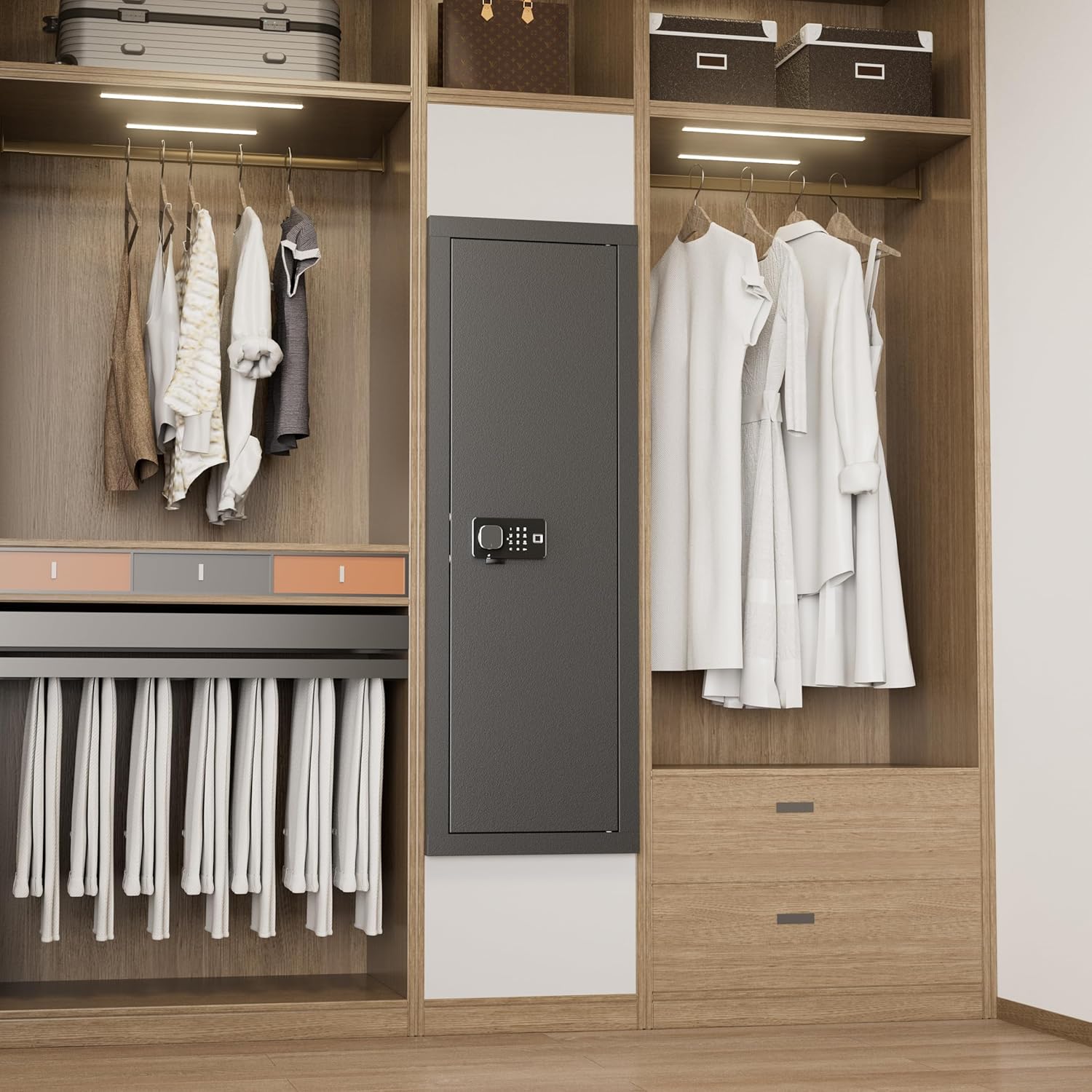
Figure 7: Internal components and storage options.
Penyelenggaraan
- Penggantian Bateri: Replace all batteries annually or when the low battery indicator activates. Use high-quality alkaline batteries.
- Pembersihan: Wipe the exterior and interior of the safe with a soft, dry cloth. Do not use abrasive cleaners or solvents. Keep the fingerprint scanner clean and dry for optimal performance.
- Mekanisme Kunci: Do not lubricate the lock mechanism. If you experience issues, contact customer support.
Menyelesaikan masalah
| Masalah | Kemungkinan Punca | Penyelesaian |
|---|---|---|
| Safe does not open with keypad/fingerprint. | Low batteries, incorrect code/fingerprint, scanner dirty. | Replace batteries. Re-enter code carefully. Clean scanner. Use emergency key. |
| Alarm sounds repeatedly. | Multiple incorrect entries (wrong access alarm), door left unlocked (timeout unlocked alarm). | Enter correct code/fingerprint. Close and lock the safe door. |
| Cannot program new code/fingerprint. | Incorrect programming sequence, low batteries. | Ensure door is open. Follow programming steps precisely. Replace batteries. |
| Emergency key does not work. | Keyhole obstructed, wrong key. | Ensure keyhole is clear. Use the correct emergency key. Do not force the key. |
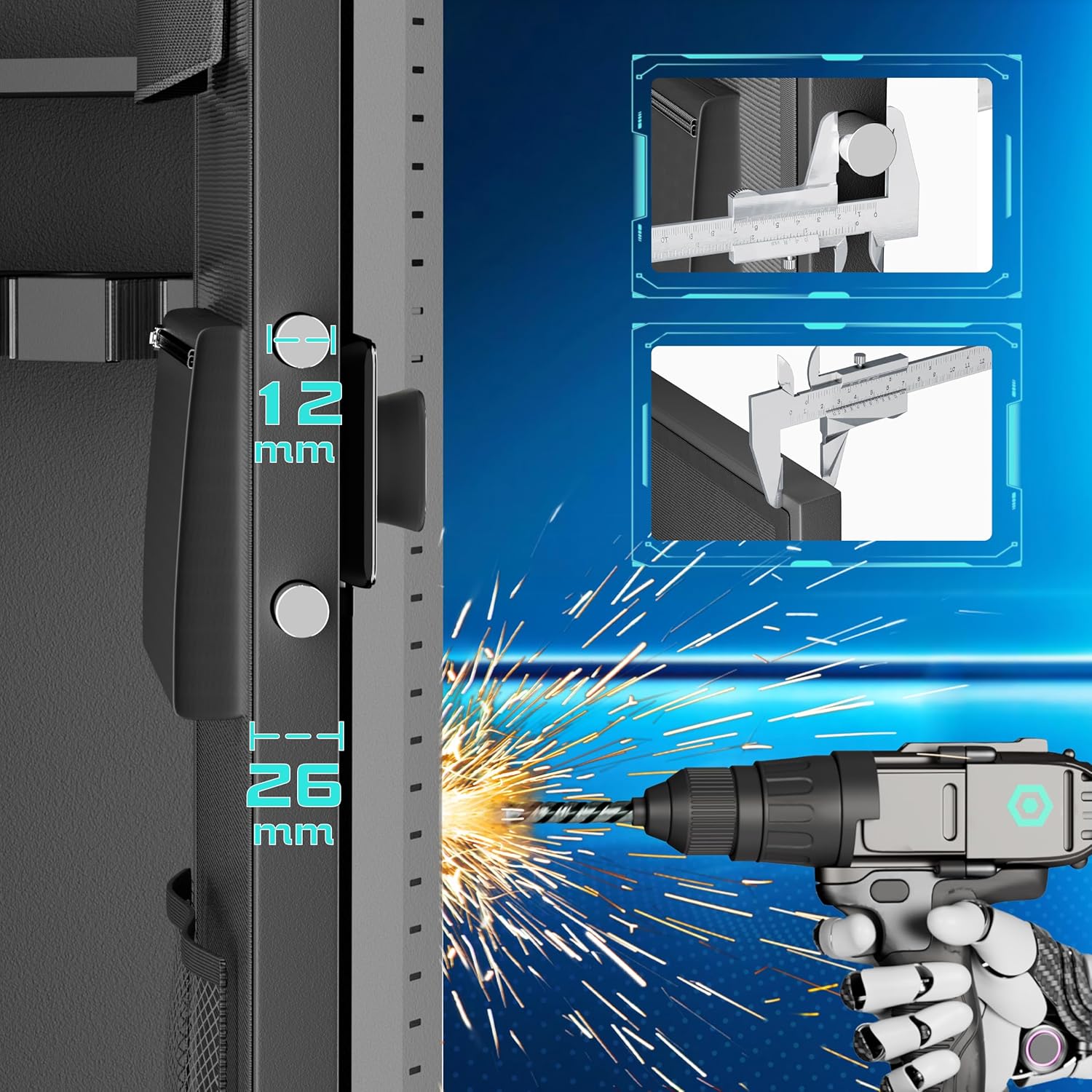
Figure 8: Alarm system features and triggers.
Waranti dan Sokongan
Greenvelly products are manufactured to high-quality standards. For warranty information, technical support, or assistance with your product, please contact Greenvelly customer service. Please have your model number (784227749156) and purchase date available when contacting support.
Contact information can typically be found on the Greenvelly official webtapak atau melalui peruncit anda.


