1. Pengenalan
This manual provides detailed instructions for the installation, operation, and maintenance of the OOYCYOO 60A MPPT Solar Charge Controller, Model EC60A. This device is designed to efficiently manage power flow from solar panels to various battery types, including 12V, 24V, 36V, and 48V systems.
Sila baca manual ini dengan teliti sebelum pemasangan dan pengendalian untuk memastikan fungsi dan keselamatan yang betul.
2. Ciri-ciri Utama
- 60A MPPT Charging: Utilizes Maximum Power Point Tracking technology for efficient solar energy conversion.
- Berbilang Stage Mengecas: Mempunyai 4-stage battery charging algorithm (Bulk Charge, Boost Charge, Float Charge, Equalization) for optimal battery health.
- Lebar Voltage Sokongan: Automatically detects and supports 12V, 24V, 36V, and 48V battery systems.
- High PV Input: Supports solar panel open circuit voltage up to 160VDC and input power up to 2800W (for 48V systems).
- Keserasian Bateri: Compatible with various battery types including AGM, Gel, Flooded, and Lithium (LFP), with pre-set and user-defined charging parameters.
- Kecekapan Tinggi: Tracking efficiency not less than 98.1% and peak conversion efficiency up to 98%.
- Perlindungan Lanjutan: Includes PV over current/power, PV short circuit, PV reverse polarity, night reverse charging, battery reverse polarity, over voltage, over discharge, overheating, lithium battery low temperature, load short circuit, load overload, and TVS high voltage sementara.
- Paparan LCD: Integrated blacklight LCD for monitoring system status, including KWH charge amount.
- Penyejukan yang cekap: Die-cast aluminum construction with built-in cooling fan for effective heat dissipation.
3. Arahan Keselamatan
Sila patuhi langkah berjaga-jaga keselamatan berikut semasa pemasangan dan pengendalian:
- Ensure all connections are correct and secure before applying power.
- Always connect the battery first, then the solar panel, and finally the load. Disconnect in reverse order.
- Jangan buka atau cuba membaiki alat kawalan sendiri. Hubungi kakitangan yang berkelayakan untuk servis.
- Pasang pengawal di kawasan yang mempunyai pengudaraan yang baik, jauh daripada bahan mudah terbakar dan cahaya matahari langsung.
- Pakai peralatan pelindung diri (PPE) yang sesuai semasa bekerja dengan sistem elektrik.
- Pastikan sistem voltage tidak melebihi volum input maksimum pengawaltage (160VDC).
4. Produk Lebihview
The OOYCYOO 60A MPPT Solar Charge Controller features a robust design with an intuitive LCD display and clearly labeled terminals for easy connection.

Rajah 4.1: Depan view of the OOYCYOO 60A MPPT Solar Charge Controller, showing the LCD display, control buttons, and terminal connections.

Rajah 4.2: Terperinci view of the controller highlighting the LCD display, control buttons (SET, A, B, C, D), 5-second reset function, and clearly marked Solar Panel, Battery, and Load terminals.
4.1. Components and Interface
- Paparan LCD: Shows real-time system parameters such as PV input voltage, bateri voltage, load output, and charging status.
- Control Buttons (A, B, C, D, SET): Used for navigating menus, adjusting settings, and confirming selections.
- Terminal Panel Suria: Connect positive and negative leads from the solar array.
- Terminal Bateri: Connect positive and negative leads to the battery bank.
- Terminal Beban: Connect positive and negative leads to DC loads.
5. Pemasangan dan Persediaan
5.1. Memasang Pengawal
Mount the controller vertically on a wall or a stable surface in a dry, well-ventilated indoor location. Ensure adequate clearance around the unit for proper airflow and heat dissipation. Avoid direct sunlight, high temperatures, and humid environments.
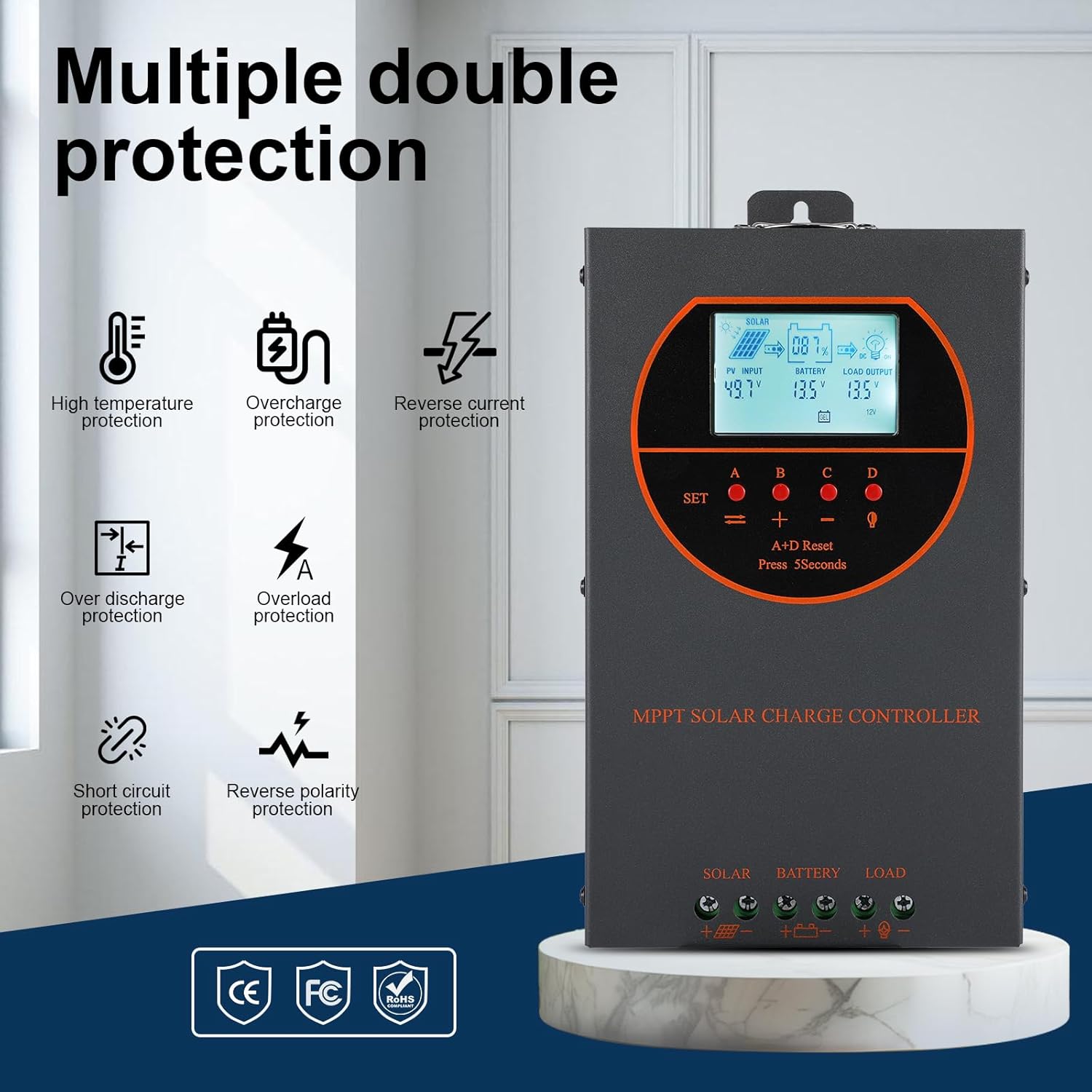
Figure 5.1: Dimensions of the OOYCYOO 60A MPPT Solar Charge Controller, showing approximate measurements of 14cm (5.5in) width, 5.5cm (2.2in) depth, and 23cm (9.1in) length.
5.2. Wiring Sequence
Follow this wiring sequence carefully to prevent damage to the controller or other components:
- Sambungkan Bateri: Connect the positive and negative terminals of the battery to the corresponding battery terminals on the controller. Ensure correct polarity. The controller will automatically detect the battery voltage (12V/24V/36V/48V).
- Sambungkan Panel Suria: Connect the positive and negative leads from the solar panel array to the corresponding PV input terminals on the controller. Ensure correct polarity.
- Sambungkan Beban DC (Pilihan): Connect the positive and negative leads of your DC load to the corresponding load terminals on the controller.
Penting: Always connect the battery first and disconnect the solar panel first when disassembling the system.

Figure 5.2: Illustrative wiring diagram showing connections from solar panels to the controller, then to the battery, and finally to DC and AC loads via an inverter. This diagram also shows the possibility of connecting two 60A controllers in parallel for increased capacity.
5.3. Sistem Voltage and Power Configuration
The controller automatically identifies the battery system voltage. Ensure your solar panel array's open circuit voltage (Voc) and maximum input power are within the specified limits for your battery system:
| Sistem Bateri | Maks. Litar Terbuka PV Voltage (Voc) | Maks. Kuasa Input PV |
|---|---|---|
| 12V | ≤72V | 720W |
| 24V | ≤108V | 1440W |
| 36V | ≤144V | 2100W |
| 48V | ≤160V | 2800W |

Figure 5.3: Diagram illustrating the connection of multiple PV modules in series to the controller, with a table detailing recommended system parameters for 12V, 24V, and 48V systems, including battery float voltage, di bawah voltage perlindungan, pemulihan voltage, and maximum input power.
6. Operasi
6.1. LCD Display and Indicators
The LCD display provides real-time information about the solar charging system. Key indicators include:
- Input PV: Memaparkan vol semasatage and power from the solar panels.
- Bateri: Shows the current battery voltage dan status pengecasan.
- Muatkan Output: Indicates the status of the DC load output.
- KWH: Displays the total accumulated charge in kilowatt-hours.
6.2. Pemilihan Jenis Bateri
The controller is compatible with various battery types. You can select the appropriate battery type through the controller's settings menu to ensure optimal charging. Supported types include:
- GEL
- AGM
- USER (user-defined parameters)
- SEL (Sealed)
- FLD (Flooded)
- LI (Lithium)
- LiFePO4

Figure 6.1: Diagram illustrating the controller's strong adaptability to various battery types (GEL, AGM, USER, SEL, FLD, LI, LiFePO4) and a graph showing the 4-stage charging process: Bulk Charge, Constant Charging (Boost), and Float Charge.
6.3. Charging Algorithm
Pengawal menggunakan 4-stage charging algorithm to maximize battery life and performance:
- Caj Pukal: Delivers maximum current to rapidly charge the battery to approximately 80% capacity.
- Caj Meningkatkan: Charges the battery at a higher voltage to ensure full charge and equalization.
- Caj Terapung: Mengekalkan bateri pada volum yang selamattage to prevent self-discharge and overcharging.
- Penyamaan: Periodically overcharges flooded batteries to balance cell voltages and prevent sulfation. (Applicable to flooded batteries only, if enabled).
7. Penyelenggaraan
Penyelenggaraan berkala memastikan jangka hayat dan prestasi optimum pengawal cas solar anda:
- Semak Sambungan: Periksa secara berkala semua sambungan pendawaian untuk kesesakan dan kakisan.
- Pengawal Bersih: Keep the controller clean and free from dust. Use a dry cloth to wipe the exterior. Ensure ventilation openings are not obstructed.
- Pantau Prestasi: Regularly check the LCD display for normal operating parameters. Note any unusual readings.
- Pemeriksaan Bateri: Inspect batteries for any signs of damage, leakage, or corrosion. Clean battery terminals as needed.
8. Penyelesaian masalah
This section addresses common issues you might encounter with the OOYCYOO 60A MPPT Solar Charge Controller.
8.1. Isu dan Penyelesaian Biasa
| Masalah | Kemungkinan Punca | Penyelesaian |
|---|---|---|
| No display/Controller not powering on | Bateri tidak disambungkan atau volum rendahtage; reverse polarity. | Semak sambungan bateri dan voltage. Ensure correct polarity. Charge battery if voltage terlalu rendah. |
| Tiada pengecasan solar | Solar panel not connected; reverse polarity; low sunlight; PV over-voltage / semasa. | Check solar panel connections and polarity. Ensure sufficient sunlight. Verify PV voltage and current are within limits. |
| Beban tidak berfungsi | Load not connected; load short circuit; overload; battery low voltage. | Check load connections. Inspect for short circuits or overloads. Ensure battery has sufficient charge. |
| Pengawal terlalu panas | Pengudaraan yang lemah; input beban/PV yang berlebihan. | Ensure adequate airflow around the controller. Reduce load or PV input if consistently overheating. |
8.2. Fungsi Perlindungan
The controller includes multiple protection features to safeguard the system:
- PV Lebih Arus/Kuasa
- Litar Pendek PV
- Polariti Terbalik PV
- Pengecasan Songsang Malam
- Kekutuban Terbalik Bateri
- Bateri Lebih Voltage
- Bateri Lebih Nyahcas
- Battery Overheating, Controller Overheating
- Bateri Litium Suhu Rendah
- Muatkan Litar Pendek
- Beban Beban
- TVS High Voltage Transients
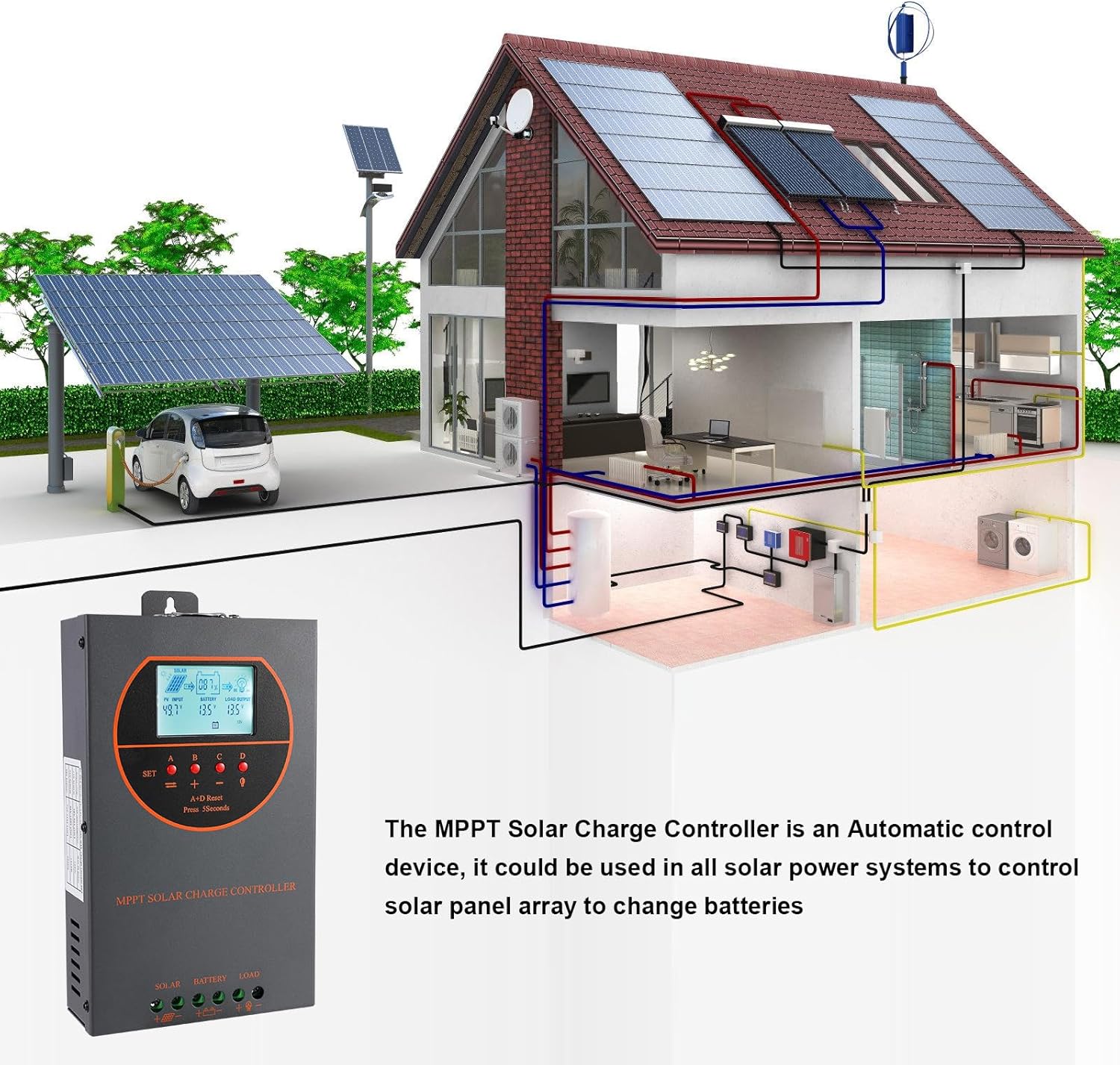
Figure 8.3: Visual representation of the multiple protection features integrated into the controller, including low voltage, overheat, short circuit, reverse protection, overload, and overcurrent protection.

Gambar 8.4: Dalaman view of the controller, highlighting key components such as copper coil transformers and capacitors, which contribute to its robust performance and protection features.
9. Spesifikasi Teknikal
| Parameter | Spesifikasi |
|---|---|
| Kadar Caj Semasa | 60A |
| Sistem Nominal Voltage | 12V/24V/36V/48V DC Auto Identifying |
| Bateri Voltage Julat | 9V~55V |
| Maks. Litar Terbuka PV Voltage | 160VDC |
| Max. PV Input Power (12V System) | 720W |
| Max. PV Input Power (24V System) | 1440W |
| Max. PV Input Power (36V System) | 2100W |
| Max. PV Input Power (48V System) | 2800W |
| Terminal Kuasa | 6-12 AWG |
| Dimensi (L*W*H) | 11 x 6 x 2.5 inci (lebih kurang 27.9 x 15.2 x 6.3 cm) |
| Berat badan | 4.07 paun (lebih kurang 1.8 kg) |
| Kecekapan Penjejakan | ≥98.1% |
| Kecekapan Penukaran Puncak | Sehingga 98% |
| Menyejukkan | Die-cast aluminum housing, built-in cooling fan |
| Jenis Bateri Disokong | AGM, Gel, Flooded, Lithium (LFP), Sealed, User-defined |
| bahan | aluminium |
| Nombor Model Item | EC60A |
| UPC | 750864834470 |
10. Sokongan dan Hubungan
For technical support, warranty claims, or further assistance, please contact OOYCYOO customer service through the retailer where the product was purchased or visit the official OOYCYOO store on Amazon:

