1. Pengenalan
Terima kasih kerana membeliasing the ROCAM CR1030DAB Solar DAB+/FM Emergency Radio with Bluetooth. This device is designed to provide reliable communication and illumination in various situations, including emergencies, outdoor activities, and daily use. It features multiple power sources, including solar, hand crank, USB-C, and AAA batteries, ensuring continuous operation. Please read this manual carefully to understand the product's functions and ensure safe and optimal use.

Image 1.1: The ROCAM CR1030DAB Solar DAB+/FM Emergency Radio, showing its front panel, display, and solar panel.
2. Maklumat Keselamatan
Untuk mengelakkan kerosakan pada produk atau kecederaan pada diri sendiri dan orang lain, sila patuhi langkah berjaga-jaga keselamatan berikut:
- Jangan dedahkan peranti kepada suhu yang melampau, cahaya matahari langsung untuk tempoh yang lama (selain daripada pengecasan) atau kelembapan yang tinggi.
- Avoid dropping or subjecting the radio to severe impacts.
- Jauhkan peranti daripada medan magnet yang kuat.
- Jangan cuba membuka atau mengubah suai radio. Ini akan membatalkan jaminan dan boleh menyebabkan kerosakan.
- Use only specified charging cables and power adapters.
- Ensure the USB-C port cover is securely closed when not in use, especially in wet conditions, to maintain IPX6 water resistance.
- When using the SOS alarm, be aware of its 120 dB volume, which can be very loud.
3. Kandungan Pakej
Sila semak pakej untuk item berikut:
- 1 × ROCAM CR1030DAB Radio
- 1 × Kabel Pengecasan USB-C
- 1 × Portable Strap
- 1 × Manual Pengguna
4. Produk Lebihview
The ROCAM CR1030DAB radio combines multiple functionalities into a robust, portable unit. Key features include DAB+/FM radio reception, Bluetooth 5.0 connectivity, a 12000 mAh power bank, a 5W LED flashlight, a reading lamp, and an SOS alarm. The device is equipped with a 2.4-inch color display for clear information and supports multiple charging methods.
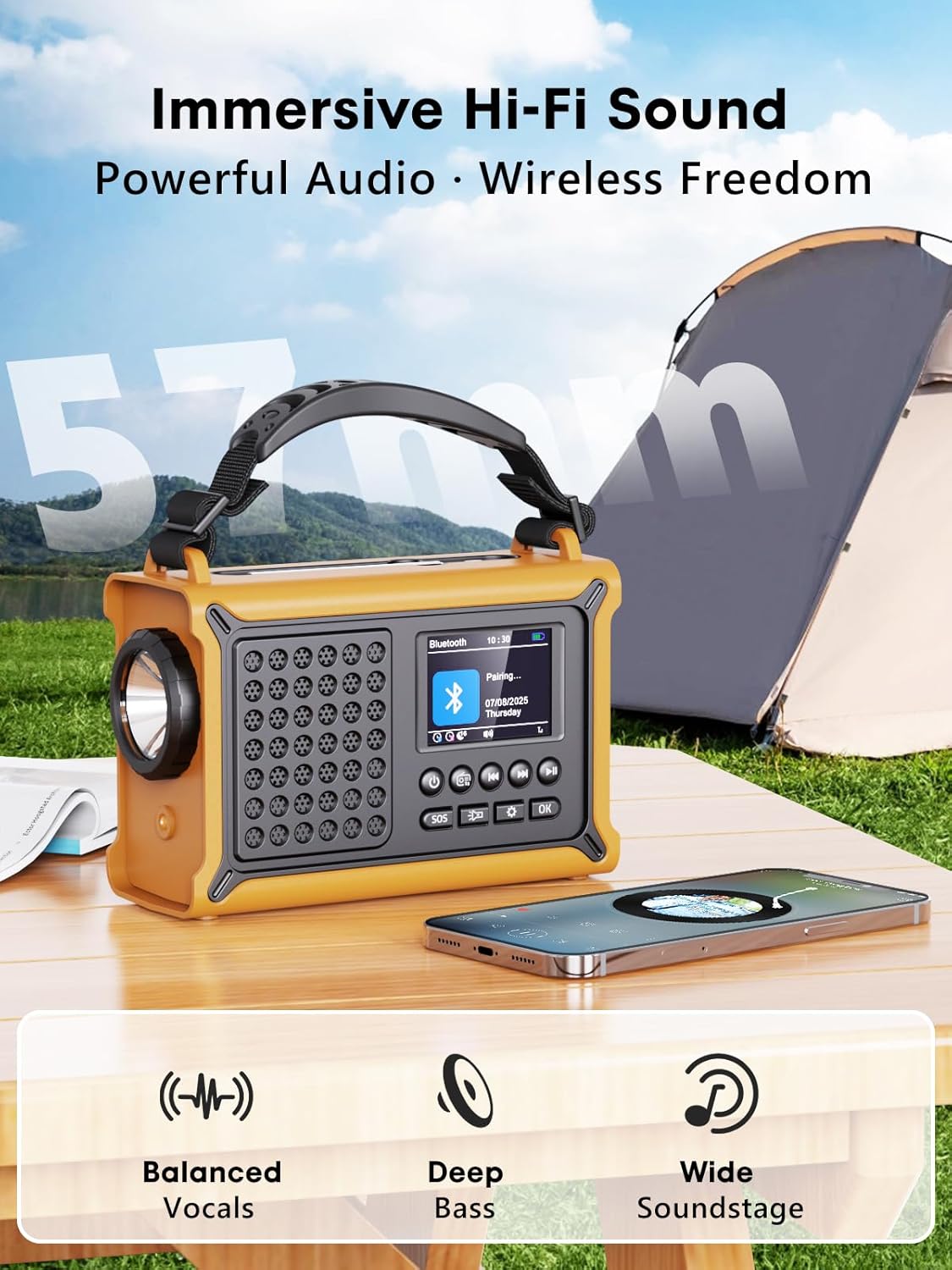
Image 4.1: The radio's 2.4-inch color display showing station information and battery level.
5. Persediaan
5.1 Pengecasan Awal
Before first use, it is recommended to fully charge the radio using the USB-C cable. Connect the USB-C cable to the radio's charging port and the other end to a USB power adapter (not included) or a computer USB port. The battery indicator on the display will show charging progress.
5.2 Inserting AAA Batteries (Optional Backup)
The radio can also be powered by 3 AAA batteries (not included) as a backup. Open the battery compartment cover on the back of the radio and insert the batteries, ensuring correct polarity. Close the cover securely.
6. Arahan Operasi
6.1 Hidupkan/Mati Kuasa
Tekan dan tahan butang kuasa butang untuk menghidupkan atau mematikan radio.
6.2 Operasi Radio (DAB+/FM)

Image 6.1: The radio displaying DAB+ reception, indicating clear signal and advanced chip technology.
- Menukar Mod: Tekan ke Mod button to switch between DAB+, FM, and Bluetooth modes.
- Imbasan Auto: In DAB+ or FM mode, press and hold the Imbas button to automatically scan for available stations. The radio will save up to 40 DAB+ and 40 FM presets.
- Manual Tuning/Selecting Presets: Gunakan Atas/Bawah buttons to navigate through stations or saved presets.
- Kawalan Kelantangan: Putar Kelantangan knob on the side of the radio to adjust the sound level.
- Antena: Extend the telescopic antenna for optimal radio reception.
6.3 Berpasangan Bluetooth
In Bluetooth mode, the radio will automatically enter pairing mode. On your smartphone or other Bluetooth device, search for "CR1030DAB" and connect. Once paired, you can stream audio wirelessly to the radio's speakers.

Image 6.2: The radio connected to a smartphone via Bluetooth, demonstrating its Hi-Fi sound capabilities.
6.4 Lampu Suluh dan Membaca Lamp

Image 6.3: Demonstrating the 5W flashlight, SOS red flashing light, and 12-LED reading lamp ciri-ciri radio.
- Lampu suluh: Tekan ke Lampu suluh button once to turn on the 5W LED flashlight. Press again to turn it off.
- Membaca Lamp: Tekan ke Membaca Lamp button once to activate the soft reading light. Press again to turn it off.
6.5 Penggera SOS
Tekan ke SOS button to activate a loud 120 dB alarm and a flashing red light. This function is intended for emergency situations to attract attention. Press the SOS butang sekali lagi untuk menyahaktifkannya.
7. Kaedah Mengecas
The ROCAM CR1030DAB offers four versatile charging options to ensure power availability in any situation.

Image 7.1: The radio showcasing its multiple charging options: solar panel, USB-C port, hand crank, and AAA battery compartment.
7.1 Pengecasan Suria
Place the radio with its solar panel facing direct sunlight. The 8500 mm² solar panel will convert solar energy into electrical energy to charge the internal 12000 mAh battery. This method is ideal for maintaining charge or slow charging in outdoor environments.
7.2 Hand Crank Charging
Unfold the hand crank located on the side of the radio. Rotate the crank clockwise or counter-clockwise at a steady pace (approximately 120-150 RPM) to generate power. This method is effective for quick bursts of power or when other charging options are unavailable.
7.3 Pengecasan USB-C
Connect the provided USB-C cable to the radio's USB-C input port and to a standard USB power source (e.g., wall adapter, power bank, computer). This is the fastest and most efficient way to fully charge the radio.
7.4 AAA Battery Power
As mentioned in Section 5.2, 3 AAA batteries can be inserted as an alternative power source. The radio will draw power from these batteries when the internal rechargeable battery is depleted or not present.
8. Penyelenggaraan
- Pembersihan: Lap radio dengan lembut, damp kain. Jangan gunakan pembersih atau pelarut yang melelas.
- Storan: Store the radio in a cool, dry place away from direct sunlight when not in use for extended periods.
- Penjagaan Bateri: For optimal battery life, fully charge the radio at least once every three months if not used regularly.
9. Penyelesaian masalah
| Masalah | Kemungkinan Punca | Penyelesaian |
|---|---|---|
| Radio tidak dihidupkan. | Bateri habis. | Charge the radio using USB-C, solar, or hand crank. Check AAA batteries if installed. |
| Penerimaan radio yang lemah. | Antena tidak dilanjutkan; kawasan isyarat lemah. | Fully extend the telescopic antenna. Try repositioning the radio or moving to an open area. |
| Peranti Bluetooth tidak boleh berpasangan. | Radio not in Bluetooth mode; device too far. | Ensure the radio is in Bluetooth mode. Keep the device within 10 meters of the radio. Restart both devices. |
| Lampu suluh/Membaca lamp tidak bekerja. | Bateri terlalu rendah. | Cas radio. |
10. Spesifikasi
| Ciri | Spesifikasi |
|---|---|
| Model | CR1030DAB |
| Pancaragam Radio | DAB+, FM |
| Pratetap | 80 (40 DAB +, 40 FM) |
| Kapasiti Bateri | 12,000 mAh Lithium |
| Saiz Panel Suria | 8500 mm² |
| Hand Crank Output | 650 mA |
| Pilihan Pengecasan | Solar, Hand Crank, USB-C, 3x AAA Batteries |
| Paparan | LCD Warna 2.4-inci |
| Tahan Air | IPX6 |
| Versi Bluetooth | 5.0 |
| Lampu suluh | LED 5W |
| Penggera SOS | 120 dB |
| Bicu Fon Kepala | 3.5 mm |
| Dimensi | 17.2 cm (L) x 7.3 cm (W) x 12 cm (H) (approx.) |
| Berat badan | 820 g |
11. Waranti dan Sokongan
ROCAM products are designed for reliability and performance. For warranty information or technical support, please refer to the contact details provided with your purchase documentation or visit the official ROCAM webtapak. Sila simpan bukti pembelian anda untuk tuntutan waranti.


