1. Pengenalan
This manual provides detailed instructions for the setup, operation, and maintenance of your uaue P131 GPS Smart Watch. This device is designed to be a comprehensive fitness tracker and smart companion, offering features such as GPS positioning, extensive sports modes, health monitoring, and smart notifications.
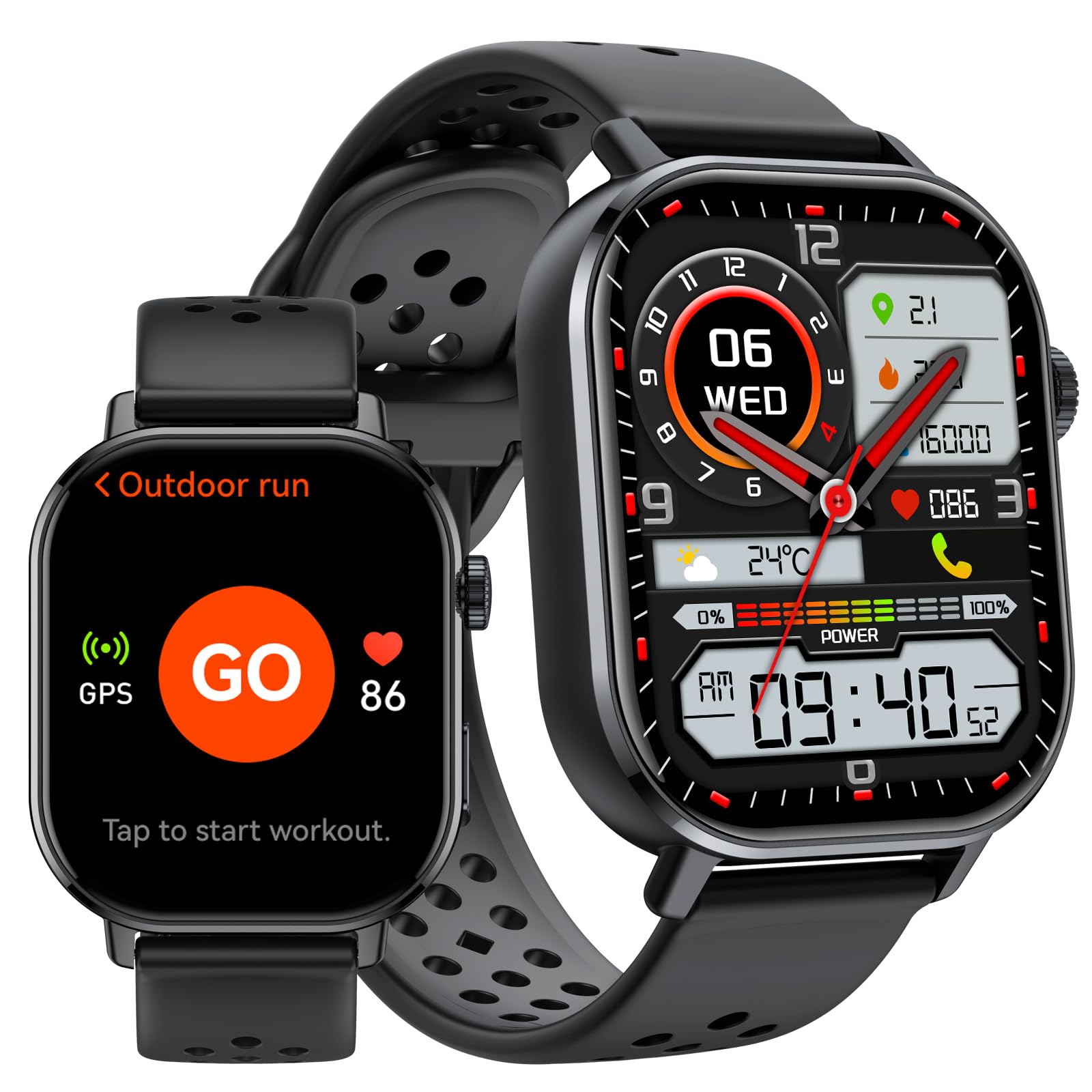
Imej 1: Selesaiview of the uaue P131 GPS Smart Watch's multifunctional display.
2. Persediaan
2.1 Mengecas Peranti
Before first use, fully charge your smart watch. Connect the magnetic charging cable to the charging points on the back of the watch and plug the USB end into a power adapter (not included) or a computer's USB port. A full charge typically takes approximately 2.5 hours.

Image 2: Battery capacity and charging information for the uaue P131 Smart Watch.
2.2 Berpasangan dengan Telefon Pintar Anda
- Download the official companion app from your smartphone's app store (compatible with iOS and Android devices).
- Pastikan Bluetooth didayakan pada telefon pintar anda.
- Open the app and follow the on-screen instructions to search for and pair with your uaue P131 Smart Watch.
- Grant necessary permissions for notifications, location services, and health data synchronization to ensure full functionality.
3. Arahan Operasi
3.1 Paparan dan Navigasi
The uaue P131 features a vibrant 2.06-inch AMOLED touchscreen.
- Leret ke atas/bawah: Akses tetapan atau pemberitahuan pantas.
- Leret Kiri/Kanan: Navigasi melalui widget dan fungsi utama.
- Ketik: Pilih item atau sahkan tindakan.
- Tekan Butang Sisi: Kembali ke skrin utama atau akses menu aplikasi.

Image 3: The 2.06-inch AMOLED touchscreen of the uaue P131 Smart Watch.
3.2 Calling and Messaging Notifications
Once paired with your smartphone, you can make and receive calls directly from your watch via Bluetooth. The smart notification system delivers alerts for incoming calls, messages, and app notifications. Customize notification preferences through the companion app.

Image 4: Bluetooth calling and message alerts on the uaue P131 Smart Watch.
3.3 Penjejakan Kesihatan
The watch provides 24/7 health monitoring. Access these features by swiping through the watch interface or via the companion app.
- Pemantauan Denyut Jantung: Mengesan kadar denyutan jantung anda secara berterusan.
- Pemantauan Oksigen Darah (SpO2): Mengukur tahap oksigen darah anda.
- Pemantauan Tidur: Menganalisis corak dan kualiti tidur anda.
- Pemantauan Tekanan: Assesses stress levels based on heart rate variability.

Image 5: Real-time health monitoring features of the uaue P131 Smart Watch.
3.4 Sports Modes and GPS
The watch supports over 178 sports modes. Select your desired activity from the workout menu to track specific metrics. The integrated GPS system utilizes multiple global satellite networks for accurate tracking of your routes, distance, and pace during outdoor activities. It also includes an altimeter for elevation changes and a barometer for atmospheric pressure trends.

Image 6: The uaue P131 Smart Watch offers over 178 built-in sports modes.
3.5 Kawalan Suara
Utilize the built-in voice assistant for hands-free control. Activate the voice assistant and issue commands for tasks such as checking weather, setting reminders, controlling music playback, or asking general questions.
3.6 Ciri Tambahan
The uaue P131 Smart Watch includes several utility features:
- Jam loceng: Set multiple alarms for daily reminders.
- Jam randik & Pemasa: Untuk ketepatan masa semasa aktiviti.
- Kalkulator: Lakukan pengiraan asas terus pada pergelangan tangan anda.
- Kawalan Muzik: Manage music playback on your connected smartphone.
- Ramalan cuaca: Dapatkan kemas kini cuaca masa nyata.
- Cari Telefon: Cari telefon pintar anda yang salah letak.
- Pengatup Jauh: Kawal kamera telefon pintar anda dari jauh.
- Lampu suluh: Use the screen as a temporary light source.
- Kompas: Memberikan panduan arah.
- Senaman pernafasan: Guided breathing for relaxation.
4. Penyelenggaraan
4.1 Kalis Air (IP68)
The uaue P131 Smart Watch is IP68 waterproof, meaning it is resistant to dust and can withstand immersion in water up to 1.5 meters for up to 30 minutes. It is suitable for daily use, such as hand washing, rain, and shallow swimming. However, it is not recommended for hot showers, saunas, or diving, as steam and high water pressure can compromise the seal.

Image 7: The uaue P131 Smart Watch features 5ATM waterproofing for outdoor use.
4.2 Penjagaan Bateri
To maximize battery life, avoid extreme temperatures and fully discharge and recharge the battery periodically. The watch offers up to 30 days of standby time or 7 days of typical use.
4.3 Pembersihan
Clean the watch and strap regularly with a soft, damp cloth. Ensure the charging contacts are free of dirt and debris for optimal charging.
5. Penyelesaian masalah
- Tonton tidak dihidupkan: Pastikan jam tangan dicas sepenuhnya. Sambungkannya ke pengecas dan tunggu beberapa minit sebelum cuba menghidupkannya.
- Tidak boleh berpasangan dengan telefon pintar:
- Pastikan Bluetooth didayakan pada telefon anda dan jam tangan berada dalam liputan.
- Mulakan semula telefon dan jam tangan anda.
- Cuba nyahpasang dan pasang semula peranti melalui apl pendamping.
- Check if the app has all necessary permissions granted on your phone.
- Inaccurate or missing health data (Heart Rate, Sleep, Blood Oxygen):
- Pastikan jam tangan dipakai dengan kemas di pergelangan tangan anda, tidak terlalu ketat atau terlalu longgar.
- Bersihkan penderia di belakang jam tangan.
- Restart the watch and check for app updates.
- Environmental factors or movement can sometimes affect sensor readings.
- Pemberitahuan tidak muncul:
- Verify that notifications are enabled in both the watch's settings and the companion app.
- Check your phone's notification settings to ensure the companion app has permission to send notifications.
- Ensure the watch is connected via Bluetooth to your phone.
- GPS tracking issues:
- Pastikan anda berada di kawasan lapang yang jelas view langit untuk penerimaan satelit yang optimum.
- Verify that location services are enabled on your smartphone and for the companion app.
- Allow the watch a few moments to acquire a GPS signal before starting an activity.
6. Spesifikasi
| Ciri | Perincian |
|---|---|
| Nombor Model | P131 |
| Jenama | uaue |
| Jenis Paparan | AMOLED |
| Saiz Skrin | 2.06 Inci |
| Ketersambungan | Bluetooth |
| GPS | GPS terbina dalam |
| Tahan Air | IP68 (5ATM equivalent) |
| Hayat Bateri (Penggunaan Biasa) | Sehingga 7 hari |
| Hayat Bateri (Bersedia) | Sehingga 30 hari |
| Masa Mengecas | lebih kurang 2.5 jam |
| Peranti Serasi | telefon pintar iOS dan Android |
| Berat Barang | 5.9 auns |
| Dimensi Pakej | 6.61 x 3.31 x 1.38 inci |
7. Waranti dan Sokongan
The uaue P131 GPS Smart Watch comes with a Waranti 2 tahun from the date of purchase. This warranty covers manufacturing defects and ensures reliable operation under normal use. For warranty claims, technical support, or any inquiries regarding your device, please contact uaue customer service through the contact information provided with your product packaging or on the official uaue webtapak.


