pengenalan
The Reebok Icon Smartwatch is designed for active lifestyles, offering comprehensive health tracking, smart notifications, and a durable, waterproof design. This manual provides instructions for setting up, operating, and maintaining your device to ensure optimal performance and longevity.

Image: The Reebok Icon Smartwatch, showcasing its display with activity metrics.
Apa yang ada dalam Kotak
Upon unboxing your Reebok Icon Smartwatch, verify that all the following items are included:
- Reebok Icon Smartwatch
- Sukan band
- Kabel Pengecasan Magnetik
- Panduan Mula Pantas
- Pelindung Skrin

Image: A visual representation of the items included in the Reebok Icon Smartwatch packaging.
Persediaan
Follow these steps to set up your Reebok Icon Smartwatch for first use:
- Charge the Smartwatch: Connect the magnetic charging cable to the charging points on the back of the watch and to a USB power source. Ensure the watch is fully charged before initial use. A full charge typically takes approximately 2 hours.
- Download the Reebok Connect App:
- Scan the QR code provided in the Quick Start Guide or search for "Reebok Connect" on the Apple App Store (for iPhone) or Gedung Google Play (untuk Android).
- Pasang aplikasi pada telefon pintar anda.
- Gandingkan dengan Telefon Pintar Anda:
- Open the Reebok Connect App and follow the on-screen instructions to create an account or log in.
- Dayakan Bluetooth pada telefon pintar anda.
- In the app, select "Add Device" or a similar option and choose "Reebok Icon" from the list of available devices.
- Sahkan permintaan berpasangan pada kedua-dua jam tangan dan telefon pintar anda.
- Complete Initial Setup: Follow the app's prompts to set up your personal profile, preferences, and grant necessary permissions for full functionality, such as notification access and health data synchronization.

Image: The Reebok Connect app interface, demonstrating its user-friendly design and data synchronization capabilities.
Mengendalikan Jam Pintar Anda
Navigasi dan Paparan Asas
- Skrin sentuh: The Reebok Icon Smartwatch features a 2.04-inch AMOLED touchscreen for intuitive navigation. Swipe across the screen to access different functions and tap to select options.
- Side Button/Dial: Refer to your Quick Start Guide for specific functions of the physical button or rotating dial, which may include waking the screen, returning to the home screen, or navigating menus.
- Menyesuaikan Muka Jam: Choose from preloaded watch faces directly on the device or explore additional options within the Reebok Connect App to personalize your display.

Image: The smartwatch displaying its HD AMOLED screen with multiple watch face designs.
Penjejakan Kesihatan dan Kecergasan
- Penjejakan Aktiviti: The watch continuously tracks daily steps, calories burned, and distance covered. View your progress directly on the watch or in the Reebok Connect App.
- Pemantauan Denyut Jantung: The built-in sensor monitors your heart rate throughout the day. Access real-time heart rate data on the watch and detailed historical data in the app.
- Penjejakan SpO2: Monitor your blood oxygen saturation levels. This feature provides insights into your overall wellness.
- Analisis Tidur: Wear your watch to bed to track sleep patterns, including REM, deep, and light sleep stages, and awake times.
- Mod Senaman: Select from over 80 sports modes to accurately track specific activities. The watch records metrics relevant to your chosen workout, such as duration, distance, and calories.

Image: The smartwatch's health tracking features, including heart rate, SpO2, and sleep analysis.
Ciri Pintar
- Pemberitahuan Pintar: Receive alerts for incoming calls, text messages, and app notifications directly on your wrist. Manage notification preferences through the Reebok Connect App.
- Panggilan Bluetooth: Utilize the watch for Bluetooth calling, allowing you to answer or make calls directly from your wrist when connected to your smartphone.
- Hayat Bateri: The Reebok Icon Smartwatch offers up to 10 days of battery life on a single charge, depending on usage.
Penyelenggaraan
Proper care and maintenance will extend the life of your Reebok Icon Smartwatch:
- Pembersihan: Bersihkan jam tangan pintar dan tali anda secara berkala dengan kain lembutamp cloth. Avoid harsh chemicals, abrasive materials, or strong detergents. Ensure the charging contacts are clean and dry before charging.
- Tahan Air: The Reebok Icon Smartwatch is IP68 water and dust resistant. This rating indicates protection against immersion in water up to 1.5 meters for up to 30 minutes. It is suitable for activities like swimming in shallow water but is not recommended for diving, snorkeling, or high-pressure water activities (e.g., showering with hot water, saunas, steam rooms). Always dry the watch thoroughly after exposure to water.
- Penjagaan Tali: The silicone rubber strap is designed for comfort and durability. Clean it regularly to prevent skin irritation and maintain hygiene. If you experience skin irritation, discontinue use and consult a physician.
- mengecas: Use only the provided magnetic charging cable. Avoid exposing the charging contacts to moisture or foreign objects. Do not attempt to charge a wet watch.
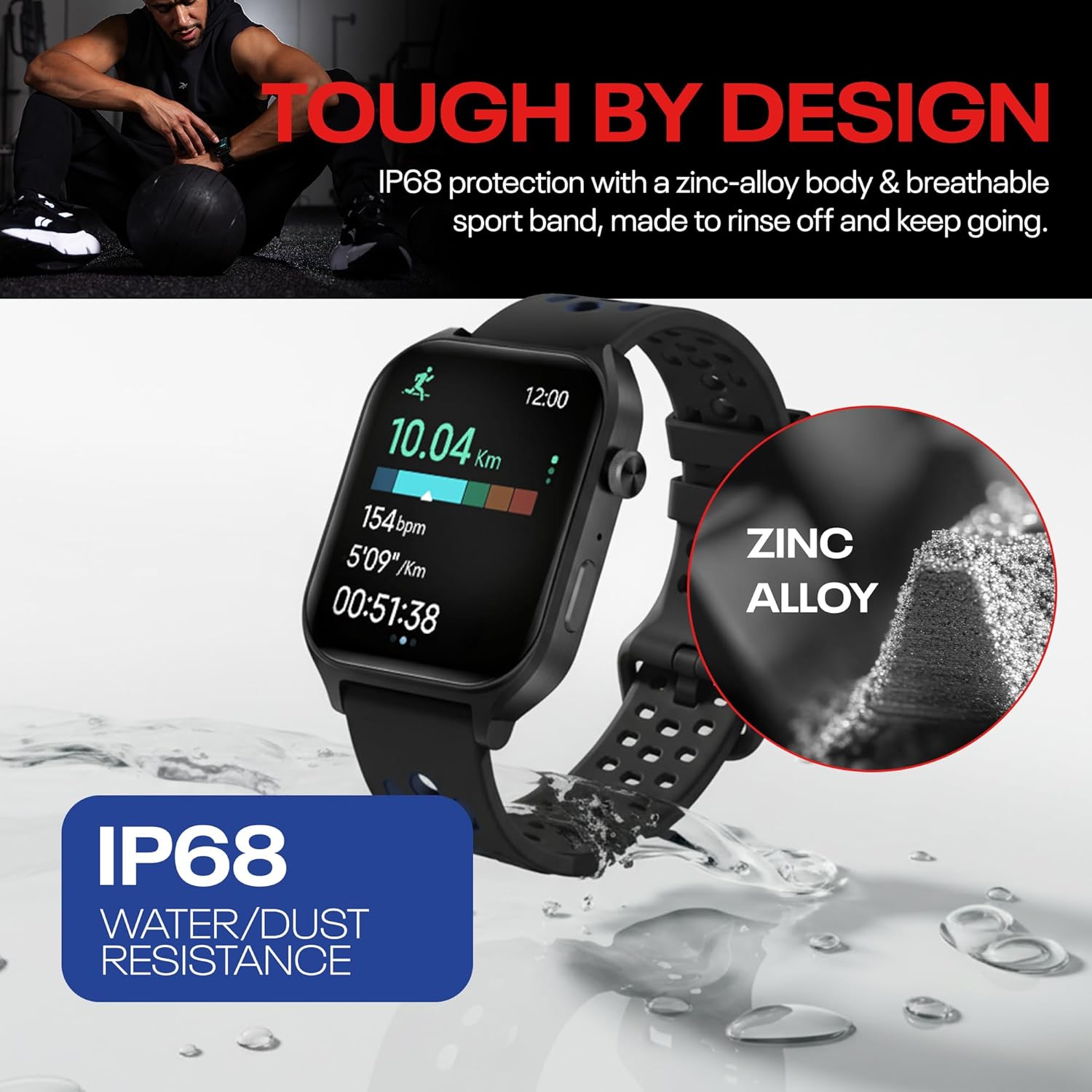
Image: The smartwatch highlighting its IP68 water and dust resistance.
Menyelesaikan masalah
If you encounter issues with your Reebok Icon Smartwatch, refer to the following common solutions:
- Peranti Tidak Dihidupkan: Ensure the watch is fully charged. If it still doesn't turn on, try connecting it to a different USB power source.
- Isu Berpasangan:
- Ensure Bluetooth is enabled on your smartphone and the watch is within close range.
- Mulakan semula telefon pintar dan jam tangan pintar anda.
- Try unpairing the device from your phone's Bluetooth settings and then re-pairing through the Reebok Connect App.
- Penjejakan Tidak Tepat:
- Pastikan jam tangan dipakai dengan kemas di pergelangan tangan anda, kira-kira satu jari lebar di atas tulang pergelangan tangan.
- Keep the sensors on the back of the watch clean and free from debris.
- Ensure your personal information (height, weight, age) is accurately entered in the Reebok Connect App.
- Pemberitahuan Tidak Muncul:
- Check notification settings in the Reebok Connect App and your smartphone's system settings to ensure all necessary permissions are granted.
- Ensure the watch is actively connected to your smartphone via Bluetooth.
- Hayat Bateri Pendek:
- Reduce screen brightness or set a shorter screen timeout.
- Limit continuous heart rate monitoring or turn off features you don't use frequently.
- Ensure the watch is fully charged using the provided cable.
Spesifikasi
| Ciri | Spesifikasi |
|---|---|
| Jenama | Reebok |
| Model | RICS1-BK-US |
| Pengeluar | CE Brands International Inc |
| Sistem Operasi | RTOS |
| Jenis Paparan | AMOLED |
| Saiz Skrin | 2.04 Inci |
| Kapasiti Penyimpanan Memori | 128 MB |
| Ciri Khas | Accelerometer, Activity Tracker, Always On Display, Touchscreen |
| Purata Hayat Bateri | 10 hari |
| Kapasiti Bateri | 300 Miliamp jam |
| Komposisi Sel Bateri | Litium Ion |
| Teknologi Ketersambungan | Bluetooth |
| Standard Komunikasi Tanpa Wayar | Bluetooth |
| Input Antara Muka Manusia | Skrin sentuh |
| Material Type (Case) | Aloi zink |
| Material Type (Backplate) | PC+ABS |
| Material Type (Strap) | Getah Silikon |
| GPS | Phone Assisted |
| bentuk | segi empat tepat |
| Tahan Air | IP68 |
Waranti dan Sokongan
For detailed warranty information, product registration, and technical support, please refer to the Quick Start Guide included with your Reebok Icon Smartwatch. You may also visit the official Reebok support website for the most up-to-date information and assistance.


