1. Pengenalan
This manual provides detailed instructions for the safe and effective operation of your Ourlife M40TR 5K WiFi Action Camera. Please read this manual thoroughly before using the device and retain it for future reference. This camera is designed to capture high-quality video and photos in various environments, including underwater, with features such as dual screens, Electronic Image Stabilization (EIS), and remote control capabilities.
2. Kandungan Pakej
Sahkan bahawa semua item yang disenaraikan di bawah disertakan dalam pakej anda. Jika ada item yang hilang atau rosak, sila hubungi sokongan pelanggan.
- Ourlife M40TR Action Camera
- Perumahan Kalis Air
- Kad Memori 32GB
- Kawalan Jauh Kawalan Tanpa Wayar 2.4G
- Kabel USB
- Palang pemegang/Tiang
- Various Mounts (Mount1, Mount2, Mount3, Mount4, Mount5)
- Klip 1
- pembalut
- Pelekat Pelekat 3M
- Tali wayar
- Manual Pengguna

Image: Ourlife M40TR Action Camera, waterproof housing, 32GB memory card, remote control, and various mounting accessories.
3. Produk Lebihview
Ourlife M40TR features a compact design with dual screens for versatile shooting. The main screen is a 2-inch touchscreen, complemented by a 1.3-inch front display for easy selfies and vlogging. It supports 5K Ultra HD video recording and 50MP photos, enhanced by Electronic Image Stabilization (EIS) and a 170° ultra-wide-angle lens with 5X digital zoom.

Image: The Ourlife M40TR Action Camera showcasing its dual color screens and 5K 30FPS capability.

Image: Icons illustrating key features: 5K Video, Dual Color Screen, EIS, 50MP Photos, Dashcam Mode, 170° Wide Angle Lens, Time Lapse, 100FT Waterproof, WiFi Connect, Remote.
4. Persediaan
4.1. Pemasangan Bateri
The camera uses a rechargeable Lithium Ion battery. Ensure the battery is fully charged before first use. To install the battery:
- Buka penutup petak bateri di bahagian bawah kamera.
- Insert the battery with the correct orientation, matching the contacts.
- Tutup penutup petak bateri dengan selamat.
4.2. Pemasangan Kad SD
A 32GB Micro SD card is included. The camera supports Micro SD cards up to 256GB.
- Cari slot kad Micro SD di sisi kamera.
- Masukkan kad Micro SD dengan kenalan menghadap ke hadapan kamera sehingga ia klik pada tempatnya.
- Untuk mengeluarkannya, tolak kad dengan lembut sehingga ia terkeluar.
4.3. Penggunaan Sarung Kalis Air
The included waterproof housing allows the camera to be used at depths of up to 30 meters (100 feet). Ensure the camera is securely placed inside the housing and the latch is firmly closed before submerging.
Video: Demonstration of the Ourlife M40TR Action Camera's waterproof capabilities, showing it submerged in water.

Image: The Ourlife M40TR Action Camera in its waterproof housing, submerged in water with a diver in the background, illustrating its 30M (100FT) waterproof depth.
5. Arahan Operasi
5.1. Hidupkan/Mati Kuasa
- To power on: Press and hold the Power/Mode button until the screen lights up.
- To power off: Press and hold the Power/Mode button until the screen turns off.
5.2. Dual Screen Operation
The camera features a 2-inch main touchscreen and a 1.3-inch front display. You can switch between the front and rear screens for different shooting perspectives.
- To switch screens: Press and hold the 'M' button on the side of the camera.
- Note: Only one screen is active at a time to conserve battery.

Image: The Ourlife M40TR Action Camera displaying its dual screens, with the front screen showing a selfie view and the rear screen showing the main camera view.
5.3. Pemilihan Mod
The camera offers multiple shooting modes accessible via the touchscreen interface.
Video: A user navigating through the mode selection menu on the Ourlife M40TR Action Camera's touchscreen.
Mod yang tersedia termasuk:
- Video Biasa
- Video Lambat
- Video Gelung
- Video Selang Masa
- Foto Biasa
- Foto Pemasa Auto
- Foto Pecah
- Foto Selang Masa
- Dashcam Mode
5.4. Video and Photo Resolution Settings
Adjust video and photo resolutions to suit your needs. Access these settings through the camera's menu.

Image: The Ourlife M40TR Action Camera highlighting its 5K Ultra HD video display, supporting various resolutions including 4K 60fps/30fps, 2.7K 30fps, 1080P 60fps/30fps, and 720P 120fps/60fps/30fps.

Image: The Ourlife M40TR Action Camera demonstrating its 50MP photo capability, with options for 50MP, 30MP, 24MP, 20MP, 12MP, and 8MP.
5.5. Penstabilan Imej Elektronik (EIS)
The built-in EIS technology helps to stabilize video footage, reducing blur and shakiness, especially during active movements.

Image: A split image showing the difference between EIS off (blurry) and EIS on (stable) during a cycling activity.

Image: Visual representation of EIS Anti-Shake Technology, ensuring crystal-clear photos and videos devoid of blurriness or ghosting.
5.6. Wide Angle & Zoom
The 170° ultra-wide-angle lens captures expansive scenes, and the 5X digital zoom allows for closer shots.
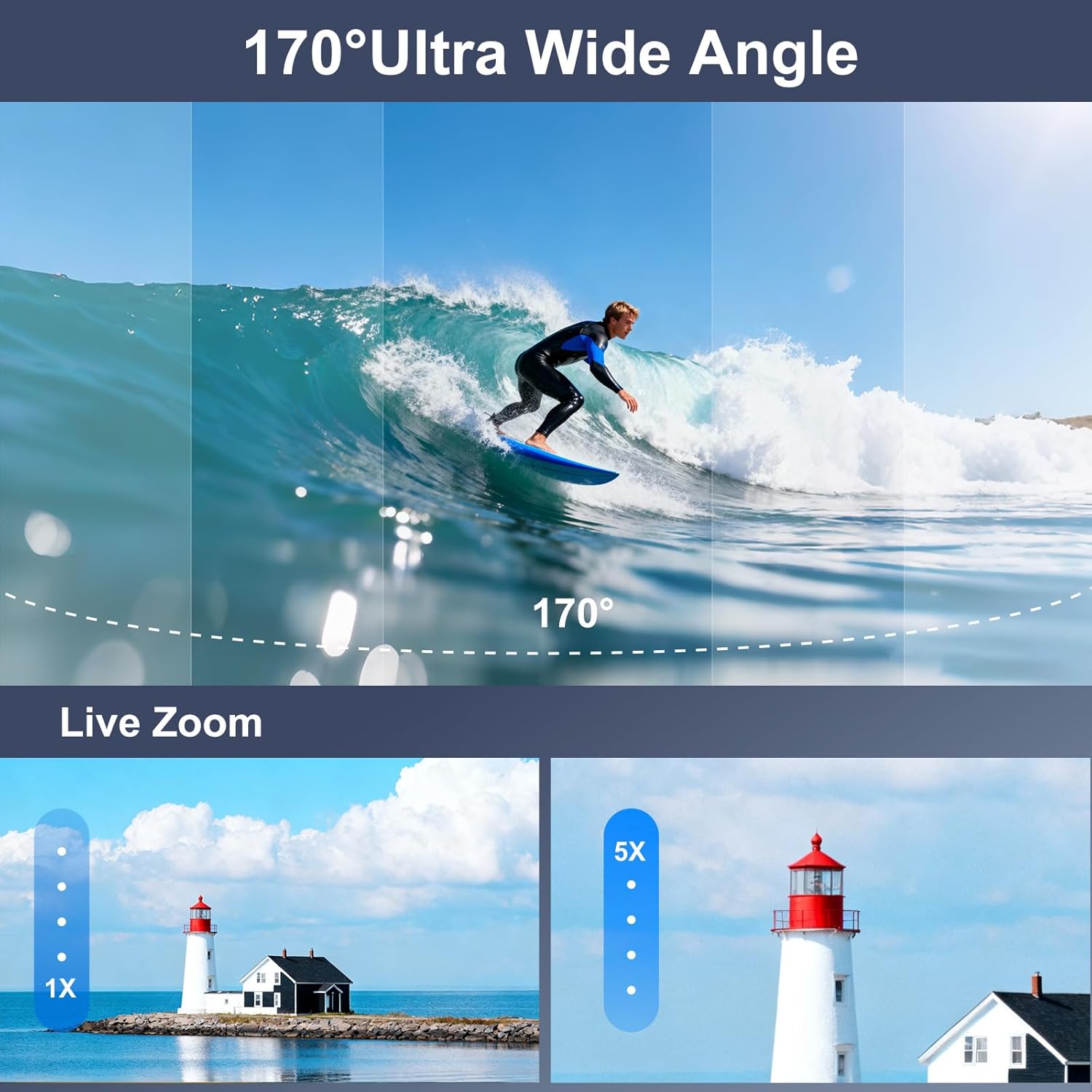
Image: A visual comparison of a 170° ultra-wide-angle shot of a surfer and a demonstration of 5X digital zoom on a lighthouse.

Image: A paraglider captured with the Ourlife M40TR Action Camera, illustrating the expansive 170° ultra-wide view sudut.
5.7. Penggunaan Alat Kawalan Jauh
The 2.4G wireless remote control allows you to operate the camera from up to 15 meters away, switching between video and photo modes with a single button.

Image: A cyclist using the 2.4GHz wireless remote control on their wrist to operate the Ourlife M40TR Action Camera, highlighting its 15m range.
5.8. Wi-Fi Connection & App
Connect your camera to the SupCam Pro app via Wi-Fi for live preview, remote control, and instant sharing of content.

Image: The Ourlife M40TR Action Camera wirelessly connected to a smartphone, showing instant sharing of photos and videos to social media platforms.

Image: Step-by-step guide on how to connect the Ourlife M40TR Action Camera to Wi-Fi using the SupCam Pro App, including a QR code for app download. Download the SupCam Pro App: https://qr04.cn/Acp9lo
5.9. Pemindahan Data
Transfer your photos and videos to your computer using Wi-Fi, USB cable, or a card reader.

Image: Visual guide demonstrating three methods for downloading pictures and videos from the Ourlife M40TR Action Camera to a computer: via Mobile App (Wi-Fi), USB Connection, and Card Reader.
6. Penyelenggaraan
6.1. Pembersihan
- Use a soft, lint-free cloth to clean the camera lens and screens.
- For the waterproof housing, rinse with fresh water after each use in saltwater and allow to air dry.
6.2. Penyimpanan
- Simpan kamera di tempat yang sejuk dan kering, jauh daripada cahaya matahari langsung.
- Tanggalkan bateri jika kamera tidak akan digunakan untuk tempoh yang lama.
7. Penyelesaian masalah
If you encounter any issues with your Ourlife M40TR Action Camera, please refer to the following common solutions:
- Kamera tidak dihidupkan: Pastikan bateri dicas sepenuhnya dan dimasukkan dengan betul.
- Ralat kad SD: Format the SD card in the camera's settings menu. If the issue persists, try a different compatible SD card.
- Isu sambungan Wi-Fi: Ensure the camera's Wi-Fi is enabled and you are within range. Restart both the camera and your smartphone.
- Kualiti video/foto yang teruk: Check the selected resolution settings. Ensure the lens is clean and free from smudges.
- Water leakage in housing: Before each use, inspect the waterproof housing for any cracks or damage. Ensure the rubber seal is clean and properly seated.
Untuk bantuan lanjut, sila hubungi khidmat pelanggan.
8. Spesifikasi
| Ciri | Perincian |
|---|---|
| Nama Jenama | Ourljika |
| Nombor Model | AT-M40R |
| Resolusi Tangkapan Video | 5K |
| Teknologi Penderia Foto | CMOS |
| Ciri Khas | EIS, 170° Adjustable View Angle, Anti-Shake, Remote Control, Speakers, Time Lapse, Timer, Car Mode |
| Kedalaman Kalis Air | Up to 30 meters (100FT) with waterproof case |
| Teknologi Ketersambungan | Wi-Fi, Tanpa Wayar |
| Saiz Skrin | 2 Inches (main), 1.3 Inches (front) |
| Jenis Memori Denyar | Micro SD (supports up to 256GB) |
| Bateri | 1 bateri Lithium Ion diperlukan (termasuk) |
| Berat Barang | 14.9 auns |
| Dimensi Pakej | 11.34 x 7.52 x 3.11 inci |
9. Waranti dan Sokongan
Ourlife offers the following support for your product:
- 30-day Guarantee & Refunds: For initial purchase satisfaction.
- 1-year Exchange: Untuk kecacatan atau kerosakan produk.
- 24-hour Official Support: Hubungi melalui e-mel di info@ourlifesmart.com untuk sebarang pertanyaan atau bantuan.

Image: Ourlife customer support details, including email address (info@ourlifesmart.com), 24-hour official support, 30-day guarantee & refunds, and 1-year exchange policy.


