1. Pengenalan
Welcome to the user manual for your AWOW Mini PC AMD Ryzen 5 7430U. This guide provides essential information for setting up, operating, and maintaining your new mini PC. Please read this manual thoroughly before using the device to ensure optimal performance and longevity.
2. Produk Lebihview
The AWOW Mini PC BA7 is a compact and powerful computing solution designed for various applications, from daily tasks to light gaming and multi-display setups. It features an AMD Ryzen 5 7430U processor, ampmemori yang rendah dan storan yang pantas.
Ciri-ciri Utama:
- Pemproses: AMD Ryzen 5 7430U (6 Teras, 12 Benang, sehingga 4.3 GHz)
- Grafik: Grafik AMD Radeon Bersepadu
- Ingatan: 16GB DDR4 RAM (expandable up to 64GB)
- Storan: 512GB PCIe 3.0 SSD (expandable up to 2TB M.2 NVMe)
- Sistem pengendalian: Windows 11 Pro
- Sokongan Paparan: Triple 4K display output via HDMI 2.0, DisplayPort 1.2, and USB-C
- Ketersambungan: WiFi 6, Bluetooth 5.2, 1000Mbps RJ45 LAN
- Reka bentuk padat: Small footprint with efficient cooling.
Butiran Pemproses
The AWOW Mini PC is equipped with an AMD Ryzen 5 7430U processor, offering 6 cores and 12 threads for efficient multitasking and performance. It boasts a turbo frequency of up to 4.3 GHz and includes 16 MB of cache.
Imej: Terperinci view of the AMD Ryzen 5 7430U processor, highlighting its 6 cores, 12 threads, 4.3GHz turbo frequency, and 16MB cache.
Antara Muka dan Pelabuhan
The mini PC provides a comprehensive set of ports for various connections, including multiple USB ports, display outputs, and network connectivity.

Imej: Depan dan belakang views of the AWOW Mini PC, illustrating the location of the Power Button, Type-C Full Function port, USB3.2*2, CLR CMOS, 3.5mm Audio Jack, DC IN, DP1.2, HDMI2.0, USB 2.0*2, and RJ45 LAN 1000 Mbps port.
3. Panduan Persediaan
3.1 Membuka Kotak dan Kandungan Pakej
Sebelum memulakan, pastikan semua komponen ada di dalam pakej:
- AWOW BA7 Mini PC
- Penyesuai Kuasa
- Skru
- Gunung VESA
- Kabel HDMI
- Manual Pengguna (dokumen ini)

Image: Contents of the AWOW Mini PC package, including the mini PC unit, power adapter, screws, VESA mount, HDMI cable, and user manual.
3.2 Menyambung Peranti
- Paparan Sambungkan: Use the provided HDMI cable or a DisplayPort/USB-C cable to connect your monitor(s) to the corresponding ports on the mini PC.
- Sambungkan Papan Kekunci dan Tetikus: Pasangkan papan kekunci dan tetikus USB anda ke port USB yang tersedia.
- Sambungkan Kuasa: Plug the power adapter into the DC IN port on the mini PC, then connect the adapter to a power outlet.
- Sambungan Rangkaian (Pilihan): For a wired connection, connect an Ethernet cable from your router to the RJ45 LAN port.
3.3 Boot Permulaan
Press the Power Button on the front of the mini PC. The system will boot up, and you will see the Windows 11 Pro operating system. Follow any on-screen instructions for initial setup.
4. Arahan Operasi
4.1 Hidupkan/Mati Kuasa
- Hidupkan kuasa: Tekan Butang Kuasa sekali.
- Matikan: Click the Windows Start button, then select Power > Shut down. Alternatively, press and hold the Power Button for 5 seconds to force a shutdown (use only when necessary).
4.2 Tatarajah Paparan
The AWOW Mini PC supports up to three 4K displays simultaneously. Connect your monitors to the HDMI, DisplayPort, and USB-C ports. Windows will automatically detect the displays. You can configure display settings (resolution, orientation, extended/duplicated desktop) via the Windows Display Settings.
4.3 Pengembangan Storan
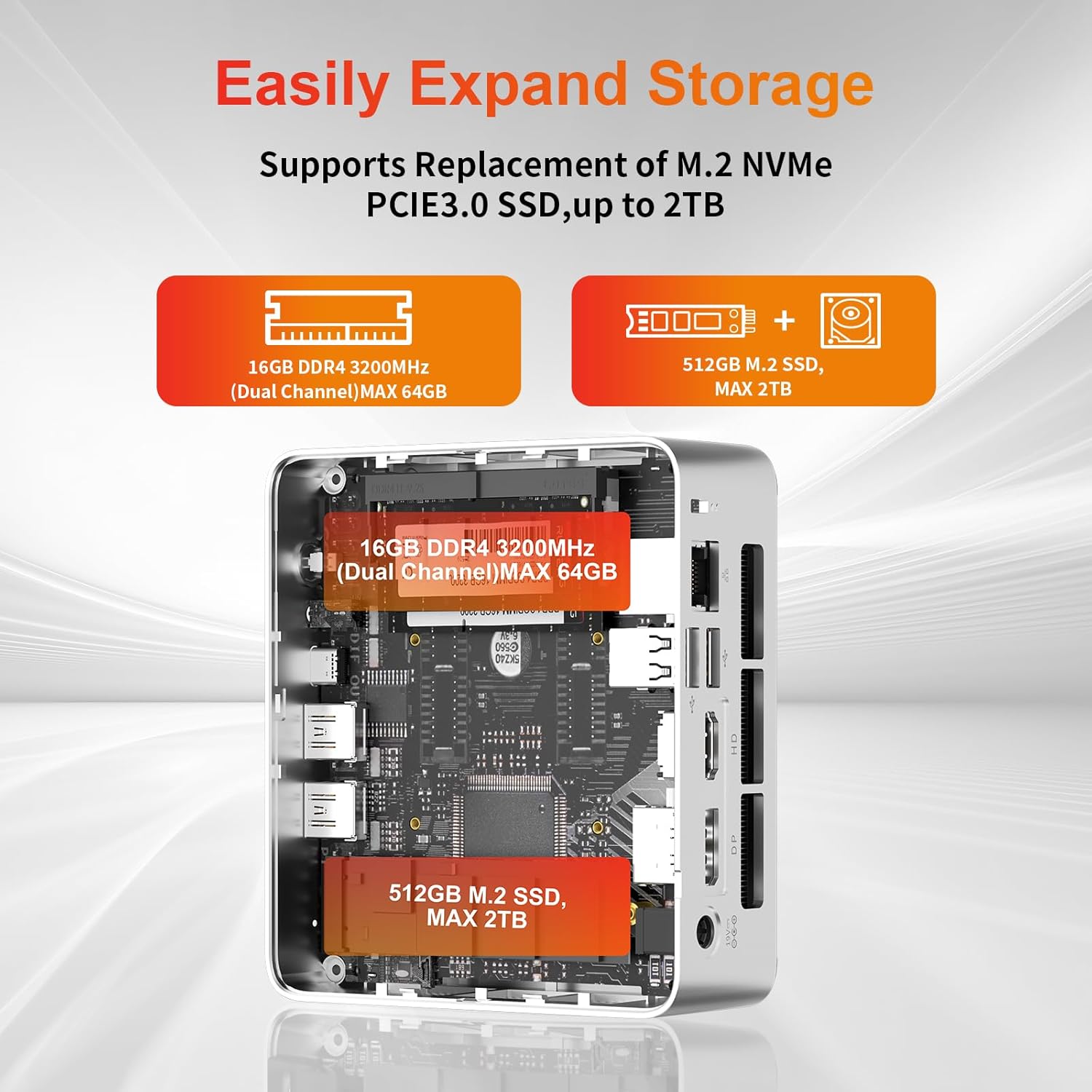
The mini PC allows for easy storage expansion. You can replace the existing M.2 NVMe PCIe 3.0 SSD with a larger one (up to 2TB) or add a 2.5-inch SATA SSD/HDD.

Imej: Dalaman view of the AWOW Mini PC showing the locations for the 16GB DDR4 RAM (expandable to 64GB) and the 512GB M.2 SSD (expandable to 2TB).
4.4 Rangkaian dan Kesambungan Wayarles
- WiFi 6: Connect to wireless networks via the built-in WiFi 6 module. Access network settings through Windows.
- Bluetooth 5.2: Pair Bluetooth devices such as keyboards, mice, or headphones.
- LAN RJ45: For a stable wired connection, use the 1000Mbps Ethernet port.
5. Penyelenggaraan
5.1 Pembersihan
- Pastikan peranti dimatikan dan dicabut plag sebelum dibersihkan.
- Use a soft, dry cloth to wipe the exterior of the mini PC.
- Keep the ventilation openings clear of dust and debris to maintain optimal airflow.
5.2 Sistem Penyejukan
The AWOW Mini PC features an efficient cooling system with a low-noise fan to dissipate heat effectively, ensuring stable performance.
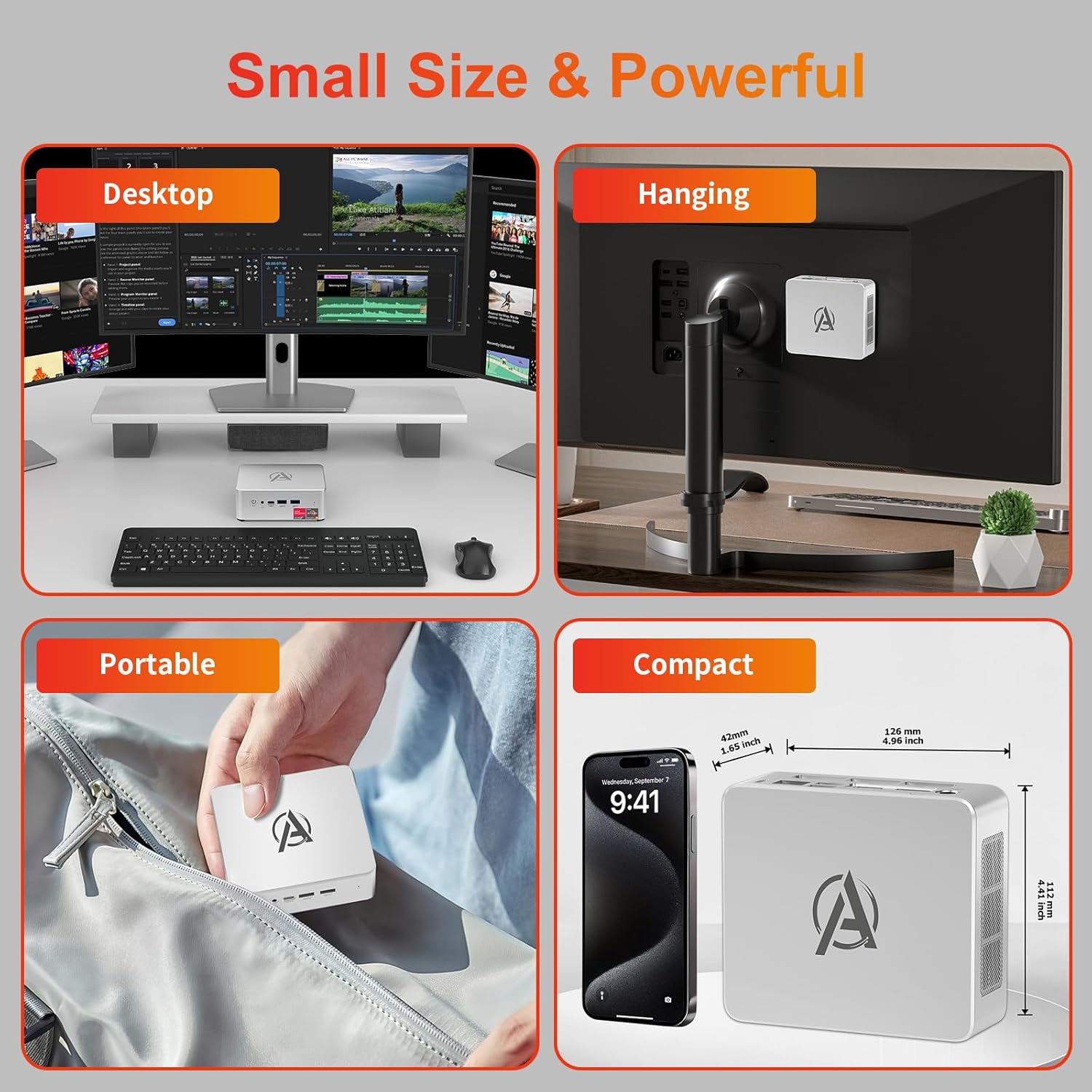
Image: Diagram illustrating the internal cooling system of the AWOW Mini PC, showing the fan and heat sink working to dissipate hot air.
5.3 Kemas Kini Perisian
Regularly update your Windows operating system and drivers to ensure security, stability, and performance. Windows Update can be accessed through the Settings menu.
6. Penyelesaian masalah
If you encounter issues with your AWOW Mini PC, refer to the following common troubleshooting steps:
- Tiada Kuasa:
- Pastikan penyesuai kuasa disambungkan dengan selamat pada kedua-dua PC mini dan salur keluar kuasa yang berfungsi.
- Sahkan alur keluar kuasa berfungsi dengan memasang peranti lain.
- Tiada Paparan:
- Check that the HDMI, DisplayPort, or USB-C cable is firmly connected to both the mini PC and the monitor.
- Ensure your monitor is set to the correct input source (e.g., HDMI 1, DisplayPort).
- Cuba sambungkan ke paparan lain atau gunakan kabel lain.
- Isu Ketersambungan Rangkaian:
- For WiFi, check if the WiFi adapter is enabled in Windows settings and ensure you are connected to the correct network.
- For wired LAN, ensure the Ethernet cable is properly connected and your router is functioning.
- Restart your router and the mini PC.
- Prestasi Perlahan:
- Tutup aplikasi yang tidak perlu berjalan di latar belakang.
- Check available storage space on your SSD.
- Pastikan Windows dan pemacu dikemas kini.
- Sistem Tidak Responsif:
- Press and hold the Power Button for 5 seconds to force a shutdown, then restart the PC.
7. Spesifikasi
| Ciri | Spesifikasi |
|---|---|
| Jenama | AWOW |
| Nombor Model | BA7 |
| Pemproses | AMD Ryzen 5 7430U (6 Teras, 12 Benang, sehingga 4.3 GHz) |
| Grafik | Grafik AMD Radeon Bersepadu |
| RAM | 16GB DDR4 (Max 64GB) |
| Penyimpanan | 512GB PCIe 3.0 SSD (Max 2TB M.2 NVMe) |
| Sistem Operasi | Windows 11 Pro |
| Paparan Output | 3x 4K (HDMI 2.0, DP 1.2, USB-C) |
| Kesambungan Wayarles | WiFi 6, Bluetooth 5.2 |
| LAN berwayar | 1000Mbps RJ45 |
| Port USB | 2x USB 3.2, 2x USB 2.0, 1x Type-C (Full Function) |
| Port Audio | Bicu Audio 1x 3.5mm |
| Pelabuhan Lain | 1x DC IN, 1x CLR CMOS |
| Dimensi (L x W x H) | 126mm x 112mm x 42mm (4.96 x 4.41 x 1.65 inci) |
| Berat badan | 398g |
8. Waranti dan Sokongan
8.1 Maklumat Waranti
Please refer to your purchase documentation or contact AWOW customer support for specific warranty details regarding your Mini PC. Warranty terms may vary by region and retailer.
8.2 Sokongan Pelanggan
For technical assistance, product inquiries, or further support, please visit the official AWOW website or contact their customer service department. Contact information can typically be found on the AWOW webtapak atau dalam pembungkusan produk anda.


