1. Produk Lebihview
The Baseus Picogo Power Bank is a compact, lightweight, and versatile magnetic portable charger designed for convenience and efficiency. Featuring Qi2 certification for 15W wireless charging and a 20W USB-C output, it provides reliable power for your devices on the go. Its ultra-slim design includes a built-in kickstand for hands-free viewing.
Ciri-ciri Utama:
- Reka Bentuk Ultra-Kompak: Smaller than a credit card and weighing approximately 0.3 lbs (138g), making it highly portable.
- Qi2 Certified Wireless Charging: Delivers up to 15W fast wireless charging for compatible devices.
- 20W USB-C Wired Charging: Provides rapid wired charging for devices via the USB-C port.
- Kapasiti Bateri 5000mAh: Offers approximately 1.5 full charges for most iPhone models.
- Kickstand Bersepadu: Membolehkan untuk bebas tangan viewing in both portrait and landscape orientations.
- Penjajaran Magnet yang Kuat: Equipped with 11 reinforced N52 magnets for a secure attachment to MagSafe-compatible devices.
- Bahan Premium: Crafted with an aluminum alloy shell and a soft-touch silicone coating for durability and grip.
- Keselamatan yang Dipertingkatkan: Features NTC Smart Temperature Control and multiple protection mechanisms (over-voltage, bawah-voltage, over-charge, over-discharge, over-current, short circuit, over-power).

Image: The Baseus Picogo Power Bank attached to the back of an iPhone, demonstrating its ultra-compact size and the integrated kickstand in use. The image emphasizes its portability and hands-free viewkeupayaan.
2. Apa yang ada di dalam Kotak
Upon opening your Baseus Picogo Power Bank package, you should find the following items:
- Baseus Picogo Power Bank (Model: PPKPC-0520S)
- Kabel Pengecasan USB-C ke USB-C
- Manual Pengguna (dokumen ini)

Image: The Baseus Picogo Power Bank, its retail packaging, and the included USB-C charging cable, illustrating the complete product contents.
3. Persediaan
Pengecasan Awal Bank Kuasa:
- Connect the provided USB-C cable to the USB-C port on the Baseus Picogo Power Bank.
- Sambungkan hujung kabel USB-C yang satu lagi kepada penyesuai kuasa USB-C yang serasi (tidak disertakan).
- The LED indicators on the power bank will light up to show the charging status. A full charge is indicated when all four LEDs are solid.
- Allow approximately 1 hour and 54 minutes for a full recharge using a 20W or higher power adapter.

Image: The Baseus Picogo Power Bank connected to a wall adapter via a USB-C cable, illustrating the process of recharging the power bank.
Memeriksa Tahap Bateri:
Tekan butang kuasa sekali untuk view the current battery level indicated by the LED lights:
- 1 LED: 0-25%
- 2 LED: 25-50%
- 3 LED: 50-75%
- 4 LED: 75-100%

Image: A visual guide explaining how the LED indicators on the Baseus Picogo Power Bank correspond to its remaining battery charge levels.
4. Arahan Operasi
Wireless Charging (MagSafe Compatible):
- Ensure your device is MagSafe compatible (iPhone 12-17 series) or has a MagSafe-compatible case.
- Align the Baseus Picogo Power Bank with the back of your device. The strong magnets will snap it into place.
- Wireless charging will begin automatically. The power bank delivers up to 15W for fast wireless charging.
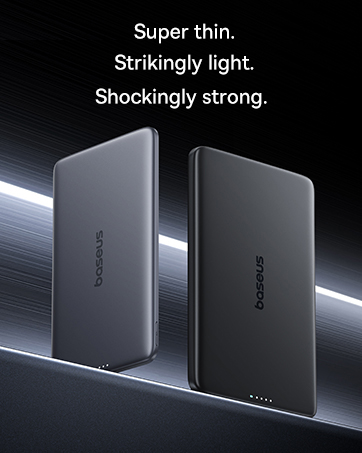
Image: The Baseus Picogo Power Bank magnetically attached to an iPhone, demonstrating active wireless charging with the Qi2 logo visible.
Wired Charging (USB-C Output):
- Connect a USB-C cable (provided or your own) to the USB-C port on the Baseus Picogo Power Bank.
- Sambungkan hujung kabel yang satu lagi ke port pengecasan peranti anda.
- Wired charging will commence. The power bank supports up to 20W output for rapid charging.

Image: The Baseus Picogo Power Bank connected via a USB-C cable to one iPhone while wirelessly charging another, showcasing its dual-device charging capability.
Using the Built-in Kickstand:
- Gently pull out the integrated aluminum kickstand from the back of the power bank.
- Position your device (with the power bank attached) on a flat surface.
- Adjust the kickstand to your desired viewing angle for hands-free use in portrait or landscape mode.
Image: The Baseus Picogo Power Bank attached to an iPhone, with its kickstand extended to support the phone in an upright position for hands-free viewing.
Keserasian:
The Baseus Picogo Power Bank is compatible with:
- iPhone 12-17 Series (MagSafe wireless charging)
- MagSafe-compatible cases
- AirPods 3 / Pro 2
- Other USB-C powered devices (via wired connection)
Ia adalah tidak serasi with non-magnetic cases, Samsung phones (for wireless charging), or other Android phones (for wireless charging).
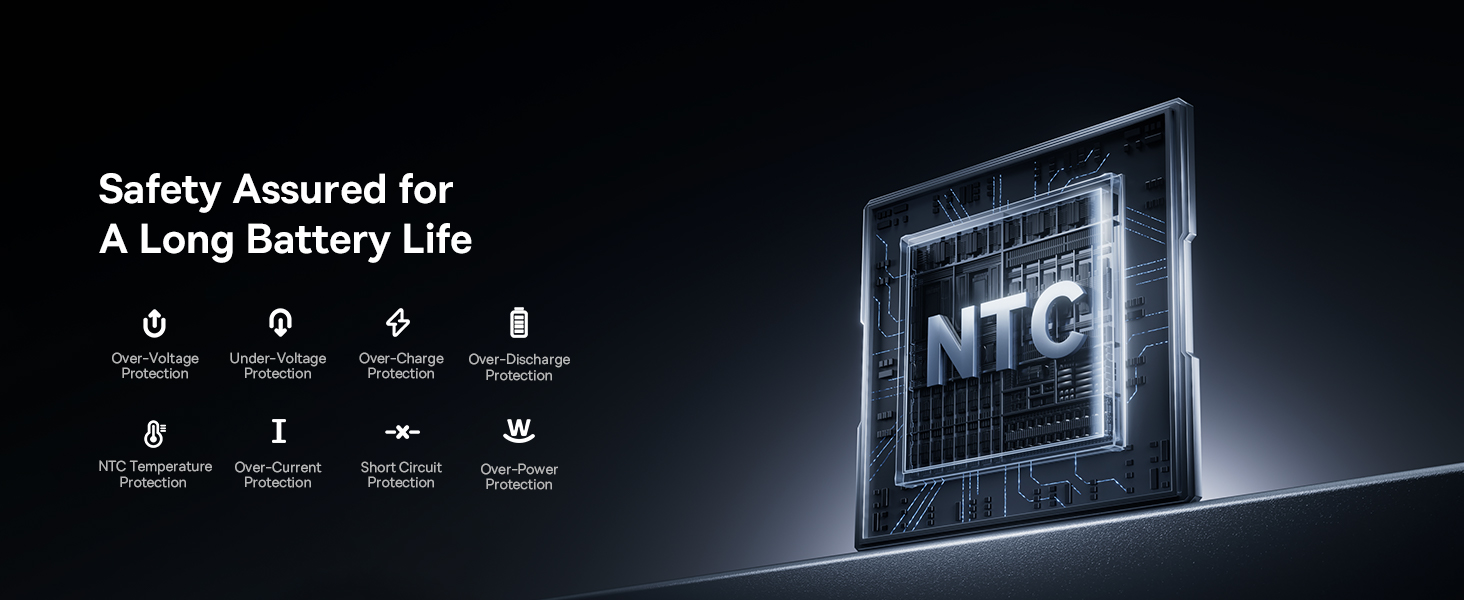
Image: A visual chart detailing compatible and incompatible devices for the Baseus Picogo Power Bank, including various iPhone models, AirPods, and other USB-C devices.
5. Penyelenggaraan
- Pembersihan: Gunakan kain lembut dan kering untuk membersihkan power bank. Elakkan menggunakan bahan kimia yang keras atau bahan yang melelas.
- Storan: Simpan bank kuasa di tempat yang sejuk dan kering jauh dari cahaya matahari langsung dan suhu yang melampau.
- Penjagaan Bateri: To prolong battery life, avoid fully discharging the power bank regularly. Recharge it when the battery level is low.
- Elakkan Titisan: While durable, avoid dropping the power bank to prevent internal damage.
6. Penyelesaian masalah
- Peranti Tidak Mengecas Secara Wayarles:
- Pastikan peranti anda serasi dengan MagSafe atau mempunyai bekas yang serasi dengan MagSafe.
- Check for proper alignment between the power bank and your device.
- Verify the power bank has sufficient charge.
- Pengecasan perlahan:
- Ensure you are using a compatible cable and power adapter for optimal charging speeds.
- Charging may slow down at 80% to protect the battery, especially if the device gets warm. Moving to a cooler area may help.
- Power Bank Not Recharging:
- Periksa kabel USB-C dan penyesuai kuasa untuk kerosakan.
- Pastikan penyesuai kuasa berfungsi dengan betul.
- Magnetic Connection is Weak:
- Ensure your device or case is genuinely MagSafe compatible.
- Remove any non-magnetic accessories or thick cases that may interfere with the magnetic connection.
7. Spesifikasi
| Ciri | Perincian |
|---|---|
| Nombor Model | PPKPC-0520S |
| Kapasiti Bateri | 5000 Miliamp Jam (mAh) |
| Output Tanpa Wayar | 5W / 7.5W / 15W (Qi2 Certified) |
| Output USB-C | Maksimum 20W |
| Input USB-C | 5V=3A; 9V=2.22A |
| Jumlah Output | 20W Max (when charging two devices simultaneously) |
| Dimensi Produk | 3.4 x 2.3 x 0.5 inci |
| Berat Barang | 0.3 lbs (approximately 138g) |
| Jenis Bateri | Polimer Litium |
| bahan | Silikon, aloi aluminium |
| warna | Kelabu |
8. Waranti dan Sokongan
Baseus menawarkan a Janji Ganti 2 Tahun for this product. For any issues or support, please contact Baseus customer service. Details can typically be found on the product packaging or the official Baseus webtapak.
9. Maklumat Keselamatan Penting
- Jangan dedahkan bank kuasa kepada suhu yang melampau, cahaya matahari langsung atau api.
- Jangan buka, ubah suai atau baiki peranti sendiri.
- Jauhkan daripada kanak-kanak.
- Elakkan daripada menjatuhkan atau meletakkan peranti kepada kesan yang kuat.
- Use only original or certified cables and adapters.
- If the power bank swells, emits an odor, or becomes excessively hot, discontinue use immediately.
10. Video Produk Tamatview
Video: Seorang pegawai tamatview of the Baseus Picogo Power Bank, highlighting its ultra-mini size, 15W Qi2 wireless charging, strong magnetic attachment, and built-in kickstand. It demonstrates the product's key features and portability.


