pengenalan
This manual provides detailed instructions for the installation, operation, and maintenance of your TERUNSOUl D018 Triple-Channel Dash Cam. Please read this manual thoroughly before using the product to ensure proper functionality and safety.
Ciri-ciri Utama
- UHD 4K Front + 4K Rear + 1080P Cabin Recording: Simultaneous 3-channel recording with wide-angle coverage (170° front, 150° cabin, 150° rear).
- Loop Recording & G-Sensor: Automatic overwriting of old files for continuous recording. Built-in G-sensor detects collisions and locks footage.
- Auto IR Cabin & Super Starlight Night Vision: Enhanced WDR and night vision for clear details in low light. Cabin unit features four invisible infrared lights.
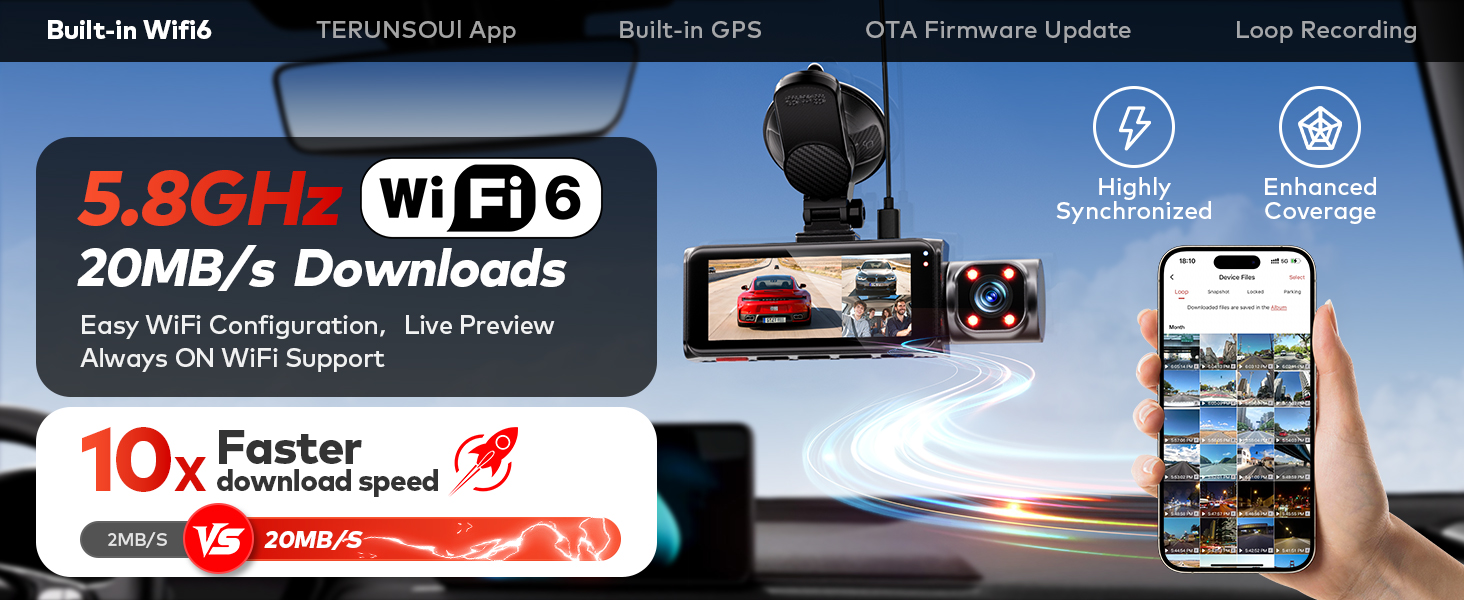
- Lightning-Fast Dual Band WiFi 6 & Free Wireless App Control: 5.8GHz and 2.4GHz WiFi for quick access, management, and download of 4K videos via the "Terunsoul App" (iOS/Android).
- GPS terbina dalam: Records real-time speed, compass, timestamp, driving routes, and locations. Viewable on screen or via free GPS player for Windows/Mac.
- Pemantauan Tempat Letak Kereta 24 Jam: Time-lapse recording and collision detection for vehicle protection when parked. Requires separate hardwire kit (ASIN: B0FN848PK2).
- Pemasangan Mudah: User-friendly setup.
Apa yang ada dalam Kotak
The TERUNSOUl D018 package includes the following components:
- Main Dash Cam Unit (Front + Cabin Cameras)
- Kamera Belakang
- Kad MicroSD 128GB (dipasang sebelumnya)
- USB-C Power Cable (11ft)
- Kabel Kamera Belakang (21 kaki)
- Pengecas Kereta
- GPS Bracket (Suction Cup Mount)
- Panduan Mula Pantas
- Pelekat Amaran
- Electrostatic Films
- Alat Pry
- Lap Pembersihan
- Klip Kabel
- Kain tanpa lin

Persediaan
1. Memasang Dash Cam
Attach the main dash cam unit to the GPS suction cup mount. Clean the desired area on your windshield thoroughly before applying the suction cup. Press the suction cup firmly against the windshield and engage the locking mechanism to secure it. Ensure the dash cam does not obstruct your view semasa memandu.

2. Menyambungkan Kamera Belakang
Connect the rear camera to the main unit using the provided 21ft rear camera cable. Route the cable discreetly along the vehicle's interior trim to the rear window. Use the included electrostatic film on the rear window before attaching the rear camera with its adhesive to allow for easier removal if needed.

3. Sambungan Kuasa
Plug the USB-C power cable into the main dash cam unit and the car charger into your vehicle's cigarette lighter socket. The dash cam will power on automatically when the vehicle starts.
4. Kad SD
A 128GB microSD card is pre-installed. Ensure it is properly seated. The dash cam supports up to 512GB microSD cards.
Arahan Operasi
Kawalan Asas
- Butang Kuasa: Press once to turn screen on/off (while device is on). Long press 2s to power off/on.
- Butang Naik: Press once to take photo (video mode), play previous video (playback mode), move up (menu mode). Long press 2s to turn Wi-Fi on/off (recording mode).
- Butang Bawah: Press once to switch front/inside/rear camera, split screen display (recording mode), play next video (playback mode), move down one line (menu mode). Long press 2s to enable/disable audio recording (recording mode).
- Butang OK: Press once to start/stop recording (video mode), confirm or select (menu mode), play or pause video (playback mode). Long press 2s to lock/unlock current video (video mode), switch Front/Rear Camera (File Viewing Mode).
- Butang Menu: Press once to enter/exit settings menu, go back to previous screen (menu mode). Long press 2s to enter file management menu (recording mode).
Note: Once the dash cam is connected to the app, the physical buttons will be disabled. Configure the dash cam through the app or disconnect the Wi-Fi connection first.
Mod Rakaman
The D018 supports simultaneous recording from three channels: front (4K), rear (4K), and cabin (1080P). This provides comprehensive coverage of your vehicle's surroundings and interior.

Loop Recording & G-Sensor
The dash cam continuously records, automatically overwriting the oldest files when the memory card is full. In the event of a collision, the built-in G-sensor detects the impact and automatically locks the current video segment to prevent it from being overwritten, preserving critical evidence.

Penglihatan Malam
The dash cam features enhanced WDR (Wide Dynamic Range) and Super Starlight Night Vision technology for clear recordings in challenging lighting conditions. The cabin camera includes four invisible infrared lights for clear recording in complete darkness.

Fungsi GPS
The built-in GPS module records precise driving routes, locations, and speed data, which is embedded directly into the video footage. Maklumat ini boleh viewed on the dash cam's screen, through the Terunsoul App, or using the free GPS player software for Windows and Mac.

Wi-Fi & App Control
Utilize the advanced dual-band WiFi 6 (5.8GHz and 2.4GHz) to connect your dash cam to the "Terunsoul App" on your iOS or Android device. The app allows you to:
- Praview suapan video langsung.
- Manage camera settings.
- Download recorded videos at speeds up to 20MB/s.
- Kongsi footage directly to social media or insurance providers.
- Perform Over-The-Air (OTA) firmware updates.

24-Hour Parking Monitoring & Time-Lapse
For continuous surveillance when your vehicle is parked, the dash cam offers 24-hour parking monitoring. This mode uses time-lapse video recording at a low frame rate (1/2/5 frames per second) and low power consumption. Any collision detected by the G-sensor while parked will automatically trigger recording and lock the video. A separate hardwire kit (ASIN: B0FN848PK2) is required to enable this feature.
Penyelenggaraan
Pengurusan Kad SD
Regularly format the microSD card (at least once a month) to ensure optimal performance and prevent data corruption. While loop recording manages space, periodic formatting helps maintain card health.
Kemas kini Perisian Tegar
Keep your dash cam's firmware updated to access the latest features and improvements. Firmware updates can be performed conveniently Over-The-Air (OTA) via the Terunsoul App using a 5.8GHz Wi-Fi connection.

Penjagaan Am
Clean the dash cam lenses and screen with the provided lint-free cloth to ensure clear recordings. Avoid using abrasive cleaners. Operate the device within its specified temperature ranges (-4°F to 158°F) to prevent damage.
Menyelesaikan masalah
If you encounter any issues with your TERUNSOUl D018 Dash Cam, please refer to the following general troubleshooting tips:
- Tiada Kuasa: Ensure the power cable is securely connected to both the dash cam and the car charger, and that the car's cigarette lighter socket is functioning.
- Isu Rakaman: Check if the microSD card is properly inserted and formatted. Ensure there is sufficient space on the card.
- Masalah Sambungan Wi-Fi: Verify that Wi-Fi is enabled on the dash cam and your smartphone. Try restarting both devices.
- GPS Tidak Berfungsi: Pastikan cam dash mempunyai jernih view of the sky for satellite reception.
- Butang Tidak Responsif: If connected to the app, disconnect the Wi-Fi first as physical buttons are disabled during app control.
For further assistance, please contact TERUNSOUl customer support.
Spesifikasi
| Ciri | Spesifikasi |
|---|---|
| Dimensi Produk | 1 x 0.5 x 0.5 inci |
| Berat Barang | 1.89 paun |
| Nombor Model Item | D018 |
| Teknologi Ketersambungan | Wi-Fi |
| Ciri Khas | 4K FRONT + 4K REAR + 1080P CABIN, Built-in GPS, G-Sensor, IR Night Vision, WiFi 6 |
| Resolusi Tangkapan Video | 4K+4K+1080p |
| Komponen yang Disertakan | Main Dash Cam, Rear Camera, 128GB MicroSD Card, USB-C Power Cable, Rear Camera Cable, Car Charger, GPS Bracket, Quick Start Guide, Warning Sticker, Electrostatic Films, Pry Tool, Cleaning Wipe, Cable Clips, Lint-free Cloth |
| Jenis Pemasangan | Suction Cup (Windshield) |
| Kaedah Kawalan | Apl, Butang Tekan |
| Pengeluar | TERUNSOUl |
| Tarikh Tersedia Pertama | 16 September 2025 |
Waranti & Sokongan
TERUNSOUl provides an 18-month warranty for the D018 Dash Cam. For any questions or assistance, please contact our 24/7 customer support team. Our aftersales team is available to help ensure your peace of mind while driving.


