1. Pengenalan
This manual provides instructions for the Fanvace P8 5-inch Android 13 MP3 Player. Please read this manual thoroughly before using the device to ensure proper operation and to maximize its features.
2. Kandungan Pakej
Sahkan bahawa semua item terdapat dalam pakej:
- 1 x Fanvace P8 MP3 Player
- 1 x Kabel USB C
- 1 x Fon Telinga Berwayar
- 1 x Pelindung Skrin
- 1 x Sarung Pelindung
- 1 x Manual Pengguna (dokumen ini)

Figure 2.1: Included accessories with the Fanvace P8 MP3 Player.
3. Peranti Lebihview
The Fanvace P8 is a 5-inch MP3 player running on Android 13 OS, featuring Bluetooth 5.0 and Wi-Fi connectivity. It includes a built-in speaker, FM radio, and supports a wide range of audio and video formats.

Rajah 3.1: Depan view of the Fanvace P8 MP3 Player.

Figure 3.2: Key features of the Fanvace P8 MP3 Player.
4. Persediaan
4.1 Pengecasan Awal
Before first use, fully charge the device. Connect the provided USB-C cable to the player and a 5V-1A or 5V-2A charger. Avoid using fast chargers. A full charge typically takes 3-4 hours.
4.2 Hidupkan/Mati Kuasa
- Untuk Menghidupkan: Tekan dan tahan butang kuasa (terletak di sisi) sehingga skrin menyala.
- Untuk Mematikan: Tekan dan tahan butang kuasa, kemudian pilih 'Matikan Kuasa' daripada pilihan pada skrin.
4.3 Sambungan Wi-Fi
Untuk menyambung ke rangkaian Wi-Fi:
- Pergi ke tetapan > Rangkaian & internet > Wi-Fi.
- Togol Wi-Fi On.
- Pilih rangkaian yang anda inginkan daripada senarai dan masukkan kata laluan jika digesa.
4.4 Berpasangan Bluetooth
To pair with Bluetooth devices (e.g., headphones, speakers):
- Pergi ke tetapan > Peranti yang disambungkan > Bluetooth.
- Togol Bluetooth On.
- Pastikan peranti Bluetooth anda berada dalam mod berpasangan.
- Select your device from the 'Available devices' list to pair.

Figure 4.1: Connectivity options for the Fanvace P8 MP3 Player.
5. Arahan Operasi
5.1 Navigasi Asas
The device features a 5-inch HD IPS touchscreen. Navigate by tapping, swiping, and pinching gestures similar to a smartphone.
5.2 Main balik Muzik
The player supports various audio formats including MP3, WAV, FLAC, APE, OGG, M4A, AAC, and WMA. Use the pre-installed music player app or download others from the Play Store.
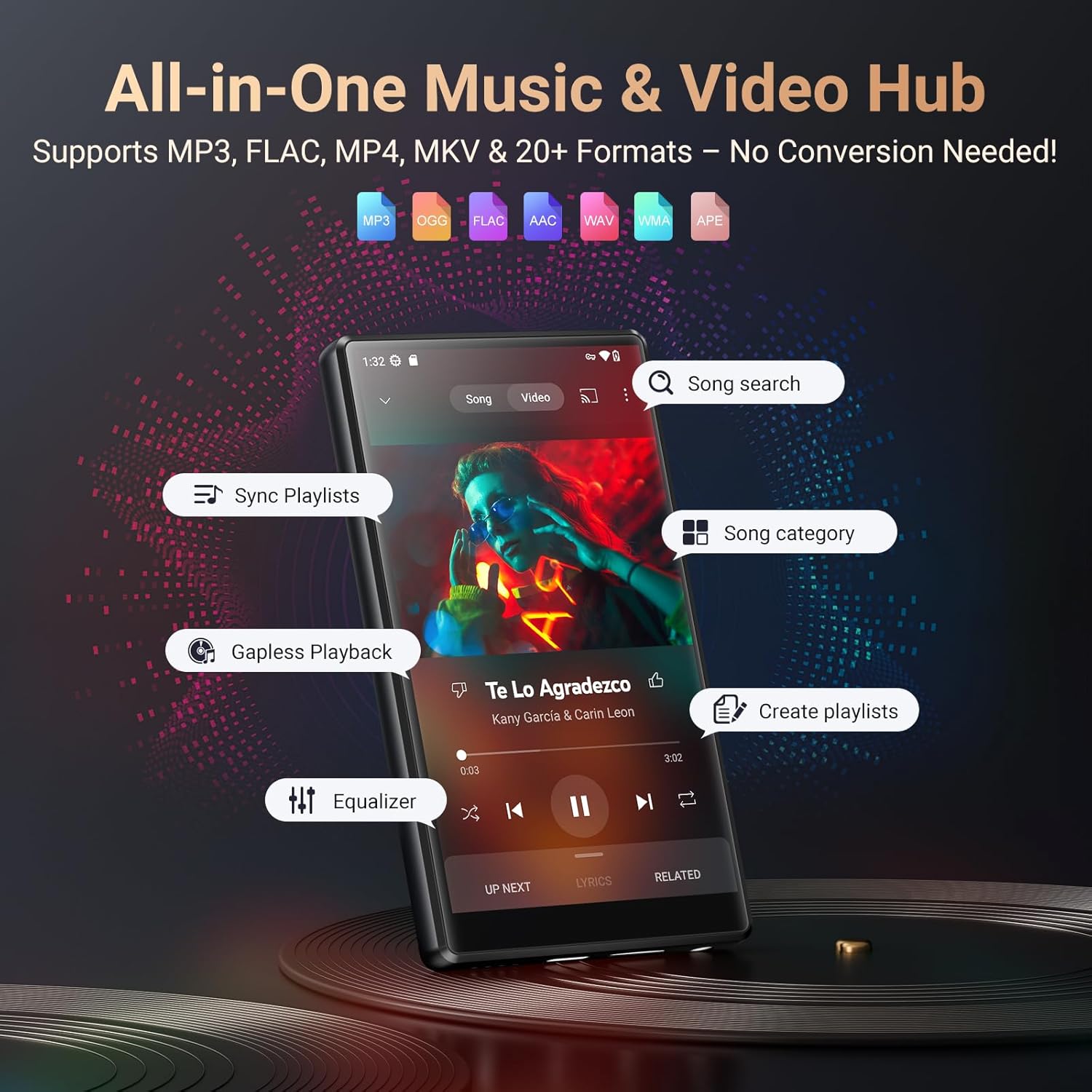
Figure 5.1: Music playback interface and supported formats.
5.3 Main balik Video
The device supports video formats such as RM, RMVB, FLV, MP4, DAT, MKV, MPG, MOV, and TS directly without conversion. Enjoy videos in 1080p resolution on the 5-inch HD screen.

Figure 5.2: Video playback quality on the 5-inch HD screen.

Figure 5.3: Supported music and video formats for seamless playback.
5.4 File Pemindahan
Connect the device to a computer using the USB-C cable to transfer music, videos, and other files. The device will appear as a removable storage device.
5.5 Radio FM
To use the FM Radio, connect the wired earphones (acting as an antenna) to the device. Open the FM Radio app and scan for available stations.
5.6 Perakam Suara
Access the Voice Recorder app from the main menu to record audio. Recordings are saved internally and can be managed through the file pengurus.
5.7 Pengurusan Apl
The device comes pre-installed with popular apps like Spotify, Amazon Music, Audible, and more. You can download additional apps from the Google Play Store. To uninstall an app, press and hold its icon on the home screen or app drawer, then drag it to the 'Uninstall' option.

Figure 5.4: Pre-installed applications and access to the Play Store.
Figure 5.5: Uninstalling applications on the Fanvace P8.
5.8 Pengurusan Storan
The device has 128GB of internal storage and supports external storage expansion up to 512GB via a microSD card (not included). This allows for ample space for songs, videos, audiobooks, and pictures.

Figure 5.6: Large storage capacity of the Fanvace P8.
6. Penyelenggaraan
6.1 Pembersihan
Use a soft, dry, lint-free cloth to clean the device. Do not use abrasive cleaners or solvents. Avoid getting moisture into openings.
6.2 Penjagaan Bateri
The device is equipped with a 2500mAh lithium battery. To prolong battery life:
- Elakkan suhu yang melampau.
- Jangan biarkan bateri dicas sepenuhnya dengan kerap.
- Use the recommended 5V-1A or 5V-2A charger.
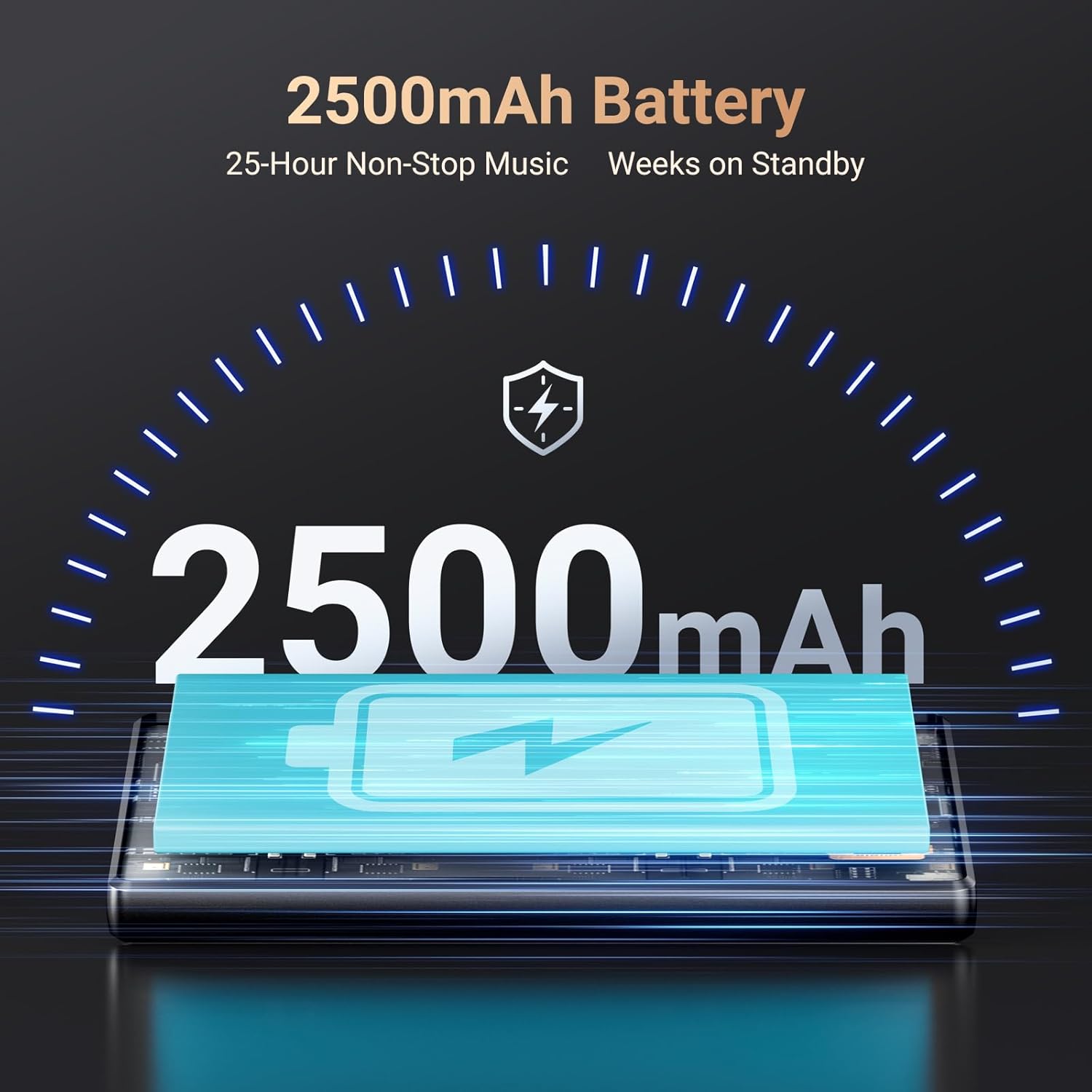
Figure 6.1: Battery capacity and typical usage times.

Figure 6.2: Detailed battery performance metrics.
6.3 Kemas Kini Perisian
The Android 13 OS may receive periodic software updates. Check for updates in tetapan > Sistem > Kemas kini sistem untuk memastikan prestasi dan keselamatan yang optimum.
7. Penyelesaian masalah
- Peranti tidak dihidupkan: Pastikan bateri dicas. Sambungkan ke pengecas dan tunggu beberapa minit sebelum cuba menghidupkan semula.
- Tidak dapat menyambung ke Wi-Fi/Bluetooth: Verify that Wi-Fi/Bluetooth is enabled in settings. Ensure the network password is correct or the Bluetooth device is in pairing mode and within range.
- Apl ranap atau beku: Try restarting the device. If the issue persists, clear the app's cache (Settings > Apps > [App Name] > Storage & cache > Clear cache) or uninstall and reinstall the app.
- Kualiti audio yang lemah: Check earphone connection or Bluetooth connection. Ensure audio files are not corrupted. Adjust equalizer settings if available.
- Prestasi perlahan: Tutup aplikasi latar belakang yang tidak diperlukan. Kosongkan cache dan sementara files. Consider a factory reset if performance issues continue (backup data first).
8. Spesifikasi
| Nombor Model | P8 |
| Sistem Operasi | Android 13 |
| Pemproses | MTK 8-core |
| Saiz Skrin | 5 Inci |
| Storan Dalaman | 128 GB ROM |
| RAM | 4 GB |
| Storan Boleh Dikembangkan | Up to 512GB (Micro SD) |
| Ketersambungan | Bluetooth 5.0, Wi-Fi, USB-C |
| Kapasiti Bateri | 2500mAh Litium Ion |
| Format Audio | MP3, WAV, FLAC, APE, OGG, M4A, AAC, WMA |
| Format Video | RM, RMVB, FLV, MP4, DAT, MKV, MPG, MOV, TS |
| Ciri Khas | Built-In Speaker, FM Radio, Touch Screen, Video Playback, Voice Recorder |
| Berat Barang | 13.7 auns |
| Pengeluar | Fanvace |
9. Maklumat Penting
9.1 Demonstrasi Video
Tonton video ini untuk visual seterusnyaview of the Fanvace P8 MP3 Player's features and design.
Video 9.1: Selesaiview of the Fanvace 5-inch 128GB MP3 Player with Bluetooth and WiFi.
10. Waranti dan Sokongan
For warranty information, please refer to the documentation included with your purchase or contact Fanvace customer support. The manufacturer is Fanvace.
For further assistance or technical support, please visit the official Fanvace webtapak atau hubungi bahagian perkhidmatan pelanggan mereka.


